
1. Inleiding
Thank you for choosing the Baseus Qi2 Certified 15W Wireless Magnetic Power Bank. This device is designed to provide convenient and efficient charging for your compatible mobile devices, featuring both wireless and wired charging capabilities. Please read this manual thoroughly before use to ensure proper operation and to maximize the product's lifespan.

Image 1.1: The Baseus Qi2 Certified 15W Wireless Magnetic Power Bank.
2. Produk verbyview
2.1 Pakketinhoud
- Baseus Qi2 Certified 15W Wireless Magnetic Power Bank (10000mAh)
- USB-C na USB-C laaikabel
- Gebruikershandleiding
2.2 Sleutelkenmerke
- Qi2 Certified Wireless Charging: Provides up to 15W wireless charging for compatible devices.
- High-Speed Wired Charging: Features a USB-C port with up to 22.5W Power Delivery (PD) output.
- Magnetiese aanhegting: Strong magnetic connection compatible with MagSafe-enabled devices (iPhone 12-17 series).
- 10000mAh Kapasiteit: Offers substantial power for multiple charges.
- Gevorderde veiligheidskenmerke: Equipped with AI temperature monitoring and graphene for enhanced heat dissipation, preventing overheating.
- Kompakte en draagbare ontwerp: Slim profile vir maklike dra.
- Deurlaai laai: Allows simultaneous charging of the power bank and a connected device.
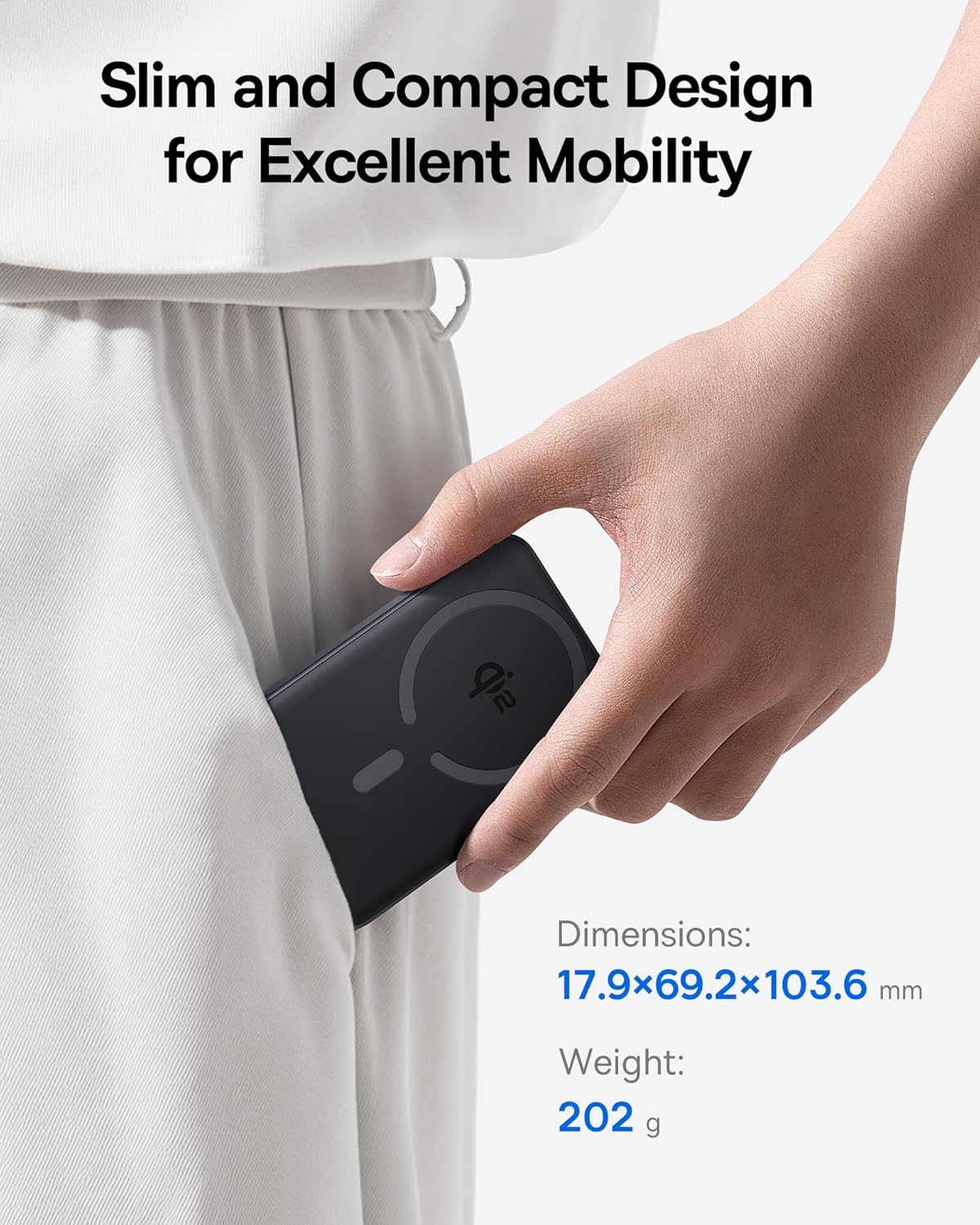
Image 2.1: The power bank's compact design allows for easy portability.
3. Opstelling
3.1 Aanvanklike heffing
- Laai die kragbank volledig voor die eerste gebruik.
- Connect the provided USB-C cable to the power bank's USB-C port.
- Koppel die ander kant van die USB-C-kabel aan 'n versoenbare USB-kragadapter (nie ingesluit nie).
- The LED indicators on the power bank will illuminate to show the charging status. All LEDs will be solid when fully charged.
4. Bedryfsinstruksies
4.1 Laai die kragbank
To recharge the power bank, use the included USB-C cable and connect it to a power source. The power bank supports fast input charging.
4.2 Wireless Charging Your Device
- Ensure your device is compatible with MagSafe or Qi2 wireless charging (e.g., iPhone 12-17 series).
- Align the back of your compatible device with the magnetic charging area of the power bank. The magnets will snap into place, securing the connection.
- Wireless charging will begin automatically. The power bank does not require a power button for wireless charging.

Image 4.1: Wireless charging in progress, demonstrating the magnetic connection.

Image 4.2: Magnetic attachment for effortless charging.
4.3 Wired Charging Your Device
- Connect one end of the USB-C cable to the power bank's USB-C port.
- Koppel die ander kant van die USB-C-kabel aan jou toestel se laaipoort.
- Die kragbank sal die gekoppelde toestel outomaties bespeur en begin laai.
4.4 Deurlaatlaai
The power bank supports pass-through charging, allowing you to charge both the power bank and a connected device simultaneously. Connect the power bank to a wall adapter, and then connect your device to the power bank via either wireless or wired connection.

Image 4.3: The power bank supports both wired and wireless charging simultaneously.
4.5 Universele Verenigbaarheid

Beeld 4.4: Verenigbaarheid oorview for wireless and wired charging.
5. Veiligheidsinligting
Om veilige werking te verseker en skade aan die toestel of beserings te voorkom, volg asseblief die volgende veiligheidsriglyne:
- Moenie die kragbank aan uiterste temperature, direkte sonlig of vuur blootstel nie.
- Moenie die toestel uitmekaar haal, verander of herstel nie.
- Hou die kragbank weg van water en ander vloeistowwe.
- Vermy om die toestel te laat val of aan sterk impakte te onderwerp.
- Gebruik slegs gesertifiseerde laaikabels en adapters.
- Hou buite bereik van kinders.
- The power bank features multiple built-in protections, including over-voltage, onder-voltage, overcharge, over-discharge, over-temperature, over-current, short circuit, recovery, and over-power protection.

Image 5.1: Advanced thermal management for safe charging.

Image 5.2: Comprehensive safety protections integrated into the power bank.
6. Onderhoud
Proper maintenance ensures the longevity and optimal performance of your power bank:
- Maak die toestel skoon met 'n sagte, droë lap. Moenie skuurmiddels of oplosmiddels gebruik nie.
- Berg die kragbank op 'n koel, droë plek wanneer dit nie gebruik word nie.
- Indien dit vir lang tydperke gestoor word, laai die kragbank elke drie maande tot ongeveer 50% om die batterygesondheid te handhaaf.
7. Probleemoplossing
7.1 Toestel laai nie draadloos nie
- Maak seker dat jou toestel Qi2- of MagSafe-versoenbaar is.
- Check for proper alignment of your device on the power bank's charging surface.
- Remove any thick cases or metallic objects between your device and the power bank.
- Verify the power bank has sufficient charge.
7.2 Toestel laai nie via USB-C nie
- Maak seker dat die USB-C-kabel stewig aan beide die kragbank en jou toestel gekoppel is.
- Try using a different USB-C cable to rule out cable malfunction.
- Verify the power bank has sufficient charge.
7.3 Kragbank laai nie weer nie
- Ensure the USB-C cable is securely connected to the power bank and the wall adapter.
- Try a different wall adapter and/or USB-C cable.
- Ensure the wall adapter provides sufficient power output.
8. Spesifikasies
| Modelnommer | E00285 |
| Battery kapasiteit | 10000mAh (3.7V/37Wh) |
| USB-C-invoer | 5V=3A; 9V=2.22A |
| USB-C-uitset | 5V=3A; 9V=2.22A; 12V=1.5A; 10V=2.25A (Max 22.5W) |
| Draadlose uitset | 5W/7.5W/15W (Max 15W) |
| Totale uitset | 5V=3A |
| Produk afmetings | 4.6 x 2.7 x 0.7 duim (17.9 x 69.2 x 103.6 mm) |
| Item gewig | 8.8 onse (202g) |
| Kleur | Black (also available in Moon White, Baby Pink) |
9. Waarborg en Ondersteuning
Baseus products are designed and manufactured to the highest quality standards. This product is covered by a limited warranty from the date of purchase. For detailed warranty information, product support, or to register your product, please visit the official Baseus webwebwerf of kontak hul kliëntediens.
Behou asseblief jou aankoopbewys vir waarborgeise.