
Baseus EnerGeek GR11
Baseus EnerGeek 145W Power Bank User Manual
Model: EnerGeek GR11 | Capacity: 20000mAh | Output: 145W Max
1. Produk verbyview
The Baseus EnerGeek 145W Power Bank is a high-capacity portable charging device designed to provide fast and efficient power to a wide range of electronic devices, including laptops, smartphones, and tablets. It features a 20000mAh battery, a maximum output of 145W, and an integrated 60cm retractable USB-C cable for convenience.

Image: The Baseus EnerGeek 145W Power Bank, showcasing its compact design and the integrated retractable USB-C cable. The digital display is visible, indicating battery status.
Sleutel kenmerke:
- 145W Maksimum Uitset: Supports Power Delivery for rapid charging of high-power devices.
- 20000mAh Kapasiteit: Provides multiple charges for smartphones and laptops.
- Integrated 60cm Retractable USB-C Cable: Durable and convenient for storage and use.
- Multi-poort laai: Two USB-C ports and two USB-A ports allow simultaneous charging of up to four devices.
- Intelligente digitale skerm: Real-time display of battery level, charging power, and remaining time.
- Gevorderde verkoelingstelsel: Features conductive graphene, aerogel insulation, and an AI-powered chip for effective temperature regulation.
2. Pakketinhoud
Kontroleer asseblief die pakket vir die volgende items:
- Baseus EnerGeek 145W Power Bank (EnerGeek GR11)
- Gebruikershandleiding
- (Additional accessories may vary by region or package)
3. Opstelling en eerste gebruik
3.1 Aanvanklike laai
Before first use, it is recommended to fully charge the Baseus EnerGeek Power Bank. This ensures optimal battery performance and longevity.
- Connect the integrated USB-C cable or a separate USB-C cable to the power bank's input port (USB-C1 or USB-C2).
- Connect the other end of the cable to a compatible USB-C wall charger (100W charger recommended for fastest charging).
- Die digitale skerm sal die laaistatus en batterypersentasie wystage. The power bank is fully charged when the display shows 100%.

Image: The Baseus EnerGeek Power Bank connected to a wall charger via its integrated USB-C cable, illustrating the fast charging input capability.
4. Bedryfsinstruksies
4.1 Laaitoestelle
The Baseus EnerGeek Power Bank can charge up to four devices simultaneously using its various output ports.
- Gebruik van die geïntegreerde USB-C-kabel: Pull out the 60cm retractable USB-C cable and connect it to your device's USB-C port.
- Gebruik van eksterne kabels: Connect your device's charging cable to one of the available USB-C (C2, C3) or USB-A (A1) output ports on the power bank.
- The power bank will automatically detect the connected device and begin charging. The digital display will show the output power.
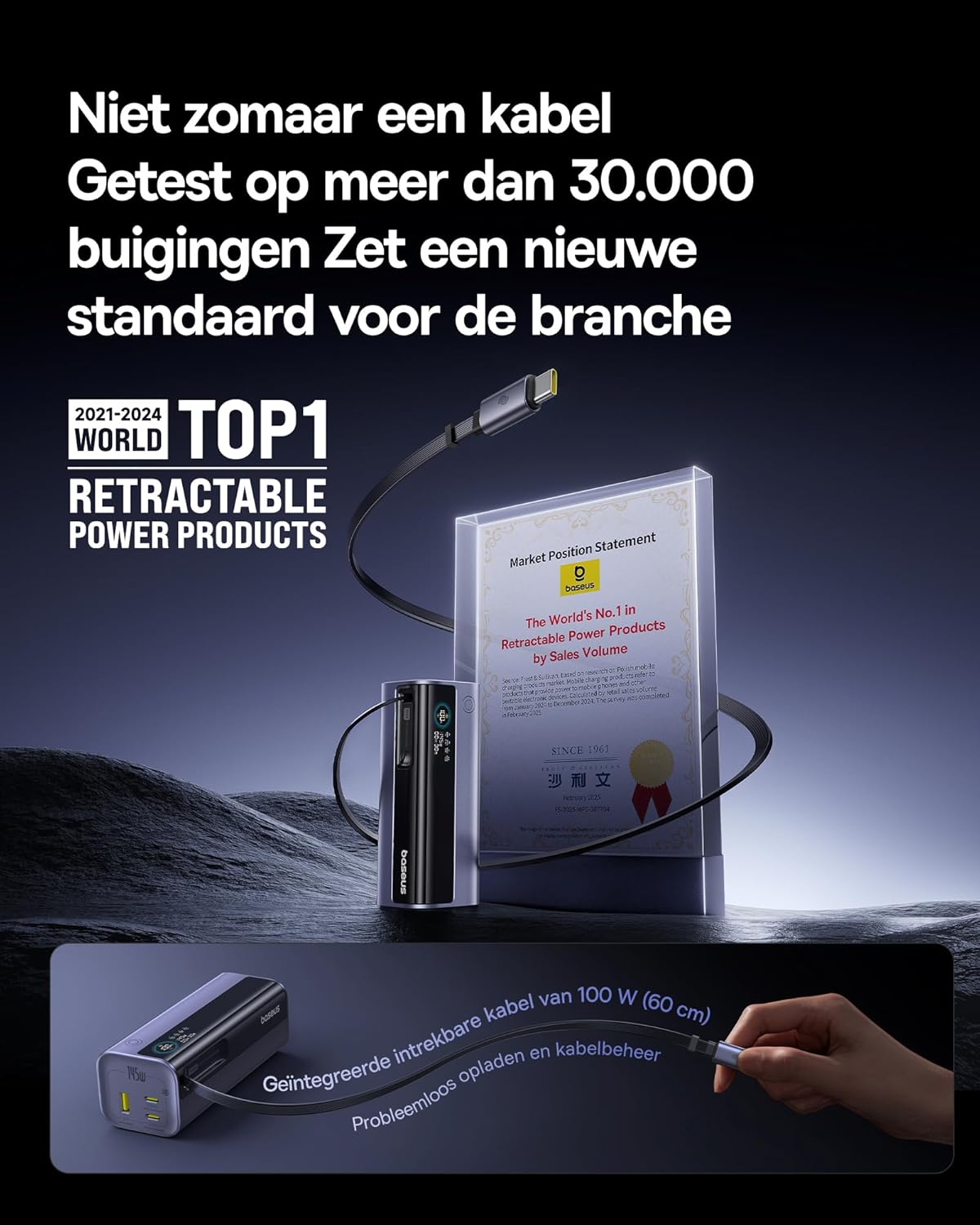
Image: The Baseus EnerGeek Power Bank connected to a laptop and an iPhone, demonstrating its ability to charge multiple devices simultaneously with high power output.
4.2 Verstaan die digitale skerm
The intelligent digital display provides real-time information:
- Batteryvlak: Toon die oorblywende battery persentasietage.
- Charging Power (Input/Output): Wys die huidige wattage being drawn or delivered.
- Oorblywende tyd: Estimates the time left for the power bank to fully charge or discharge.
- I/O-status: Indicates which ports are active for input or output.

Beeld: 'n Gedetailleerde view of the Baseus EnerGeek Power Bank's digital display, showing battery percentage, current wattage, en beraamde oorblywende tyd.
4.3 Terugtrek van die kabel
To retract the integrated USB-C cable, gently pull it out slightly further, then release it. The cable will automatically retract into the power bank's housing.
5. Onderhoud en versorging
- Hou die kragbank weg van uiterste temperature (warm of koud), direkte sonlig en vogtige omgewings.
- Moenie die kragbank aan water of ander vloeistowwe blootstel nie.
- Vermy om die kragbank te laat val of aan sterk impakte te onderwerp.
- Clean the surface of the power bank with a soft, dry cloth. Do not use harsh chemicals or abrasive materials.
- Store the power bank in a cool, dry place when not in use for extended periods. It is recommended to charge it to about 50-70% before long-term storage.
6. Probleemoplossing
| Probleem | Moontlike oorsaak | Oplossing |
|---|---|---|
| Kragbank laai nie | Low battery on power bank; faulty charging cable; incompatible wall adapter. | Ensure the power bank has some charge. Try a different USB-C cable and a compatible wall adapter (e.g., 100W PD charger). |
| Toestel laai nie vanaf kragbank nie | Power bank battery is empty; faulty device cable; device not compatible with power bank output. | Recharge the power bank. Try a different charging cable for your device. Ensure your device supports the power bank's output specifications. |
| Stadige laai | Cable or adapter not supporting fast charging; multiple devices connected reducing individual output. | Use a high-quality, fast-charging compatible cable and adapter. Disconnect other devices to maximize output to a single device. |
| Digitale skerm werk nie | Power bank is off; temporary software glitch. | Press the power button to activate the display. If the issue persists, try fully discharging and recharging the power bank. |
7. Spesifikasies
| Kenmerk | Detail |
|---|---|
| Modelnommer | EnerGeek GR11 |
| Battery kapasiteit | 20000mAh |
| Maksimum uitsetkrag | 145 W (totaal) |
| USB-C1 Cable Output | 100W Maks |
| USB-C2-uitset | 100W Maks |
| USB-C3-uitset | 100W Maks |
| USB-A1-uitvoer | 33W Maks |
| Invoer (USB-C) | 100W Maks |
| Afmetings | 13 x 5.2 x 4.9 cm |
| Gewig | 465 g |
| Battery Tipe | Litium-ioon |
| Spesiale kenmerke | Digital display, Integrated cable, Fast charging |
8. Waarborg en Ondersteuning
Vir waarborginligting en kliëntediens, verwys asseblief na die amptelike Baseus webwebwerf of kontak die kleinhandelaar waar jy die produk gekoop het. Bewaar jou bewys van aankoop vir waarborgeise.
Vervaardiger: Baseus
ASIN: B0F83VMZJT
Eerste Beskikbare Datum: 9 Mei 2025
Vir verdere hulp kan u die Baseus Winkel op Amazon.
Verwante Dokumente - EnerGeek GR11
 |
Baseus EnerGeek GR11 20000mAh 145W Kragbank met Intrekbare Kabel - Vinnige Begingids Vinnige begingids vir die Baseus EnerGeek GR11, 'n 20000mAh 145W-kragbank met 'n intrekbare USB-C-kabel, verskeie uitvoerpoorte (USB-C PD, USB-A QC), en 'n slim digitale skerm vir intydse laai-inligting. |
 |
Baseus EnerGeek GP12 145W Portable Power Bank Quick Start Guide & Specifications Comprehensive guide for the Baseus EnerGeek GP12 145W portable power bank, covering features, charging, specifications, and warranty. Includes detailed textual descriptions of diagrams and icons. |
 |
Kogan Travel Boost 20000mAh 70W PD Portable Power Bank User Guide User guide for the Kogan Travel Boost 20000mAh 70W PD Portable Power Bank with Retractable USB-C Cable (Model: KAPBRTCB20A). Includes safety warnings, operation instructions, specifications, and charging details. |
 |
Baseus Magnetiese Mini Draadlose Vinnige Laai Kragbank 20000mAh 20W Gebruikershandleiding Gebruikershandleiding vir die Baseus Magnetiese Mini Draadlose Vinnige Laai Kragbank 20000mAh 20W. Hierdie dokument verskaf veiligheidsinstruksies, produkparameters, gebruiksinstruksies en probleemoplossingswenke vir die kragbank. |
 |
UGREEN 30W 20000mAh Power Bank with Built-in Cable - PB521 User Manual Comprehensive user manual for the UGREEN 30W 20000mAh portable power bank (Model PB521) with built-in cable. Learn how to recharge the power bank, charge your devices, use trickle-charge mode, and view spesifikasies. |
 |
Baseus Adaman 65W 20000mAh Kragbank Gebruikershandleiding Gebruikershandleiding vir die Baseus Adaman 65W 20000mAh-kragbank, met PD 3.0/QC 4.0-vinnige laai, drie uitsette en 'n LED-skerm. Versoenbaar met iPhone-, Samsung- en MacBook-toestelle. |
Ask a question about this manual
Ask about setup, troubleshooting, compatibility, parts, safety, or missing instructions. Manuals+ will review the question and use this page’s manual context to help answer it.