
PGST PG107
PGST Huis Sekuriteit Alarmstelsel Gebruikershandleiding
Model: PG107
1. Produk verbyview
The PGST Home Security Alarm System is a comprehensive, DIY-friendly solution designed to protect your home or business without monthly fees. It features a 4.3-inch color IPS capacitive touchscreen for intuitive operation, real-time status display, and supports multilingual menus, voice operation, and SMS alerts.
This system is highly customizable, allowing you to easily expand your security setup with additional PGST accessories, such as door sensors, motion detectors, SOS buttons, remote controls, doorbells, and outdoor sirens. It supports multi-channel alarm modes and can be configured manually to suit your specific needs.

Figuur 1: oorview of the PGST Home Security Alarm System and its included components.
2. Wat is ingesluit
The 12-piece PGST Home Security Alarm Kit typically includes:
- 1 x Alarm Host (Main Control Panel with 4.3-inch color IPS display)
- 2 x afstandbeheerders
- 2 x Motion Detection Sensors (Infrared)
- 4 x Deur/Venster Kontak Sensors
- 2 x RFID Tags
- 1 x Draadlose Sirene
- Power Adapter for Alarm Host
- Monteer hardeware

Figure 2: The alarm host provides complete control over all connected accessories.
3. Setup and Accessory Pairing
The system is designed for easy DIY installation. Follow the steps below to pair your accessories with the main alarm host. For a visual guide, please refer to the official accessory connection video.
Official Accessory Connection Video
Video 1: Detailed guide on connecting and pairing accessories with the PGST Home Security System.
3.1. Pairing Remote Controls
- Vanuit die hoofkieslys, navigeer na Onderdele.
- Kies Afgeleë.
- Tik die Voeg by (+) ikoon.
- Press any button on your remote control. The system will confirm successful learning.
- Repeat for all remote controls.
3.2. Pairing Infrared (Motion) Detectors

Figure 3: Motion detection sensor with its effective range and field of view.
- Vanuit die hoofkieslys, navigeer na Onderdele.
- Kies Aanwyser.
- Tik die Voeg by (+) ikoon.
- Choose the desired alarm type (e.g., Paniek alarm) and arming mode (e.g., Uitarm aktief).
- Wave your hand in front of the infrared detector to trigger it. The system will confirm successful learning.
3.3. Pairing Magnetic Door/Window Sensors

Figure 4: Door and window sensors provide real-time monitoring and trigger alarms upon unauthorized entry.
- Vanuit die hoofkieslys, navigeer na Onderdele.
- Kies Aanwyser.
- Tik die Voeg by (+) ikoon.
- Choose the desired alarm type (e.g., Stelsel alarm) and arming mode (e.g., Uitarm aktief).
- Separate the two parts of the magnetic door sensor to trigger it. The system will confirm successful learning.
3.4. Pairing RFID Tags
- Vanuit die hoofkieslys, navigeer na Onderdele.
- Kies RFID.
- Tik die Voeg by (+) ikoon.
- Plaas die RFID tag on the designated RFID sensing area of the alarm host. The system will confirm successful learning.
3.5. Pairing SOS Buttons (Panic Alarm)
- Vanuit die hoofkieslys, navigeer na Onderdele.
- Kies Aanwyser.
- Tik die Voeg by (+) ikoon.
- Choose the desired alarm type (e.g., Paniek alarm) and arming mode (e.g., Uitarm aktief).
- Press the SOS button. The system will confirm successful learning.
3.6. Pairing Doorbells
- Vanuit die hoofkieslys, navigeer na Onderdele.
- Kies Aanwyser.
- Tik die Voeg by (+) ikoon.
- Choose the desired alarm type (e.g., Living Room Alarm) and arming mode (e.g., Deurklokkie).
- Press the doorbell button. The system will confirm successful learning.
3.7. Pairing Wireless Siren
- Vanuit die hoofkieslys, navigeer na Onderdele.
- Kies Sirene Leer.
- Turn on the siren switch.
- Long-press the button on the siren until you hear three beeps. The system will confirm successful learning.
3.8. Pairing Smoke/Gas Alarm
- Vanuit die hoofkieslys, navigeer na Onderdele.
- Kies Aanwyser.
- Tik die Voeg by (+) ikoon.
- Choose the desired alarm type (e.g., Gasalarm) and arming mode (e.g., Uitarm aktief).
- Press and hold the button on the smoke/gas alarm. The system will confirm successful learning.
4. Bedryfsinstruksies
4.1. Die Stelsel Bewapen en Deaktiveer
- Afstandbeheer: Use the arm/disarm buttons on the remote control.
- RFID Tag: Tik op die RFID tag on the designated area of the alarm host to arm or disarm.
- Raakskerm: Use the intuitive touchscreen interface to arm, stay arm, or disarm the system.
- Foon-app: Control all systems in your home from your cell phone using the dedicated app.
- Stembeheer: The system is compatible with Alexa, allowing for convenient voice control.

Figure 5: Control your security system remotely via the mobile application.
4.2. Sensor Functionality
- Bewegingsopsporing: When armed, motion detectors will trigger an immediate alarm upon sensing movement.
- Deur/Venster Sensors: Monitor door/window status in real-time. When opened while armed, they trigger a 120dB siren and send instant push alerts to your smartphone.
- SOS-funksie: In an emergency, pressing the SOS button will trigger an alarm and notify pre-set contacts.

Figure 6: Versatile door/window sensors for various entry points.
4.3. Power Failure Backup
The alarm system is designed to continue functioning for up to 5-8 hours during a sudden loss of power or internet connection at home, ensuring continuous protection.
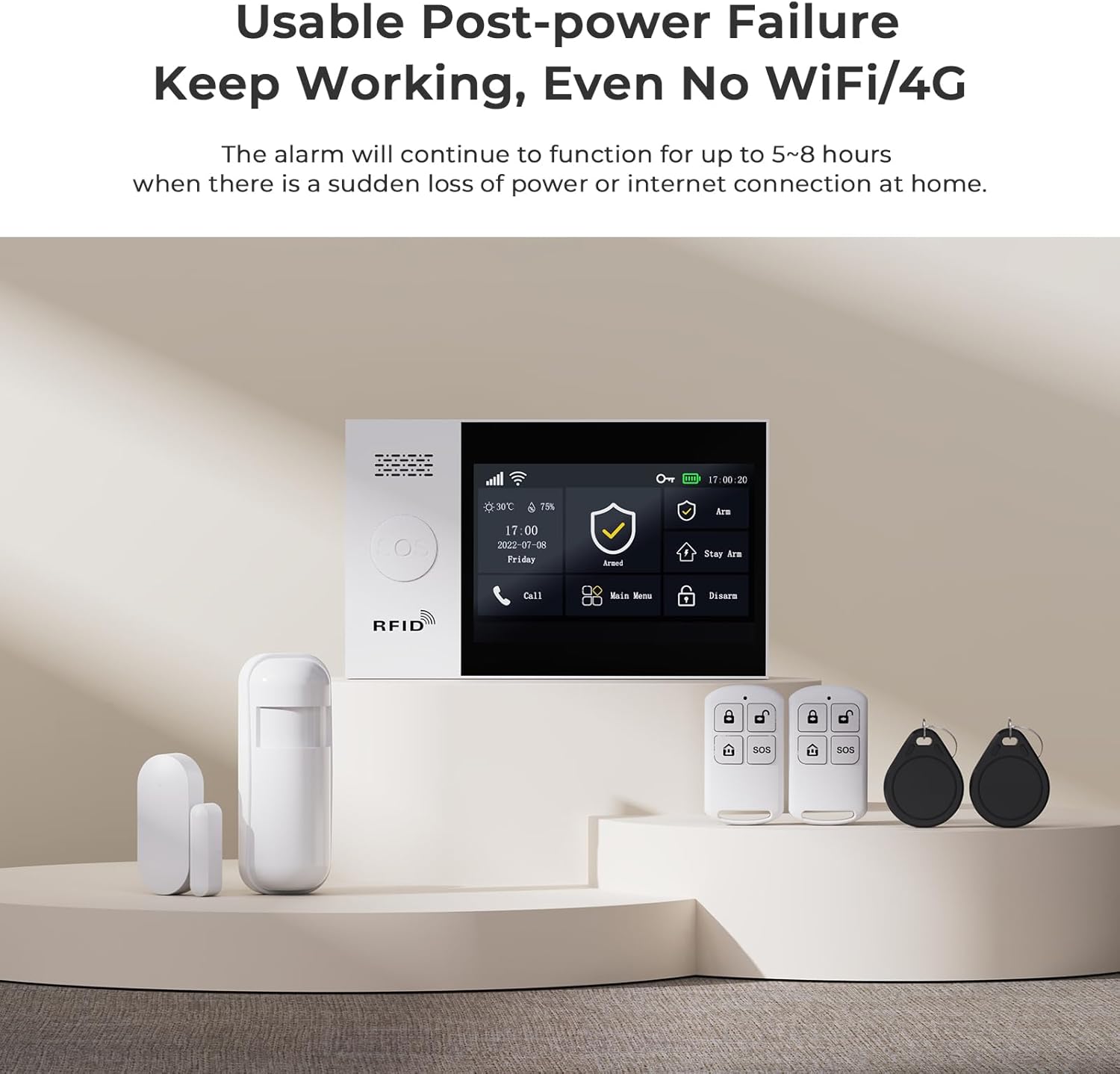
Figure 7: The system maintains functionality even during power outages or loss of internet connection.
5. Onderhoud
Regular maintenance is crucial for optimal performance. Keep sensors clean and free from obstructions. Check battery levels periodically for wireless components and replace them as needed. Ensure the main unit's power supply is secure.
6. Probleemoplossing
If you encounter any issues, please refer to the following common troubleshooting tips:
- Accessory Not Pairing: Ensure the accessory is powered on and within range of the main unit. Re-attempt the pairing process carefully following the steps in Section 3.
- Vals alarms: Check motion sensor placement to avoid triggering by pets or environmental factors. Ensure door/window sensors are securely mounted and not misaligned.
- No Alerts on Phone: Verify your phone's internet connection and app notification settings. Ensure the alarm host has a stable internet connection (Wi-Fi or 4G/2G/3G if applicable).
- Stelsel reageer nie: Try restarting the main alarm host by disconnecting and reconnecting its power.
For persistent issues, please contact customer support as detailed in Section 8.
7. Spesifikasies
| Kenmerk | Detail |
|---|---|
| Handelsmerk | PGST |
| Modelnommer | PG107 |
| Kragbron | Battery-aangedrewe (Litium-ioonbattery ingesluit) |
| Verbindingstegnologie | Wired (for main unit power), Wireless (for sensors) |
| Itemafmetings (L x B x H) | 1 x 0.98 x 1 inches (main unit) |
| Item gewig | 1.68 pond (0.76 kilogram) |
| Vertoon | 4.3 inch color IPS display, capacitive touch screen |
| Ingesluit komponente | Alarm Host, Remote Control, Motion Detection, Door Sensor (as part of 12-piece kit) |
8. Waarborg en Ondersteuning
PGST is committed to providing reliable security solutions. This product comes with:
- Lewenslange tegniese ondersteuning: Access to professional assistance for any technical queries or issues.
- Vinnige reaksie: Dedicated support available within 365 days for prompt resolution of concerns.
For support, please refer to the contact information provided with your product packaging or visit the official PGST webwebwerf.
Ask a question about this manual
Ask about setup, troubleshooting, compatibility, parts, safety, or missing instructions. Manuals+ will review the question and use this page’s manual context to help answer it.