
1. Inleiding
This manual provides instructions for the setup, operation, maintenance, and troubleshooting of your CRUA 27-inch 240Hz QHD IPS Gaming Monitor. This monitor features a 2560x1440 QHD resolution, a 240Hz refresh rate, an IPS panel for wide viewing angles, AMD FreeSync support, a blue light filter for eye protection, and built-in speakers. Please read this manual thoroughly before using the product.
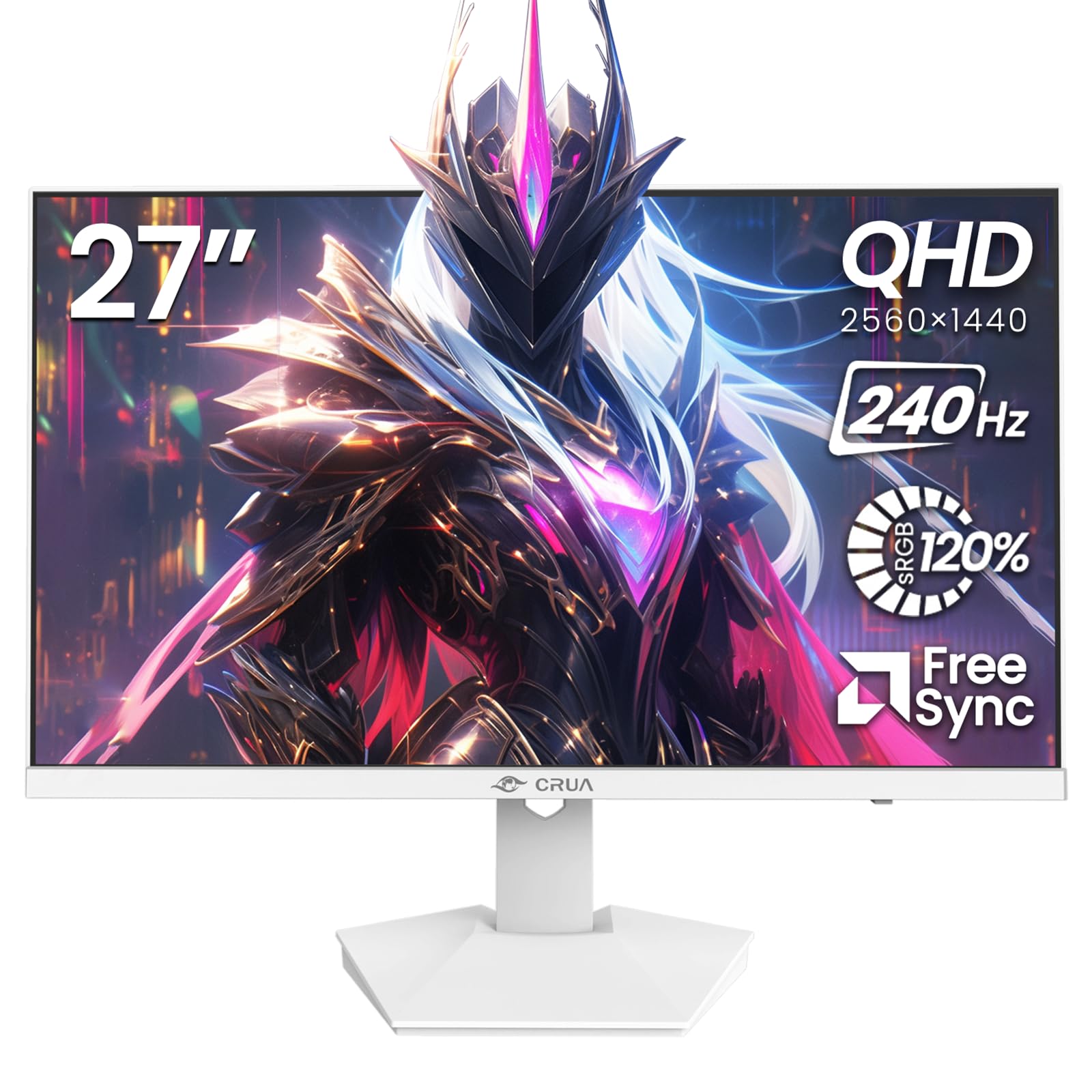
Beeld: Voorkant view of the CRUA 27-inch 240Hz QHD IPS Gaming Monitor.
2. Pakketinhoud
Verifieer dat alle items in die pakket teenwoordig is:
- CRUA 27-inch 240Hz QHD IPS Gaming Monitor
- Monitorstaander (basis en nek)
- Kragadapter en kabel
- HDMI kabel
- DisplayPort (DP) Kabel
- Gebruikershandleiding (hierdie dokument)
3. Opstelling
3.1 Staanmontering
- Verwyder die monitor versigtig uit sy verpakking en plaas dit met die gesig na onder op 'n sagte, skoon oppervlak om skrape te voorkom.
- Heg die staander se nek aan die monitorpaneel vas. Maak seker dat dit stewig in plek klik.
- Attach the stand base to the stand neck. Tighten any screws if provided.
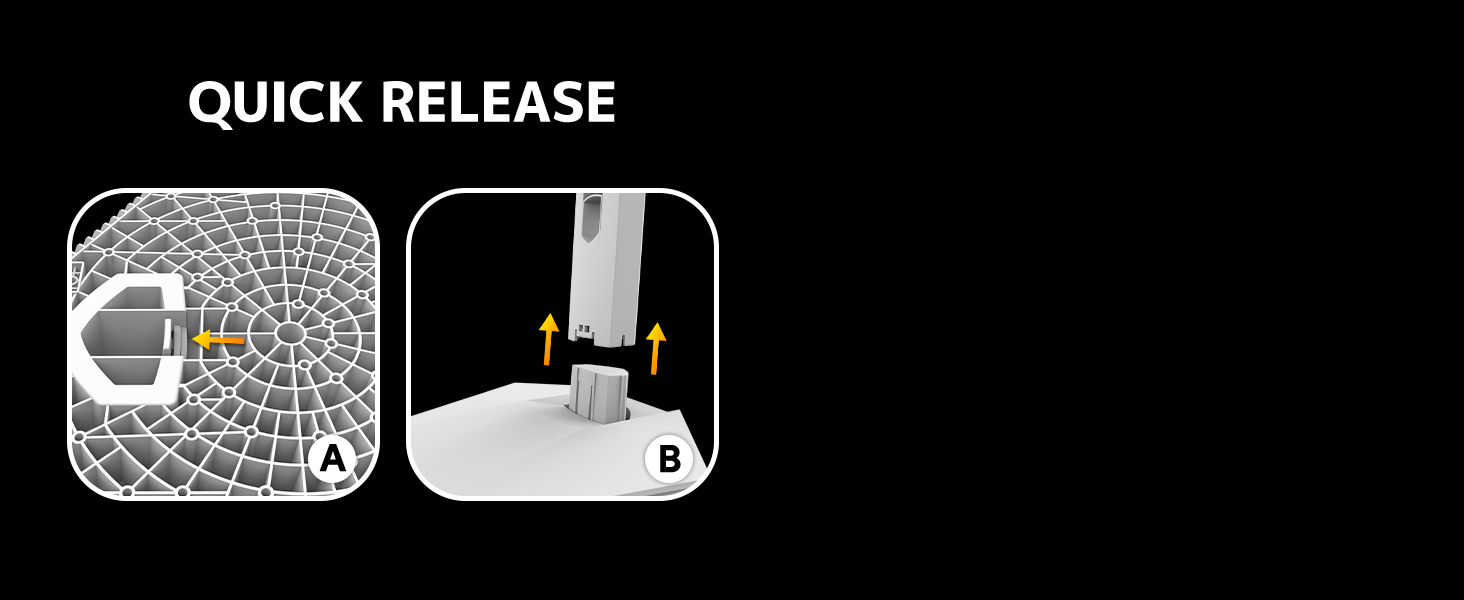
Image: Diagram illustrating the quick release stand assembly.
3.2 Muurbevestiging (Opsioneel)
The monitor supports VESA wall mounting (75mm x 75mm). To wall mount:
- Remove the stand from the monitor if it is already attached.
- Attach a VESA-compatible wall mount bracket (not included) to the monitor using appropriate screws.
- Volg die instruksies wat saam met jou muurbevestiging voorsien word vir veilige installasie.

Beeld: Agter view of the monitor showing VESA mount points (75x75mm) and built-in speakers.
3.3 Koppel aan 'n rekenaar
Connect the monitor to your computer using one of the following methods:
- DisplayPort (DP 1.4): For optimal performance, especially at 240Hz QHD resolution, use the included DisplayPort cable.
- HDMI (HDMI 2.0): Use an HDMI cable for QHD resolution at up to 144Hz.
Koppel die kragadapter aan die monitor se kragtoevoer en steek dit dan in 'n kragaansluiting.

Beeld: Agter view of the monitor displaying the input ports, including HDMI and DisplayPort.
4. Bedryfsinstruksies
4.1 Krag aan/af
Press the power button located on the back of the monitor to turn it on or off. The power button may resemble a joystick for OSD navigation.
4.2 Skermvertoning (OSD) Kieslys
The OSD menu allows you to adjust various monitor settings. Use the joystick-like button on the back of the monitor to navigate the menu:
- Druk die knoppie: Maak die OSD-kieslys oop.
- Beweeg op/af: Navigeer deur kieslysopsies.
- Beweeg links/regs: Adjusts selected settings or enters sub-menus.
- Druk weer: Bevestig keuse of verlaat 'n subkieslys.
4.3 Vertooninstellings
Within the OSD menu, you can adjust:
- Helderheid/kontras: Pas die algehele helderheid en kontrasverhouding aan.
- Kleurinstellings: Fine-tune color temperature, hue, and saturation. The monitor offers 120% sRGB color coverage for accurate and vibrant visuals.
- Invoerbron: Manually select between HDMI and DisplayPort inputs.

Image: Details on true color accuracy, including 120% sRGB, 8-bit color depth, and 16.7 million colors.
4.4 Speletjie-kenmerke
- Herlaaitempo: The monitor supports up to 240Hz refresh rate for smooth motion. Ensure your graphics card and cable support this rate.
- AMD FreeSync: Enable FreeSync in the OSD menu and on your AMD graphics card settings to eliminate screen tearing and stuttering.

Beeld: Visuele vergelyking wat die gladheid van 'n 240Hz-verversingstempo teenoor 60Hz demonstreer.

Image: Illustrates the effect of Adaptive Sync (FreeSync) on reducing screen tearing and stuttering.
4.5 Oogbeskerming
The monitor includes a built-in blue light filter to reduce eye strain during extended use. This feature can be enabled or adjusted through the OSD menu.
5. Onderhoud
Om jou monitor se werkverrigting en voorkoms te handhaaf:
- Skoonmaak van die skerm: Vee die skerm liggies af met 'n sagte, pluisvrye lap. Vir hardnekkige merke, gebruik 'n monitorspesifieke skoonmaakoplossing wat op die lap aangewend word, nie direk op die skerm nie.
- Maak die C skoonasing: Gebruik 'n sagte, droë lap om die monitor af te veeasing. Vermy skuurmiddels of oplosmiddels.
- Skakel af: Skakel altyd die monitor af en trek die stekker uit die stopcontact voordat u dit skoonmaak.
6. Probleemoplossing
| Probleem | Moontlike oorsaak | Oplossing |
|---|---|---|
| Geen beeld op die skerm nie | Monitor is off or not receiving signal. | Ensure power cable is connected and monitor is on. Check video cable connection (HDMI/DP) to both monitor and computer. Select correct input source via OSD. |
| Beeld flikker of skeur | FreeSync not enabled or incompatible settings. | Enable FreeSync in the monitor OSD and your graphics card control panel. Ensure your graphics card drivers are up to date. |
| Poor picture quality (blurry, incorrect colors) | Incorrect resolution, color settings, or faulty cable. | Set display resolution to 2560x1440. Adjust brightness, contrast, and color settings in the OSD. Try a different video cable. |
| Geen klank van ingeboude luidsprekers nie | Volume too low, incorrect audio output selected. | Increase monitor volume via OSD. Ensure the monitor is selected as the audio output device in your computer's sound settings. |
| Dooie pixels | Vervaardigingsfout. | Refer to warranty information for pixel policy. Contact customer support if within warranty. |
7. Spesifikasies
| Kenmerk | Spesifikasie |
|---|---|
| Modelnommer | CR270I |
| Skerm grootte | 27 duim |
| Paneel tipe | IPS |
| Resolusie | 2560 x 1440 (QHD) |
| Herlaaitempo | 240Hz |
| Aspekverhouding | 16:9 |
| Kleur Omvang | 120% sRGB |
| Helderheid | 300 cd/m² |
| Kontrasverhouding | 1000:1 |
| Viewing Hoek | 178° (Horisontaal/Vertikaal) |
| Video-insette | HDMI 2.0, DisplayPort 1.4 |
| Oudio | Ingeboude luidsprekers |
| VESA Mount | 75 mm x 75 mm |
| Produk afmetings | 1.78 x 24 x 14 duim |
| Item gewig | 12.62 pond |
8. Waarborg en Ondersteuning
CRUA provides high-quality computer monitors and premium services. If you have any questions or require assistance, please contact CRUA customer support. Refer to your purchase documentation for specific warranty terms and contact information.