
Inleiding
This manual provides detailed instructions for the assembly, operation, and maintenance of your FLEXISPOT Standing Desk with a 40x24 inch one-piece desktop. Please read this manual thoroughly before assembly and use to ensure proper function and safety.
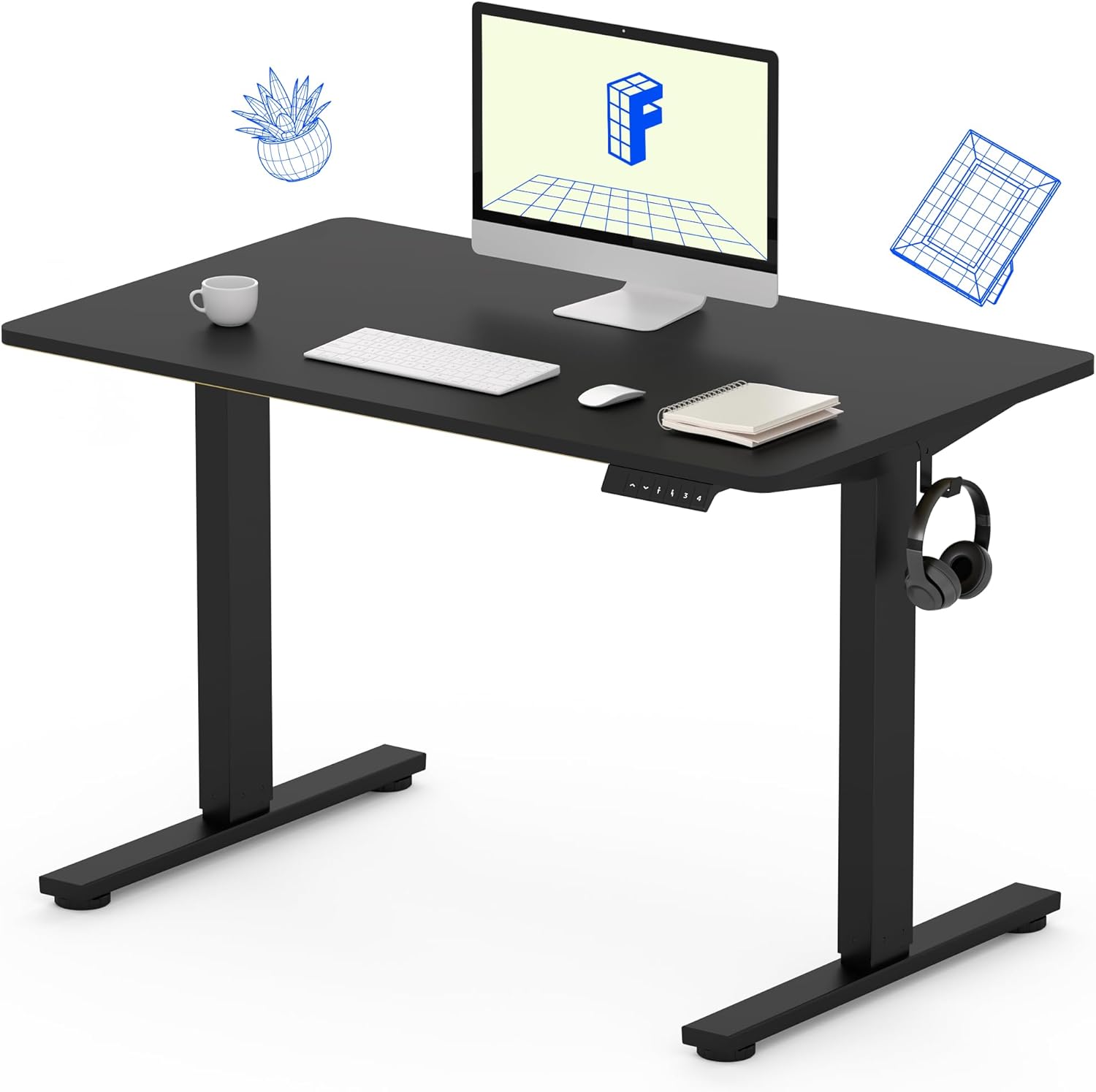
Image 1: The FLEXISPOT Standing Desk, showcasing its black desktop, black frame, and integrated control panel with a headphone hook.
Veiligheidsinligting
WAARSKUWING:
- Always use caution when assembling the desk, especially when using a drill.
- Moenie die maksimum gewigslimiet oorskry nie 154 lbs (70 kg).
- Keep hands and body parts away from moving parts during height adjustment to prevent injury.
- Ensure all cables are properly managed to avoid entanglement during desk movement.
Pakketinhoud
Voordat u met die montering begin, maak seker dat alle komponente teenwoordig en onbeskadig is. Indien enige onderdele ontbreek of beskadig is, kontak asseblief kliëntediens.
- One-Piece Desktop (40" x 24", Black)
- Desk Legs (Black Frame, Dual-Stage)
- Motor en Beheerboks
- Beheerpaneel met geheuevoorinstellings
- Koptelefoonhaak
- Monteringshardeware (skroewe, inbussleutel)
- Kragkabel

Image 2: Illustration highlighting the seamless design of the FLEXISPOT one-piece desktop, contrasting it with multi-piece alternatives.
Opstelling en samestelling
Assembly typically requires 30 minutes to an hour. It is recommended to have two people for assembly due to the weight of the package. A power drill (not included) may be needed for some steps.
- Pak komponente uit: Carefully remove all parts from the packaging. Inspect for any damage. Note that the packaging can be heavy.
- Monteer die lessenaarraam: Attach the crossbar to the lifting columns (legs) using the provided hardware. Ensure all screws are tightened securely.
- Heg voete aan: Bevestig die lessenaarvoete aan die onderkant van die hefkolomme.
- Monteer lessenaar: Carefully place the one-piece desktop upside down on a soft, clean surface. Position the assembled frame onto the desktop. Align the pre-drilled holes (if present) or mark positions for screws. Secure the frame to the desktop using the provided screws. A power drill may be helpful for this step.
- Install Control Box and Panel: Mount the control box and control panel to the underside of the desktop in the designated locations. Connect the motor cables and control panel cable to the control box.
- Heg bykomstighede aan: Install the headphone hook to the side of the desktop as desired.
- Kabelbestuur: Route all cables neatly using cable ties or management clips (not included) to prevent interference with desk movement.
- Finale Plasing: With assistance, carefully flip the desk upright and place it in its desired location. Ensure it is stable and level.

Image 3: The FLEXISPOT Standing Desk integrated into a home office setup, demonstrating its spacious desktop and functionality.
Bedryfsinstruksies
Your FLEXISPOT Standing Desk features an electric motor for smooth height adjustments and a control panel with memory presets.
Hoogte verstelling
- Druk die Op (▲) knoppie om die lessenaar op te lig.
- Druk die Af (▼) knoppie om die lessenaar te laat sak.
- The desk moves smoothly and quietly (under 50 dB) between 28.7 duim (73 cm) en 46.5 duim (118 cm).
Geheuevoorinstellings
The control panel allows you to save up to four preferred height settings.
- Set a Height: Adjust the desk to your desired sitting or standing height using the Up/Down buttons.
- Stoor voorafinstelling: Druk die "M" knoppie, druk dan onmiddellik een van die genommerde voorafbepaalde knoppies (1, 2, 3 of 4). The display will show "S-" followed by the number, indicating the height is saved.
- Herroep voorafinstelling: Press the corresponding numbered preset button (1, 2, 3 of 4) om die lessenaar outomaties na die gestoorde hoogte te skuif.

Image 4: Visual representation of the desk's adjustable height range, showing it at its lowest (29") and highest (46.6") positions.
Onderhoud
- Skoonmaak: Vee die lessenaar en raam af met 'n sagte, damp lap. Vermy harde chemikalieë of skuurmiddels.
- Kabelkontrole: Inspekteer alle kabels gereeld vir slytasie of skade. Maak seker dat hulle stewig gekoppel is en nie vasgeknyp is nie.
- Skroefdigtheid: Occasionally check and tighten any loose screws on the frame or desktop connections.
Probleemoplossing
| Probleem | Moontlike oorsaak | Oplossing |
|---|---|---|
| Die lessenaar beweeg nie. | Power cable disconnected, control box cable loose, overload. | Check power connection. Ensure all cables to the control box and motor are secure. Reduce weight on the desk if exceeding 154 lbs. |
| Die lessenaar beweeg oneweredig of maak ongewone geraas. | Loose connections, obstruction, uneven weight distribution. | Check all assembly screws. Ensure no objects are obstructing the legs. Distribute weight evenly on the desktop. |
| Control panel display shows an error code. | Spesifieke fouttoestand. | Refer to the specific error code in the full product manual (if available) or contact customer support. Often, a power cycle (unplug for 10 seconds, then plug back in) can resolve temporary errors. |
Spesifikasies
| Kenmerk | Detail |
|---|---|
| Handelsmerk | FLEXISPOT |
| Model | B0F747SWWB |
| Desktop Dimensions (D x W) | 24" x 40" (One-Piece) |
| Hoogtereeks | 28.7" - 46.5" (73 cm - 118 cm) |
| Maksimum gewig kapasiteit | 154 lbs (70 kg) |
| Geraasvlak | Minder as 50 dB |
| Raammateriaal | Allooi staal |
| Top materiaal | Gemanipuleerde hout |
| Kleur | Black Frame / Black Top |
| Vergadering benodig | Ja |

Image 5: Details of the desk's construction, including the dual-stage lifting columns and the convenient backpack/headphone hook.
Waarborg en Ondersteuning
Your FLEXISPOT Standing Desk is backed by a comprehensive warranty:
- Raam en motor: 5 jaar beperkte waarborg.
- Elektronika: 2 jaar beperkte waarborg.
For warranty claims, technical assistance, or any questions regarding your product, please contact FLEXISPOT customer support through their official webwebwerf of die kleinhandelaar waar die produk gekoop is.