
1. Belangrike veiligheidsinstruksies
Please read these instructions carefully before using the Audizio Canzo DAB+ Internet Radio. Keep this manual for future reference.
- Moenie die toestel aan reën of vog blootstel om brand of elektriese skok te voorkom nie.
- Moenie die c oopmaak nieasing. Daar is geen onderdele binne wat deur die gebruiker onderhou kan word nie. Verwys alle onderhoud na gekwalifiseerde personeel.
- Gebruik slegs die kragadapter wat by die toestel voorsien is.
- Verseker behoorlike ventilasie rondom die eenheid. Moenie ventilasie-openinge blokkeer nie.
- Vermy die plasing van die eenheid naby hittebronne of in direkte sonlig.
- Clean the unit only with a dry, soft cloth. Do not use liquid cleaners.
2. Produk verbyview
The Audizio Canzo is a versatile DAB+ Internet Radio designed for high-quality audio reception and playback. It features multiple connectivity options including Wi-Fi, Bluetooth 5.3, AUX, and USB, along with a remote control for convenient operation. The elegant wooden finish and clear display make it suitable for various home environments.
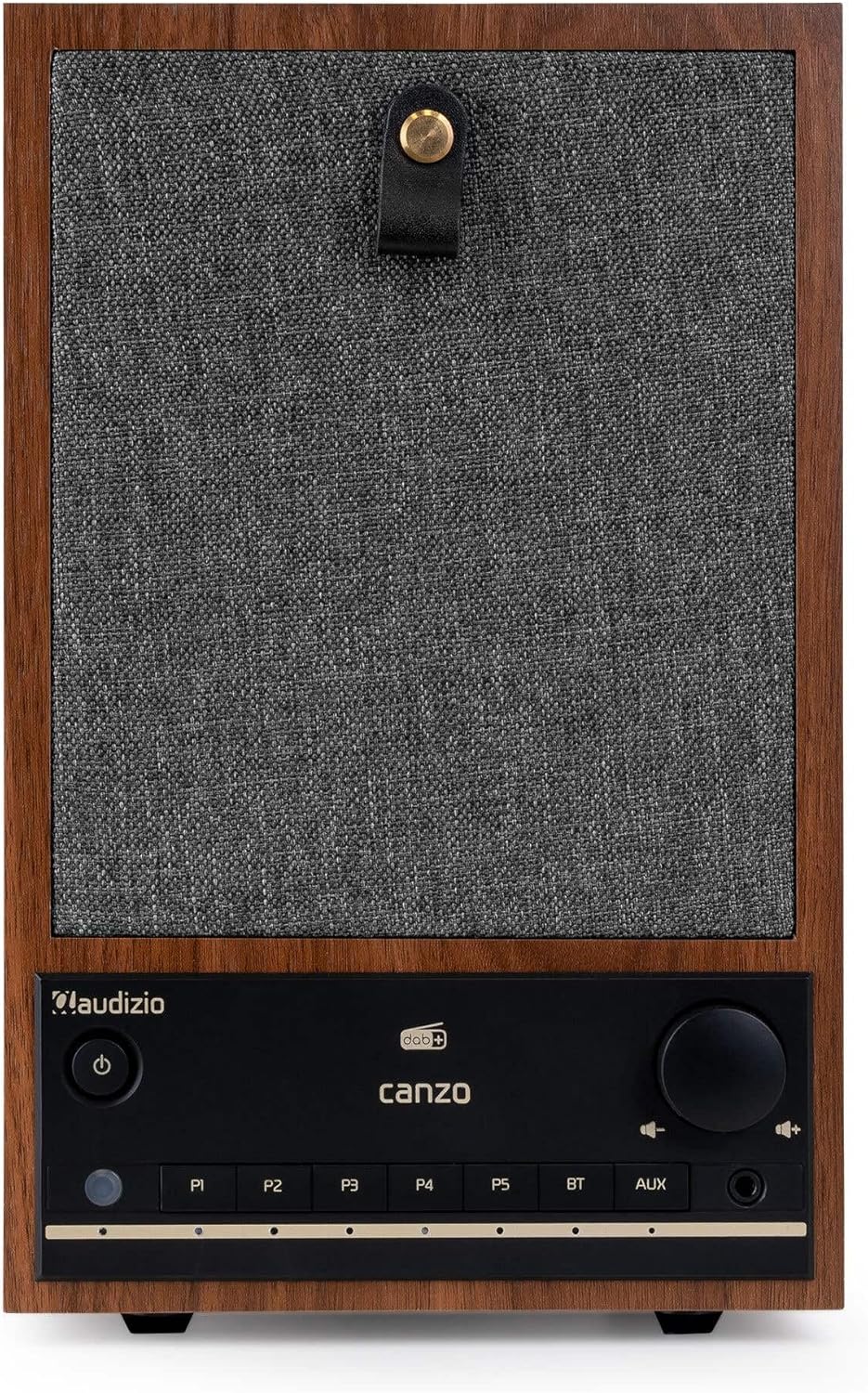
Figuur 2.1: Voorkant view of the Audizio Canzo DAB+ Internet Radio in walnut finish.

Figuur 2.2: Voorkant view with speaker grille removed, highlighting the speaker, display, and control panel.
3. Wat is in die boks
Pak die boks versigtig uit en maak seker dat alle items teenwoordig is:
- Audizio Canzo DAB+ Internet Radio
- Kragadapter
- Afstandbeheer
- Vinnige Begingids
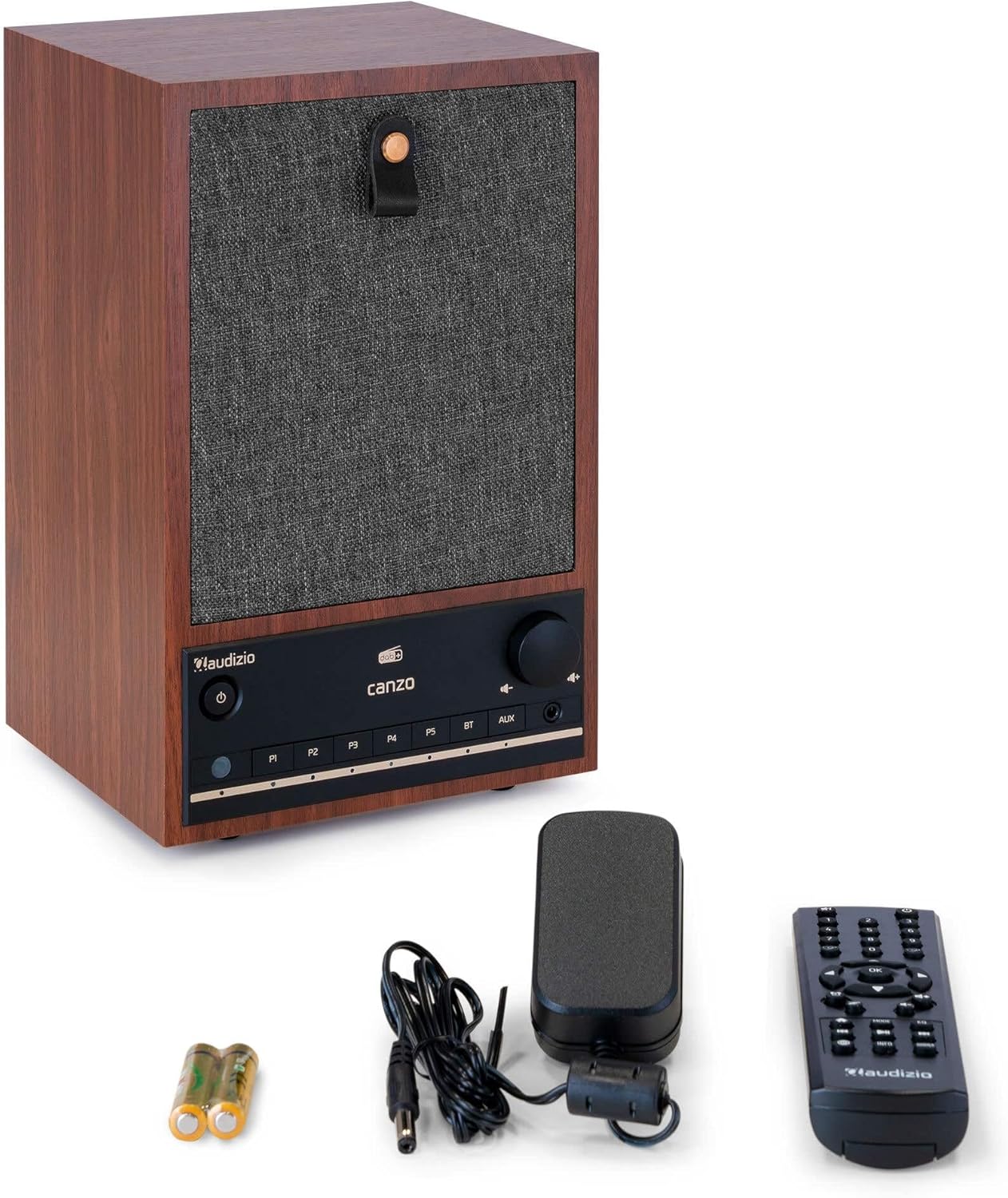
Figure 3.1: Audizio Canzo radio with its accessories.
4. Opstelling
4.1 Aansluitkrag
- Insert the DC plug of the power adapter into the DC IN port on the back of the radio.
- Plug the power adapter into a standard wall outlet (220V).
- Draai die AAN/AF switch on the back of the unit to the ON posisie.
4.2 Antennaverbinding
For optimal DAB+ and FM reception, extend the telescopic antenna located on the back of the unit. Adjust its position for the best signal.

Figure 4.1: Rear panel with power input, audio ports, USB, LAN, and antenna.
4.3 Aanvanklike aanskakeling en netwerkopstelling
- Druk die Krag button on the front panel or remote control to turn on the radio.
- The display will show the Audizio logo and then guide you through the initial setup wizard.
- Kies jou voorkeurtaal.
- The radio will prompt you to connect to a network. Choose Wi-Fi or LAN.
- Vir Wi-Fi: Select your Wi-Fi network from the list and enter the password using the navigation buttons and OK knoppie.
- For LAN: Koppel 'n Ethernet-kabel vanaf jou router aan die LAN port on the back of the radio. The connection should be established automatically.
- Once connected, the radio will update the time and date automatically.
5. Bedryfsinstruksies
5.1 Basiese kontroles
The front panel features a power button, preset buttons (P1-P5), Bluetooth (BT) and AUX input buttons, a volume knob, and navigation controls. The remote control provides full access to all functions.
5.2 Moduskeuse
Druk die MODUS button on the radio or remote control to cycle through available modes: Internet Radio, DAB+, FM, Bluetooth, AUX, and USB Playback.
5.3 Internetradio
- Kies Internet Radio modus.
- Use the navigation buttons to browse stations by location, genre, or search.
- Druk OK om 'n stasie te kies.
- To save a station as a preset, press and hold one of the P1-P5 buttons until the display confirms.
5.4 DAB+ Radio
- Kies DAB+ modus.
- The radio will automatically scan for available DAB+ stations.
- Use the navigation buttons to scroll through the list of found stations.
- Druk OK om 'n stasie te kies.
- To save a station as a preset, press and hold one of the P1-P5 knoppies.
5.5 FM -radio
- Kies FM modus.
- Druk en hou die Skandeer button (usually on the remote or via menu) to auto-scan for FM stations.
- Use the navigation buttons to tune manually or select from scanned stations.
- To save a station as a preset, press and hold one of the P1-P5 knoppies.
5.6 Bluetooth-terugspeel
- Kies Bluetooth mode. The radio will enter pairing mode, indicated on the display.
- Aktiveer Bluetooth op jou slimfoon of tablet en soek vir beskikbare toestelle.
- Select "Audizio Canzo" from the list to pair.
- Once paired, you can play audio from your device through the radio.
5.7 AUX-invoer
- Koppel 'n eksterne klanktoestel (bv. MP3-speler) aan die AUX IN port on the back of the radio using a 3.5mm audio cable.
- Kies AUX modus.
- Audio from the connected device will now play through the radio.
5.8 USB-terugspeel
- Plaas 'n USB-flash drive wat oudio bevat files in die USB-TERUGSPEEL port on the back of the radio.
- Kies USB modus.
- Use the navigation buttons to browse and select audio files vir afspeel.
5.9 Wekker en Slaaptimer
- Alarm: Access the Alarm settings via the menu. Set up to two alarms with desired time, source (buzzer, radio), and volume.
- Slaaptimer: Access the Sleep Timer settings via the menu. Set a duration (e.g., 15, 30, 60 minutes) after which the radio will automatically turn off.
- snooze: Wanneer 'n alarm afgaan, druk die Sluimer button on the remote or radio to temporarily silence it.
6. Onderhoud
6.1 Skoonmaak
To clean the radio, use a soft, dry, lint-free cloth. Do not use abrasive cleaners, waxes, or solvents as they may damage the finish or internal components.
6.2 Berging
Indien die eenheid vir 'n lang tydperk gestoor word, ontkoppel dit van die kragtoevoer en bêre dit op 'n koel, droë plek weg van direkte sonlig en uiterste temperature.
7. Probleemoplossing
| Probleem | Moontlike oorsaak | Oplossing |
|---|---|---|
| Geen krag nie | Power adapter not connected; ON/OFF switch is OFF. | Ensure power adapter is securely connected and ON/OFF switch is ON. |
| Geen klank nie | Volume too low; incorrect source selected; headphones connected. | Increase volume; select correct input mode; disconnect headphones. |
| Kan nie aan Wi-Fi koppel nie | Verkeerde wagwoord; router te ver; netwerkprobleem. | Verifieer Wi-Fi-wagwoord; skuif radio nader aan router; herbegin router. |
| Swak DAB+/FM-ontvangs | Antenna nie uitgestrek nie; swak seinarea. | Fully extend and adjust the telescopic antenna; try repositioning the radio. |
| Afstandbeheer werk nie | Batteries depleted; obstruction between remote and radio. | Replace remote control batteries; ensure clear line of sight to the radio's sensor. |
8. Spesifikasies
| Kenmerk | Spesifikasie |
|---|---|
| Modelnommer | Canzo |
| Produk afmetings | 22.5 x 20.5 x 34 cm |
| Item gewig | 2.9 kilogram |
| Kleur | Okkerneut |
| Skerm grootte | 2.4 duim |
| Verbindingstegnologie | Aux, Bluetooth, Wi-Fi, LAN |
| Bluetooth weergawe | 5.3 |
| Ondersteunde radiobande | DAB+, FM, Internet Radio |
| Kragbron | Corded Electric (220 Volt) |
| Spesiale kenmerke | Integrated Clock, Sleep Timer, Alarm, Remote Control, Preset Stations |
| Versoenbare toestelle | Smartphone, Tablet, Headphones, MP3 Player, USB Storage Device |
9. Waarborg en Ondersteuning
For warranty information and technical support, please refer to the warranty card included with your product or contact your retailer. Keep your proof of purchase for any warranty claims.