
1. Inleiding
Thank you for choosing the Auxmir BM-2410 Rechargeable LED Makeup Mirror. This manual provides essential information for the safe and effective use of your new mirror. Designed for precision and convenience, this mirror features double-sided magnification, adjustable LED lighting, and a rechargeable battery for wireless operation. Please read these instructions carefully before use and retain them for future reference.
2. Produkkenmerke
- Double-Sided Magnification (1X/30X): The mirror offers a 1X HD side for general skincare and a 30X magnification side for precise makeup application, eyebrow trimming, and facial care.
- 3-Color Stepless Dimmable LED Lighting: Equipped with 64 LED lights, providing 3 adjustable color temperatures (cool, natural, warm) and stepless brightness control. Independent switches on both sides allow for customized lighting.
- USB Rechargeable & Energy Saving: Powered by a 2000mAh battery, offering up to 15 hours of wireless use. Features a 30-minute auto-off function to conserve energy.
- 360° rotasie: The mirror can be rotated 360 degrees to achieve the perfect viewing angle for any grooming task.
3. Pakketinhoud
- Auxmir BM-2410 LED Makeup Mirror
- USB-C-laaikabel
- Tweezers
- Gebruikershandleiding
4. Opstelling
- Uitpak: Verwyder alle komponente versigtig uit die verpakking.
- Aanvanklike heffing: Before first use, fully charge the mirror using the provided USB-C cable. The charging indicator light will confirm charging status.
- Plasing: Place the mirror on a stable, flat surface in your bathroom, bedroom, or dressing room. Ensure it is away from direct sunlight or heat sources.
5. Bedryfsinstruksies
5.1 Power On/Off & Light Color Adjustment
- Krag aan: Lightly touch the power icon (circle) on the mirror surface to turn on the LED lights.
- Verander ligkleur: With the lights on, short press the power icon to cycle through the 3 color temperatures: Cool Light (6000K-6500K), Natural Light (4500K-5000K), and Warm Light (3000K-3500K).
- Skakel af: Continue short pressing until the lights turn off, or long press the power icon to turn off the lights directly.
5.2 Helderheidsaanpassing
- With the lights on, long press the power icon. The brightness will gradually increase or decrease. Release your finger when the desired brightness is reached. The mirror has a memory function that records the last brightness setting.
5.3 Switching Magnification
- Gently rotate the mirror head 360 degrees to switch between the 1X (standard view) and 30X (magnified view) sides.
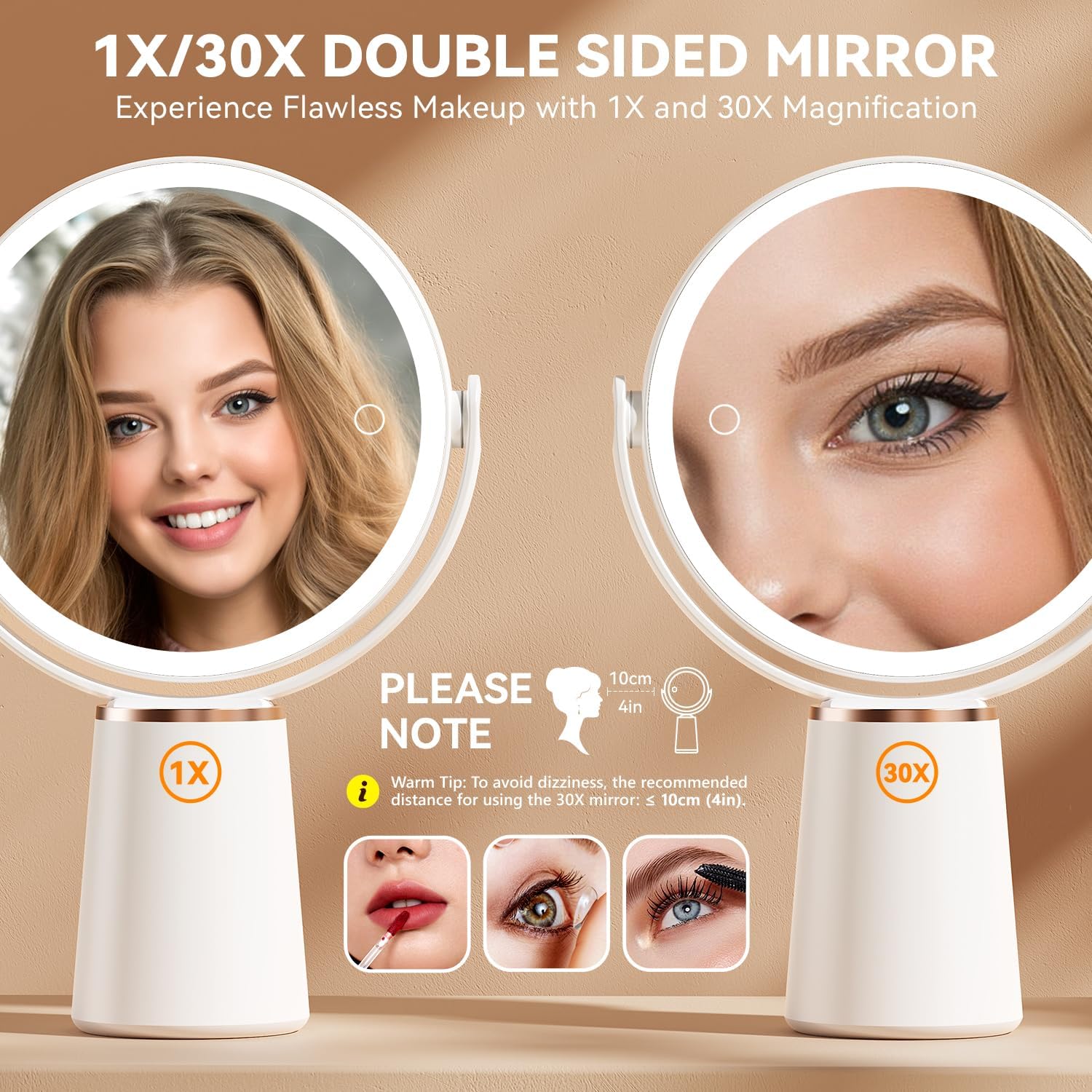
Image: Double-sided mirror with 1X and 30X magnification views.
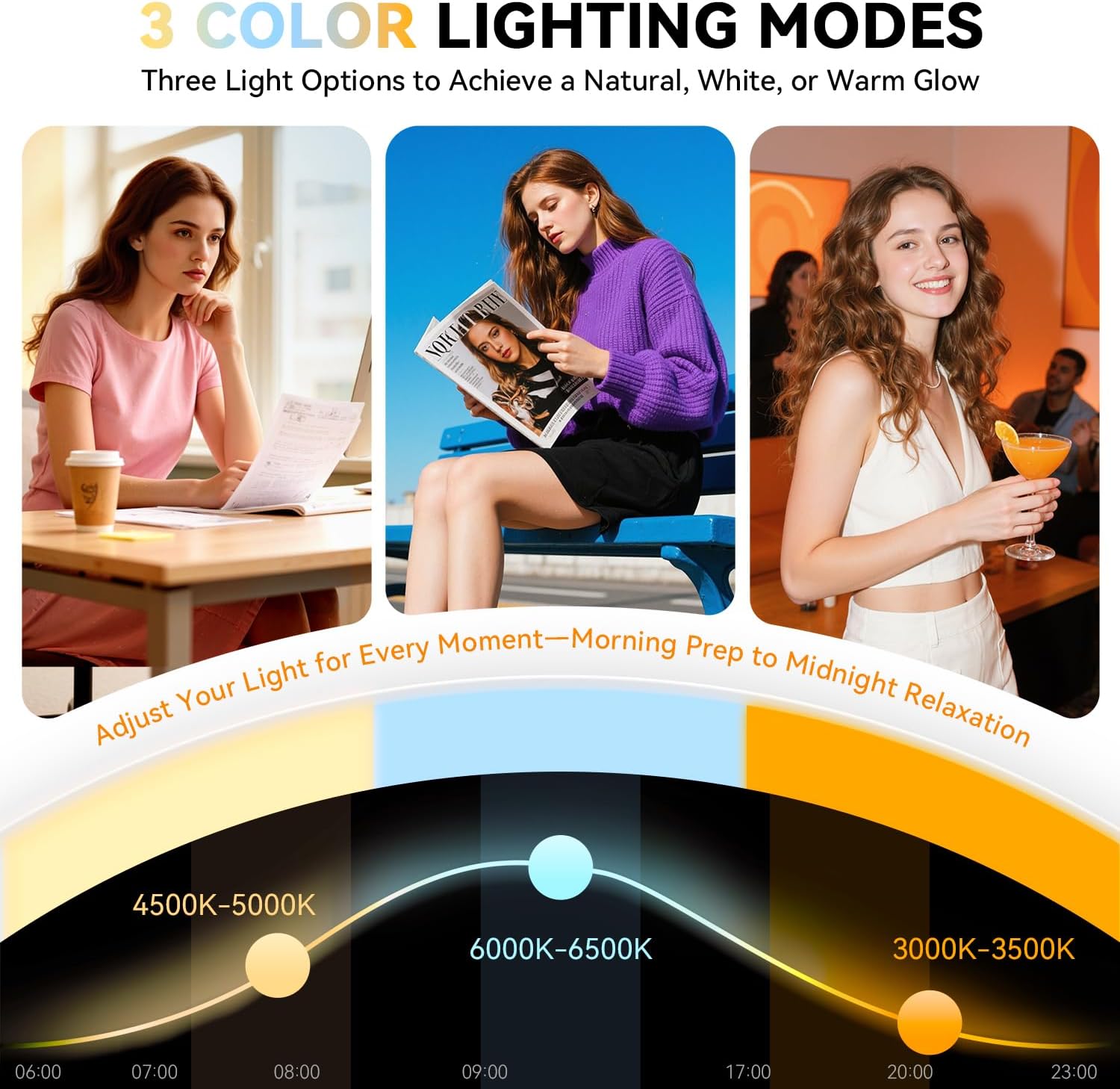
Image: Three color lighting modes for various occasions.
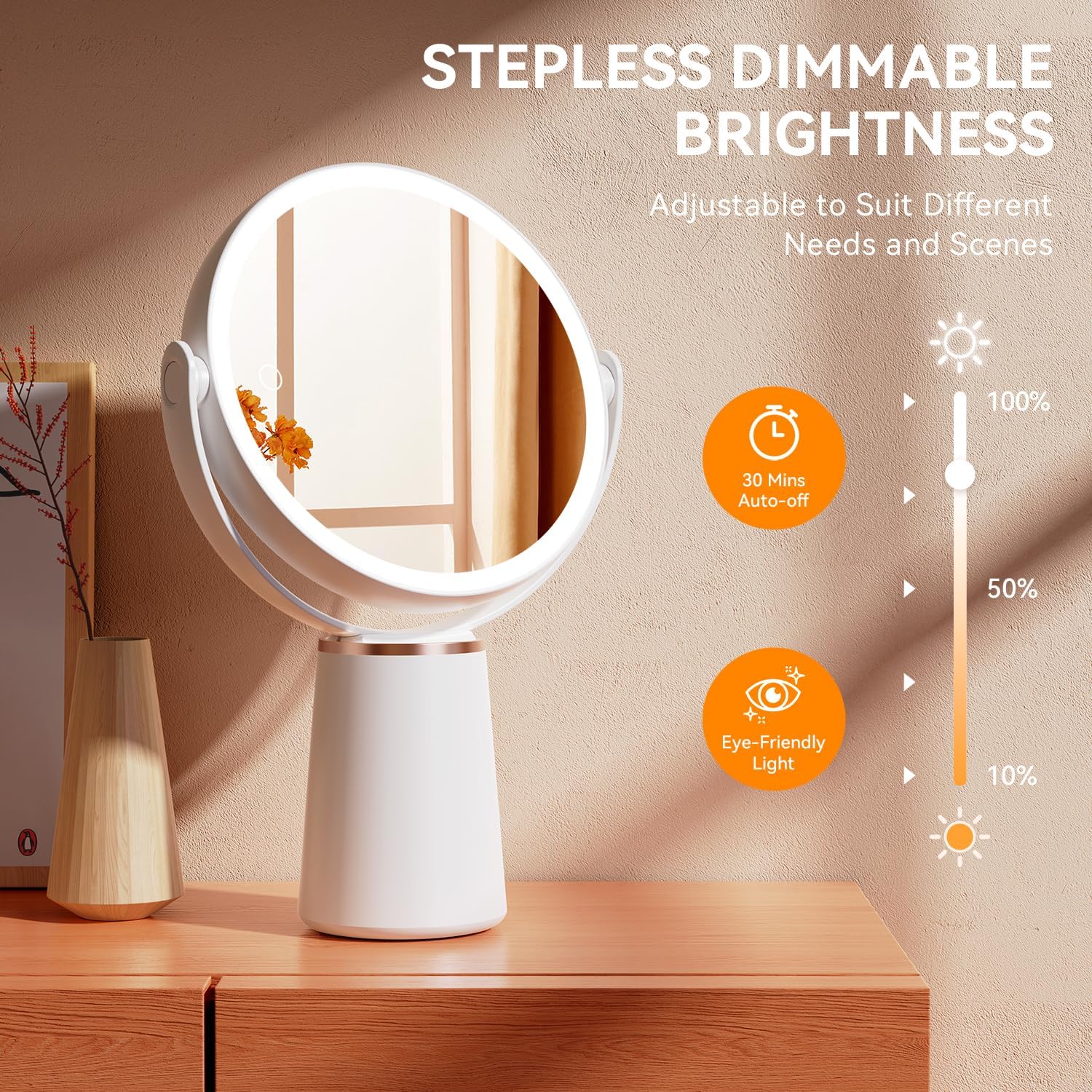
Image: Stepless dimmable brightness feature with 30-minute auto-off and eye-friendly light.
6. Laaiinstruksies
- Locate the USB-C charging port on the side of the mirror.
- Connect the provided USB-C cable to the mirror and plug the other end into a compatible USB power source (e.g., wall adapter, computer, power bank).
- A red indicator light will illuminate during charging. The light will turn off when the mirror is fully charged.
- A full charge takes approximately 3 hours and provides up to 15 hours of wireless use.
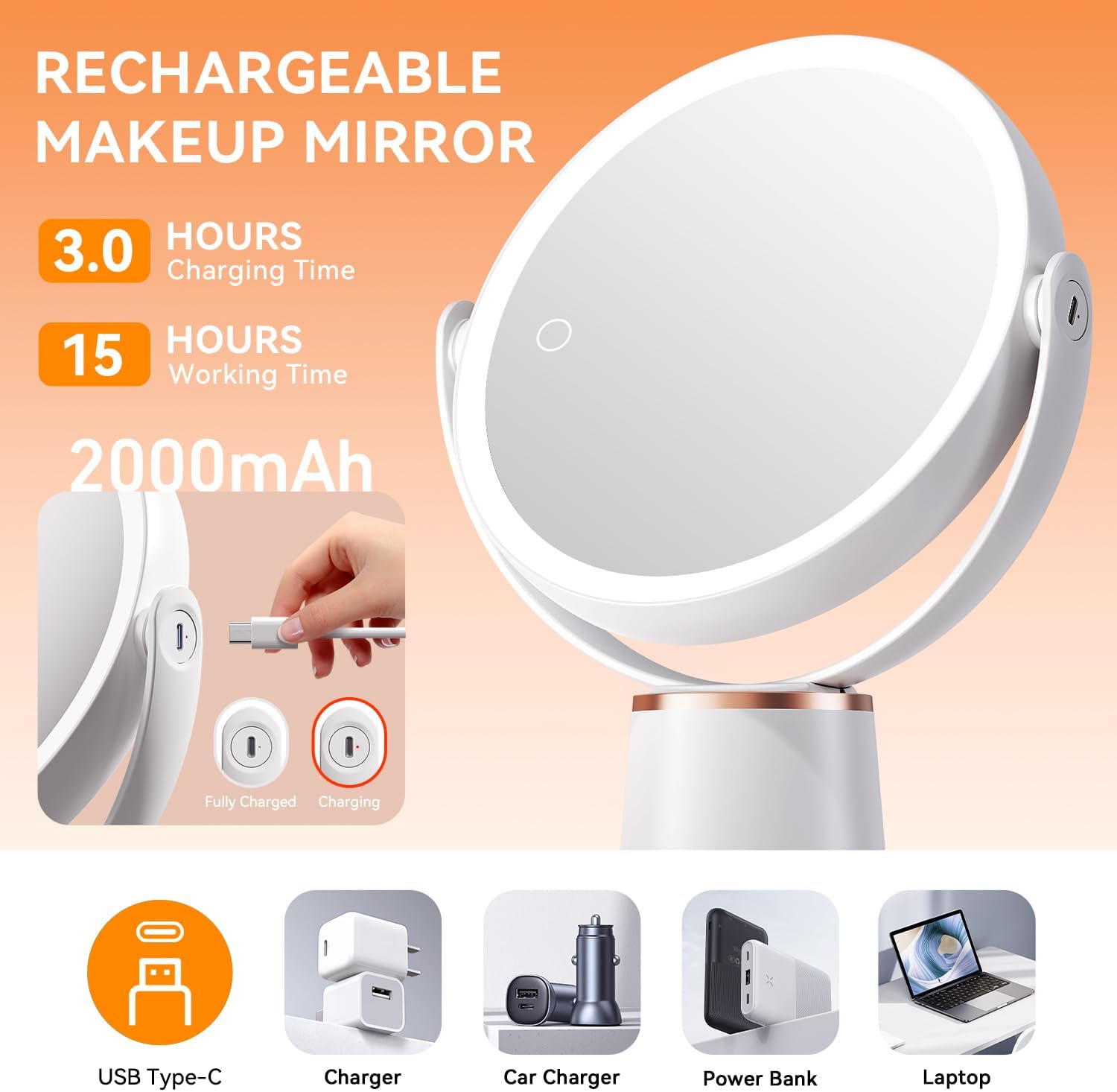
Image: USB rechargeable feature with charging time and working time details.
7. Magnification Usage Tips
- When using the 30X magnification side, position your face within 4 inches (10 cm) of the mirror. This optimal distance ensures clarity and helps prevent dizziness.
- The high magnification is designed for detailed tasks like applying eyeliner, tweezing eyebrows, or examining skin pores.

Image: Important tip for using the 30X magnification side, recommending a 4-inch viewing afstand.
8. Onderhoud en versorging
- Skoonmaak: Wipe the mirror surface and body with a soft, dry, lint-free cloth. Do not use abrasive cleaners, solvents, or harsh chemicals, as these may damage the finish or mirror coating.
- Hantering: The mirror is a fragile item. Handle with care to avoid breakage or injury.
- Berging: Store the mirror in a cool, dry place away from direct sunlight and moisture when not in use.
9. Probleemoplossing
| Probleem | Moontlike oorsaak | Oplossing |
|---|---|---|
| LED-ligte skakel nie aan nie. | Lae battery of nie gelaai nie. | Fully charge the mirror using the provided USB-C cable. |
| LED lights are dim or flickering. | Lae battery. | Herlaai die spieël. |
| 30X magnification side appears blurry or causes dizziness. | Verkeerd viewing afstand. | Ensure your face is within 4 inches (10 cm) of the 30X mirror for optimal clarity. |
| Mirror does not rotate smoothly. | Dust or debris in the rotation mechanism. | Gently clean around the rotation points. Do not force rotation. |
10. Spesifikasies
| Kenmerk | Detail |
|---|---|
| Handelsmerk | Auxmir |
| Modelnommer | BM-2410 |
| Vergroting | 1X / 30X (Double-Sided) |
| Ligbron | 64 LED ligte |
| Kleur Temperature | 3 (Cool, Natural, Warm) |
| Helderheidsbeheer | Stepless Dimbaar |
| Battery kapasiteit | 2000mAh |
| Wireless Use Time | Tot 15 uur |
| Outo-af funksie | 30 minute |
| Rotasiehoek | 360° |
| Materiaal | Akrielnitril Butadieen Styreen (ABS), Glas |
| Produk afmetings | 13.19"L x 8.66"B |
| Item gewig | 1.7 pond |
11. Waarborg en Ondersteuning
Auxmir provides a 36-month warranty for this product. If you have any inquiries, experience issues, or require support, please do not hesitate to reach out to our customer service team. You can contact us via email at ondersteuning@auxmir.com. We are committed to providing excellent service.