
THOMSON 32HT2S35
THOMSON 32-inch HD Smart TV User Manual
Model: 32HT2S35
Inleiding
Thank you for choosing the THOMSON 32-inch HD Smart TV. This manual provides essential information for setting up, operating, maintaining, and troubleshooting your new television. Please read it thoroughly to ensure proper use and to maximize your viewing experience. This TV is designed to offer a simple and reliable visual experience, powered by the intuitive TiVo™ operating system, providing seamless access to live TV and a wide range of streaming services.
Produk verbyview
Voorkant View

This image displays the front of the THOMSON 32-inch HD Smart TV, highlighting its slim bezel, the 'THOMSON' logo at the bottom center, and key features like '32" HD', 'Powered by TiVo', and 'Dolby Audio' logos on the left side of the screen.
Afmetings

This diagram illustrates the physical dimensions of the THOMSON 32-inch HD Smart TV, including its width (73 cm), height (47 cm), depth (8 cm), and screen diagonal (80 cm or 32 inches).
Kant View

Hierdie beeld wys die kantprofile of the THOMSON 32-inch HD Smart TV, revealing its slim design and the placement of some side-facing ports.
Agterpaneelverbindings

'n Gedetailleerde view of the rear panel of the THOMSON 32-inch HD Smart TV, indicating various input and output ports such as Audio Out, CI+, Headphones, AV In, USB 2.0, 2x HDMI 1.4, Satellite, LAN, and Antenna connections.
Opstelling
Uitpak
Carefully remove the TV from its packaging. Retain the packaging materials for future transport or storage. Ensure all components listed in the packing list are present.
Stand Installasie
If you plan to use the TV with its included stand, carefully attach the stand according to the instructions provided in the quick start guide. Ensure all screws are securely fastened.
Muurmontering
The THOMSON 32-inch HD Smart TV supports wall mounting. For optimal safety and performance, it is highly recommended to have the TV professionally installed on a wall. Refer to the wall mount kit's instructions for specific details.

This image shows the THOMSON 32-inch HD Smart TV elegantly mounted on a wall above a yellow cabinet, demonstrating its suitability for wall installation.
Aanvanklike verbindings
Before powering on your TV, connect all necessary cables:
- Krag kabel: Koppel die kragkabel aan die TV en dan aan 'n muursok.
- Antenne/Kabel/Satelliet: Connect your antenna, cable, or satellite dish to the appropriate input on the TV's rear panel.
- HDMI-toestelle: Koppel eksterne toestelle soos Blu-ray-spelers, speletjiekonsoles of dekodeerders aan die HDMI-poorte.
- USB-toestelle: Koppel USB-bergingstoestelle vir mediaterugspeel of sagteware-opdaterings.
- Netwerk konneksie: For Smart TV features, connect to your home network via Wi-Fi or an Ethernet cable.
Bedien die TV
Eerste keer opstel
Upon first power-on, the TV will guide you through an initial setup process. This includes selecting your language, connecting to a network, and scanning for available channels. Follow the on-screen prompts to complete the setup.
Afstandbeheer
The included Bluetooth remote control provides convenient access to all TV functions. It features dedicated buttons for popular streaming services like Netflix, YouTube, Prime Video, and Disney+, as well as a microphone button for voice commands.

This image highlights the THOMSON Smart TV's remote control, showing its dedicated buttons for Netflix, YouTube, Prime Video, Disney+, and a microphone button for voice control. Examples of voice commands like 'Open Netflix' and 'Increase the volume' are shown on the TV screen.
Smart TV Features (TiVo OS)
Your THOMSON Smart TV is powered by the TiVo™ operating system, offering an intuitive interface that seamlessly integrates live TV, streaming applications, and on-demand services. Enjoy personalized recommendations and universal search to quickly find your desired content.

The image shows the THOMSON Smart TV screen with the TiVo interface, displaying popular streaming applications such as Netflix, Disney+, YouTube, Prime Video, Plex, DAZN, Pluto TV, and TikTok, illustrating the wide range of content available.

This image shows the THOMSON Smart TV interface, emphasizing the availability of various streaming services and live TV content, powered by TiVo.
Beeld- en klankinstellings
Your TV supports HDR10 for optimized picture quality with enhanced brightness, contrast, and colors. Dolby Audio and Dolby Digital Plus technologies provide rich and clear sound. You can adjust picture and sound modes through the TV's settings menu to suit your preferences.

A split image demonstrating the visual difference between Standard Dynamic Range (SDR) and High Dynamic Range (HDR10) on the THOMSON TV, showcasing enhanced brightness, contrast, and color in HDR10.
This image illustrates the immersive sound experience provided by Dolby Audio on the THOMSON Smart TV, with sound waves emanating from the screen.
Wireless Display / Screen Sharing
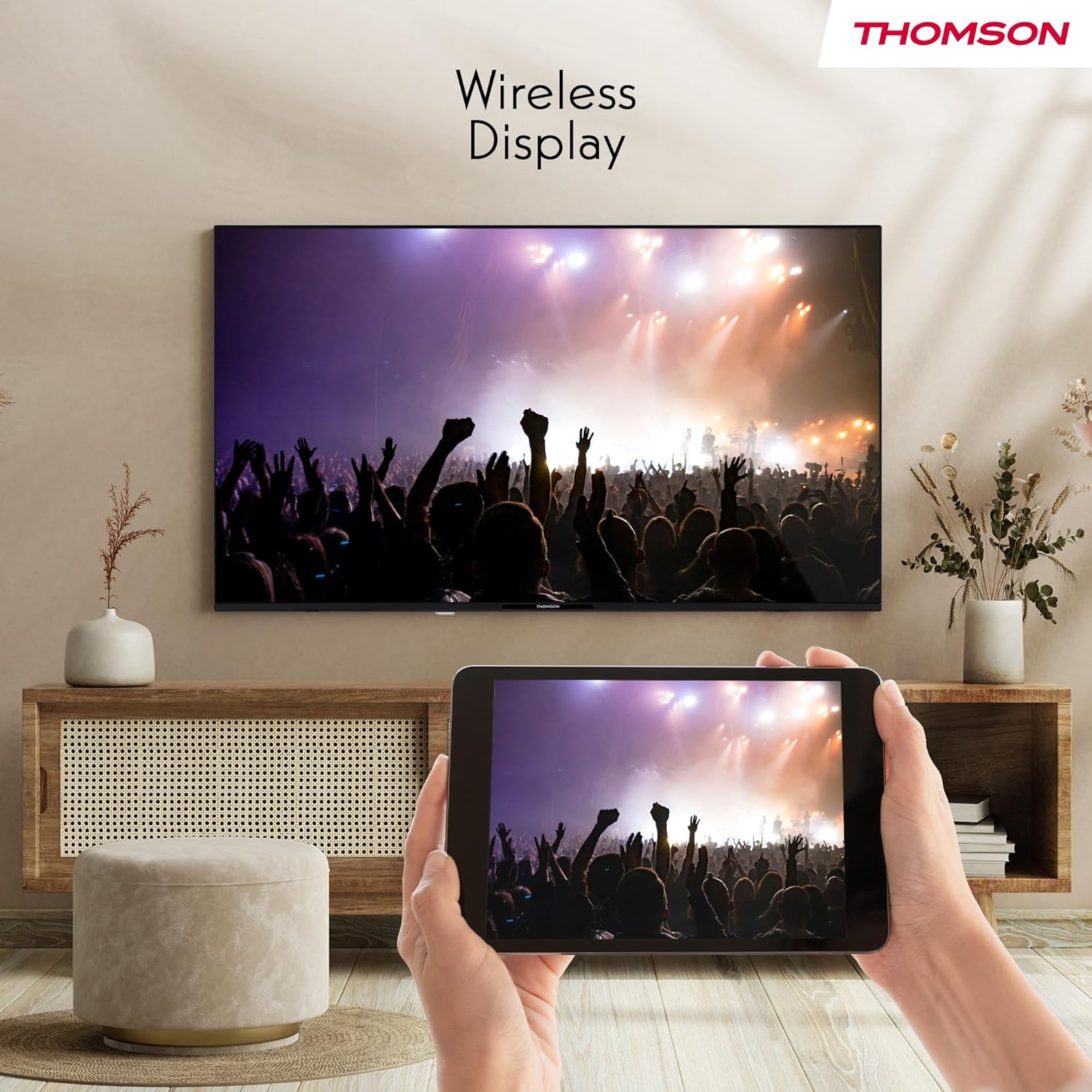
The TV supports wireless display functionality, allowing you to mirror the screen of your compatible smartphone, tablet, or laptop directly onto the TV. This feature is ideal for sharing photos, videos, or presentations on a larger screen.

An image depicting a user mirroring content from a tablet to the THOMSON Smart TV, demonstrating the wireless display functionality.
Onderhoud
Maak die TV skoon
Om die skerm skoon te maak, vee dit liggies af met 'n sagte, pluisvrye lap. Vir hardnekkige merke, vee dit effens af.ampen the cloth with water or a screen cleaner. Avoid using harsh chemicals or abrasive materials. Clean the TV cabinet with a soft, dry cloth.
Sagteware-opdaterings
Periodically check for software updates to ensure your TV has the latest features and performance improvements. You can usually find this option in the TV's settings menu under 'System' or 'About'. Ensure your TV is connected to the internet before checking for updates.
Probleemoplossing
This section addresses common issues you might encounter with your THOMSON Smart TV. If the problem persists after trying these solutions, please contact customer support.
- Geen krag:
Ensure the power cable is securely plugged into both the TV and a working wall outlet. Check if the power indicator light on the TV is on. Try a different power outlet. - Geen Beeld / Swart Skerm:
Verify the correct input source is selected (e.g., HDMI 1, TV). Check all cable connections (HDMI, antenna). If using an external device, ensure it is powered on. - Geen klank:
Check the volume level and ensure the TV is not muted. Verify audio cable connections for external sound systems. If using internal speakers, ensure external audio output is not selected. - Afstandbeheer reageer nie:
Replace the batteries in the remote control. Ensure there are no obstructions between the remote and the TV. If it's a Bluetooth remote, try re-pairing it with the TV (refer to the TV's on-screen help for pairing instructions). - Netwerkverbindingsprobleme:
Restart your Wi-Fi router. Ensure the TV is within range of your Wi-Fi signal. Check network settings on the TV to ensure correct Wi-Fi password or Ethernet connection. - Swak beeldkwaliteit:
Check antenna or cable connections. Adjust picture settings (brightness, contrast, sharpness). For streaming content, ensure a stable internet connection.
Spesifikasies
| Kenmerk | Spesifikasie |
|---|---|
| Handelsmerk | THOMSON |
| Modelnommer | 32HT2S35 |
| Skerm grootte | 32 duim (80 cm) |
| Vertoon tegnologie | LED |
| Resolusie | 1366 x 768 piksels (HD) |
| Herlaaitempo | 50 Hz |
| Konnektiwiteit | Bluetooth, Ethernet, HDMI (2 ports), USB (1 port), Wi-Fi, Miracast |
| Oudio-kenmerke | Dolby Audio, Dolby Digital Plus, 5.1 Surround Configuration |
| Tuner | DVB-T/T2/C/S/S2 (Triple Tuner) |
| Afmetings (L x B x H) | 8 x 73 x 47 cm |
| Gewig | 6.66 kilogram |
| Ingesluit komponente | Remote Control, Warranty Card |
Energiedoeltreffendheid
The THOMSON 32HT2S35 TV has an energy efficiency rating of E. More detailed information can be found on the official EPREL database.

The energy efficiency label for the THOMSON 32HT2S35 TV, showing its 'E' rating and energy consumption details. A QR code is visible, linking to the EPREL database. For more details, visit the EPREL-databasis.
Waarborg en Ondersteuning
Waarborg inligting
This THOMSON TV comes with a manufacturer's warranty of 3 years. Please refer to the warranty card included in the box for full terms and conditions.
Kliënte ondersteuning
For technical assistance, troubleshooting beyond this manual, or warranty claims, please contact THOMSON customer support. Refer to the contact information provided on your warranty card or the official THOMSON webwebwerf vir die mees onlangse ondersteuningsbesonderhede.
Ask a question about this manual
Ask about setup, troubleshooting, compatibility, parts, safety, or missing instructions. Manuals+ will review the question and use this page’s manual context to help answer it.