
1. Inleiding
Thank you for choosing the MONODEAL Bone Conduction Headphones X14. These open-ear headphones utilize advanced bone conduction technology to deliver audio through your cheekbones, allowing your ears to remain open to ambient sounds. Featuring Bluetooth 5.3 connectivity, a Type-C charging port, and IPX6 water resistance, the X14 is designed for comfort and awareness during various activities such as jogging, cycling, and fitness.
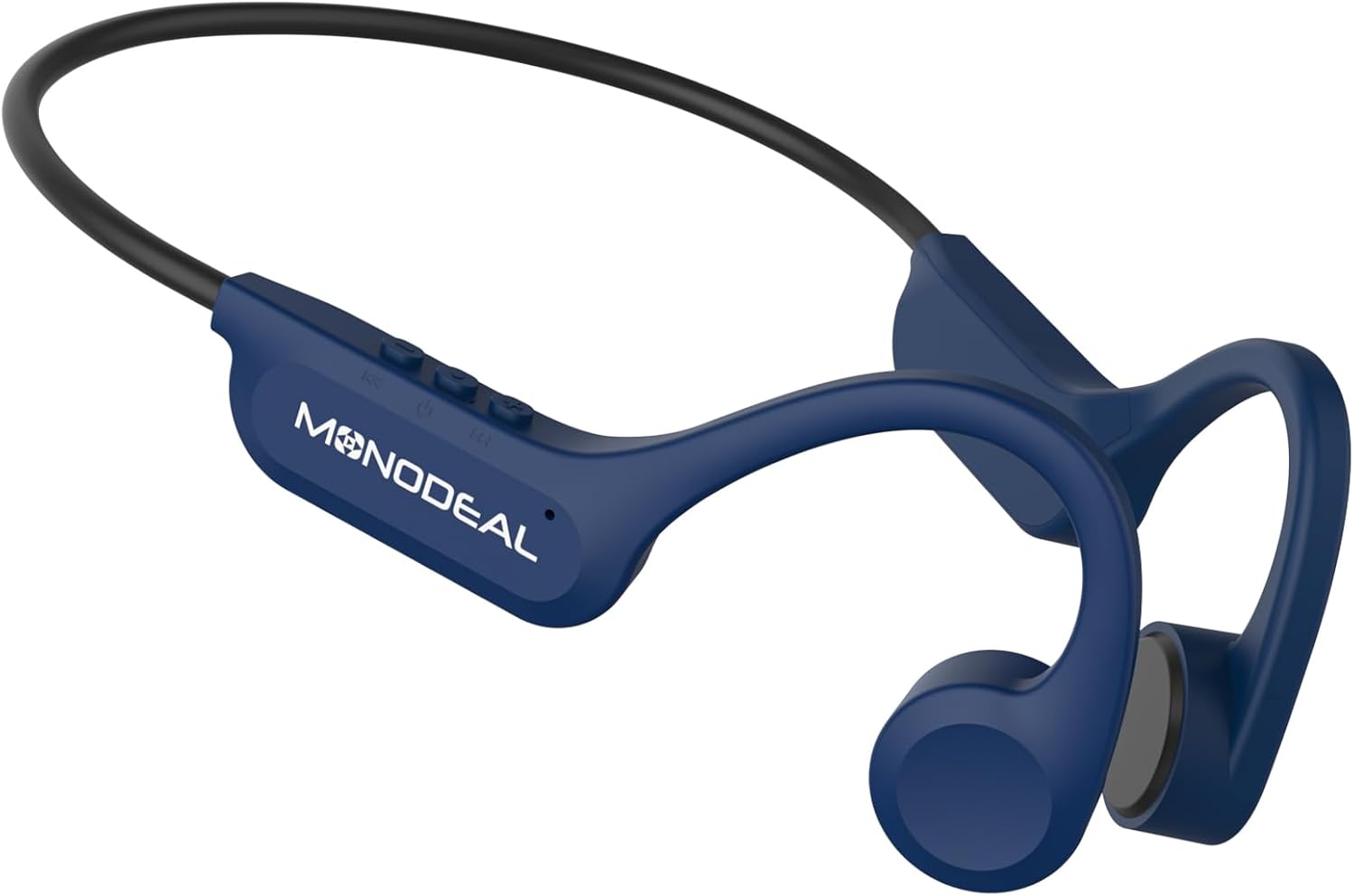
Image 1.1: MONODEAL Bone Conduction Headphones X14. These headphones feature an open-ear design and a flexible neckband.
2. Pakketinhoud
Please verify that all items are present in your package.
- MONODEAL Bone Conduction Headphones X14
- USB-C-laaikabel
- Gebruikershandleiding

Image 2.1: The package includes the MONODEAL X14 headphones, a USB-C charging cable, and the user manual.
3. Opstelling
3.1 Laai die oorfone
Before initial use, fully charge your headphones.
- Vind die USB-C-laaipoort op die oorfone.
- Connect the provided USB-C cable to the charging port and the other end to a compatible USB power source (e.g., computer, wall adapter).
- Die laai-aanwyserliggie sal brand.
- 'n Volle lading neem gewoonlik ongeveer 2 uur.
- Once fully charged, the indicator light will change or turn off, depending on the model.
A full charge provides up to 8 hours of continuous playback.

Image 3.1: Key features including Bluetooth 5.3, Type-C charging, CVC Microphone Noise Reduction, and 8-hour battery life.

Image 3.2: The headphones offer up to 8 hours of music playback on a single charge.
3.2 Bluetooth -koppeling
Om jou oorfone aan 'n toestel te koppel:
- Maak seker dat die oorfone gelaai en afgeskakel is.
- Press and hold the Power button (usually the multi-function button) until the indicator light flashes rapidly, indicating pairing mode.
- Aktiveer Bluetooth op jou toestel (slimfoon, tablet, ens.) en soek vir beskikbare toestelle.
- Select "MONODEAL X14" from the list of found devices.
- Once connected, the indicator light will stop flashing and remain solid or turn off.
- Die oorfone sal outomaties probeer om weer aan die laaste gekoppelde toestel te koppel wanneer dit aangeskakel word.
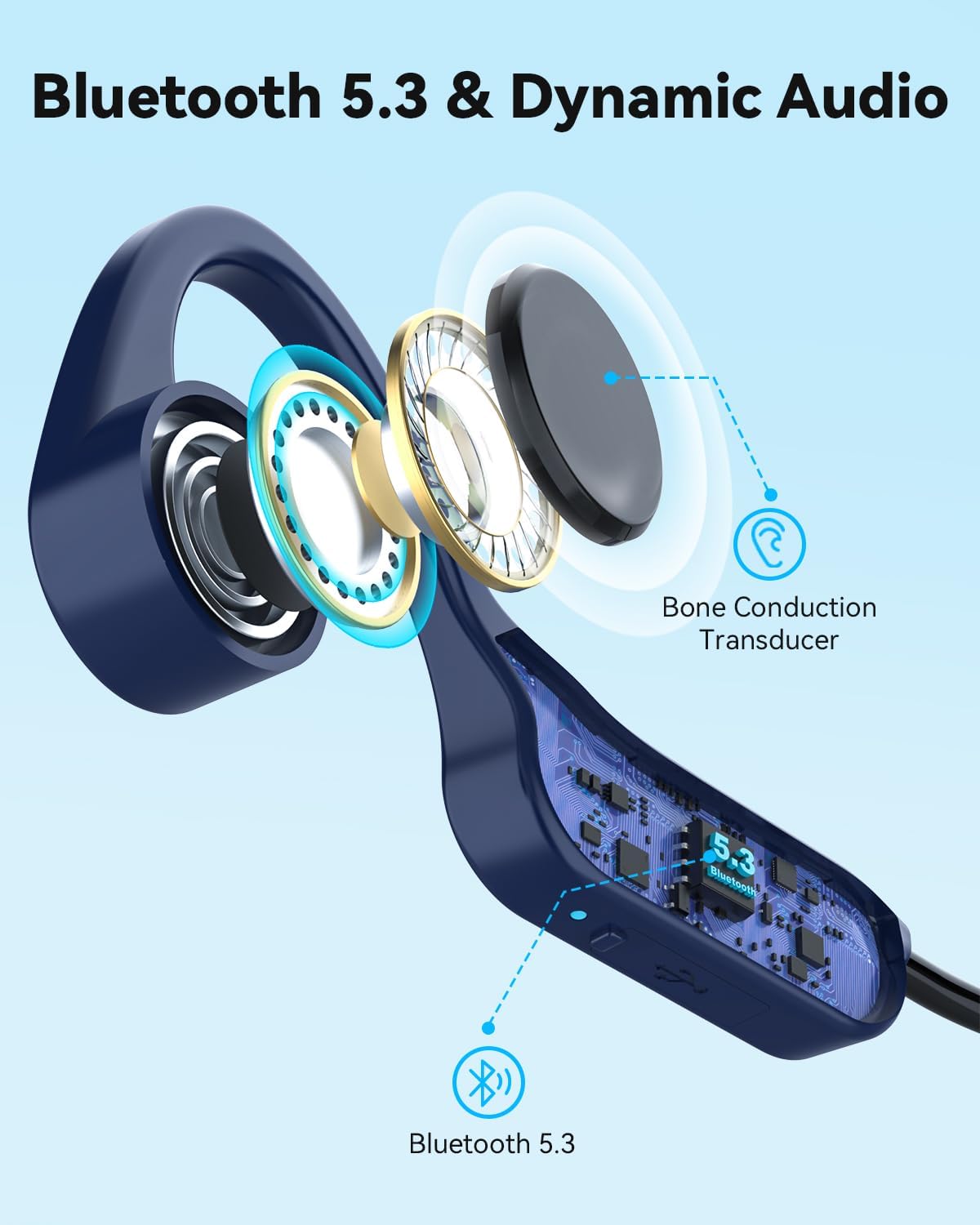
Image 3.3: The headphones feature Bluetooth 5.3 for stable and fast connections, utilizing a bone conduction transducer for audio.
4. Bedryfsinstruksies
4.1 Dra van die oorfone
Place the headphones with the transducers resting on your cheekbones, just in front of your ears. The flexible band should wrap around the back of your head. Adjust for a comfortable and secure fit.

Image 4.1: The headphones use bone conduction technology, resting comfortably on the cheekbones.

Image 4.2: The open-ear design provides comfort for all-day wear, especially during exercise.
4.2 Basiese kontroles
The headphones feature three buttons for easy control:
- Aan/af-/Multifunksie-knoppie:
- Druk en hou om aan/af te skakel.
- Druk een keer om musiek te speel/onderbreek.
- Press once to answer/end calls.
- Press and hold during an incoming call to reject.
- Volume Op-knoppie (+):
- Druk een keer om die volume te verhoog.
- Press and hold for next track (specific models/firmware).
- Volume af-knoppie (-):
- Druk een keer om die volume te verlaag.
- Press and hold for previous track (specific models/firmware).
Note: Specific button functions may vary slightly based on device and firmware.
4.3 Oudio-ervaring
The X14 headphones provide stereo sound quality through 15mm large speakers. The open-ear design ensures you can enjoy your audio while remaining aware of your surroundings, enhancing safety during outdoor activities. The integrated microphone with CVC noise reduction ensures clear call quality.

Image 4.3: The open-ear design promotes safety and awareness by allowing users to hear ambient sounds while enjoying music.
5. Onderhoud
To ensure the longevity and optimal performance of your MONODEAL X14 headphones, follow these maintenance guidelines:
- Skoonmaak: Vee die oorfone af met 'n sagte, damp lap. Vermy die gebruik van harde chemikalieë of skuurmateriaal.
- Waterweerstand: The headphones are IPX6 water-resistant, meaning they can withstand strong jets of water. They are suitable for use during workouts and in light rain. Do not submerge them in water.
- Berging: Bêre die oorfone op 'n koel, droë plek weg van direkte sonlig en uiterste temperature.
- Laaipoort: Keep the USB-C charging port clean and free of debris. Ensure the rubber stopper (if present) is properly sealed when not charging to maintain water resistance.
6. Probleemoplossing
As jy probleme met jou oorfone ondervind, raadpleeg die volgende algemene oplossings:
- Geen krag: Maak seker dat die oorfone volledig gelaai is. Koppel hulle aan 'n kragbron en kyk na die laai-aanwyser.
- Kan nie koppel nie:
- Maak seker dat Bluetooth op jou toestel geaktiveer is.
- Ensure the headphones are in pairing mode (flashing indicator light).
- Beweeg die oorfone nader aan jou toestel.
- Try unpairing and re-pairing the headphones from your device's Bluetooth settings.
- Herbegin beide die oorfone en jou toestel.
- Geen klank/lae volume:
- Kontroleer die volumevlakke op beide die oorfone en jou gekoppelde toestel.
- Maak seker dat die oorfone behoorlik aan jou toestel gekoppel is.
- Verifieer dat die oudiobron speel.
- Swak oproepgehalte:
- Maak seker dat die mikrofoon nie geblokkeer word nie.
- Beweeg na 'n area met minder agtergrondgeraas.
- Check your device's call settings.
Indien die probleem voortduur, kontak asseblief kliëntediens.
7. Spesifikasies
| Kenmerk | Detail |
|---|---|
| Model Naam | Bone Conduction Headphones X14 |
| Handelsmerk | MONODEAAL |
| Verbindingstegnologie | Draadloos (Bluetooth V5.3) |
| Bluetooth weergawe | 5.3 |
| Vormfaktor | Bone Conduction, Open-Ear |
| Materiaal | Titaan |
| Waterweerstandvlak | IPX6 (waterdig) |
| Batterylewe | Tot 8 uur (terugspeel) |
| Laai tyd | Ongeveer 2 uur |
| Laaipoort | USB-C |
| Gewig | 27g |
| Versoenbare toestelle | Mobile phones, tablets, laptops, desktop computers, smart speakers, TVs, car audio systems |

Image 7.1: The headphones are ultra-lightweight at 27g, designed for all-day comfort with soft silicone pads.
8. Waarborg en Ondersteuning
MONODEAL products are designed for reliability and performance. For warranty information and customer support, please refer to the documentation included with your purchase or visit the official MONODEAL webwebwerf.
If you require assistance, please contact our customer service team with your product model and purchase details.