
1. Belangrike veiligheidsinstruksies
Please read all instructions carefully before using the projector and retain this manual for future reference. Improper use may result in electric shock, fire, or other hazards.
- Moenie die ventilasie-openinge blokkeer nie. Maak seker dat daar voldoende spasie rondom die projektor is vir behoorlike lugvloei.
- Moenie die projektor aan reën of vog blootstel nie om brand of elektriese skok te voorkom.
- Vermy om direk in die projektorlens te kyk wanneer die lamp aan is, aangesien die helder lig oogskade kan veroorsaak.
- Gebruik slegs aanhegsels/bykomstighede wat deur die vervaardiger gespesifiseer word.
- Ontkoppel die projektor tydens weerligstorms of wanneer dit vir lang tye nie gebruik word nie.
- Moenie probeer om hierdie produk self te herstel nie. Verwys alle diens na gekwalifiseerde dienspersoneel.
2. Opstelgids
2.1 Wat is in die boks
Verifieer dat alle items in die pakket teenwoordig is:
- HOMPOW Mini Projector
- Afstandbeheer
- Kragadapter
- HDMI kabel
- Gebruikershandleiding
- Waarborgkaart

Image: The HOMPOW Mini Projector shown with its remote control, power adapter, and HDMI cable.
2.2 Aanvanklike opstelling
2.2.1 Kragverbinding
- Koppel die kragadapter aan die projektor se kragtoevoerpoort.
- Steek die kragadapter in 'n geskikte elektriese aansluiting.
2.2.2 Placement and Focus
Plaas die projektor op 'n stabiele, plat oppervlak. Vir optimale viewing, place it perpendicular to the projection surface (wall or screen).
- Projeksie afstand: The recommended projection distance ranges from 3.49 feet to 7.26 feet.
- Beeldgrootte: This allows for an image size between 40 inches and 120 inches.
- Fokus verstelling: Draai die fokusring op die projektorlens totdat die beeld duidelik en skerp lyk.

Image: Visual comparison demonstrating the clarity of 1080P Full HD supported resolution versus 480P.
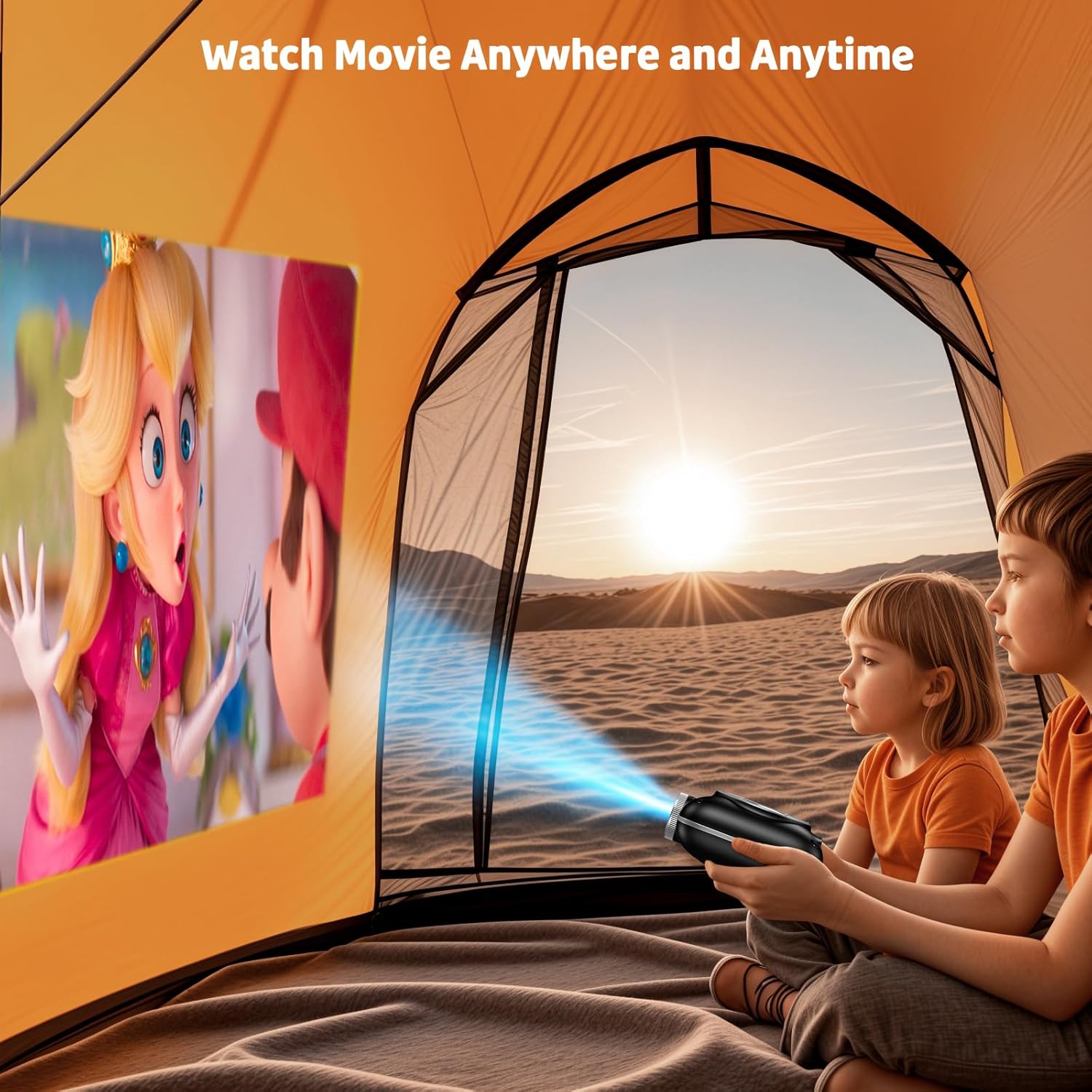
Image: The compact projector projecting a movie inside a tent, highlighting its portability for outdoor use.
3. Bedryfsinstruksies
3.1 Krag aan/af
Press the power button on the projector or the remote control to turn the device on or off. The projector features an auto-off timer for convenient screen time management.
3.2 Konnektiwiteit
The HOMPOW Mini Projector offers multiple connectivity options:
- HDMI 2.0 Poort: Connect to laptops, TV sticks, gaming consoles (PS4, PS5), and other HDMI-enabled devices using the included HDMI cable.
- USB 2.0-poort: Koppel USB-skywe vir mediaweergawe.
- Two-Way Bluetooth 5.1: Connect external Bluetooth speakers for enhanced audio or use the projector as a Bluetooth speaker to play music from your phone.

Image: The projector highlighting its wireless connectivity features, including WiFi and Bluetooth.

Image: A visual guide illustrating how to connect various devices such as smartphones, tablets, TV sticks, laptops, PS3/PS4, headphones, and USB drives to the projector.
3.3 Skermspieëling
To mirror your smartphone or tablet screen:
- Vir Android-fone: Use a Micro USB/Type-C to HDMI adapter (sold separately).
- For iPhones/iPads: Use a Lightning to HDMI adapter (sold separately).
- For Streaming Services: Plug in a TV stick (sold separately) for Netflix/Hulu and other HDCP-compliant streaming platforms.
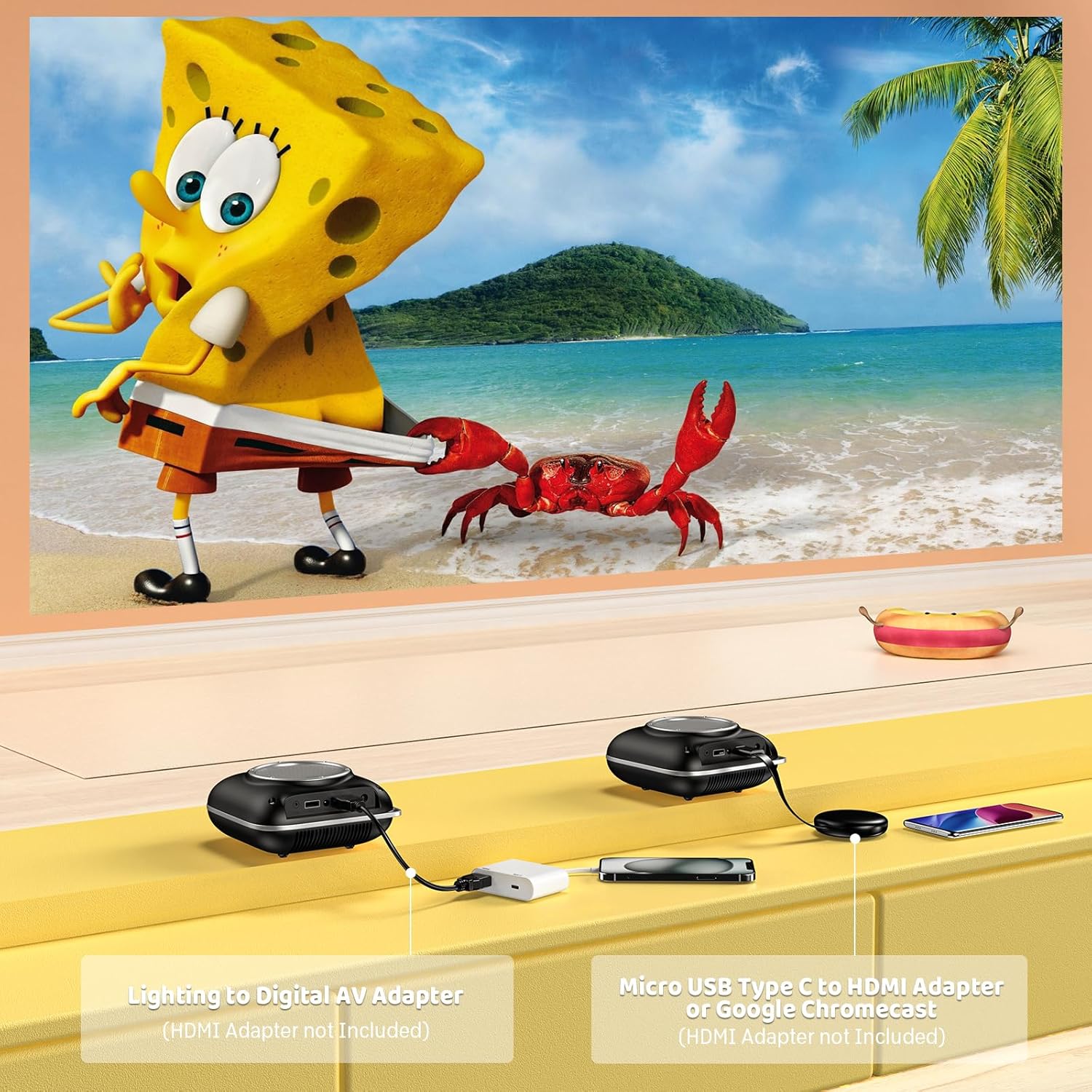
Image: Instructions for connecting mobile devices to the projector using Lightning to Digital AV Adapter for iOS and Micro USB Type-C to HDMI Adapter or Google Chromecast for Android.
3.4 Klankuitset
The projector features built-in 5W high-powered stereo speakers. For enhanced sound, utilize the bidirectional Bluetooth 5.1 to connect to external Bluetooth speakers or headphones.

Image: Diagram showing the projector's two-way Bluetooth functionality, allowing connection to an external speaker or functioning as a Bluetooth speaker for a phone.
3.5 Projection Size and Zoom
The projector supports a projection size from 40 to 120 inches. Use the 50%-100% zoom function to adjust the image size without moving the projector.

Image: A visual representation of the 50%-100% zoom function, showing how the projected image size can be adjusted.
4. Onderhoud
4.1 Skoonmaak
- Lens: Gebruik 'n sagte, pluisvrye lap wat spesifiek vir optiese lense ontwerp is. Moenie skuurmiddels gebruik nie.
- Buitekant: Wipe the projector's exterior with a soft, dry cloth. Avoid using harsh chemicals or solvents.
- Ventilasie: Ensure ventilation openings are free from dust and debris to prevent overheating.
4.2 Berging
Wanneer dit nie gebruik word nie, bêre die projektor op 'n koel, droë plek, weg van direkte sonlig en uiterste temperature. Gebruik die oorspronklike verpakking of 'n beskermende omhulsel om stofophoping en skade te voorkom.
5. Probleemoplossing
Verwys na die tabel hieronder vir algemene probleme en hul oplossings.
| Kwessie | Moontlike oorsaak | Oplossing |
|---|---|---|
| Geen beeld geprojekteer nie | Power not connected, input source incorrect, lens cap on. | Check power connection, select correct input source (HDMI/USB), remove lens cap. |
| Wasige beeld | Focus not adjusted, projector too close/far. | Adjust the focus ring, ensure projector is within optimal projection distance (3.49-7.26 ft). |
| Geen klank nie | Volume too low, external speaker not connected, audio format unsupported. | Increase volume, connect Bluetooth speaker, check audio format compatibility. |
| Skermspieëling werk nie | Incorrect adapter, device compatibility issue. | Ensure correct HDMI adapter for your phone (Micro USB/Type-C for Android, Lightning for iOS). |
| Projektor oorverhit | Blocked ventilation, prolonged use. | Ensure clear space around vents, allow projector to cool down if used for extended periods. |
6. Tegniese spesifikasies
| Kenmerk | Detail |
|---|---|
| Handelsmerk | HOMPOW |
| Model | B0F43PY223 |
| Inheemse resolusie | 1280 x 720 (720P) |
| Ondersteunde resolusie | 1920 x 1080 (1080P Full HD) |
| Verbindingstegnologie | HDMI, USB 2.0, Bluetooth 5.1 (Two-Way) |
| Tipe vertoon | CRT (as per specification, typically LCD for mini projectors) |
| Kontrasverhouding | 10000:1 |
| Projeksie grootte | 40 - 120 duim |
| Gooi afstand | 3.49 - 7.26 Feet |
| Ligbron bedryfslewe | 50000 ure |
| Ingeboude luidspreker | 5W High-Powered Stereo Speakers |
| Zoomfunksie | 50%-100% |
| Afmetings (L x B x H) | 4.9" x 4.9" x 2.1" |
| Gewig | 0.7 kilogram |
| Kragverbruik | 30 Watt |
| Voltage | 110 Volt |
7. Waarborg en Ondersteuning
7.1 Waarborginligting
The HOMPOW Mini Projector comes with:
- A 30-day replacement window.
- 2-year repair coverage.
Behou asseblief jou aankoopbewys vir waarborgeise.
7.2 Kliëntediens
For any questions, troubleshooting assistance, or warranty inquiries, please contact HOMPOW customer support. We offer 24/7 assistance to ensure stress-free ownership.
Contact information can typically be found on the HOMPOW official webwebwerf of die waarborgkaart wat in u pakket ingesluit is.