
1. Inleiding
Thank you for choosing the LEFFOT M1 Plus Android 14.0 TV Box. This device is designed to transform your television into a smart entertainment hub, offering stunning 4K UHD visuals, powerful performance, and a wide range of connectivity options. This manual provides detailed instructions for setting up, operating, and maintaining your TV box to ensure an optimal user experience.
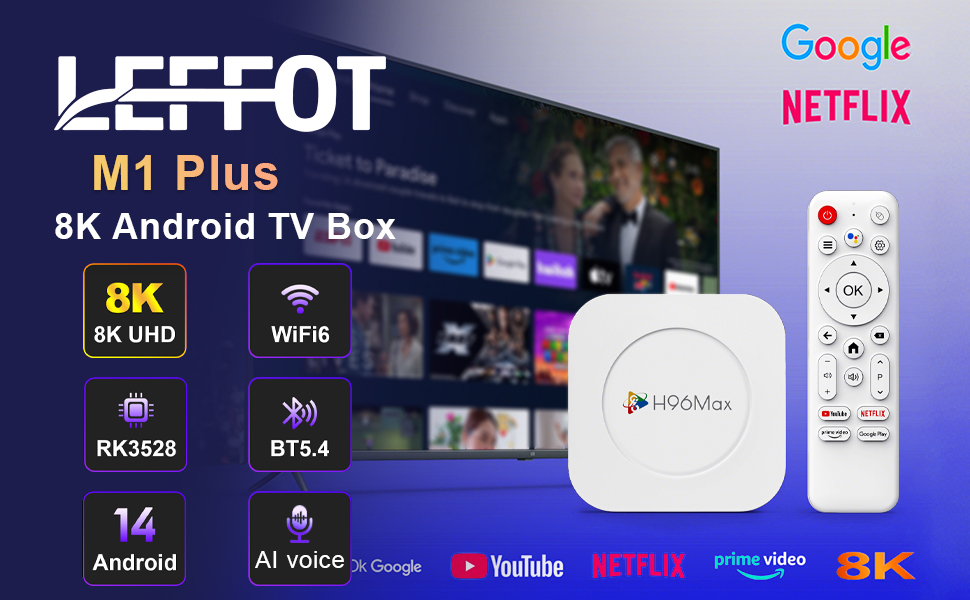
Beeld 1.1: verbyview of the LEFFOT M1 Plus Android TV Box highlighting its core features like 8K UHD, WiFi 6, BT 5.4, Android 14, and AI voice control.
2. Veiligheidsinligting
Lees asseblief alle veiligheidsinstruksies sorgvuldig deur voordat u die toestel gebruik. Versuim om hierdie instruksies te volg, kan lei tot elektriese skok, brand of skade aan die toestel.
- Gebruik slegs die meegeleverde kragadapter.
- Moenie die toestel aan water, vog of uiterste temperature blootstel nie.
- Verseker behoorlike ventilasie rondom die toestel om oorverhitting te voorkom.
- Moenie probeer om die toestel self uitmekaar te haal of te herstel nie. Kontak gekwalifiseerde dienspersoneel.
- Hou die toestel weg van direkte sonlig en hittebronne.
3. Pakketinhoud
Verifieer dat alle items in die pakket teenwoordig is:
- LEFFOT M1 Plus Android TV Box
- Afstandbeheer
- HDMI kabel
- Kragadapter
- Gebruikershandleiding (hierdie dokument)
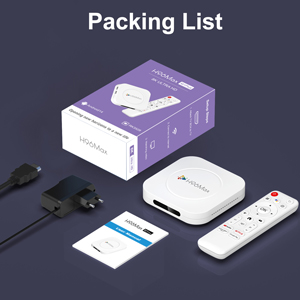
Image 3.1: The package contents including the TV box, remote control, power adapter, and HDMI cable.
4. Produk verbyview
Familiarize yourself with the components and ports of your LEFFOT M1 Plus TV Box.
4.1. Device and Remote

Image 4.1: The LEFFOT M1 Plus TV Box (left) and its accompanying remote control (right).
4.2. Poorte en koppelvlakke
The TV box features various ports for connectivity:
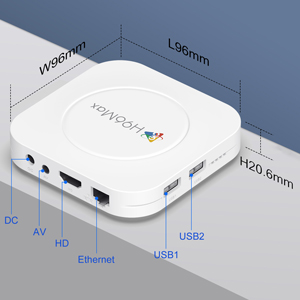
Beeld 4.2: Gedetailleerd view of the TV box's ports: DC (power), AV (audio/video out), HD (HDMI), Ethernet, USB1, and USB2.
- DC: Kraginvoerpoort.
- VAN: Analog audio/video output (for older TVs).
- HD: HDMI output for connecting to your TV.
- Ethernet: RJ-45 port for wired network connection.
- USB1 & USB2: USB ports for connecting external devices like USB drives, keyboards, or mice.
5. Opstelling
Follow these steps to set up your LEFFOT M1 Plus TV Box:
- Koppel aan TV: Connect one end of the provided HDMI cable to the "HD" port on the TV box and the other end to an HDMI input port on your television. Note the HDMI input number (e.g., HDMI 1, HDMI 2) on your TV.
- Koppel krag: Plug the power adapter into the "DC" port on the TV box, then plug the adapter into a wall outlet.
- Krag aan: The TV box should automatically power on. If not, press the power button on the remote control.
- Kies TV-invoer: On your TV, use the remote control to select the corresponding HDMI input source you connected the TV box to.
- Aanvanklike Opstelling Wizard: Volg die instruksies op die skerm om die aanvanklike opstelling te voltooi, insluitend taalkeuse, tydsone en netwerkverbinding.
6. Bedryfsinstruksies
Navigate and use your TV box effectively.
6.1. Basiese navigasie
- Gebruik die rigting (Op, Af, Links, Regs) buttons on the remote to move between menu items and applications.
- Druk die OK knoppie om 'n item te kies of 'n aksie te bevestig.
- Druk die Terug knoppie om terug te keer na die vorige skerm.
- Druk die Tuis button to return to the main home screen.
6.2. Toegang tot toepassings
From the home screen, you can access pre-installed applications or download new ones from the Google Play Store. Navigate to the desired app icon and press OK om dit te begin.

Image 6.1: The Android 14.0 TV Box home screen displaying popular streaming applications.
6.3. Stembeheer
The LEFFOT M1 Plus supports voice control via Google Assistant. To use this feature:
- Ensure your remote control is paired and has working batteries.
- Druk die Stemassistent button (often a microphone icon) on your remote.
- Speak clearly into the remote's microphone. You can ask to open apps, search for content, or control playback.

Image 6.2: Demonstrating the convenient voice control feature using the remote and Google Assistant.
6.4. Media Playback and Display Features
Enjoy high-quality media with advanced features:
- 8K UHD: The device supports up to 8K*4K@23fps and 4Kx2K@60fps resolution with HDR10 for vibrant and detailed visuals.
- Airplay, DLNA, WiFidisplay: Easily cast content from your mobile devices to your TV screen.

Image 6.3: Experience crystal-clear 8K resolution with the LEFFOT M1 Plus.

Image 6.4: The TV box supports various connectivity options and display technologies like Airplay, DLNA, and WiFidisplay.
6.5. Gebruikscenario's
The LEFFOT M1 Plus TV Box is versatile for various uses:
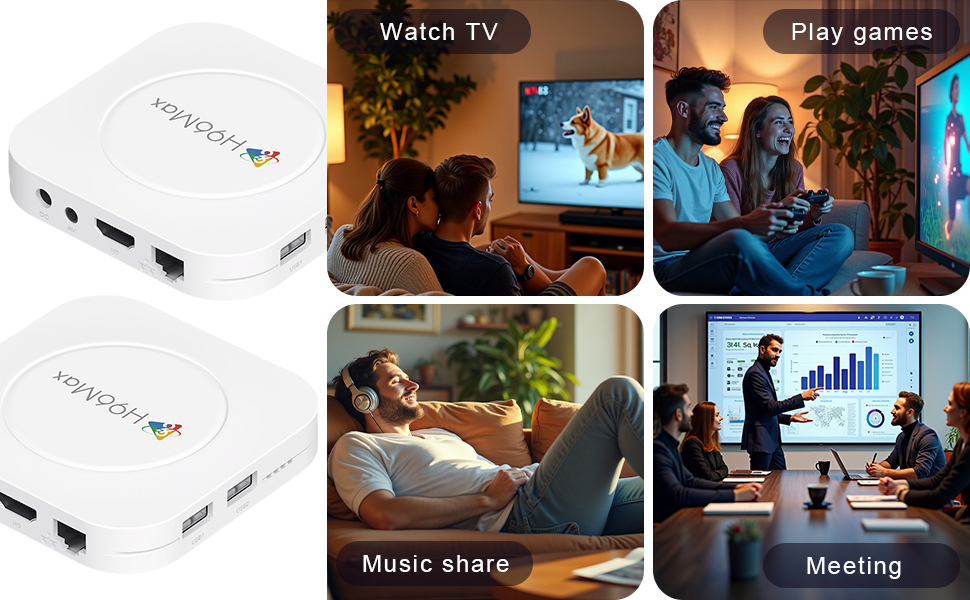
Image 6.5: The TV box can be used for watching TV, playing games, sharing music, and even for business presentations.
7. Konnektiwiteit
7.1. Wi-Fi-verbinding
The device supports 2.4G & 5G dual-band Wi-Fi 6 for fast and stable wireless internet.
- Gaan na Instellings > Netwerk en internet.
- Skakel aan Wi-Fi.
- Kies u Wi-Fi-netwerk uit die lys.
- Voer die wagwoord in indien gevra en kies Koppel.

Image 7.1: The TV box features advanced Wi-Fi 6 technology for faster and more reliable connections.
7.2. Ethernet-verbinding
For a wired connection, plug an Ethernet cable into the "Ethernet" port on the TV box and the other end into your router/modem.
7.3. Bluetooth-verbinding
The device supports Bluetooth 5.4 for connecting peripherals like headphones, game controllers, or speakers.
- Gaan na Instellings > Gekoppelde toestelle > Koppel nuwe toestel.
- Stel u Bluetooth -toestel in die paringsmodus.
- Kies jou toestel uit die lys en volg die aanwysings op die skerm om te koppel.
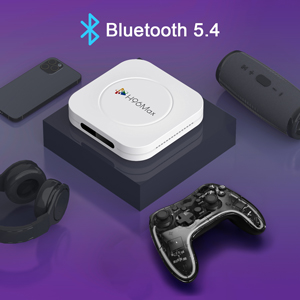
Image 7.2: The TV box supports Bluetooth 5.4 for seamless connection with various external devices.
8. Probleemoplossing
Verwys na hierdie afdeling vir algemene probleme en hul oplossings.
| Probleem | Moontlike oorsaak | Oplossing |
|---|---|---|
| Geen krag nie | Kragadapter nie gekoppel of foutief. | Maak seker dat die kragadapter stewig aan die toestel en 'n werkende kragaansluiting gekoppel is. Probeer 'n ander aansluiting. |
| Geen sein op TV nie | Incorrect HDMI input selected on TV; HDMI cable loose or faulty. | Verify TV input matches the HDMI port used. Check HDMI cable connections. Try a different HDMI cable or port. |
| Wi-Fi-verbindingskwessies | Verkeerde wagwoord; router te ver; steuring. | Re-enter Wi-Fi password. Move device closer to router. Restart router and TV box. |
| Afstandbeheer reageer nie | Lae batterye; afstandbeheerder nie gekoppel nie. | Replace batteries. Re-pair the remote control if it's a Bluetooth remote (refer to device settings). |
| Programme wat vasval of stadige werkverrigting | Te veel programme loop; min stoorplek; sagtewarefout. | Close background apps. Clear app caches. Restart the TV box. Consider a factory reset if issues persist (data will be lost). |
9. Spesifikasies
Key technical specifications of the LEFFOT M1 Plus Android TV Box:
- Bedryfstelsel: Android 14.0
- SVE: RK3528 Quad Core ARM Cortex-A53
- GPU: Mali-450 MP2
- RAM: 4 GB
- ROM: 32 GB
- Video-uitset: Supports 4Kx2K@60fps, 8K*4K@23fps, HDR10
- Wi-Fi: 2.4G & 5G Dual-band Wi-Fi 6
- Ethernet: 100 miljoen
- Bluetooth: BT 5.4
- Poorte: HDMI, USB (x2), DC, AV, Ethernet
- Spesiale kenmerke: Airplay, DLNA, WiFidisplay, Voice Control
- Afmetings: 3.78 x 3.78 x 0.81 duim (96 x 96 x 20.6 mm)
- Gewig: 4.3 onse (ongeveer 122 g)
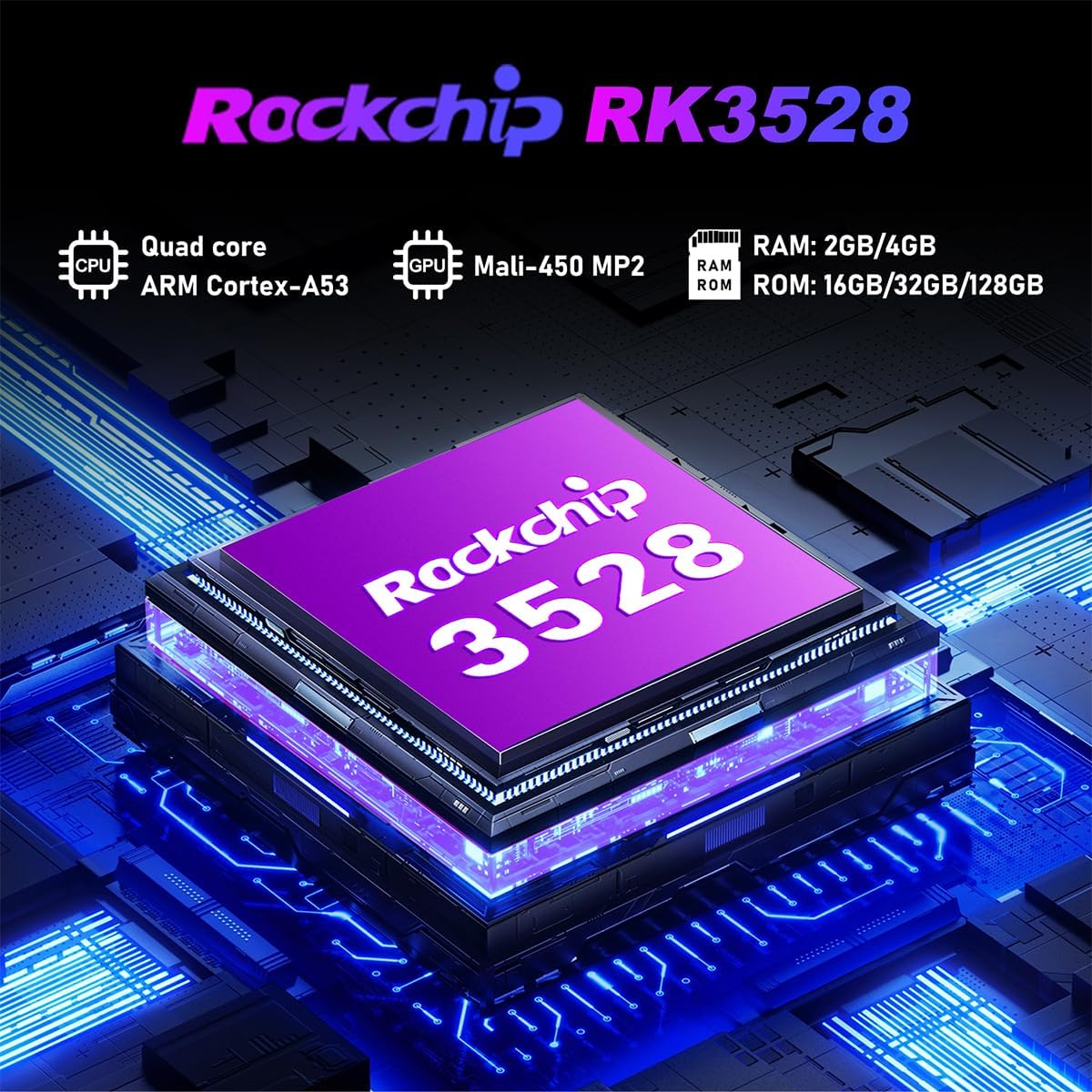
Beeld 9.1: Gedetailleerd view of the Rockchip RK3528 processor, highlighting its quad-core CPU, Mali-450 MP2 GPU, and memory configurations.
10. Onderhoud
To ensure the longevity and optimal performance of your TV box:
- Skoonmaak: Gebruik 'n sagte, droë lap om die buitekant van die toestel skoon te maak. Moenie vloeibare skoonmaakmiddels of aërosols gebruik nie.
- Ventilasie: Ensure the ventilation holes are not blocked. Do not place the device on soft surfaces that may obstruct airflow.
- Berging: Wanneer dit nie vir lang tye gebruik word nie, ontkoppel die kragadapter en bêre die toestel op 'n koel, droë plek.
11. Waarborg en Ondersteuning
LEFFOT products are designed for reliability and performance. This product comes with a standard manufacturer's warranty. Please refer to the warranty card included in your package for specific terms and conditions.
For technical support, troubleshooting assistance, or warranty claims, please contact LEFFOT customer service through the retailer where you purchased the product or visit the official LEFFOT webwebwerf vir kontakinligting.
Bewaar asseblief u aankoopbewys vir waarborgdoeleindes.