
NIMO NIMO N154G
NIMO 15.6 FHD-Laptop User Manual
Model: NIMO N154G
Inleiding
Thank you for choosing the NIMO 15.6 FHD-Laptop. This powerful and versatile laptop is designed to enhance your productivity and entertainment experience. Featuring an Intel Core i3-1215U processor, 16GB RAM, and a 1TB SSD, it delivers fast and efficient performance for all your tasks. This manual provides essential information on setting up, operating, maintaining, and troubleshooting your new laptop.

Image: The NIMO 15.6 FHD-Laptop, showcasing its sleek design and key features like Full HD display, 16GB RAM, 1TB SSD, Type-C PD Charger, Fingerprint reader, and Backlit keyboard.
Wat is in die boks
Kontroleer asseblief die inhoud van u pakket om seker te maak dat alle items teenwoordig is:
- 1 x Nimo N154 Laptop
- 1 x Type-C 65W PD Fast Charger
- 1 x Gebruikershandleiding
- Windows 11 Home (pre-installed)
Opstelling
Aanvanklike aanskakeling en laai
- Unpack your NIMO laptop and the Type-C 65W PD Fast Charger.
- Connect the Type-C charger to the laptop's Type-C charging port and plug the adapter into a power outlet.
- Allow the laptop to charge for at least 30 minutes before the first use, or until the battery indicator shows sufficient charge.
- Press the power button located on the top right side of the keyboard to turn on the laptop.
Windows 11-opstelling
Follow the on-screen instructions to complete the initial Windows 11 setup. This typically includes:
- Kies jou streek en sleutelborduitleg.
- Koppel aan 'n Wi-Fi-netwerk.
- Aanvaarding van die lisensieooreenkoms.
- Skep of aanmeld met 'n Microsoft-rekening.
- Setting up a PIN or password for login.
- Configuring privacy settings.
Bediening van jou skootrekenaar
Vertoning en Visuele Elemente
The NIMO laptop features a stunning 15.6-inch Full HD (1920x1080) display with an 85% screen-to-body ratio and razor-thin bezels, providing vibrant colors and sharp details for an immersive viewondervinding.

Image: The NIMO laptop screen displaying a vibrant image, highlighting its Full HD (1920x1080) resolution, IPS technology, bright view, and eye protection features.
Prestasie
Equipped with an Intel Core i3-1215U processor, 16GB DDR4 RAM, and a 1TB SSD, your NIMO laptop delivers powerful performance for multitasking, productivity, and entertainment. The 12th Gen Intel Core i3-1215U processor offers 6 cores and 8 threads, with a turbo boost up to 3.7 GHz, ensuring smooth and responsive operation.

Beeld: 'n Gedetailleerde view of the 12th Gen Intel Core i3-1215U Processor, illustrating its 6 cores, 8 threads, 15W power consumption, and 3.7 GHz Turbo Boost frequency, with a performance improvement indicator.
Sleutelbord en Invoer
The laptop features a backlit keyboard for comfortable typing in various lighting conditions, a responsive touchpad, and a numeric keypad for efficient data entry. The integrated fingerprint reader provides seamless and secure login.
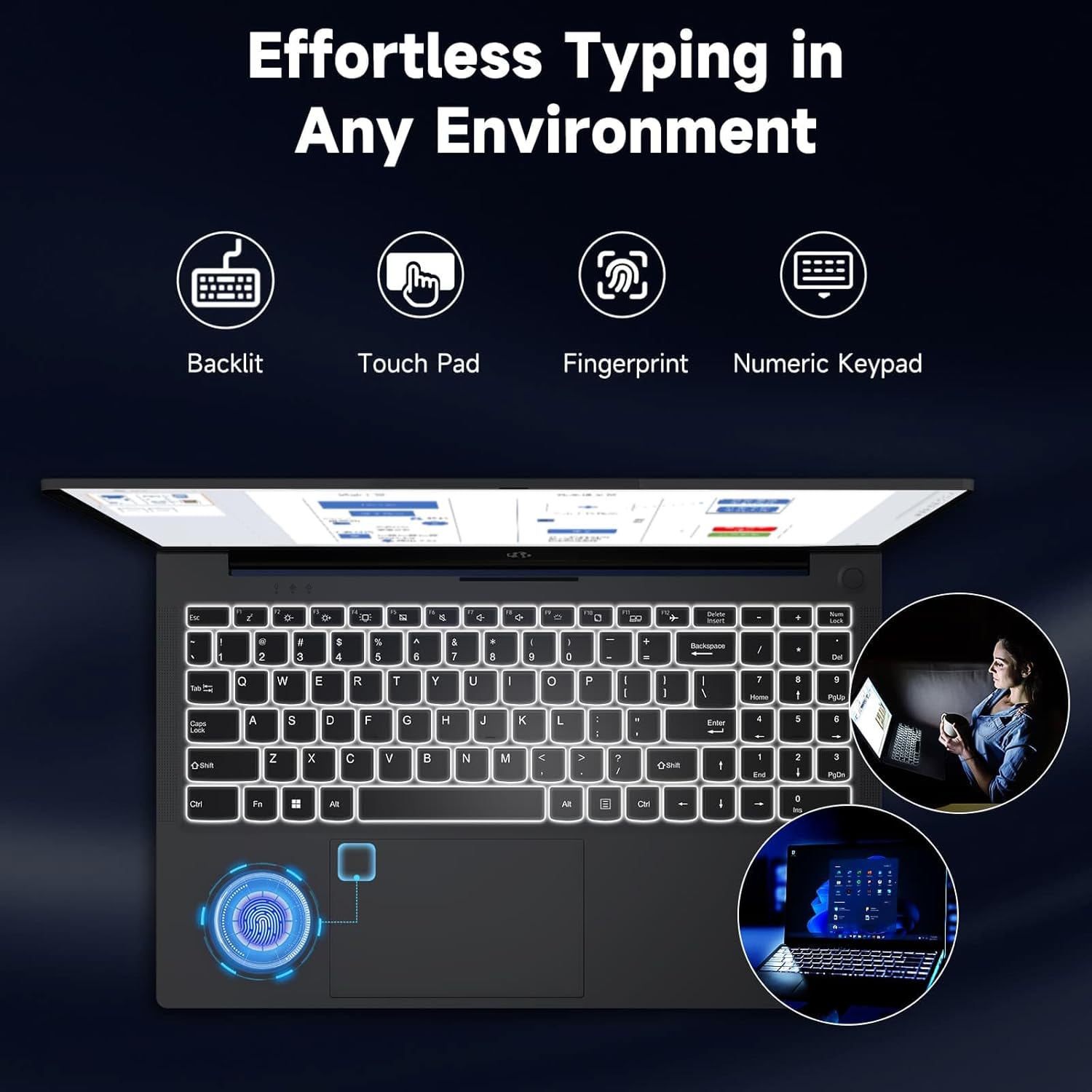
Image: The NIMO laptop keyboard, highlighting its backlit keys, touchpad, fingerprint sensor, and numeric keypad for effortless typing in any environment.
Sekuriteit en privaatheid
Unlock your laptop with ease and speed using the integrated fingerprint scanner. For privacy, the 2.0MP webcam includes a physical privacy switch, allowing you to control when your camera is active.
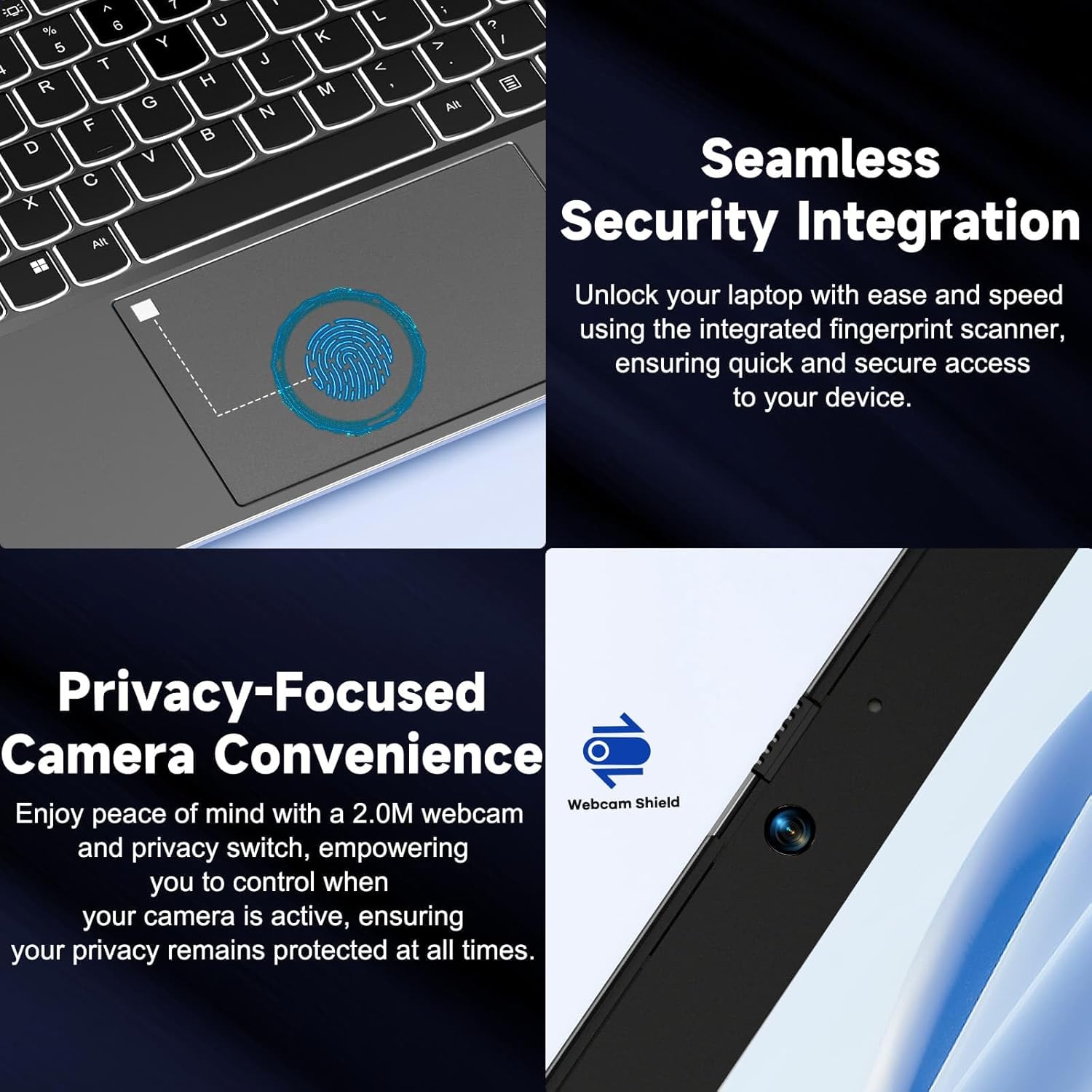
Beeld: Nabyskoot views of the laptop's fingerprint sensor for seamless security integration and the webcam with its privacy shield for enhanced privacy.
Konnektiwiteit
The NIMO laptop offers multiple ports for versatile connectivity, including USB 2.0, USB 3.0, HDMI, and Type-C ports (one for charging, one for multifunction). It also features a Micro SD card reader, a headphone combo jack, and a Kensington lock slot.

Beeld: 'n Ontplofte view of the NIMO laptop, highlighting the location and type of its multiple ports, including USB, HDMI, Type-C, Micro SD, headphone combo, and Kensington lock.
180° platlê-skarnier
The laptop is equipped with a 180° lay-flat hinge, allowing the screen to lie completely flat. This feature expands usage scenarios, making it easier to share content or collaborate with others.

Image: The NIMO laptop demonstrating its 180° lay-flat hinge, showing the screen fully opened and flat, ideal for sharing content.
Onderhoud
Skoonmaak
- Gebruik 'n sagte, pluisvrye lap effens dampmet water of 'n skermreiniger afgevee om die skerm af te vee.
- Vir die sleutelbord en onderstel, gebruik 'n sagte, droë lap. Vermy harde chemikalieë of skuurmiddels.
- Gebruik saamgeperste lug om stof van sleutelbordsleutels en ventilasieroosters te verwyder.
Battery sorg
- Vermy om die battery gereeld heeltemal te ontlaai.
- Bêre die skootrekenaar op 'n koel, droë plek indien dit nie vir lang tye gebruik word nie.
- Use only the provided NIMO 65W PD fast charger.
Sagteware-opdaterings
- Regularly check for Windows updates to ensure your system has the latest security patches and performance improvements.
- Keep your drivers updated for optimal hardware performance.
Probleemoplossing
| Probleem | Moontlike oorsaak | Oplossing |
|---|---|---|
| Skootrekenaar skakel nie aan nie | Low battery; Power adapter issue | Ensure charger is properly connected and plugged in. Allow to charge for a few minutes before attempting to power on again. |
| Wi-Fi-verbindingskwessies | Driver issue; Router problem; Wi-Fi disabled | Check if Wi-Fi is enabled (Fn+F5). Restart your router. Update Wi-Fi drivers via Device Manager. |
| Stadige prestasie | Too many background apps; Low disk space; Malware | Maak onnodige toepassings toe. Maak skyfspasie vry. Voer 'n volledige stelselskandering met antivirusprogrammatuur uit. |
| Sleutelbord se agterlig werk nie | Agterlig uitgeskakel | Press Fn + F10 (or the key with the backlight icon) to toggle the backlight on/off or adjust brightness. |
| Fingerprint reader not responding | Sensor dirty; Driver issue; Incorrect setup | Clean the sensor with a soft cloth. Re-register your fingerprint in Windows Settings. Update fingerprint reader drivers. |
Spesifikasies
| Kenmerk | Detail |
|---|---|
| Model Naam | NIMO N154G |
| Skerm grootte | 15.6 duim |
| Skermresolusie | 1920 x 1080 piksels (Vol HD) |
| Verwerker | Intel Core i3-1215U (up to 4.4 GHz) |
| RAM | 16 GB DDR4 (3200 MHz) |
| Berging | 1 TB SSD |
| Grafiese medeverwerker | Geïntegreerde grafika |
| Bedryfstelsel | Windows 11 Tuis |
| Draadlose tipe | 802.11a/b/g/n/ac |
| USB-poorte | 1 x USB 2.0, 2 x USB 3.0 |
| Ander hawens | HDMI, 2 x Type-C (1 Charge Only, 1 Multifunction), Micro SD Reader, Headphone Combo, Kensington Lock |
| Webnok | 2 MP Agter Webcam resolusie |
| Batterylewe (gemiddeld) | 5 ure |
| Kragbron | Battery Powered (65W PD Type-C Charger) |
| Item gewig | 5 pond |
| Produk afmetings | 14.07 x 8.98 x 0.76 duim |
| Kleur | Grys |
| Spesiale kenmerke | Fingerprint Reader, HD Audio, Backlit Keyboard, Memory Card Slot, Numeric Keypad, 180° Lay-Flat Hinge |
Waarborg en Ondersteuning
NIMO is committed to providing reliable products and excellent customer service. Your NIMO laptop comes with comprehensive warranty and support:
- 2-Year Laptop Protection: Geniet gemoedsrus met 'n 2-jaar waarborg wat vervaardigingsfoute dek.
- 90-dae gratis terugsendings: If you are not satisfied with your purchase, you can return it within 90 days.
- 24/7 Customer Service Support: Our dedicated team of laptop experts is available around the clock to provide instant assistance and resolve any issues you may encounter.
For support, please refer to the contact information provided on the NIMO official website or the packaging. Please have your model number (NIMO N154G) and purchase details ready when contacting support.

Image: An illustration of NIMO's after-sales excellence, showing domestically partial assembly, 90-day free returns, 2-year after-sales support, and 24/7 customer service support.
Ask a question about this manual
Ask about setup, troubleshooting, compatibility, parts, safety, or missing instructions. Manuals+ will review the question and use this page’s manual context to help answer it.