
Inleiding
The Logitech MK250 Bluetooth mouse and keyboard combo offers effortless wireless connectivity, designed for a clutter-free workspace. This durable combo provides a comfortable typing and navigation experience across Windows and macOS platforms. Its compact design includes a full numpad and essential function keys, making it suitable for various environments.
Wat is in die boks
- MK250 sleutelbord
- MK250 Mouse
- Gebruikersdokumentasie
- Quick Start Guide (Printed on Packaging)
- 2 AAA-batterye (vir sleutelbord)
- 1 AA-battery (vir muis)
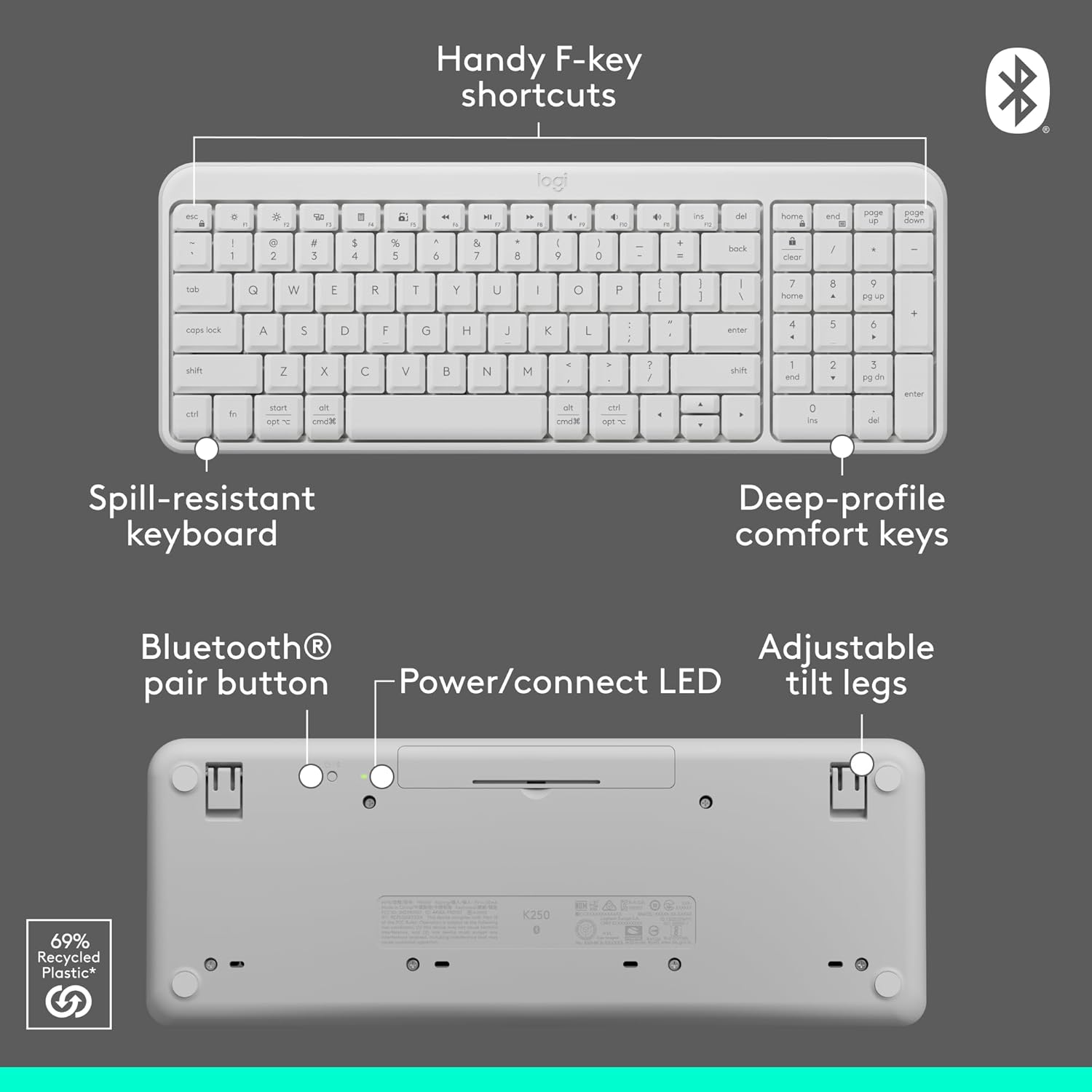
Image: Contents of the Logitech MK250 combo box, showing the white keyboard, white mouse, and two AAA batteries.
Opstelling en Bluetooth-paring
The Logitech MK250 combo connects quickly and easily via Bluetooth, eliminating the need for a USB dongle.
Aanvanklike opstellingstappe:
- Plaas batterye in: Ensure the included batteries are correctly inserted into both the keyboard and the mouse. For the keyboard, remove the battery guard if present.
- Krag aan: Locate the ON/OFF switch on the back of the keyboard and the mouse, and slide them to the 'ON' position.
- Activate Bluetooth Pairing:
- Sleutelbord: Press and hold the Bluetooth pair button on the underside of the keyboard until the LED indicator starts blinking.
- Muis: Press and hold the long-press pairing mode button on the underside of the mouse until its LED indicator starts blinking.
- Verbind via toestel: On your computer (Windows or macOS) or tablet, navigate to your Bluetooth settings. Select "Logitech MK250 Keyboard" and "Logitech MK250 Mouse" from the list of available devices to pair. Follow any on-screen prompts to complete the connection.

Image: A white Logitech MK250 keyboard and mouse on a desk next to a monitor displaying Bluetooth connection prompts, illustrating easy pairing.
Video: Official Logitech MK250 product video demonstrating features and connectivity.
Bedryfsinstruksies
Sleutelbord kenmerke:
- Diep-Profile Sleutels: Designed for comfortable and responsive typing.
- Kompakte uitleg met numeriese blokkies: Offers full functionality in a space-saving design.
- Handy F-Key Shortcuts: Provides quick access to media controls and other functions.
- morsbestande ontwerp: Built to withstand minor spills for enhanced durability.
- Verstelbare kantelpote: Customize the keyboard angle for ergonomic comfort.
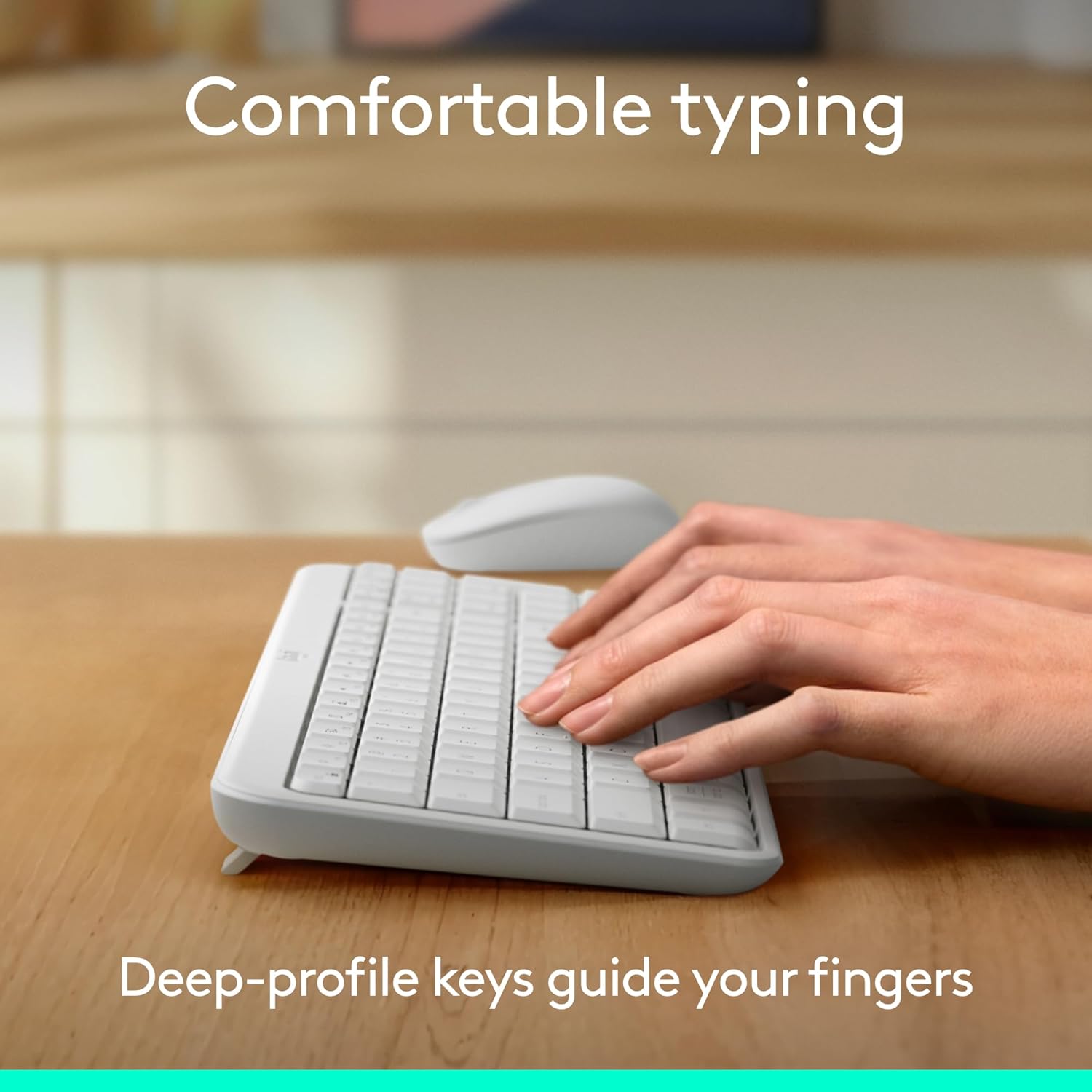
Image: Hands typing on the Logitech MK250 keyboard, demonstrating comfortable deep-profile sleutels.

Image: Underside of the Logitech MK250 keyboard, detailing the Bluetooth pair button, power/connect LED, and adjustable tilt legs.
Muis funksies:
- Ambidextrous Vorm: Comfortable design for both left and right-handed users.
- Gladde dophou: Provides precise cursor control.
- Long-Press Pairing Mode: Dedicated button for easy Bluetooth connection.
- AAN/UIT -skakelaar: Bespaar batterylewe wanneer dit nie gebruik word nie.

Image: Underside of the Logitech MK250 mouse, highlighting the battery compartment, long-press pairing mode button, and ON/OFF switch.
Onderhoud
- Batterylewe: The keyboard and mouse are designed for extended battery life, with up to 12 months of use before needing battery replacement.
- Battery vervanging: Replace batteries when performance degrades. The keyboard uses 2 AAA batteries, and the mouse uses 1 AA battery.
- Skoonmaak: Vee die oppervlaktes af met 'n sagte, damp cloth. Avoid harsh chemicals. The keyboard features a spill-resistant design, but it is not waterproof.

Image: Logitech MK250 mouse, emphasizing its 12-month battery life.
Probleemoplossing
- Verbindingskwessies: If the keyboard or mouse loses connection, ensure they are powered on and within range of your device. Try re-pairing them through your device's Bluetooth settings.
- Unresponsive Keys/Clicks: Check battery levels and replace if necessary. Ensure no debris is obstructing the keys or mouse buttons.
- Lag or Delay: Ensure your device's Bluetooth is not overloaded with too many connections. Move closer to your device to minimize interference.
Spesifikasies
| Handelsmerk | Logitech |
| Modelreeks | MK250 Sleutelbord en Muis |
| Item Modelnommer | 920-013511 |
| Verbindingstegnologie | Bluetooth |
| Versoenbare toestelle | Skootrekenaar, persoonlike rekenaar, tablet |
| Hardeware Platform | Mac, rekenaar |
| Bedryfstelsel | Chrome OS, Windows 10.11 or later, macOS 12 or later |
| Kleur | Wit |
| Item gewig | 13.4 onse |
| Produkafmetings (LxBxH) | 18.03 x 5.98 x 1.73 duim |
| Kragbron | Battery aangedrewe |
| Batterye | 2 AAA-batterye (sleutelbord), 1 AA-battery (muis) - ingesluit |
Waarborg en Ondersteuning
The Logitech MK250 combo is built for durability, featuring a spill-resistant keyboard and components made with recycled materials. For specific warranty details and technical support, please refer to the official Logitech webwebwerf of die dokumentasie wat by u produk ingesluit is.
The product is designed for a long lifespan, with the keyboard offering a 12-month battery life and the mouse also providing extended usage on a single battery.