
1. Inleiding
Thank you for choosing the TECKNET TK-GK006 Wired Gaming Keyboard. This manual provides essential information for setting up, operating, and maintaining your keyboard to ensure optimal performance and longevity. Please read these instructions carefully before use.
2. Pakketinhoud
- 1 x TECKNET TK-GK006 Wired Gaming Keyboard
- 1 x Gebruikershandleiding
3. Produk verbyview
The TECKNET TK-GK006 is a wired gaming keyboard designed for an enhanced gaming and typing experience. It features customizable RGB lighting, an ergonomic design, 26-key anti-ghosting, and a spill-resistant construction.
3.1 Sleutelkenmerke
- Aanpasbare RGB-beligting: Over 13 dynamic lighting modes, 8 adjustable brightness levels, and 6 speed settings.
- Ergonomiese ontwerp: Integrated wrist rest, foldable stands for an 8° typing angle, and a stepped key layout for comfort.
- Geïntegreerde telefoonhouer: A convenient slot for holding your smartphone during use.
- 26-sleutel Anti-Ghosting: Ensures accurate registration of multiple simultaneous key presses.
- morsbestande ontwerp: Equipped with 3 drainage holes to protect against accidental liquid spills.
- Mechanical-Feeling Membrane Keys: Provides tactile feedback similar to mechanical keyboards.
3.2 Visuele verwysing
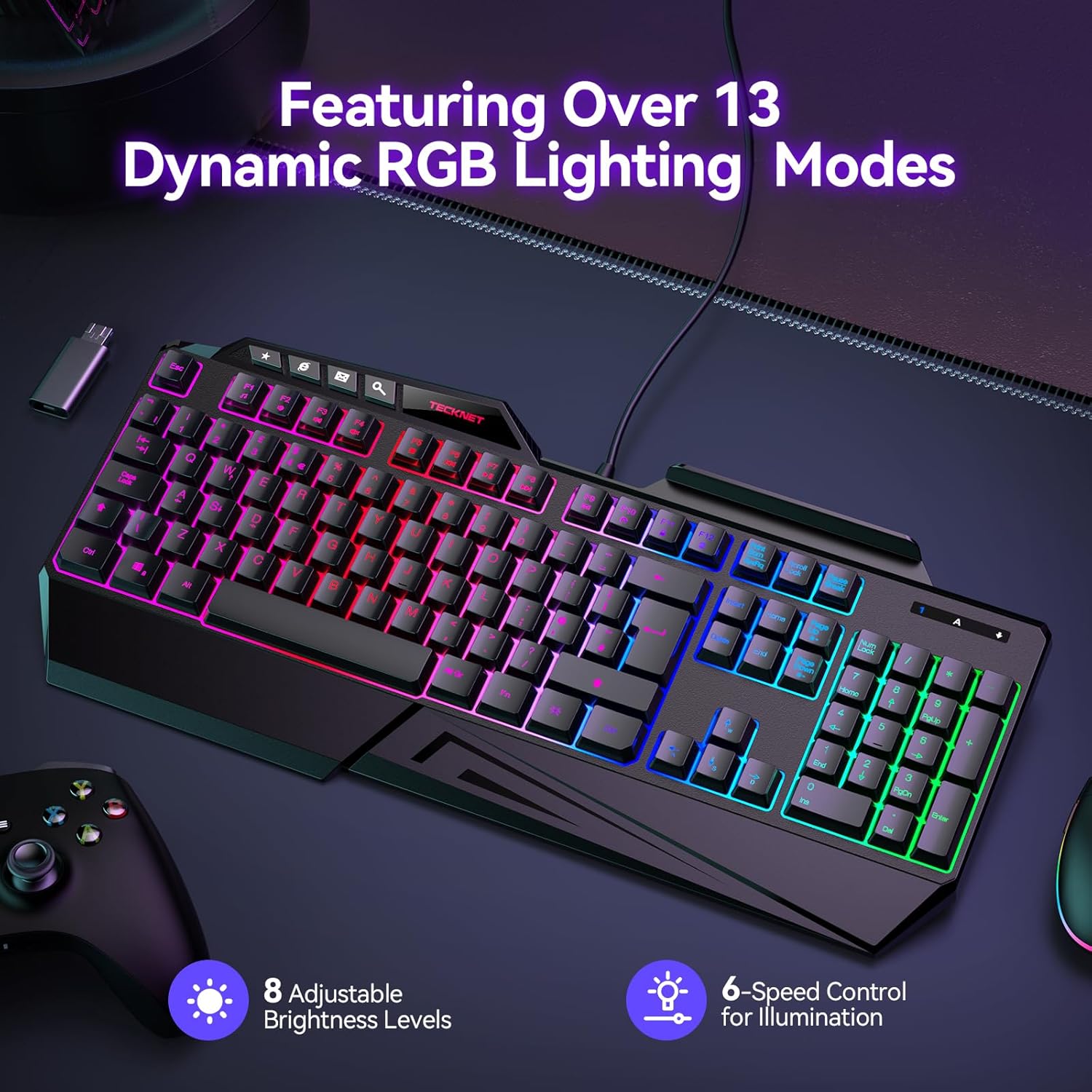
Image: The TECKNET TK-GK006 keyboard showcasing its dynamic RGB lighting modes, with indicators for 8 adjustable brightness levels and 6-speed control for illumination.

Beeld: 'n Syprofile view illustrating the ergonomic design of the keyboard, highlighting the foldable kickstand, stepped key layout, and integrated wrist rest for comfortable typing, compared to a standard flat keyboard.

Image: The TECKNET TK-GK006 keyboard featuring its built-in phone stand, located in the top-right slot, with a smartphone placed in it, demonstrating its multi-tasking capability.

Image: The keyboard demonstrating its spill-resistant design, with water droplets on its surface and highlighting the three discreet drainage ports designed to protect the internal components from accidental liquid spills.

Beeld: 'n Nabyskoot view of the keyboard highlighting the 26 anti-ghosting keys, indicating an optimized layout for MOBA/FPS games to ensure no missed keystrokes during intense gameplay.
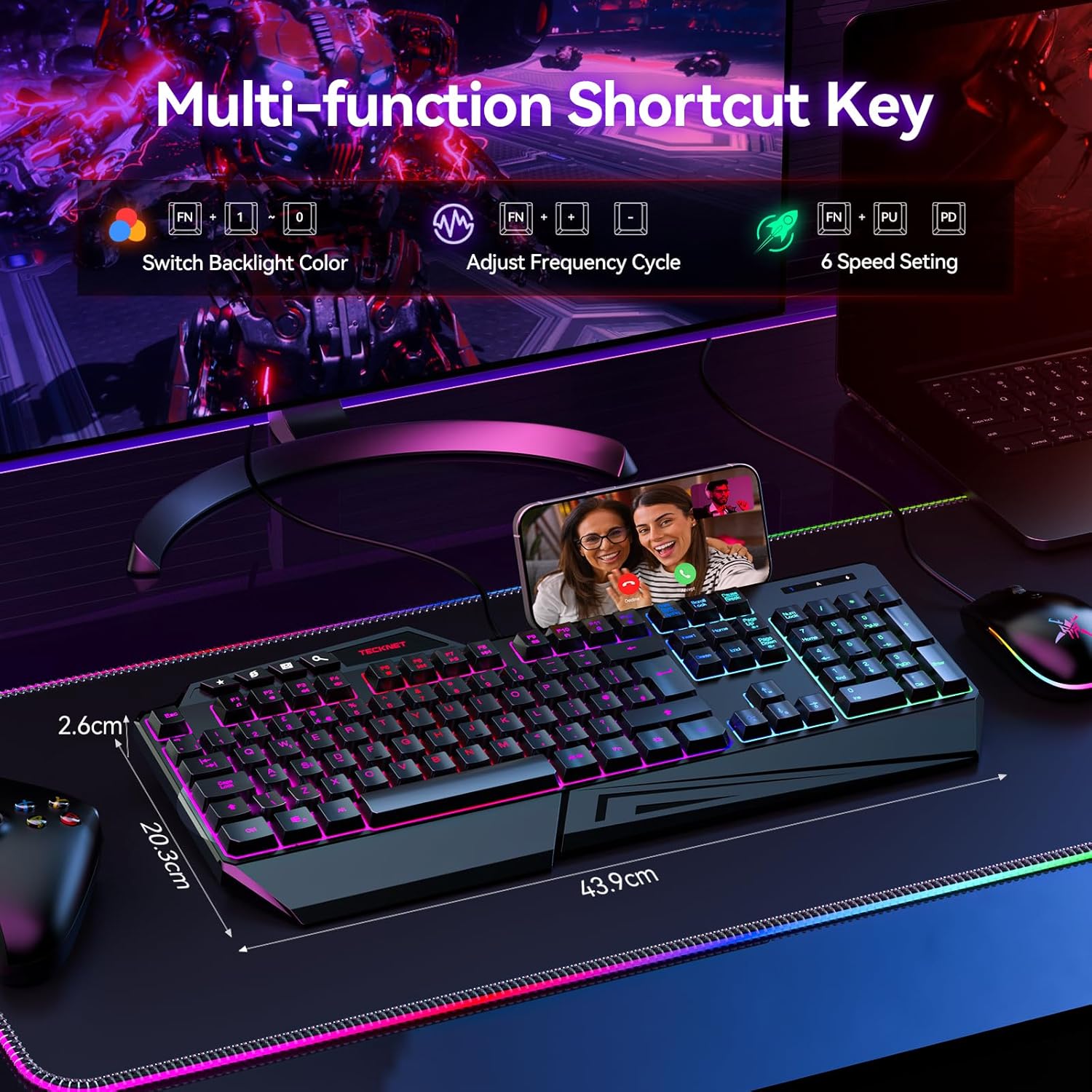
Image: The keyboard displaying its multi-function shortcut keys, specifically the FN+ combinations for switching backlight color, adjusting frequency cycle, and controlling 6 speed settings for RGB lighting.
4. Opstelinstruksies
4.1 Die sleutelbord koppel
- Unpack the TECKNET TK-GK006 keyboard from its packaging.
- Locate an available USB port on your computer (PC, Mac), gaming console (PS5, Xbox), or other compatible device.
- Plug the USB connector of the keyboard firmly into the USB port.
- The keyboard should be automatically recognized by your operating system. No additional drivers are typically required.
- The RGB lighting will illuminate upon successful connection.
4.2 Verenigbaarheid
The TECKNET TK-GK006 keyboard is compatible with:
- PC (Windows 7 or above)
- Mac OS
- Xbox
- PS5
5. Bedryfsinstruksies
5.1 RGB-beligtingsbeheer
The keyboard features customizable RGB backlighting. Use the following FN+ shortcut combinations to adjust the lighting:
- FN + Scroll Lock: Cycle through over 13 dynamic lighting modes (e.g., static, breathing, wave, color cycle).
- FN + Page Up: Verhoog die helderheid van die agterlig (8 vlakke).
- FN + Page Down: Verminder die helderheid van die agterlig (8 vlakke).
- FN + '+' (on Numpad): Increase lighting speed (6 settings).
- FN + '-' (on Numpad): Decrease lighting speed (6 settings).
5.2 Ergonomiese Aanpassings
- Polssteun: The integrated wrist rest is designed to reduce fatigue during extended use.
- Opvoubare Staanplekke: Flip out the stands located on the underside of the keyboard to achieve an 8° ergonomic typing angle for improved comfort.
5.3 Integrated Phone Holder
Utilize the slot located on the top-right of the keyboard to securely hold your smartphone, allowing for easy viewing during streaming, multitasking, or communication.
5.4 Anti-spooktegnologie
The 26-key anti-ghosting feature automatically ensures that multiple key presses are registered accurately, preventing missed inputs during fast-paced gaming or typing.
5.5 Dedicated Media Keys
The keyboard includes dedicated media keys (e.g., volume control, play/pause) for quick adjustments without interrupting your game or workflow. Refer to the keycap legends for specific functions.
6. Onderhoud en versorging
6.1 Skoonmaak van die sleutelbord
- Ontkoppel die sleutelbord van jou toestel voordat jy dit skoonmaak.
- The keycaps are detachable for easier cleaning. Gently pull them upwards to remove.
- Gebruik 'n sagte, damp cloth to wipe the surface of the keyboard. For stubborn dirt, a mild cleaning solution can be applied to the cloth (not directly to the keyboard).
- Gebruik saamgeperste lug om stof en puin tussen die sleutels te verwyder.
- Ensure the keyboard is completely dry before reconnecting it.
6.2 Stortingsbestuur
The keyboard is designed with 3 drainage holes to mitigate damage from accidental spills. In case of a liquid spill:
- Ontkoppel die sleutelbord onmiddellik van jou toestel.
- Turn the keyboard upside down to allow liquid to drain through the drainage holes.
- Wipe the surface thoroughly with a dry cloth.
- Allow the keyboard to air dry completely for several hours (or ideally 24 hours) before reconnecting. Do not use heat to dry it.
7. Probleemoplossing
7.1 Sleutelbord reageer nie
- Ensure the USB cable is securely plugged into a functional USB port. Try a different USB port.
- Herbegin jou rekenaar of toestel.
- Test the keyboard on another computer or device to rule out a system-specific issue.
7.2 RGB-beligting werk nie of is verkeerd
- Check if the keyboard is properly connected.
- Use the FN+ Scroll Lock combination to cycle through lighting modes.
- Use FN+ Page Up to increase brightness. The lighting might be set to the lowest brightness level.
- Ensure no software conflicts are present if you are using third-party lighting control applications (though this keyboard typically does not require them).
7.3 Keys Are Sticking or Unresponsive
- Clean the affected keys and the area around them. Detach keycaps if necessary (refer to Maintenance section).
- Ensure no debris or foreign objects are lodged under the keycaps.
- If a recent spill occurred, ensure the keyboard is completely dry.
8. Spesifikasies
| Kenmerk | Beskrywing |
|---|---|
| Handelsmerk | TEKKNET |
| Modelnommer | TK-GK006 |
| Sleutelbordbeskrywing | Speletjies, Membraan |
| Aantal sleutels | 108 |
| Sleutelborduitleg | QWERTY |
| Konnektiwiteit | Bedraad (USB) |
| Versoenbare toestelle | PC (Windows 7+), Mac OS, Xbox, PS5 |
| Agterlig | RGB (13+ modes, 8 brightness, 6 speed) |
| Anti-spookbeeld | 26-Sleutel |
| Spesiale kenmerke | Customizable RGB Lighting, Ergonomic Design, Integrated Phone Holder, Spill-Resistant |
| Waterweerstandvlak | Waterbestand (met dreineringsgate) |
| Materiaal | Plastiek |
| Produkafmetings (L x B x H) | 17.28" x 7.87" x 1.02" (43.9cm x 20.0cm x 2.6cm) |
| Kleur | Swart |
9. Waarborg en Ondersteuning
TECKNET provides comprehensive support for your TK-GK006 Wired Gaming Keyboard.
- Waarborg: The product comes with 36 months of support (registration may be required).
- Kliëntediens: For any inquiries or assistance, please feel free to contact TECKNET customer support, available 24/7. Refer to the product packaging or TECKNET's official webwebwerf vir kontakbesonderhede.