
1. Produk verbyview
The Aiandcc M12 is a compact and portable MP3 player designed for high-fidelity audio playback. It features Bluetooth 5.3 connectivity, an integrated FM radio, and a 1.8-inch screen. With 128GB of internal storage, it can store a substantial music library. The device supports expandable storage via a TF card (not included) and offers up to 48 hours of music playback on a single charge.

Beeld 1.1: Voor en agter view of the Aiandcc M12 MP3 Player, showing the screen, control buttons, and rear panel with model information.
Sleutel kenmerke:
- 128GB interne berging: Capable of storing approximately 5000 songs.
- Bluetooth 5.3: For wireless connection to headphones, speakers, and car audio systems within an optimal range of 5-10 meters.
- HiFi-klankgehalte: Engineered for clear audio reproduction.
- FM Radio: Built-in radio functionality (requires wired headphones as an antenna).
- Lang batterylewe: Up to 48 hours of music playback on a 3-hour charge.
- Uitbreidbare geheue: Supports TF memory cards (not included).
- Kompakte ontwerp: Lightweight and portable, suitable for various activities.
2. Opstelling
2.1 Pakketinhoud
Verifieer dat jou pakket die volgende items bevat:
- Aiandcc M12 MP3 Player
- Bedrade oorfone
- Type-C laaikabel
- Gebruikershandleiding

Image 2.1: The MP3 player shown alongside its included accessories: earphones, Type-C cable, and instruction manual. Dimensions are also indicated.
2.2 Laai die toestel
Before first use, fully charge the MP3 player. Use the provided Type-C charging cable to connect the device to a USB power source (e.g., computer USB port, USB wall adapter). A full charge typically takes approximately 3 hours.

Image 2.2: Close-up of the MP3 player's Type-C charging port with the charging cable connected, illustrating the charging process.
2.3 Aan-/afskakel
- Om aan te skakel: Druk en hou die aan/af-knoppie in totdat die skerm verlig.
- Om af te skakel: Press and hold the power button until the power-off prompt appears, then confirm.
2.4 Loading Music
Connect the MP3 player to your computer using the Type-C cable. The device will appear as a removable disk. Drag and drop your music files (MP3, WMA, APE, FLAC, WAV, DRM, ACELP, etc.) into the designated music folder on the player. The player has 128GB of built-in memory. For additional storage, insert a TF card into the dedicated slot.
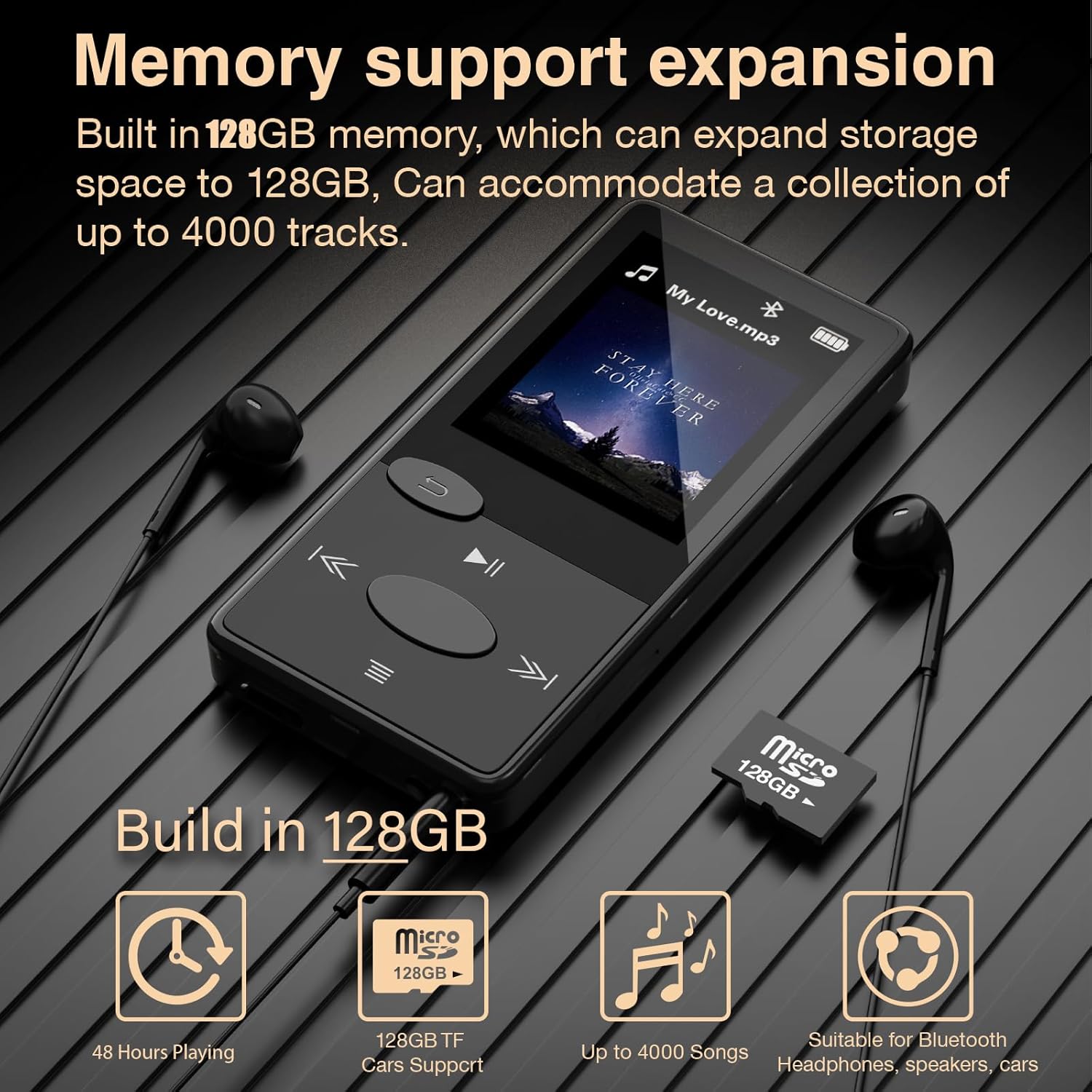
Image 2.3: The MP3 player displaying its memory capacity and illustrating the use of a Micro SD (TF) card for expanded storage.
3. Bedryfsinstruksies
3.1 Basiese navigasie
The device features push buttons for navigation. Refer to the diagram below for button functions:
| Knoppie | Funksie |
|---|---|
| Kragknoppie | Power On/Off, Screen On/Off |
| Terug-knoppie | Go back to the previous menu/screen |
| Speel/Pause-knoppie | Speel of onderbreek huidige snit |
| Volgende / vinnig vorentoe-knoppie | Skip to next track, fast forward (hold) |
| Vorige / Terugspoel-knoppie | Skip to previous track, rewind (hold) |
| Volume op (+) | Verhoog volume |
| Volume af (-) | Verminder volume |
| Kieslys-knoppie | Access settings or context menu |
3.2 Musiekweergawe
- Navigate to the 'Music' menu.
- Select 'All Songs', 'Artists', 'Albums', 'Genres', or 'Update Playlist' to browse your music.
- Use the navigation buttons to select a song and press the Play/Pause button to start playback.
- Pas die volume aan met die toegewyde volumeknoppies.
3.3 Bluetooth -koppeling
To connect to Bluetooth headphones, speakers, or car audio:
- Maak seker dat jou Bluetooth-bykomstigheid in paringsmodus is.
- On the MP3 player, navigate to the 'Bluetooth' menu.
- Select 'Search Device' to find available Bluetooth devices.
- Kies jou verlangde toestel uit die lys om te koppel.

Image 3.1: The MP3 player demonstrating its ability to connect wirelessly to various Bluetooth devices, including headphones, portable speakers, and car audio systems.
3.4 FM -radio
To use the FM radio function, you must plug in wired earphones. The earphones act as the antenna for receiving radio signals.
- Plug in the wired earphones into the 3.5mm audio jack.
- Navigate to the 'FM Radio' menu.
- Gebruik die navigasieknoppies om vir stasies te soek of stem handmatig in op 'n frekwensie.
4. Onderhoud
4.1 Skoonmaak
Wipe the device with a soft, dry cloth. Avoid using liquid cleaners or abrasive materials, as these can damage the screen or casing.
4.2 Batterysorg
- Vermy om die toestel aan uiterste temperature bloot te stel.
- Laai die toestel gereeld, selfs al word dit nie gereeld gebruik nie, om die battery se gesondheid te handhaaf.
- Moenie probeer om die battery self te vervang nie.
5. Probleemoplossing
5.1 Device Unresponsive / Freezing
If the MP3 player becomes unresponsive or freezes, perform a manual restart:
- Press and hold the power button for approximately 8 seconds. This will force the device to restart.
- Ensure the MP3 player has sufficient power before attempting a restart.

Image 5.1: Visual guide demonstrating how to perform a manual restart by pressing and holding the power button for 8 seconds.
5.2 Data Transfer Failure
As jy probleme ondervind met oordrag files to or from the device:
- Try using a different Type-C data cable.
- Ensure the cable is securely connected to both the MP3 player and the computer.
- Restart both the MP3 player and your computer.
5.3 Bluetooth-verbindingsprobleme
If the MP3 player fails to connect to a Bluetooth device:
- Ensure both devices are within the optimal range (5-10 meters).
- Verify that the Bluetooth accessory is in pairing mode.
- Delete previous pairings on both devices and attempt to pair again.
- Maak seker dat daar geen sterk steurings (bv. Wi-Fi-routers, ander Bluetooth-toestelle) naby is nie.
6. Spesifikasies
| Kenmerk | Detail |
|---|---|
| Modelnommer | M12 |
| Interne geheue | 128 GB |
| Uitbreidbare geheue | Supports TF Card (up to 128GB, not included) |
| Bluetooth weergawe | 5.3 |
| Skerm grootte | 1.8 inches (4.57 CM) |
| Afmetings (L x B x H) | 3.23 x 1.57 x 0.37 inches (8.2 x 4.0 x 0.95 CM) |
| Item gewig | 29 g (1.02 ons) |
| Battery kapasiteit | 300 mAh |
| Laai tyd | Ongeveer 3 uur (via Tipe-C) |
| Tyd vir musiekafspeel | Up to 48 hours (varies with volume) |
| Klankformate word ondersteun | MP3, WMA, APE, FLAC, WAV, DRM, ACELP, etc. |
| Spesiale kenmerke | FM Radio, Voice Recorder, E-Book Reader |
7. Waarborg en Ondersteuning
7.1 Waarborginligting
This product is covered by a manufacturer's warranty against defects in materials and workmanship. Please retain your proof of purchase for warranty claims. Specific warranty terms and duration may vary by region. For detailed warranty information, please refer to the documentation included with your purchase or contact customer support.
7.2 Kliëntediens
If you have any questions, require technical assistance, or experience issues not covered in this manual, please contact Aiandcc customer support. Contact details can typically be found on the product packaging or the official Aiandcc webwebwerf.