
1. Inleiding
The Turtlebox Ranger is a rugged, waterproof, and ultra-portable Bluetooth 5.4 speaker designed for outdoor use. It delivers powerful, distortion-free sound with deep bass, capable of reaching 105dB. Built to withstand various outdoor conditions, it features shockproof construction and IP67 waterproofing. This manual provides essential information for setting up, operating, and maintaining your Turtlebox Ranger speaker.

Image: Turtlebox Ranger speaker in an outdoor environment, showcasing sy robuuste bou.
2. Wat is in die boks
Maak seker dat alle items teenwoordig is wanneer u dit uitpak:
- Turtlebox Ranger Speaker
- Kragkabel
3. Sleutel kenmerke
- Unmatched Volume & Bass: Delivers 105dB of powerful, distortion-free sound, optimized for outdoor environments.
- IP67 Waterproof & Built Tough: Fully waterproof, dustproof, and shockproof design ensures durability in challenging conditions.
- Heeldag batterylewe: Bied tot 25 uur speeltyd op 'n enkele lading.
- Unlimited Pairing (Party Mode): Sync multiple Ranger speakers for a premium, portable surround sound experience.
- Designed for the Outdoors: Features a rugged handle, built-in tie-down anchors, and a compact, easy-to-carry design.

Image: Visual representation of the Turtlebox Ranger's main features.
4. Opstelling
4.1 Laai die luidspreker
Before first use, fully charge your Turtlebox Ranger. Connect the provided Power Cable to the USB-C charging port located on the back of the speaker. The battery indicator lights will show charging progress. A full charge typically takes approximately 3 hours and provides up to 25 hours of playtime.
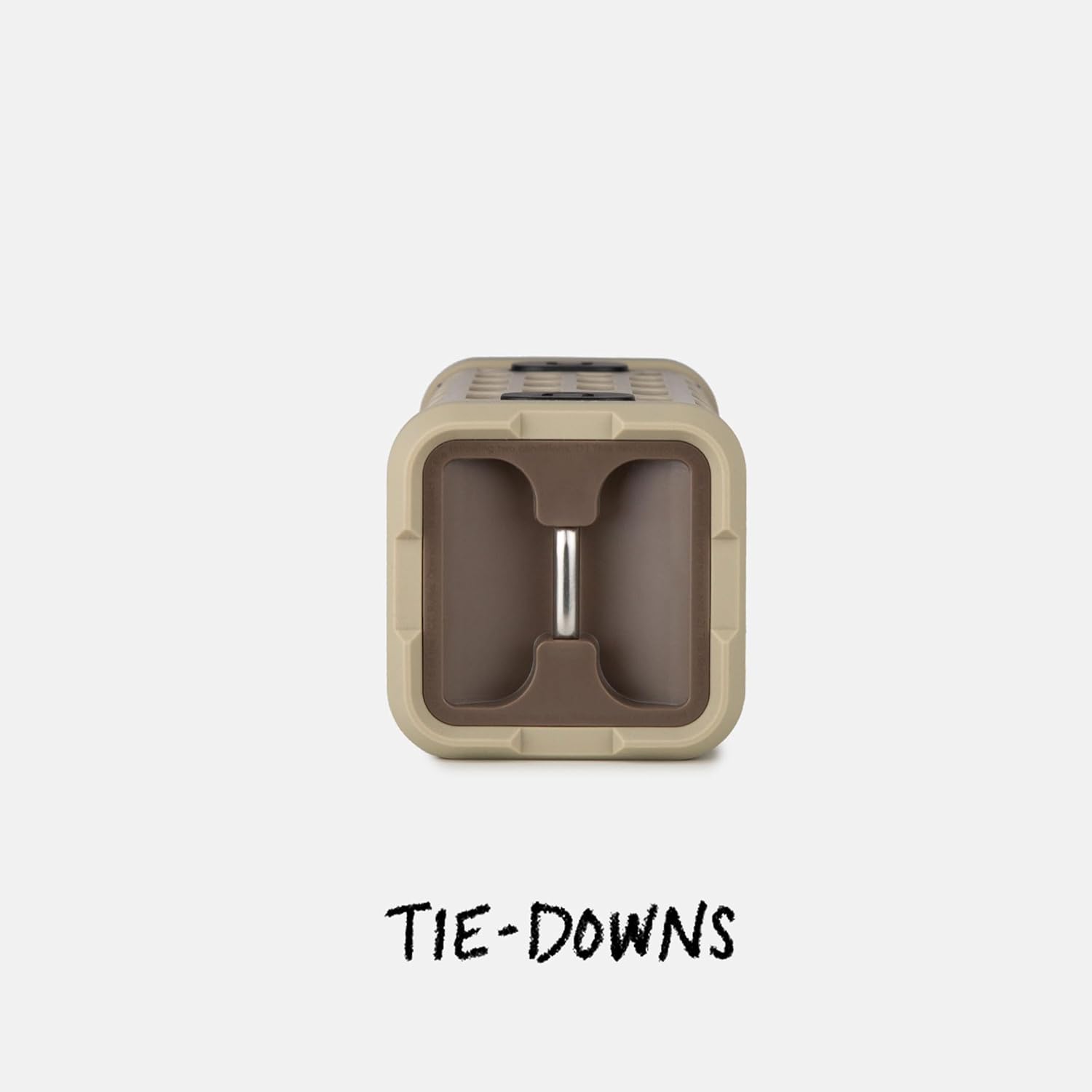
Image: The fully waterproof charging ports of the Turtlebox Ranger.
4.2 Aan-/afskakel
Druk en hou die Kragknoppie (usually indicated by a circle with a vertical line) on the control panel until the indicator lights illuminate. To power off, press and hold the Power button again.
4.3 Bluetooth -koppeling
- Ensure the speaker is powered on and the Bluetooth indicator light is blinking, indicating it's in pairing mode.
- On your mobile device (smartphone, tablet, etc.), go to the Bluetooth settings.
- Select "Turtlebox Ranger" from the list of available devices.
- Sodra dit gekoppel is, sal die Bluetooth-aanwyserliggie op die luidspreker aanhou brand.
5. Bedryfsinstruksies
5.1 kontroles oorview
The control panel on the speaker allows for easy management of audio playback and settings.

Image: The control panel of the Turtlebox Ranger, showing various buttons.
- Kragknoppie: Druk en hou om die luidspreker aan/af te skakel.
- Volume op (+): Verhoog die volume.
- Volume af (-): Verlaag die volume.
- Speel/pouse: Beheer klankterugspeel.
- Spooroorslaan (Vorentoe/Agtertoe): Spring na die volgende of vorige snit.
- Bluetooth-knoppie: Begin Bluetooth-paringsmodus.
5.2 Oudio-terugspeel
Once paired, you can control music directly from your connected device or using the speaker's control buttons.
6. Party Mode Pairing
For an enhanced audio experience, you can wirelessly connect multiple Turtlebox Ranger speakers using Party Mode.
- Maak seker dat alle luidsprekers aangeskakel is en nie aan enige Bluetooth-toestel gekoppel is nie.
- On the primary speaker (the one you want to control from), press the Party Mode button (often indicated by a chain link or multiple speaker icon).
- On the secondary speakers, press their respective Party Mode buttons.
- The speakers will automatically connect, creating a synchronized audio system.

Image: Multiple Turtlebox Ranger speakers connected wirelessly in Party Mode.
7. Onderhoud
7.1 Skoonmaak
Due to its IP67 rating, the Turtlebox Ranger can be easily cleaned with water. Rinse off dirt, sand, or mud. Avoid using harsh chemicals or abrasive cleaners.

Image: The Turtlebox Ranger being rinsed with water, showcasing sy waterdigte ontwerp.
7.2 Berging
Store the speaker in a cool, dry place when not in use. Avoid prolonged exposure to extreme temperatures.
8. Probleemoplossing
- Geen krag: Ensure the speaker is fully charged. Connect to a power source and check the battery indicator lights.
- Geen klank: Kontroleer die volumevlakke op beide die luidspreker en jou gekoppelde toestel. Maak seker dat die toestel behoorlik via Bluetooth gekoppel is.
- Probleme met Bluetooth-paring: Turn off and restart the speaker and your device's Bluetooth. Try re-pairing the devices. Ensure no other devices are actively connected to the speaker.
- Swak oudiogehalte: Ensure the speaker is within Bluetooth range of your device. Move closer to the device or away from potential interference sources.
9. Spesifikasies
| Model Naam | Turtlebox Ranger |
| Tipe luidspreker | Buitelug |
| Verbindingstegnologie | Bluetooth 5.4 |
| Kraguitset | 105 desibel |
| Batterylewe | Tot 25 uur |
| Battery kapasiteit | 25.2 Wh Lithium-ion (25200 Milliamp Ure) |
| Waterweerstandvlak | IP67 (Waterdig en Stofdig) |
| Produk afmetings | 3.15" D x 3.15" B x 8.05" H |
| Item gewig | 2.4 pond |
| Ingesluit komponente | Kragkabel |
| Montage tipe | Magnetiese berging |
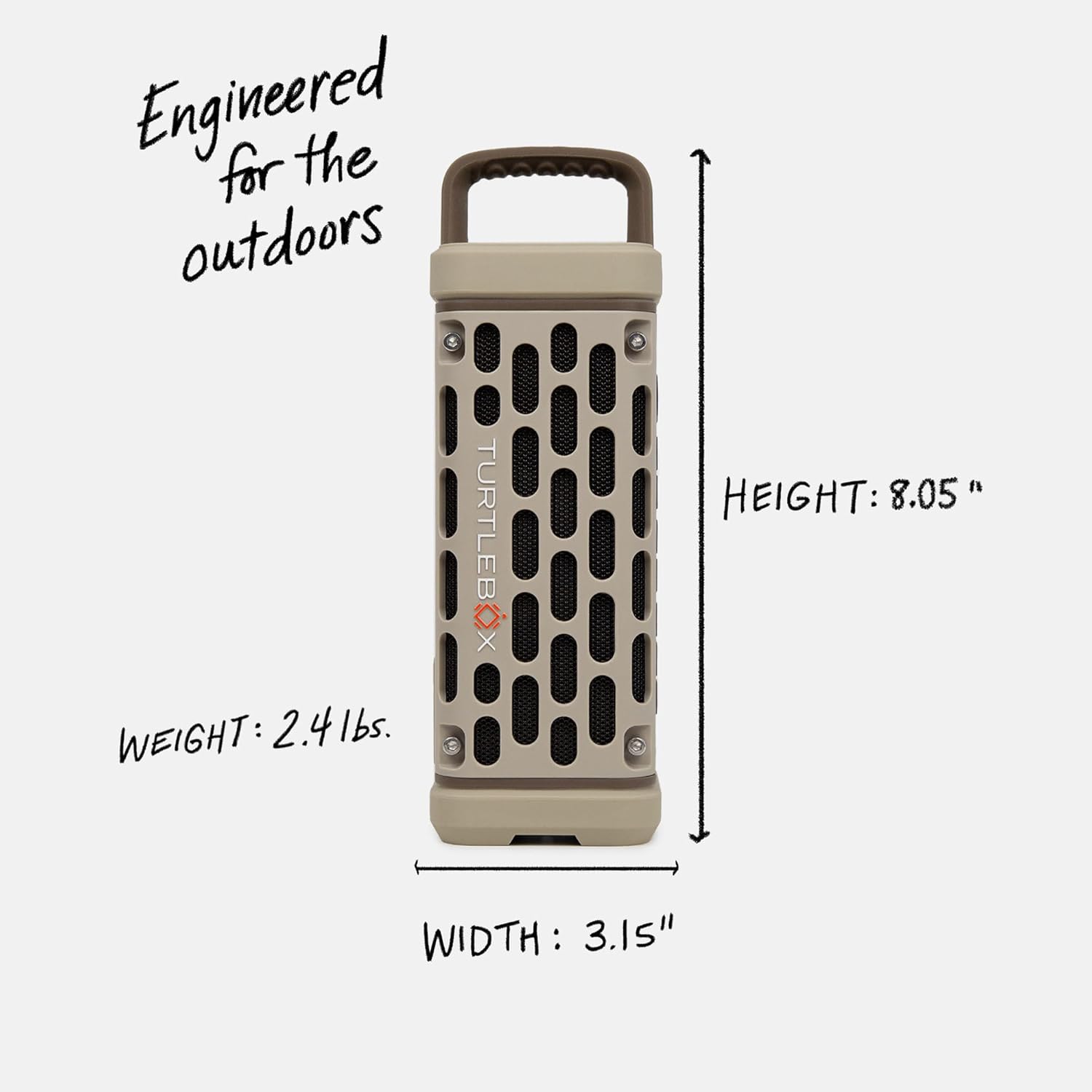
Image: Dimensions and weight of the Turtlebox Ranger speaker.
10. Waarborg en Ondersteuning
10.1 Beperkte waarborg
The Turtlebox Ranger comes with a limited warranty. For specific terms and conditions, please refer to the warranty card included with your product or visit the official Turtlebox webwebwerf.
10.2 Kliëntediens
For further assistance, technical support, or warranty claims, please contact Turtlebox customer support through their official webwebwerf of die kontakinligting wat in u produkverpakking verskaf word.