
1. Inleiding
This manual provides detailed instructions for the proper use and care of your Altec Lansing Nanophones ANC 2.0 Wireless Over-Ear Bluetooth Headphones. Please read this manual thoroughly before using the product to ensure optimal performance and longevity.

Image 1.1: Altec Lansing Nanophones ANC 2.0 in Silver.
2. Pakketinhoud
Verifieer dat alle items in jou pakket teenwoordig is:
- Altec Lansing Nanophones ANC 2.0 Wireless Over-Ear Headphones
- USB-C-laaikabel
- 3.5 mm oudio kabel
- Gebruikershandleiding (hierdie dokument)

Image 2.1: Included USB-C charging cable and 3.5mm audio cable.
3. Produk verbyview
Familiarize yourself with the headphone components and controls.
3.1 Headphone Features
- Aktiewe geraaskansellasie (ANC): Verminder omgewingsgeraas vir 'n meeslepende luisterervaring.
- Opvoubare ontwerp: Laat kompakte berging en draagbaarheid toe.
- Adjustable Headband & Soft Ear Cushions: Ensures a comfortable fit for extended wear.
- Geïntegreerde mikrofoon: Vir handvrye oproepe en stemassistent-opdragte.
- USB-C Laai: For fast and convenient power replenishment.
- Stemassistent-versoenbaarheid: Access Siri or Google Voice with ease.

Image 3.1: Key features of the Nanophones ANC 2.0 headphones.
3.2 Kontroles en Poorts
Locate the following controls on your headphones:
- Kragknoppie: On/Off, Play/Pause, Answer/End Call.
- Volume op/Volgende snit-knoppie: Druk kort vir volume op, druk lank vir die volgende snit.
- Volume Verlaag/Vorige Liedjie Knoppie: Druk kort om volume te verlaag, druk lank vir die vorige snit.
- ANC-knoppie: Activates/Deactivates Active Noise Cancellation.
- USB-C-laaipoort: Vir die koppeling van die laaikabel.
- 3.5 mm oudio-aansluiting: Vir bedrade verbinding.
- LED-aanwyser: Wys krag-, parings- en laaistatus.

Beeld 3.2: Sykant view illustrating the location of controls and ports.
4. Opstelling
4.1 Laai die oorfone
- Connect the small end of the USB-C charging cable to the USB-C port on the headphones.
- Connect the large end of the USB-C charging cable to a USB power source (e.g., wall adapter, computer USB port).
- The LED indicator will glow red during charging and turn off when fully charged.
- 'n Volle laai neem ongeveer 2-3 uur.
Let wel: Ensure the headphones are fully charged before first use for optimal battery life.
4.2 Aan-/afskakel
- Om aan te skakel: Druk en hou die aan/af-knoppie vir 3 sekondes in. Die LED-aanwyser sal blou flikker.
- Om af te skakel: Druk en hou die aan/af-knoppie vir 3 sekondes in. Die LED-aanwyser sal afskakel.
4.3 Bluetooth -koppeling
- Maak seker dat die oorfone afgeskakel is.
- Press and hold the Power Button for 5-7 seconds until the LED indicator flashes red and blue alternately. This indicates pairing mode.
- Aktiveer Bluetooth op jou toestel (slimfoon, tablet, rekenaar) en soek vir beskikbare toestelle.
- Select "Nanophones ANC 2.0" from the list of devices.
- Sodra dit gekoppel is, sal die LED-aanwyser stadig blou flikker.
- Indien gevra vir 'n wagwoord, voer "0000" in.
Let wel: Die oorfone sal outomaties probeer om weer aan die laaste gekoppelde toestel te koppel wanneer dit aangeskakel word.
5. Bedryfsinstruksies
5.1 Musiekweergawe
- Speel/pouse: Druk kort op die aan/uit-knoppie.
- Volume op: Druk kort op die Volume Op-knoppie.
- Volume af: Druk kort op die Volume Af-knoppie.
- Volgende snit: Druk die Volume Op-knoppie lank.
- Vorige snit: Druk die Volume Af-knoppie lank.
5.2 Telefoonoproepe
- Beantwoord/beëindig oproep: Druk kort op die aan/uit-knoppie.
- Verwerp oproep: Druk lank op die Power-knoppie.
- Herbel laaste nommer: Dubbeldruk die aan/uit-knoppie.
5.3 Aktiewe geraaskansellasie (ANC)
- Aktiveer ANC: Press the ANC Button. The ANC LED indicator will light up.
- Deaktiveer ANC: Press the ANC Button again. The ANC LED indicator will turn off.
Let wel: Using ANC will reduce battery life. The headphones provide up to 20 hours of playtime with ANC active, and up to 30 hours without ANC.
5.4 Stemassistent
- Aktiveer stemassistent: Triple-press the Power Button to activate Siri or Google Voice (depending on your connected device).
- You can then issue commands through the headphone's microphone.
5.5 Bedrade verbinding
- Insert one end of the 3.5mm audio cable into the headphone's audio jack.
- Insert the other end into your audio device's 3.5mm output.
- The headphones can be used in wired mode even if the battery is depleted.
6. Onderhoud
6.1 Skoonmaak
- Vee die oorfone af met 'n sagte, droë lap.
- Moenie skuurmiddels, alkohol of chemiese oplosmiddels gebruik nie.
- Vermy dat vog in enige openinge kom.
6.2 Berging
- Bêre die oorfone op 'n koel, droë plek weg van uiterste temperature.
- When not in use, fold the headphones to protect them and save space.
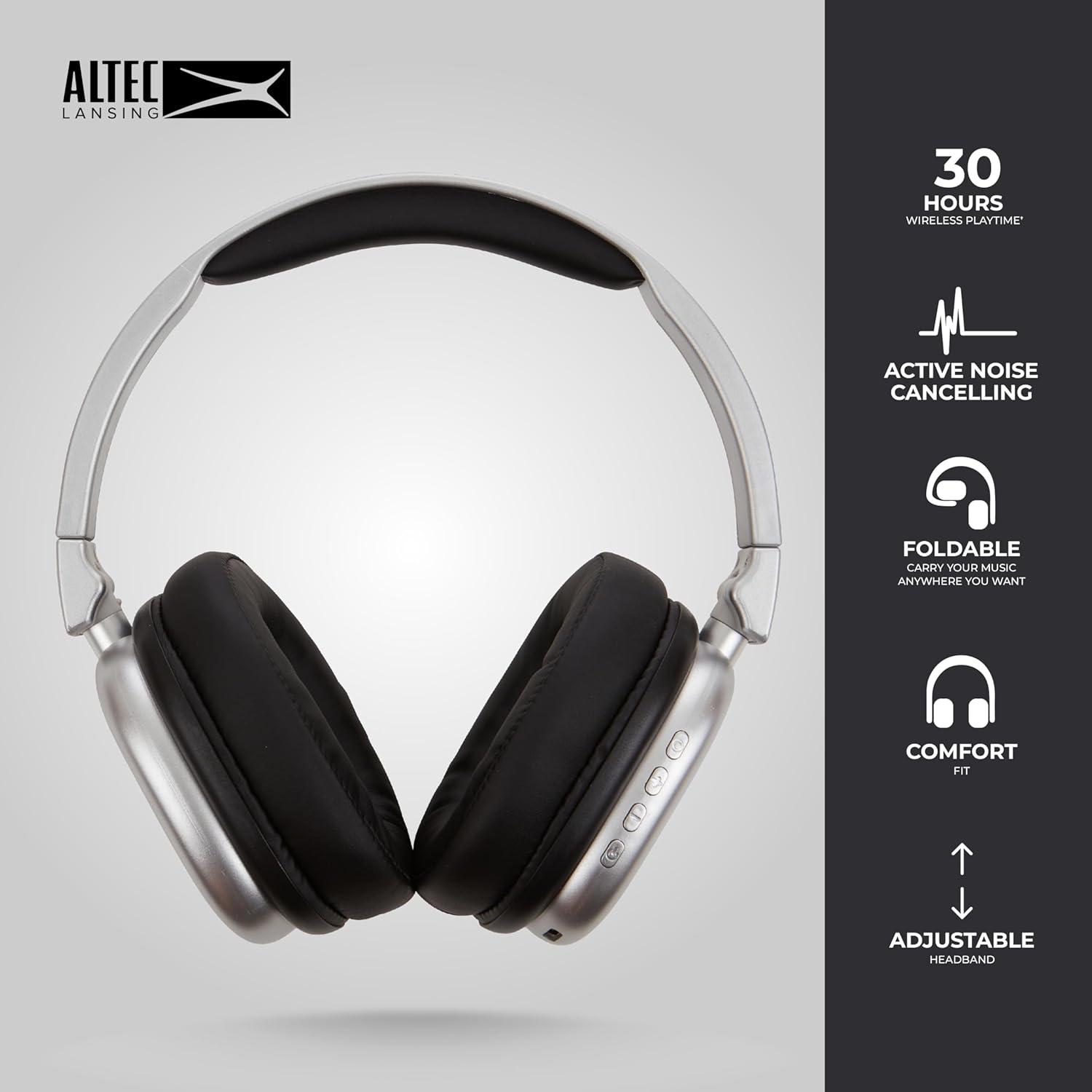
Image 6.1: The foldable design aids in compact storage.
7. Probleemoplossing
| Probleem | Oplossing |
|---|---|
| Oorfone skakel nie aan nie. | Maak seker dat die oorfone gelaai is. Koppel aan 'n kragbron met die USB-C-kabel. |
| Kan nie via Bluetooth koppel nie. |
|
| Geen geluid of lae volume nie. |
|
| Active Noise Cancellation not working. | Ensure the ANC button has been pressed and the ANC LED indicator is lit. |
8. Spesifikasies
| Model Naam | Nanophones ANC 2.0 |
| Modelnommer | MZX5501-MSIL-STK-6 |
| Handelsmerk | Altec Lansing |
| Konnektiwiteit | Wireless (Bluetooth 4.1), Wired (3.5mm) |
| Oorplasing | Oor-oor |
| Geraasbeheer | Aktiewe geraaskansellasie |
| Batterylewe | Up to 30 hours (wireless), Up to 20 hours (with ANC) |
| Laaipoort | USB-C |
| Tipe oudiobestuurder | Dynamic Driver (1.5" Neodymium) |
| Frekwensiereeks | 20 Hz - 20,000 XNUMX Hz |
| Gewig | 7.05 ons |
| Materiaal | Plastiek |
9. Waarborg en Ondersteuning
9.1 Vervaardigerwaarborg
This product is covered by a manufacturer's warranty. Please refer to the warranty card included in your package or visit the official Altec Lansing webwebwerf vir gedetailleerde waarborgbepalings en -voorwaardes.
9.2 Kliëntediens
For technical assistance, troubleshooting, or product inquiries, please contact Altec Lansing customer support through their official webwebwerf of die kontakinligting wat in u produkverpakking verskaf word.
Webwebwerf: www.alteclansing.com