
1. Veiligheidsinligting
Lees en verstaan asseblief alle instruksies voordat u met die installasie begin. Versuim om hierdie instruksies te volg, kan lei tot elektriese skok, brand of persoonlike besering.
- Maak seker dat die krag by die stroombreker afgeskakel is voor installasie of onderhoud.
- Alle bedrading moet in ooreenstemming wees met nasionale en plaaslike elektriese kodes.
- Die waaier moet met 'n minimum van 7 voet (2.1 meter) speling van die vloer tot die agterste rand van die lem gemonteer word.
- Moenie die waaier met beskadigde lemme gebruik nie.
- Moenie voorwerpe in die pad van die waaierblaaie plaas nie.
- Hierdie waaier is slegs vir binnenshuise gebruik ontwerp.
2. Pakketinhoud
Verifieer dat alle komponente teenwoordig is voordat u met die installasie voortgaan:
- Instruksie Handleiding
- Monteer hardeware
- LED-lens
- Afstandbeheer
- Skaduwee
- 6-duim afwaartse stang
- 10-duim afwaartse stang
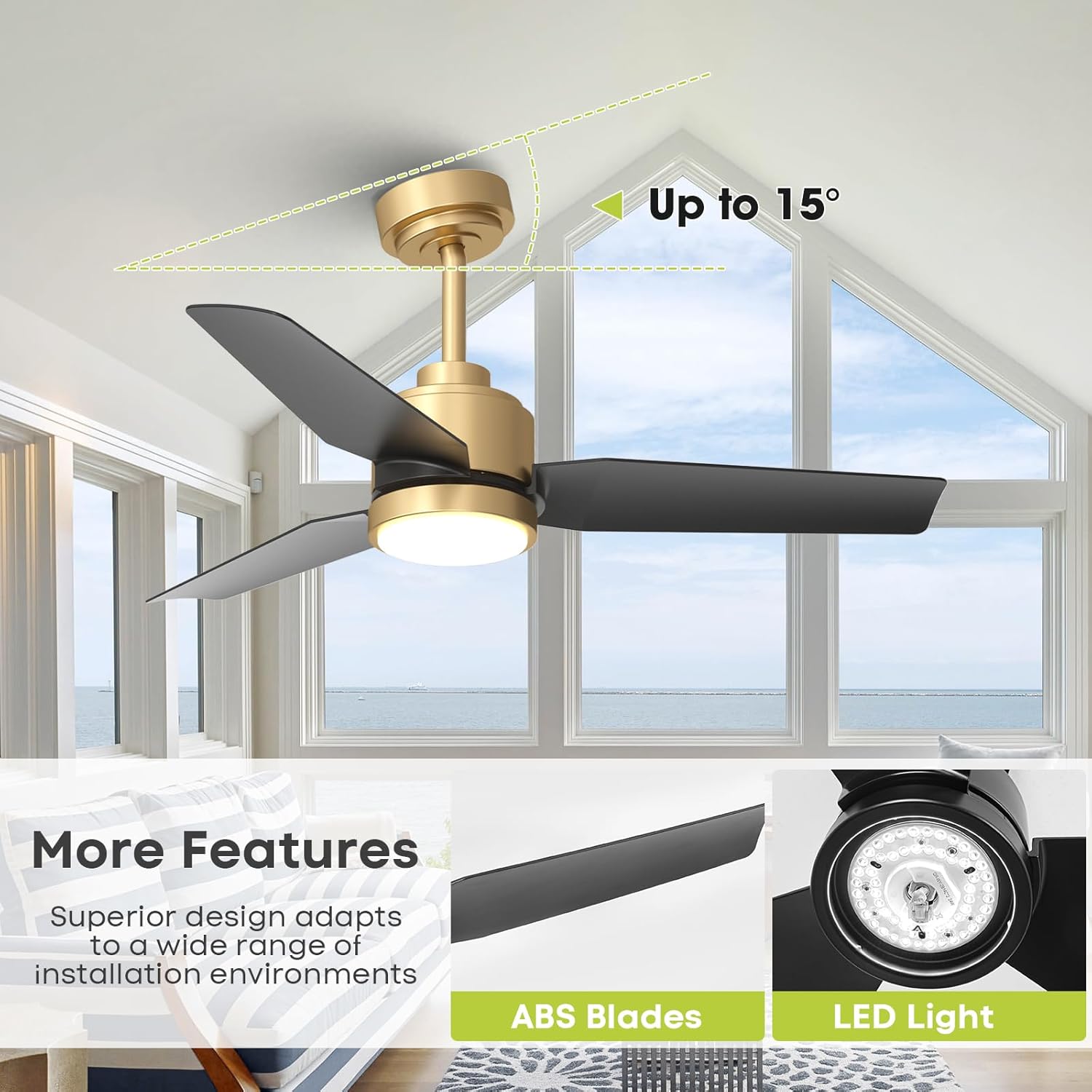
Image: Detailed dimensions of the Vaczon 42-inch ceiling fan, including downrod lengths.
3. Produkkenmerke
- Moderne ontwerp: 42-inch black and gold ceiling fan with a sleek minimalist body, ABS matte black blades, and an acrylic LED panel.
- Powerful & Energy-Efficient DC Motor: Delivers up to 3950 CFM airflow with 6 adjustable speeds. Operates quietly at 39 dB.
- Omkeerbare funksie: Provides cooling in summer and warm air circulation in winter.
- Dimmable LED with 3 Color Temperatures: Integrated 24W LED offers stepless dimming and 3 color temperatures (3000K warm light / 4000K neutral / 6500K daylight).
- Slim-app en afstandbeheer: Control lighting and fan settings via the FanLamp Pro App or the included remote. Features include timers, brightness adjustment, speed changes, airflow direction switch, and memory function.
- Buigsame installasie: Includes 6-inch and 10-inch downrods for ceilings up to a 15° slope.
- Duursame konstruksie: Made from iron, aluminum, copper, and acrylic.
- Sertifiserings: ETL/DOE/CEC certified.

Image: The fan's LED light displaying 3000K warm, 4000K neutral, and 6500K daylight color temperatures.

Image: Remote control for the Vaczon ceiling fan, showing various function buttons.
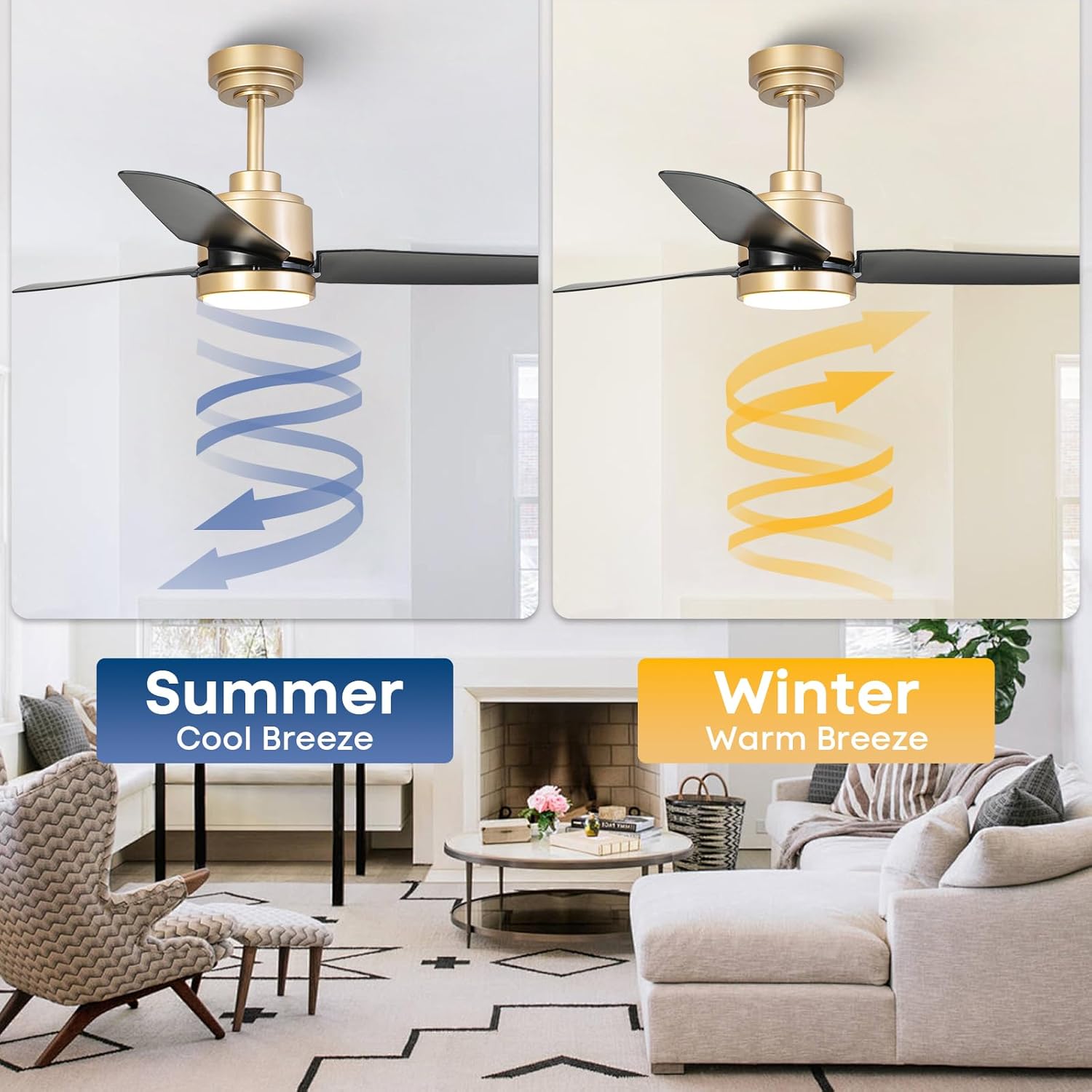
Image: Visual representation of the fan's reversible airflow for summer cooling and winter warming.
4. Opstelling en installering
Hierdie afdeling bied 'n algemene oorview. Refer to the detailed instruction manual included in your package for specific step-by-step guidance.
- Berei voor vir installasie: Skakel die krag by die stroombreker af. Maak die installasie-area skoon.
- Montagebeugel: Securely attach the mounting bracket to the ceiling junction box. Ensure it can support the fan's weight.
- Monteer die onderstang: Choose either the 6-inch or 10-inch downrod based on your ceiling height and preference. Feed the electrical wires through the downrod.
- Hang die waaier: Carefully lift the fan motor assembly and hang it onto the mounting bracket.
- Bedrading: Connect the electrical wires from the fan to the supply wires in the junction box according to the wiring diagram in the full manual.
- Heg lemme aan: Securely attach the fan blades to the motor housing.
- Installeer Ligstel: Connect the light kit wiring and attach the LED lens/shade.
- Herstel krag: Sodra die installasie voltooi is en alle verbindings veilig is, herstel die krag by die stroombreker.
The fan is designed for downrod mount and can accommodate sloped ceilings up to 15 degrees.
5. Bedryfsinstruksies
Your Vaczon ceiling fan can be operated using the included remote control or the FanLamp Pro smartphone application.
Afstandbeheer funksies:
- Krag aan/af: Druk die aan/af-knoppie om die waaier en lig aan of af te skakel.
- Fan Spoed: Gebruik die spoedknoppies (1-6) om die waaier se rotasiespoed aan te pas.
- Lig aan/af: Toggle the light independently of the fan.
- Ligverduistering: Use the brightness adjustment buttons to increase or decrease light intensity.
- Kleur temperatuur: Cycle through 3000K (warm), 4000K (neutral), and 6500K (daylight) light settings.
- Omgekeerde funksie: Activate the reversible DC motor to change airflow direction for summer (downward) or winter (upward) use.
- Afteller: Stel die waaier om outomaties na 1 of 2 uur af te skakel.
- Geheue funksie: The fan remembers your last light and speed settings.
App Control (FanLamp Pro):
Download the FanLamp Pro app from your smartphone's app store. Follow the in-app instructions to pair your fan. The app provides all remote control functionalities, plus additional smart home integration features.

Image: A hand holding a smartphone showing the FanLamp Pro app interface for fan control.
6. Onderhoud
Gereelde onderhoud verseker optimale werkverrigting en lang lewensduur van jou plafonwaaier.
- Skoonmaak: Dust the fan blades and motor housing regularly with a soft, lint-free cloth. For deeper cleaning, wipe with a damp cloth and mild soap, then dry immediately. Do not use abrasive cleaners or solvents.
- Lembalans: If the fan wobbles, check that all blade screws are tight. If wobbling persists, use a fan balancing kit (not included) to correct the balance.
- Draai bevestigingsmiddels vas: Periodically check all screws and fasteners on the fan and mounting hardware to ensure they are tight.
- Ligbron: Die geïntegreerde LED-ligbron is ontwerp vir 'n lang lewensduur en kan nie deur die gebruiker vervang word nie.
7. Probleemoplossing
As jy probleme met jou waaier ondervind, raadpleeg die volgende algemene probleme en oplossings:
| Probleem | Moontlike oorsaak | Oplossing |
|---|---|---|
| Waaier begin nie | Geen krag na die waaier nie; Los draadverbindings; Afstandbeheerder se battery is laag. | Check circuit breaker and wall switch; Verify all wire connections are secure; Replace remote control batteries. |
| Lig werk nie | Loose wire connection; LED driver failure. | Check light kit wiring; Contact customer support if LED driver is suspected. |
| Fan wiebel | Los lemskroewe; Ongebalanseerde lemme; Los monteringsbeugel. | Tighten all blade screws; Use a balancing kit; Ensure mounting bracket is securely fastened. |
| Afstandbeheer werk nie | Low battery; Incorrect pairing. | Replace batteries; Refer to the manual for remote pairing instructions. |
| Oormatige geraas | Loose screws; Motor issues. | Check and tighten all screws; If noise persists, contact customer support. |
If you cannot resolve the issue using these steps, please contact Vaczon customer support.
8. Spesifikasies
| Kenmerk | Detail |
|---|---|
| Handelsmerk | Vaczon |
| Modelnommer | VCZ007GD |
| Kleur | Gold Black |
| Grootte | 42 duim |
| Materiaal | Acrylonitrile Butadiene Styrene, Metal, Acrylic |
| Styl | Moderne |
| Motor tipe | DC Motor (Reversible) |
| Fan Snelhede | 6 verstelbare snelhede |
| Lugvloei (Maks) | 3950 CFM |
| Geraasvlak | So laag as 39 dB |
| Ligbron | Geïntegreerde LED |
| Lig Wattage | 24 W |
| Helderheid | 2700 Lumen |
| Kleur Temperature | 3000K (Warm), 4000K (Neutraal), 6500K (Daglig) |
| Beheer metode | Remote Control, App Control (FanLamp Pro) |
| Timer funksie | 1H, 2H |
| Voltage | 120 Volt |
| Montage tipe | Onderstangmontering (6" en 10" ingesluit) |
| Sloped Ceiling Compatibility | Tot 15 grade |
| Sertifiserings | ETL, DOE, CEC, FCC |
9. Waarborg
This Vaczon ceiling fan comes with a 180-dae vervaardiger se waarborg from the date of purchase. This warranty covers defects in materials and workmanship under normal use. Please retain your proof of purchase for warranty claims. The warranty does not cover damage resulting from improper installation, misuse, abuse, or natural disasters.
10. Ondersteuning
For technical assistance, troubleshooting beyond this manual, or warranty inquiries, please contact Vaczon customer service. You can find contact information on the official Vaczon webwebwerf of deur jou kleinhandelaar.
Please have your model number (VCZ007GD) and proof of purchase ready when contacting support.