
PROVISION ISR DI-340IPS-MVF-G
PROVISION ISR 4MP IP PoE Kamera Gebruikershandleiding
Model: DI-340IPS-MVF-G
1. Inleiding
Thank you for choosing the PROVISION ISR 4MP IP PoE Camera. This manual provides essential information for the proper installation, operation, and maintenance of your security camera. Please read this manual thoroughly before using the product to ensure optimal performance and safety. This camera is designed for both indoor and outdoor surveillance, offering high-definition video, advanced night vision, and robust weather protection.
2. Veiligheidsinligting
- Ensure the power supply meets the camera's specifications (PoE or 12V DC).
- Do not expose the camera to extreme temperatures outside its operating range (-30°C to 60°C).
- Avoid direct exposure to strong light sources, which may affect image quality.
- Moenie probeer om die kamera uitmekaar te haal of te wysig nie. Verwys alle diens na gekwalifiseerde personeel.
- Clean the camera lens with a soft, dry cloth. Avoid harsh chemicals.
3. Pakketinhoud
Verifieer dat alle items in die pakket teenwoordig is:
- PROVISION ISR 4MP IP PoE Camera Body
- Instruksie Handleiding
4. Opstelling
4.1. Installasie
The PROVISION ISR 4MP IP PoE Camera is designed for ceiling mount installation. Ensure the mounting surface is strong enough to support the camera's weight.
- Kies 'n geskikte plek vir optimale toesigdekking.
- Gebruik die voorsiene monteringsjabloon (indien van toepassing) om boorgate in die plafon te merk.
- Boor vlieëniergate en plaas muurankers indien nodig.
- Bevestig die kamerabasis aan die monteeroppervlak met skroewe.
- Pas die kamera se viewhoek soos nodig.

Image: Simple Installation. This image shows a person installing the camera on a ceiling, demonstrating the ease of physical setup.
4.2. Konnektiwiteit
This camera supports Power over Ethernet (PoE) for simplified installation, allowing both power and data transmission over a single Ethernet cable. Alternatively, it can be powered via a 12V DC power adapter (not included).
- PoE-verbinding: Connect an Ethernet cable from a PoE-enabled NVR or PoE switch to the camera's Ethernet port.
- Standaard verbinding: Connect an Ethernet cable to the camera's Ethernet port and a 12V DC power adapter to the camera's power input.

Image: Easy Integration with PoE. This diagram illustrates how the camera integrates with an NVR system using PoE, highlighting its plug-and-play capability.
4.3. Aanvanklike konfigurasie
After physical installation and connection, configure the camera via its web interface or an NVR system.
- Toegang Web Interface: Use a network scanner tool to find the camera's IP address. Enter the IP address into a web browser to access the camera's login page.
- NVR Integration: Refer to your NVR's manual for instructions on adding IP cameras. The camera supports ONVIF for broad compatibility.
5. Bedryf
5.1. Sleutel kenmerke
- 4MP hoë resolusie: Provides clear and detailed video at 2560x1440 resolution.
- IR 40m Night Vision: Ensures clear imaging up to 40 meters in complete darkness.
- Ingeboude mikrofoon: Captures audio alongside video for comprehensive surveillance.
- AI Motion Detection: Utilizes advanced algorithms to accurately detect human movement and reduce false alarms.
- H.265+ Kompressie: Efficiently compresses video to save storage space without compromising quality.
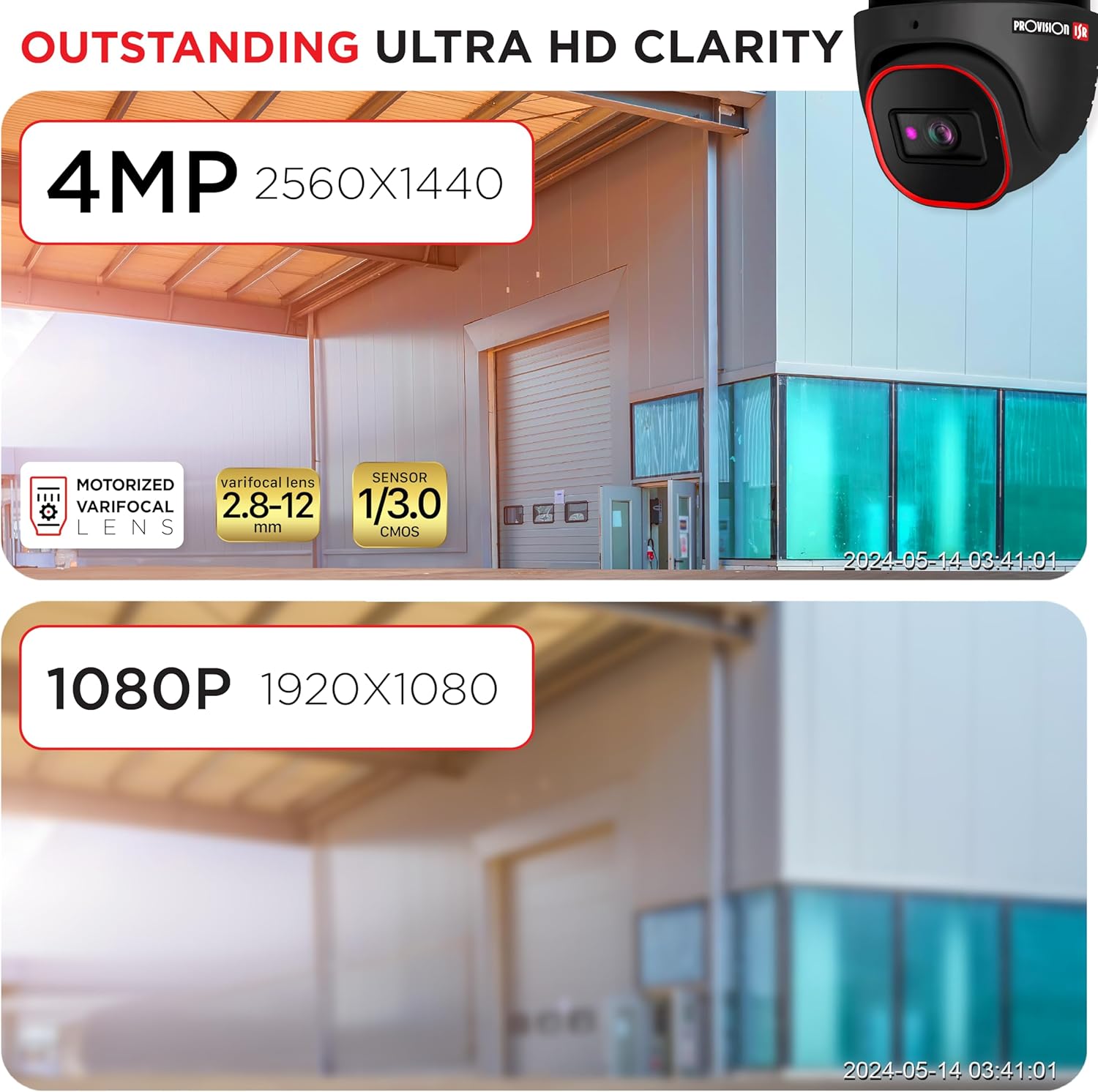
Image: Outstanding Ultra HD Clarity. This image visually compares the superior clarity of 4MP resolution (2560x1440) against 1080P (1920x1080).

Image: Built-in Microphone & Audio. This image highlights the camera's integrated microphone and audio input feature, enabling sound recording.
5.2. Afstandtoegang
Toegang tot lewendige footage and recordings remotely via mobile devices or PCs.
- Mobiele toepassing: Download the official PROVISION ISR mobile app from your device's app store. Follow the in-app instructions to add and view jou kamera.
- Toegang tot rekenaar: Use the IP camera web interface or dedicated VMS (Video Management Software) for comprehensive monitoring and management.

Image: Remote Access with AI-Powered Detection. This image shows a smartphone displaying multiple live camera feeds, demonstrating remote monitoring capabilities and AI detection.
5.3. Opnamemodusse
The camera supports various recording modes to suit your surveillance needs:
- Handmatige opname: Start and stop recording manually through the web koppelvlak of NVR.
- Geskeduleerde opname: Set specific times or days for continuous recording.
- Line-Crossing Recording: Trigger recording when an object crosses a predefined virtual line.
- Bewegingsopsporing opname: Record only when motion is detected, saving storage space.
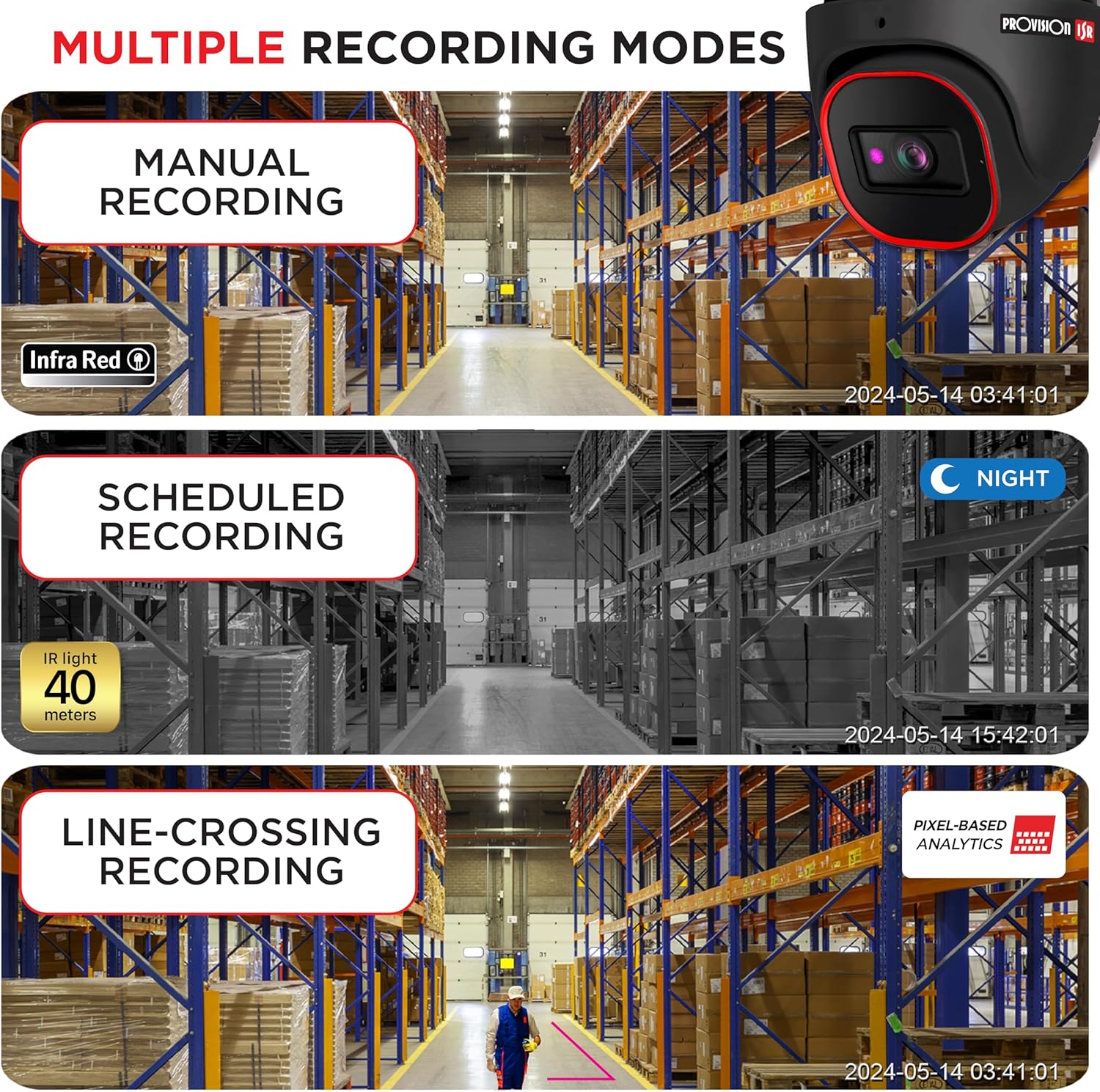
Image: Multiple Recording Modes. This image illustrates different recording options: manual, scheduled (night vision), and line-crossing triggered recording.

Image: Pixel Based Analytics. This diagram demonstrates the camera's ability to detect line crossing and sterile area intrusions using pixel-based analytics, providing real-time alerts.
6. Onderhoud
Gereelde onderhoud verseker die lang lewensduur en optimale werkverrigting van jou kamera.
- Skoonmaak: Maak die kameralens en behuising gereeld skoon met 'n sagte, damp lap. Moenie skuur skoonmaakmiddels gebruik nie.
- Firmware -opdaterings: Gaan die VOORSIENING ISR na website for the latest firmware updates. Keeping your firmware updated ensures access to new features and security enhancements.
- Omgewingsbeskerming: The camera has an IP67 waterproof rating, protecting it from dust and water ingress. Ensure all cable connections are properly sealed to maintain this rating.

Image: Durable Design & Waterproof. This image highlights the camera's IP67 rating, indicating its durability and resistance to water and dust, along with its operational temperature range.
7. Probleemoplossing
As jy probleme met jou kamera ondervind, raadpleeg die volgende algemene probleme en oplossings:
| Probleem | Moontlike oorsaak | Oplossing |
|---|---|---|
| Geen beeld-/video-uitvoer nie | No power; Network cable issue; Incorrect IP address | Check power connection; Verify Ethernet cable integrity; Ensure correct IP configuration |
| Swak beeldkwaliteit | Dirty lens; Insufficient lighting; Incorrect resolution settings | Clean the lens; Ensure adequate lighting or enable IR; Adjust resolution settings in web koppelvlak |
| Kan nie op afstand toegang tot die kamera kry nie | Network configuration; Firewall settings; Incorrect port forwarding | Verify network settings (router, port forwarding); Check firewall rules; Ensure stable internet connection |
| Bewegingsbespeuring werk nie | Sensitivity too low; Detection area not configured; Firmware outdated | Adjust motion detection sensitivity; Configure detection zones; Update camera firmware |
8. Spesifikasies
Detailed technical specifications for the PROVISION ISR 4MP IP PoE Camera:
| Kenmerk | Spesifikasie |
|---|---|
| Model Naam | Sekuriteitskamera |
| Binne/buiteluggebruik | Buitelug, Binne |
| Video-opname-resolusie | 4MP (2560x1440) |
| Nagsigreeks | 40 meter |
| Verbindingstegnologie | Bedraad (Ethernet) |
| Kragbron | Corded Electric (PoE supported) |
| IP-gradering | IP67 Waterdig |
| Vormfaktor | Koepel |
| Montage tipe | Plafon Mount |
| Viewing Hoek | 94 grade |
| Afmetings (L x B x H) | 6.25 x 5.5 x 5.5 duim |
| Kleur | Swart |
| Versoenbare toestelle | Desktop, NVR, Smartphone |
| Tipe beheerder | NVR, Android |
| UPC | 619317412736 |
| Item Modelnommer | DI-340IPS-MVF-G |
9. Waarborg en Ondersteuning
For warranty information and technical support, please contact PROVISION ISR directly or refer to their official webwebwerf. Beskermingsplanne mag beskikbaar wees vir uitgebreide dekking.
Manufacturer: Provision ISR