
Inleiding
This manual provides essential information for the safe and efficient operation of your BE COOL BCPSN2L01 Pedestal Fan. Please read these instructions carefully before use and retain them for future reference. The BCPSN2L01 combines powerful airflow with an integrated mist function and ambient lighting to enhance your indoor environment.
Belangrike veiligheidsinstruksies
Volg altyd basiese veiligheidsmaatreëls wanneer u elektriese toestelle gebruik om die risiko van brand, elektriese skok en beserings te verminder.
- Verseker die kragtoevoer voltage stem ooreen met die graderingsetiket op die toestel.
- Do not immerse the fan, power cord, or plug in water or other liquids.
- Ontkoppel die waaier uit die stopcontact wanneer dit nie gebruik word nie, voor skoonmaak of voor verskuiwing.
- Hou die waaier buite bereik van kinders en troeteldiere.
- Moenie die waaier gebruik met 'n beskadigde koord of prop nie.
- Avoid placing the fan near curtains or other objects that could be drawn into the fan blades.
- Moenie vingers of ander voorwerpe deur die rooster steek terwyl die waaier aan die gang is nie.
- Use the fan only on a stable, level surface.
- Moenie lugopeninge blokkeer nie.
- Only use clean, distilled water in the water tank for the mist function.
Produk verbyview
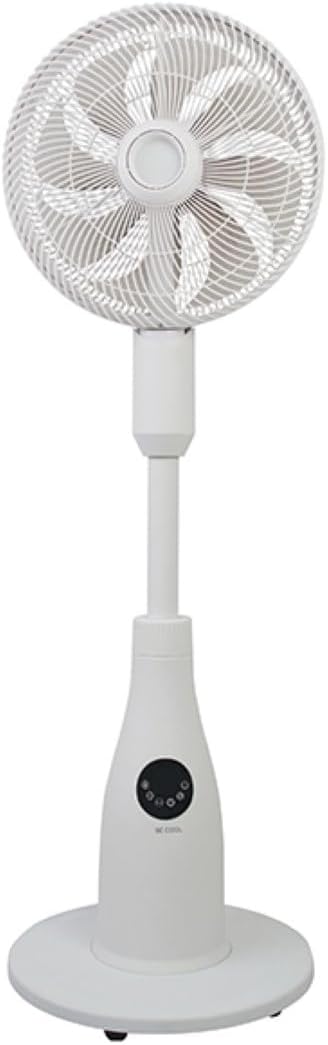
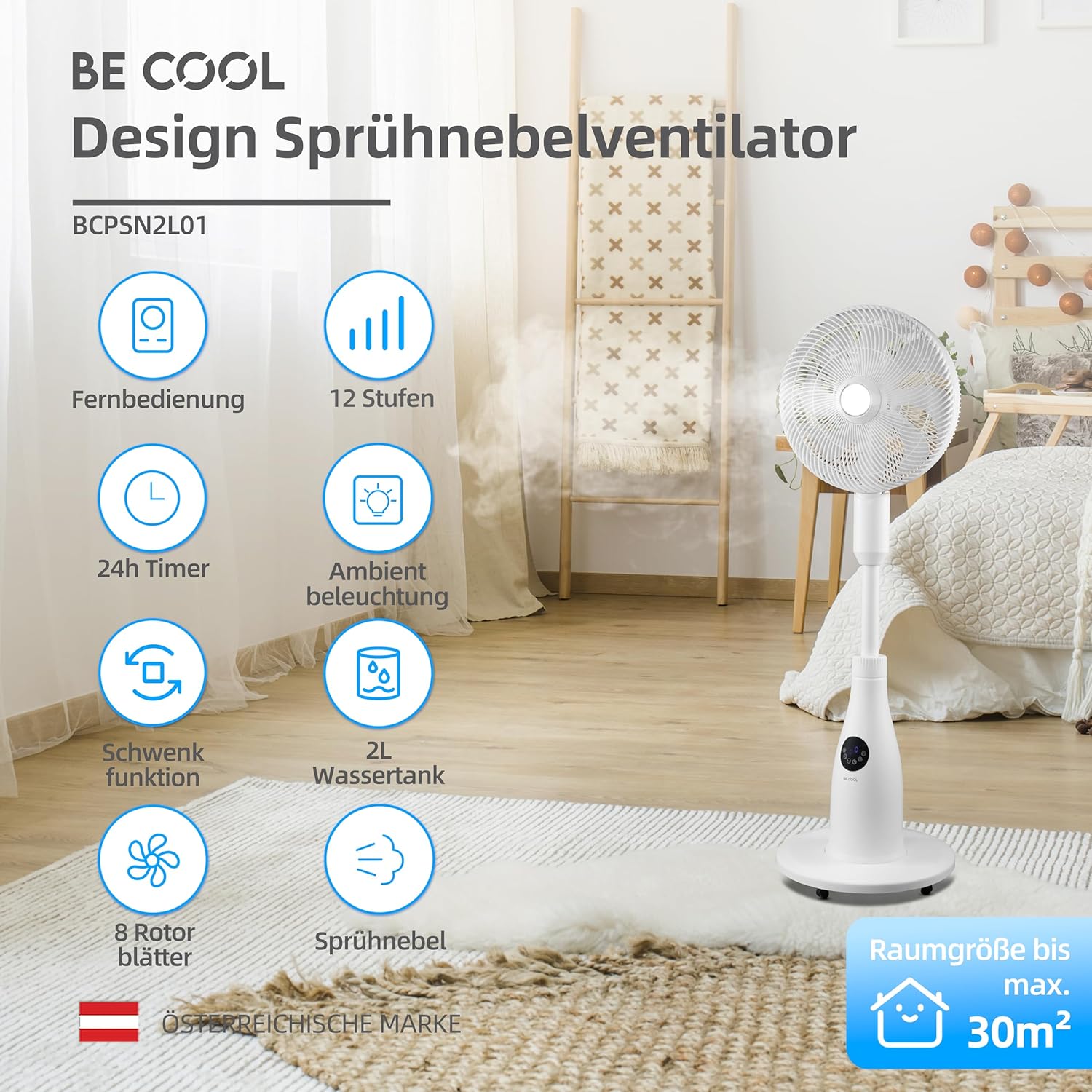
The BE COOL BCPSN2L01 is a versatile pedestal fan designed to provide efficient cooling and air circulation with an integrated mist function and ambient lighting.
Komponente
- Fan Head with Grille and Blades
- Verstelbare staander
- Basis
- Watertenk (2 liter kapasiteit)
- Control Panel (Touch-sensitive)
- Afstandbeheer
- Kragkoord
Beheerpaneel en afstandbeheer
The fan can be operated using the touch-sensitive control panel on the unit or the included remote control.
Beheerpaneel funksies:
- Kragknoppie: Skakel die waaier aan of af.
- Spoedknoppie: Verstel waaierspoed (12 vlakke).
- Modusknoppie: Cycles through Normal, Nature, and Sleep modes.
- Mis knoppie: Activates or deactivates the mist function.
- Ossilasie -knoppie: Toggles the oscillation feature.
- Timer-knoppie: Stel die outomatiese afskakeltimer (tot 24 uur).
- Ligte knoppie: Controls the ambient lighting.


Opstel instruksies
Vergadering
- Pak alle komponente versigtig uit die verpakking.
- Assemble the fan head, stand, and base according to the diagrams in the quick start guide (if provided separately). Ensure all connections are secure.
- Plaas die waaier op 'n stewige, gelyk oppervlak.
Vul die watertenk
- Locate the water tank at the rear of the fan's base.
- Gently pull out the water tank.
- Fill the tank with clean, distilled water. Do not exceed the maximum fill line.
- Carefully reinsert the water tank into its position until it clicks securely.
- Ensure the water tank is properly seated before operating the mist function.

Bedryfsinstruksies
Steek die kragsnoer in 'n geskikte elektriese aansluiting.
Krag aan/af
Druk die Kragknoppie on the control panel or remote control to turn the fan on or off.
Pas waaierspoed aan
Druk die Spoed knoppie repeatedly to cycle through the 12 available fan speed levels.
Kies Bedryfsmodus
Druk die Mode-knoppie to switch between the following modes:
- Normale modus: Verskaf 'n konstante lugvloei teen die gekose spoed.
- Natuurmodus: Simulates natural breezes by varying fan speed intermittently.
- Slaap stelling: Operates at a lower, quieter speed with reduced display brightness for undisturbed rest.

Activating Mist Function
Ensure the water tank is filled. Press the Misknop to activate or deactivate the refreshing mist function.
Using Oscillation
Druk die Ossillasie-knoppie to start or stop the fan's oscillation, which distributes air across a wider area.

Stel die timer
Druk die Timer-knoppie repeatedly to set the desired auto-off time, from 1 to 24 hours. The fan will automatically turn off after the set duration.
Omgewingsbeligting
Druk die Ligte knoppie to turn the ambient lighting on or off. This feature provides a soft glow, particularly useful in Sleep Mode.
Onderhoud en Skoonmaak
Regular cleaning helps maintain the fan's performance and extends its lifespan. Always unplug the fan before cleaning.
Skoonmaak van die buitekant
Vee die buite-oppervlaktes van die waaier af met 'n sagte, damp lap. Moenie skuur skoonmaakmiddels of oplosmiddels gebruik nie.
Maak die watertenk skoon
- Verwyder die watertenk uit die eenheid.
- Gooi enige oorblywende water leeg.
- Rinse the tank thoroughly with clean water. For deeper cleaning, use a mild detergent and a soft brush, then rinse completely.
- Allow the tank to air dry before refilling and reinserting.
Cleaning Fan Blades and Grille
Periodically, dust may accumulate on the fan blades and inside the grille. Refer to the product's specific instructions for safely removing the front grille to clean the blades. Use a soft cloth or vacuum cleaner with a brush attachment to remove dust.
Probleemoplossing
Indien u probleme met u waaier ondervind, verwys asseblief na die volgende algemene probleme en oplossings:
- Fan skakel nie aan nie:
- Maak seker dat die kragkabel stewig in 'n werkende elektriese aansluiting ingeprop is.
- Check if the power button has been pressed.
- Verify there is no power outage in jou area.
- Mist function is not working:
- Kontroleer of die watertenk met water gevul is.
- Maak seker dat die watertenk korrek in die eenheid geplaas is.
- Clean the mist nozzle if it appears blocked.
- Fan is raserig:
- Ensure the fan is placed on a stable, level surface.
- Check for any obstructions around the fan blades or grille.
- Dust accumulation on blades can cause imbalance; clean the blades if necessary.
- Afstandbeheer reageer nie:
- Check and replace the battery (1 CR2 battery included).
- Ensure there are no obstructions between the remote and the fan's receiver.
Spesifikasies
| Kenmerk | Spesifikasie |
|---|---|
| Handelsmerk | Wees Cool |
| Modelnommer | BCPSN2L01 |
| Krag | 80 Watt |
| Voltage | 230 Volt (AC) |
| Lugvloeikapasiteit | 1500 m³/h |
| Watertenk kapasiteit | 2 liter |
| Verdampingstempo | 0.25 L/h (approx.) |
| Aantal snelhede | 12 |
| ossillasie | Ja |
| Afteller | Tot 24 uur |
| Afstandbeheer | Ja (1 CR2 battery ingesluit) |
| Produk Afmetings (D x B x H) | 42.9 x 42.9 x 114.5 cm |
| Item gewig | 6.9 kilogram |
| Aanbevole kamergrootte | Tot 30 m² |

Waarborg en Ondersteuning
For warranty information, please refer to the documentation provided at the time of purchase or contact your retailer. For technical support or service inquiries, please contact the manufacturer's customer service department.
Vervaardiger: WEES COOL