
Inleiding
This instruction manual provides comprehensive guidance for the safe and effective use of your BEZGAR HJ821 Remote Control Boat. Please read this manual thoroughly before operating the product to ensure proper setup, operation, and maintenance. Retain this manual for future reference.
Pakketinhoud
Verifieer dat al die items wat hieronder gelys word, in jou pakket ingesluit is:
- RC Boat x 2
- 2.4 GHz Remote Control x 2
- 3.7 V 1200 mAh Li-ion Battery x 2
- USB-laaikabel x 2
- Nose Guard x 2
- Spare Propeller and Tool x 2
- Gebruikershandleiding x 1
- Vertoonstaander x 2

Figure 1: Contents of the BEZGAR HJ821 RC Boat package.
Produk Kenmerke
The BEZGAR HJ821 Remote Control Boat is designed for performance and user enjoyment. Key features include:
- Dubbelspoedmodusse: Offers both high-speed (up to 15 KPH) for racing and a lower speed for extended play.
- Lang looptyd: Up to 50 minutes in high-speed mode or 2 hours in low-speed mode.
- Lewendige LED-ligte: Integrated LEDs illuminate the boat, enhancing visibility for night operation.
- 2.4 GHz Radio System: Allows multiple boats to operate simultaneously without interference, with a control range of up to 200 feet.
- Water Sensor Activation: The boat activates only when placed in water, conserving battery life and preventing accidental operation.
- Dubbele motors: Provides powerful propulsion for fast and responsive movement.

Figure 2: BEZGAR HJ821 RC Boat highlighting ultra-long running time and LED lights.
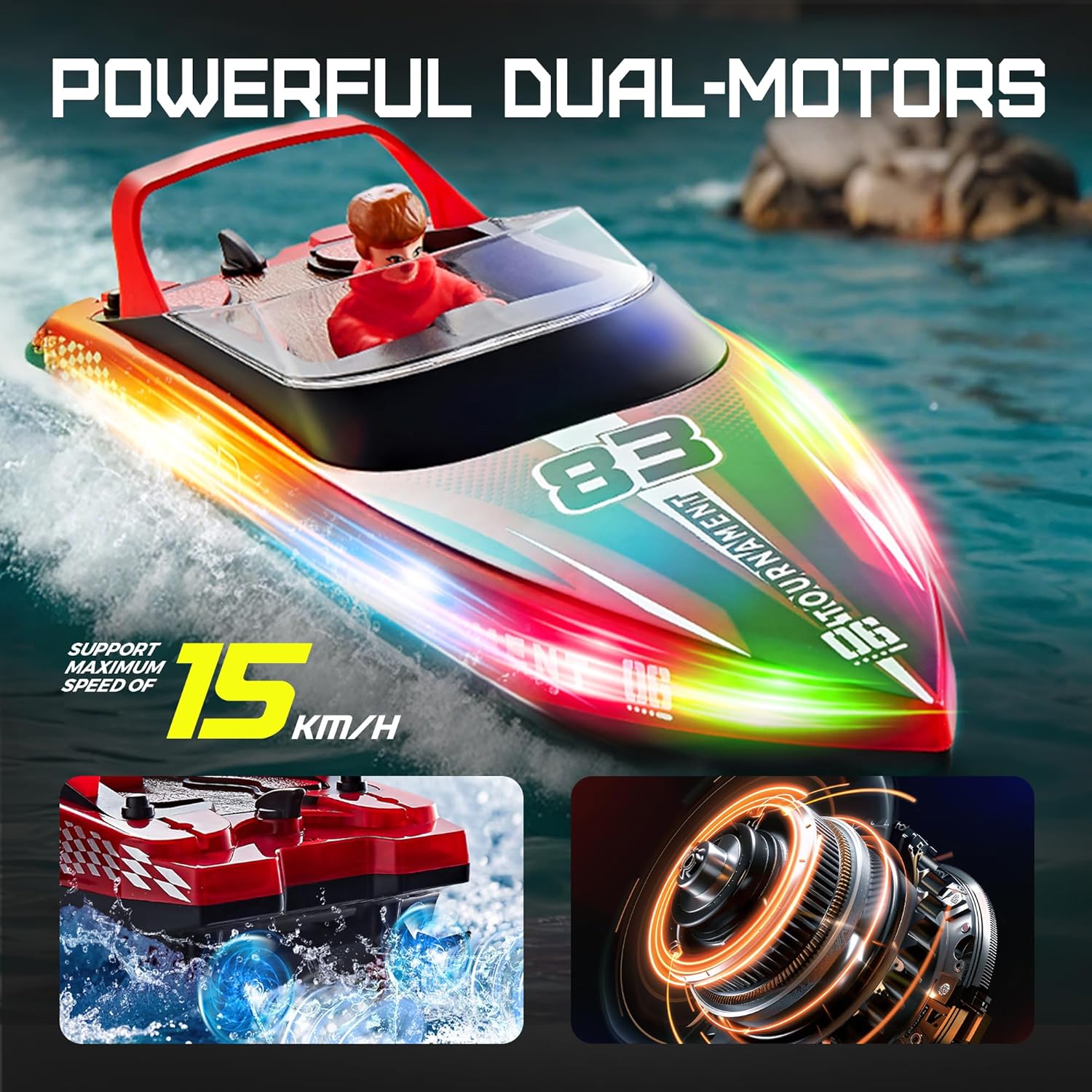
Figure 3: Illustration of the powerful dual-motor system and speed capability.

Figure 4: Remote control range and low-battery warning system.

Figure 5: The 2.4 GHz radio system allows multiple players without interference.
Video 1: Oorview of BEZGAR RC Boat features, including LED lights and water performance.
Veiligheidsmaatreëls
To prevent injury or damage, observe the following safety guidelines:
- Always operate the boat in open water, away from swimmers, animals, and obstacles.
- Do not operate in salt water without proper post-use cleaning as specified in the maintenance section.
- Ensure the battery compartment is securely sealed before placing the boat in water.
- Hou vingers, hare en los klere weg van die skroewe wanneer die boot aangeskakel is.
- Adult supervision is recommended for children operating the boat.
- Moenie die motor onmiddellik na gebruik aanraak nie, aangesien dit warm kan wees.
- Use only the provided charging cable and batteries.
- Moet nooit laaiende batterye sonder toesig laat nie.
Opstelling
1. Battery Installation (Boat)
- Open the top hatch of the boat.
- Connect the 3.7V 1200mAh Li-ion battery to the boat's power connector.
- Plaas die battery stewig binne die kompartement.
- Close and seal the top hatch to prevent water entry.
2. Batteryinstallasie (Afstandbeheer)
- Maak die batterydeksel aan die agterkant van die afstandbeheer oop.
- Insert the required batteries (not included, type not specified) according to the polarity markings.
- Maak die batterydeksel toe.
3. Pairing the Remote Control and Boat
- Ensure the boat's battery is connected and the boat is placed in water. The boat's water sensor will activate it.
- Turn on the remote control. The indicator light on the remote will flash.
- Wait for the indicator light on the remote to become solid, indicating successful pairing.
- If pairing fails, turn off both the boat and remote, then repeat the steps.
Bedryfsinstruksies
Afstandbeheerfunksies
Video 2: Demonstration of the remote control functions and labeled components.
- Gasklep sneller: Pull to move forward, push to move backward.
- Direction Control Wheel: Draai links of regs om die boot te stuur.
- Funksie knoppie:
- Single click: Toggles LED lights on/off.
- Double click: Switches between high-speed and low-speed modes.
- Fine Tuning (Left/Right): Adjusts the boat's steering if it drifts to one side when moving straight.
- Krag skakelaar: Skakel die afstandbeheerder aan of af.
Bedryfswenke
- The boat will only activate when placed in water due to its water sensor.
- For optimal performance, ensure the water is free of debris.
- When the boat's battery is low, the remote control will emit an alarm.
- If the boat exceeds the remote control distance (approx. 200 feet), the green signal light on the remote will flash, and an alert sound will be made.

Figure 6: High and low speed shift functionality.
Video 3: Demonstration of twin-boat racing and intense chase action.
Onderhoud
Skoonmaak
- After each use, especially in salt water, rinse the boat thoroughly with fresh water.
- Wipe the boat dry with a soft cloth.
- Remove any debris from the propeller and rudder.
Berging
- Remove batteries from both the boat and the remote control before storage.
- Store the boat and remote in a cool, dry place, away from direct sunlight and extreme temperatures.
- Ensure the boat is completely dry before storing to prevent mold or corrosion.
Battery sorg
- Charge batteries fully before first use and after each play session.
- Moenie batterye oorlaai nie.
- If the boat will not be used for an extended period, charge the batteries to approximately 50% before storing.
Probleemoplossing
| Probleem | Moontlike oorsaak | Oplossing |
|---|---|---|
| Boot reageer nie op afstandbeheer nie. |
|
|
| Boat moves slowly or inconsistently. |
|
|
| Boat drifts to one side. | Stuurbekleding benodig verstelling. | Use the Left/Right Fine Tuning buttons on the remote control to correct the steering. |
Spesifikasies
| Kenmerk | Detail |
|---|---|
| Modelnommer | HJ821 |
| Produk afmetings | 10.83 x 7.87 x 6.5 duim |
| Item gewig | 2.2 pond |
| Maksimum spoed | 15 KPH |
| Beheerstelsel | 2.4 GHz radiostelsel |
| Beheerreeks | Ongeveer. 200 voet |
| Battery (Boat) | 3.7V 1200mAh Li-ion (included) |
| Aanbevole ouderdom | 8 jaar en ouer |
| Vervaardiger | BEZGAR |
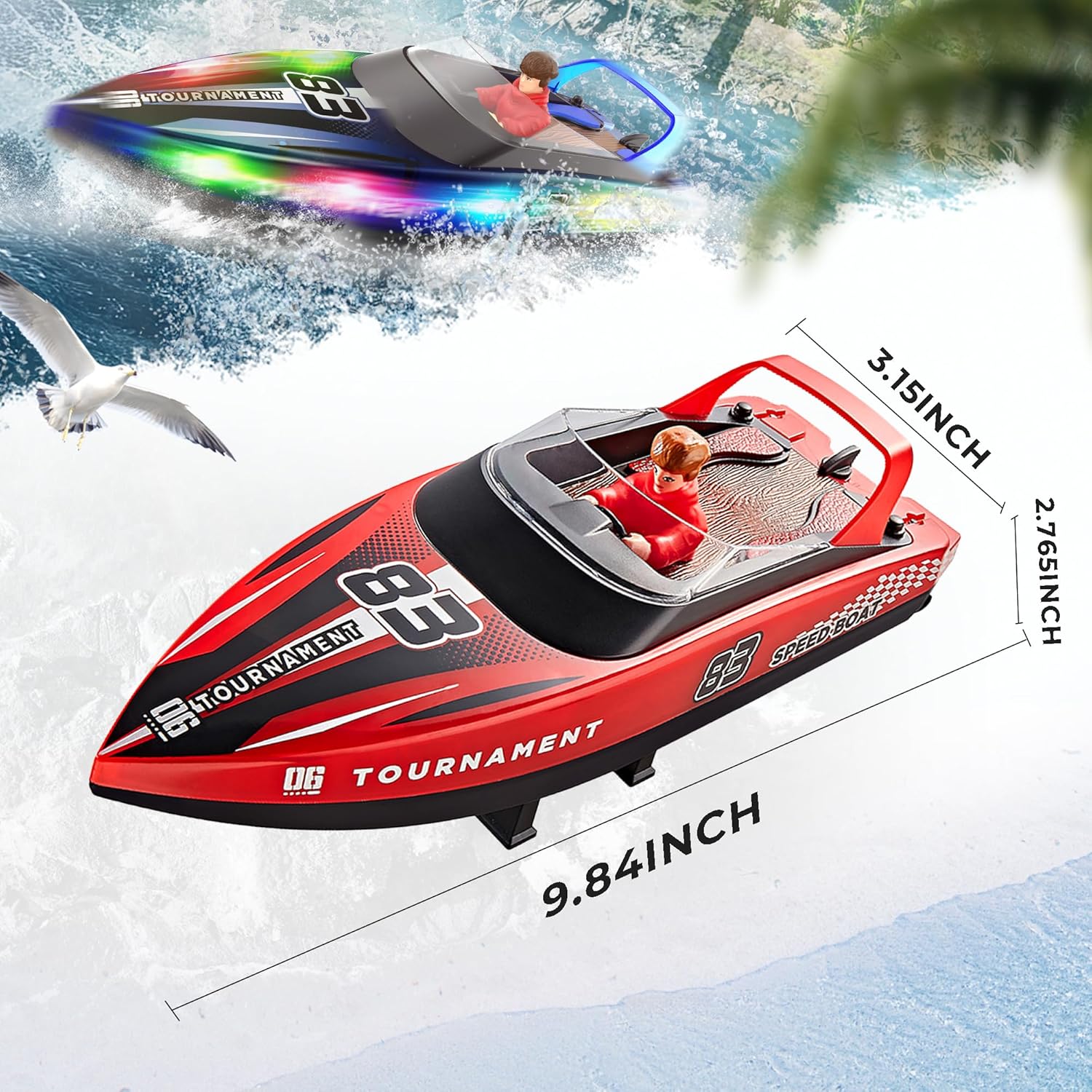
Figure 7: BEZGAR HJ821 RC Boat dimensions.
Waarborg en Ondersteuning
For warranty information, technical support, or any inquiries regarding your BEZGAR HJ821 Remote Control Boat, please contact BEZGAR Support Team. Refer to the product packaging or the official BEZGAR webwebwerf vir die mees onlangse kontakbesonderhede.
BEZGAR is committed to customer satisfaction and will assist with any issues to ensure a positive experience.