
Inleiding
Welcome to the ULTRICS Digital Multimeter D2 user manual. This device is designed for precise and reliable electrical measurements, suitable for professionals and DIY enthusiasts. It accurately measures AC/DC voltage, DC current, resistance, continuity, and diodes. This manual provides essential information for safe and effective operation, helping you to maximize the utility of your new multimeter.
Veiligheidsinligting
WAARSKUWING: Always exercise extreme caution when working with electrical circuits. Improper use of this multimeter can result in electric shock, personal injury, or damage to the device.
- Moenie die maksimum invoerwaardes vir enige reeks oorskry nie.
- Do not use the multimeter if it or the test leads appear damaged. Inspect them before each use.
- Ensure the function switch is in the correct position before making measurements. Changing ranges while connected to a live circuit can cause damage.
- Disconnect power to the circuit before measuring resistance, continuity, or diodes.
- Wees versigtig wanneer u met voltagbo 30V AC RMS, 42V piek, of 60V DC. Hierdie volumestages pose a significant shock hazard.
- Always connect the common (COM) test lead first, then the live lead. Disconnect the live lead first, then the common lead.
- Replace the battery when the low battery indicator appears to ensure accurate readings and proper device function.
This multimeter is rated CAT II 600V, indicating its suitability for measurements on circuits directly connected to the low-voltage installasie.
Pakketinhoud
Verifieer dat alle items in die pakket teenwoordig is:
- 1 x ULTRICS Digital Multimeter D2
- 2 x Toetsdrade (Rooi en Swart)
- 1 x 9V battery
- 1 x Gebruikershandleiding (hierdie dokument)
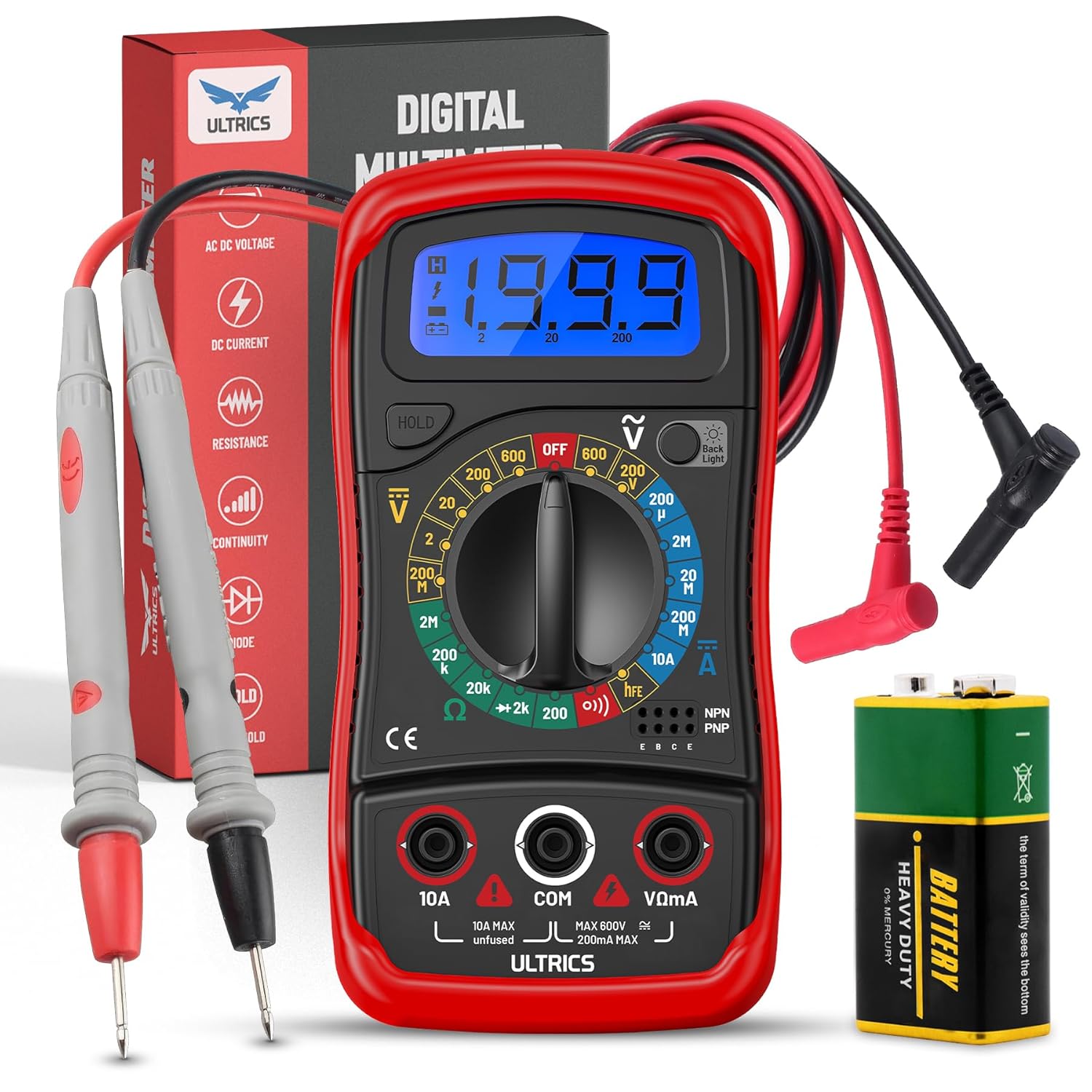
Image: Contents of the ULTRICS Digital Multimeter D2 package, including the multimeter, red and black test leads, and a 9V battery.
Produk verbyview
Familiarize yourself with the components of your ULTRICS Digital Multimeter D2.

Image: Detailed diagram of the ULTRICS Digital Multimeter D2, highlighting its key components such as the LCD display, data hold button, backlight button, function switch, test lead jacks, and protective rubber shell.
- LCD-skerm: Shows measurement readings, units, and polarity. Features a bright backlight for low-light conditions.
- Data Hold Button: Freezes the current reading on the display for easier recording.
- Agterlig-knoppie: Aktiveer of deaktiveer die skerm se agtergrondlig.
- Function Switch (Rotary Dial): Kies die verlangde meetfunksie en -bereik.
- 10A-insetaansluiting: Used for measuring DC current up to 10 Amperes.
- COM (Common) Input Jack: The negative (-) input for all measurements. Always connect the black test lead here.
- VΩmA Input Jack: The positive (+) input for voltage, weerstand en milliampere current measurements. Connect the red test lead here.
- Transistor Test Jacks (hFE): Used for testing NPN and PNP transistors.
- Protective Rubber Shell: Provides durability and protection against minor impacts and splashes.
- Opvoubare skopstand: Allows for hands-free operation and easy viewing hoek.
Opstelling
Die installering van die battery
The ULTRICS Digital Multimeter D2 requires one 9V battery (included).
- Vind die battery kompartement op die agterkant van die multimeter.
- Use a screwdriver to remove the screw securing the battery cover.
- Verwyder die batterydeksel liggies.
- Connect the 9V battery to the battery clips, ensuring correct polarity (+ to + and - to -).
- Place the battery inside the compartment.
- Plaas die batterydeksel terug en maak dit met die skroef vas.
Toetsleidings verbind
Always ensure test leads are securely connected before taking measurements.
- Insert the black test lead's banana plug into the COM (Algemene) invoeraansluiting.
- Vir die meeste metings (vol.tage, resistance, continuity, diode, small current), insert the red test lead's banana plug into the VΩmA invoeraansluiting.
- For high current measurements (up to 10A DC), insert the red test lead's banana plug into the 10A invoeraansluiting.
Bedryfsinstruksies
This section details how to perform various measurements using your multimeter.
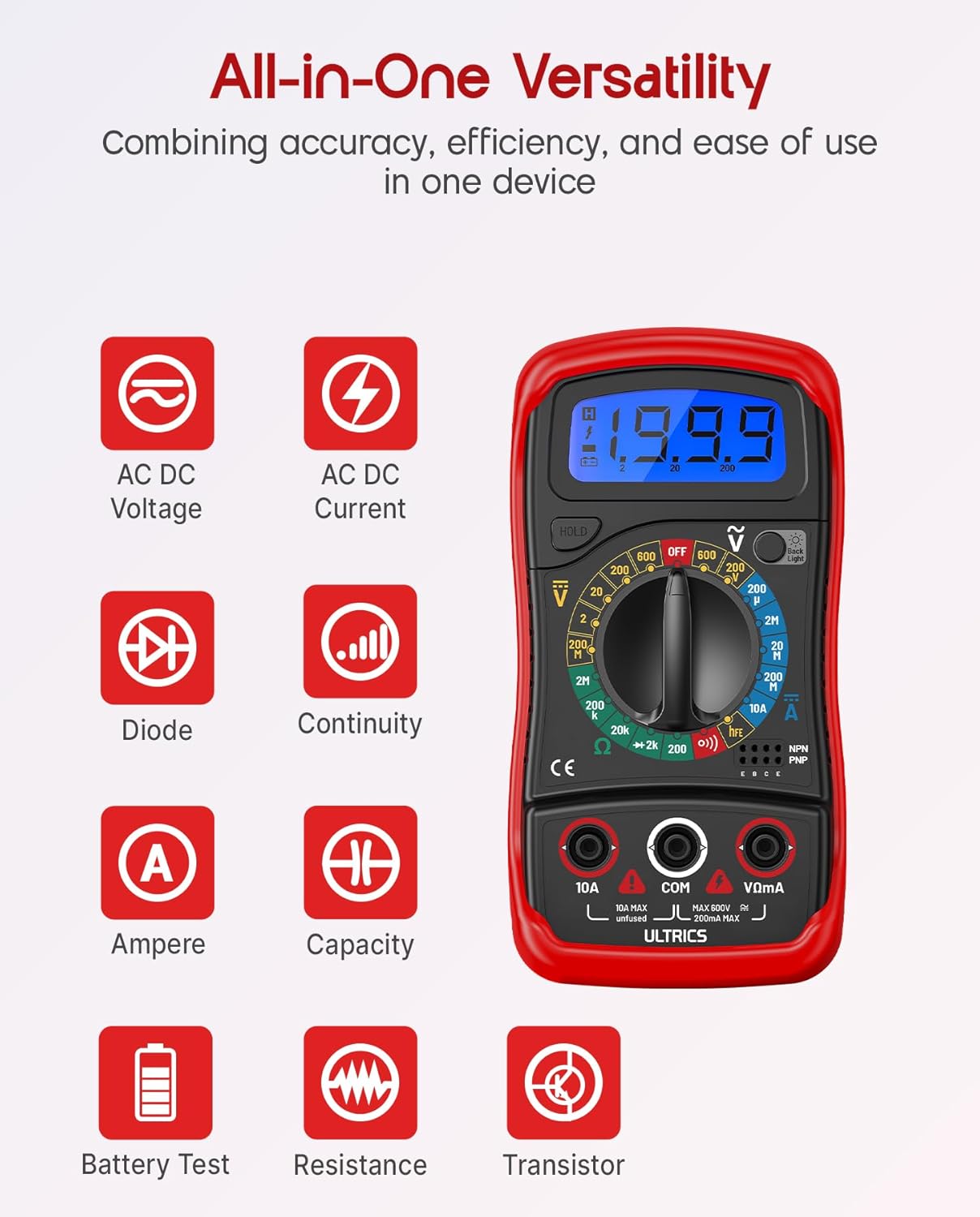
Image: Visual representation of the multimeter's versatile functions, including AC/DC Voltage, AC/DC Current, Diode, Continuity, Ampere, Capacity, Battery Test, Resistance, and Transistor measurements.
Meet DC Voltage (VDC)
- Koppel die swart toetskabel aan die COM Jack en die rooi toetsdraad na die VΩmA domkrag.
- Turn the function switch to the desired VDC range (e.g., 200mV, 2V, 20V, 200V, 600V). If unsure, start with the highest range and decrease as needed.
- Koppel die toetsdrade parallel oor die komponent of stroombaan wat gemeet moet word.
- Lees die voltage -waarde op die LCD -skerm.
Meet AC Voltage (VAC)
- Koppel die swart toetskabel aan die COM Jack en die rooi toetsdraad na die VΩmA domkrag.
- Turn the function switch to the desired VAC range (e.g., 200V, 600V).
- Connect the test leads in parallel across the AC voltage bron.
- Lees die voltage -waarde op die LCD -skerm.
Measuring DC Current (ADC)
WAARSKUWING: Never connect the multimeter in parallel when measuring current. Always connect it in series with the circuit. Improper connection can damage the multimeter or the circuit.
- Skakel krag na die stroombaan af.
- For currents up to 200mA, connect the black test lead to the COM Jack en die rooi toetsdraad na die VΩmA domkrag.
- For currents up to 10A, connect the black test lead to the COM Jack en die rooi toetsdraad na die 10A domkrag.
- Turn the function switch to the desired ADC range (e.g., 200µA, 2mA, 20mA, 200mA, 10A).
- Break the circuit and connect the multimeter in series with the circuit.
- Turn on power to the circuit.
- Lees die huidige waarde op die LCD-skerm.
- Turn off power to the circuit before disconnecting the multimeter.
Measuring Resistance (Ω)
WAARSKUWING: Ensure the circuit is completely de-energized before measuring resistance. Measuring resistance on a live circuit can damage the multimeter.
- Koppel die swart toetskabel aan die COM Jack en die rooi toetsdraad na die VΩmA domkrag.
- Turn the function switch to the desired Ω range (e.g., 200Ω, 2kΩ, 20kΩ, 200kΩ, 2MΩ, 20MΩ).
- Connect the test leads across the component whose resistance you want to measure.
- Lees die weerstandswaarde op die LCD-skerm.
Kontinuïteitstoets
The continuity test checks for a complete circuit path. An audible buzzer will sound if continuity is detected.
- Koppel die swart toetskabel aan die COM Jack en die rooi toetsdraad na die VΩmA domkrag.
- Draai die funksieskakelaar na die Kontinuïteit (buzzer) position.
- Verbind die toetsdrade oor die stroombaan of komponent.
- If the resistance is below approximately 50Ω, the buzzer will sound, indicating continuity.
Diodetoets
Die diodetoets meet die voorwaartse voltag'n druppel van 'n diode.
- Koppel die swart toetskabel aan die COM Jack en die rooi toetsdraad na die VΩmA domkrag.
- Draai die funksieskakelaar na die Diode posisie.
- Connect the red test lead to the anode (+) and the black test lead to the cathode (-) of the diode.
- Lees die vorentoe voltage drop on the LCD display. Reverse the leads; the display should show "OL" (Overload) for a good diode.
Transistor hFE-toets
This function tests the DC current gain (hFE) of NPN and PNP transistors.
- Draai die funksieskakelaar na die hFE posisie.
- Identify the Emitter (E), Base (B), and Collector (C) leads of the transistor.
- Insert the transistor leads into the corresponding holes in the hFE socket on the multimeter, ensuring correct NPN or PNP type.
- Lees die hFE-waarde op die LCD-skerm.
Data hou funksie
Druk die HOU knoppie om die huidige lesing op die skerm te vries. Druk dit weer om die houvas te laat vaar en regstreekse lesings te hervat.
Backlight Funksie
Druk die Agterlig button to turn the LCD backlight on or off, improving visibility in dim environments.

Beeld: 'n Nabyskoot view of the multimeter's LCD display, demonstrating its bright backlight feature for enhanced readability in various lighting conditions.
Onderhoud
Skoonmaak
Om die multimeter skoon te maak, vee die kas af met 'n advertensie.amp cloth and a mild detergent. Do not use abrasives or solvents, as these may damage the casing of vertoon.
Battery vervanging
When the low battery indicator appears on the display, replace the 9V battery as described in the "Installing the Battery" section to ensure continued accurate readings.
Sekering vervanging
If the current measurement function stops working, the fuse may need replacement. This multimeter is equipped with internal fuses for protection.
- Ensure the multimeter is OFF and all test leads are disconnected.
- Verwyder die batterydeksel en battery.
- Carefully open the main casing (this may require removing additional screws, typically located under the rubber shell).
- Locate the fuse(s) on the circuit board. This model typically uses a 200mA/250V fuse for the mA range and a 10A/250V fuse for the 10A range.
- Replace the blown fuse with a fuse of the same type and rating. Never use a fuse with a different rating.
- Reassemble the multimeter, ensuring all screws are tightened and the casing is properly sealed.
Berging
If the multimeter is not used for a long period, remove the battery to prevent leakage and store the device in a cool, dry place, away from direct sunlight and extreme temperatures.
Probleemoplossing
| Probleem | Moontlike oorsaak | Oplossing |
|---|---|---|
| Geen vertoon of dowwe vertoon | Dooie of lae battery | Vervang die 9V-battery. |
| "OL" (Oorlading) word vertoon | Input value exceeds selected range; open circuit (for resistance/continuity) | Select a higher range; check for breaks in the circuit or component. |
| Verkeerde lesings | Incorrect function/range selected; poor test lead connection; low battery | Verify function switch position and range; ensure leads are firmly connected; replace battery. |
| Stroommeting werk nie | Gebreekte lont | Vervang die toepaslike sekering (verwys na die Onderhoud-afdeling). |
| Geen kontinuïteitszoemer nie | Open circuit; resistance too high | Ensure circuit is closed; check resistance value (buzzer typically activates below 50Ω). |
Spesifikasies
| Kenmerk | Detail |
|---|---|
| Model | Digital Multimeter D2 |
| Vertoon | 3 ½ digit LCD, 1999 counts, with backlight |
| DC Voltage | 200mV / 2V / 20V / 200V / 600V |
| AC Voltage | 200V / 600V |
| DC Stroom | 200µA / 2mA / 20mA / 200mA / 10A |
| Weerstand | 200Ω / 2kΩ / 20kΩ / 200kΩ / 2MΩ / 20MΩ |
| Diodetoets | Ja |
| Kontinuïteit Buzzer | Ja |
| Transistor hFE-toets | Ja |
| Data hou | Ja |
| Kragbron | 9V Battery |
| Veiligheidsgradering | IEC CAT II 600V, CE, RoHS compliant |
| Afmetings (L x B x H) | 14.6 x 10 x 5 cm (5.75 x 3.94 x 1.97 duim) |
| Gewig | 240 gram (0.53 lbs) |
Waarborg en Ondersteuning
ULTRICS provides a 12-month warranty for this product, covering manufacturing defects from the date of purchase. Please retain your proof of purchase for warranty claims.
For technical support, warranty claims, or any questions regarding your ULTRICS Digital Multimeter D2, please contact ULTRICS customer service through the retailer's platform or the official ULTRICS webwebwerf. Hou asseblief u aankoopbesonderhede en modelnommer gereed wanneer u ondersteuning kontak.
Vervaardiger: ULTRICS
Modelnommer: Digital Multimeter D2
ASIN: B0DYP62MW7