
1. Inleiding
This manual provides detailed instructions for the installation and use of the Generic FD-SS-04 16-pin Android Wiring Harness and Canbus Box. This product is designed to facilitate the integration of an aftermarket Android car radio into specific Ford Raptor F-150 vehicles, ensuring proper communication between the vehicle's systems and the new head unit. Please read this manual thoroughly before installation to ensure correct setup and optimal performance.
2. Veiligheidsinligting
- Ontkoppel altyd die voertuig se battery voordat u enige elektriese installasie begin om kortsluitings en elektriese skok te voorkom.
- Ensure all connections are secure and properly insulated to avoid electrical hazards.
- Indien u onseker is oor enige deel van die installasieproses, raadpleeg 'n gekwalifiseerde motortegnikus.
- Do not modify the wiring harness or Canbus box. Unauthorized modifications can void the warranty and cause damage.
- Hou die produk weg van vog en uiterste temperature.
3. Pakketinhoud
Verify that all components are present before proceeding with the installation:
- 1x 16-pin Android Wiring Harness
- 1x Canbus Box (Model: FD-SS-04)
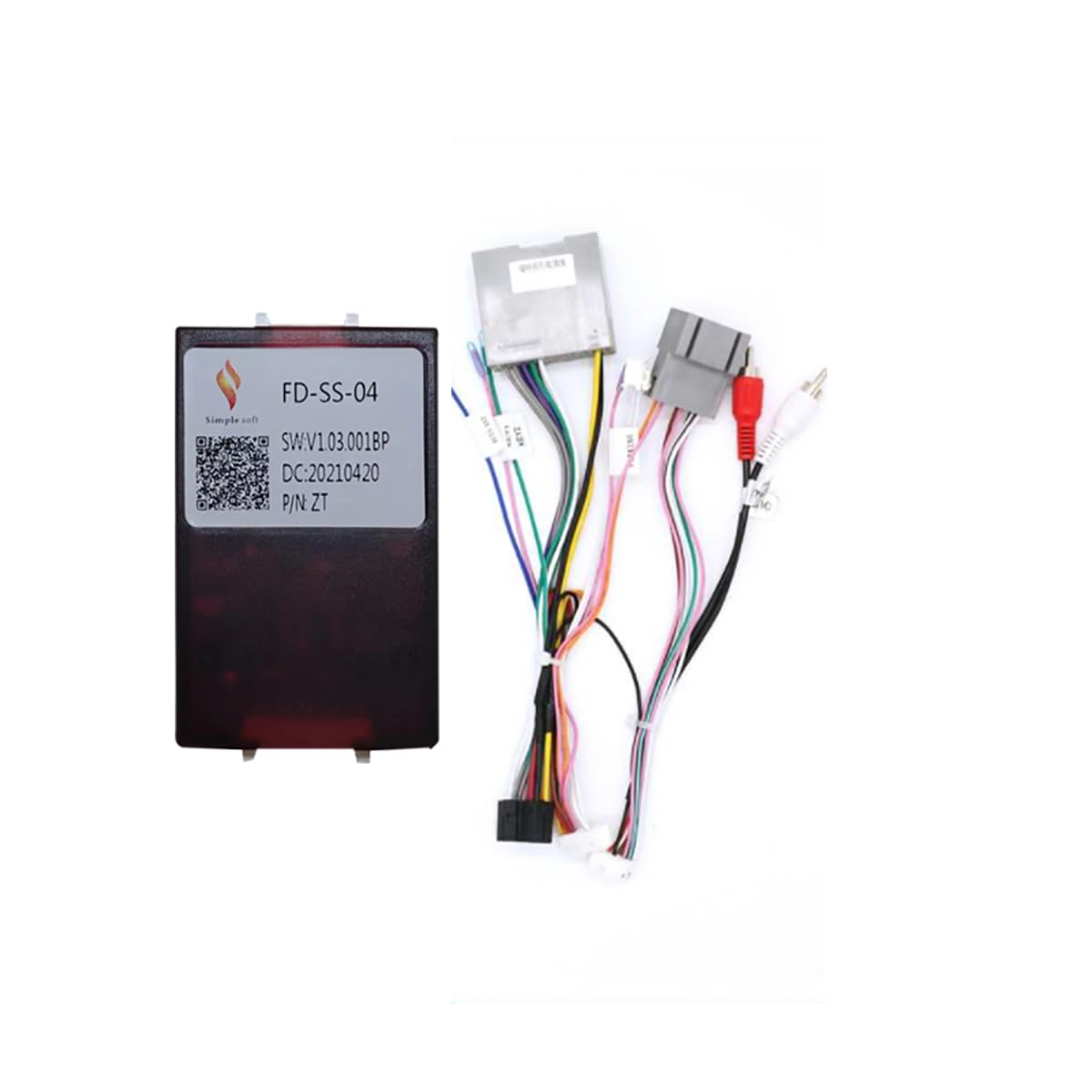
Image: The complete package including the 16-pin Android wiring harness and the FD-SS-04 Canbus box.
4. Opstelling en installering
This section outlines the steps for installing the wiring harness and Canbus box. Ensure the vehicle's battery is disconnected before starting.
4.1 Identify Components
Familiarize yourself with the Canbus box and its connectors.
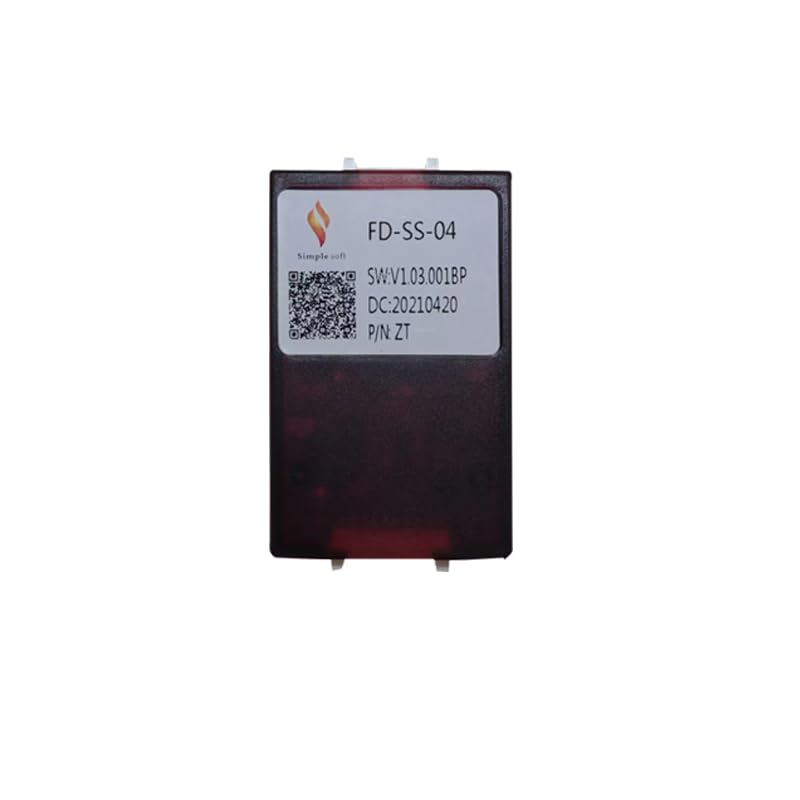
Beeld: Voorkant view of the FD-SS-04 Canbus box, showing the model number and QR code label.
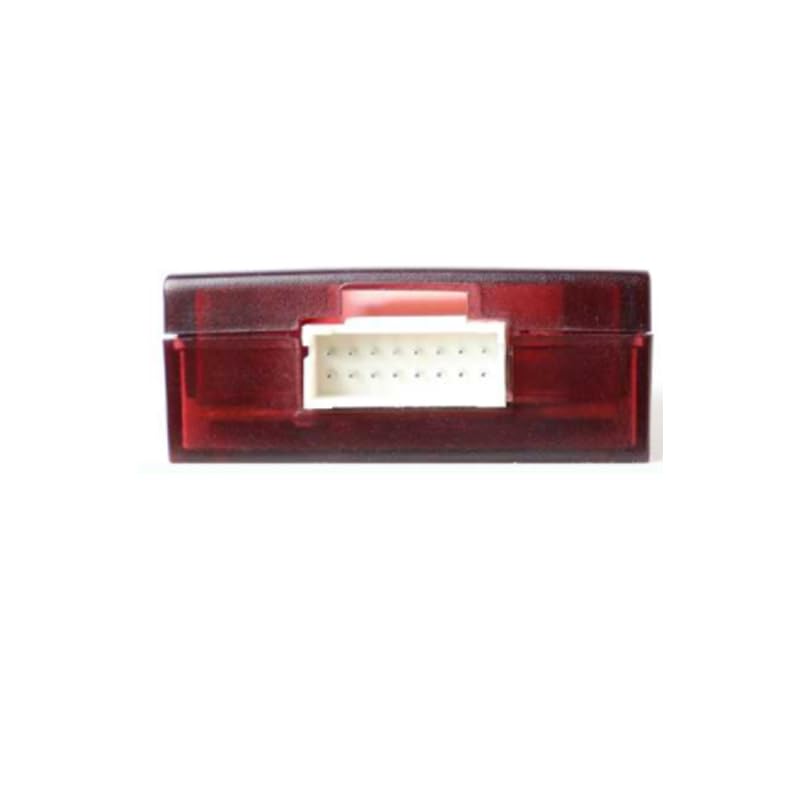
Beeld: Sykant view of the FD-SS-04 Canbus box, highlighting the multi-pin connector port.
4.2 Wiring Harness Connection
- Ontkoppel battery: Voordat jy begin, ontkoppel die negatiewe terminaal van jou voertuig se battery.
- Remove Existing Radio: Carefully remove the factory car radio from the dashboard.
- Connect Canbus Box: Connect the dedicated connector from the 16-pin Android wiring harness to the FD-SS-04 Canbus box. Ensure it clicks securely into place.
- Koppel aan voertuig: Plug the vehicle-specific connectors of the wiring harness into the corresponding ports in your Ford Raptor F-150's dashboard. These typically include power, speaker, and antenna connections.
- Connect to Android Head Unit: Connect the 16-pin connector of the harness to the back of your aftermarket Android car radio. Ensure all pins align correctly.
- Hulpverbindings: Connect any auxiliary wires (e.g., reverse camera trigger, steering wheel control wires, amplifier remote turn-on) as required by your Android head unit and vehicle configuration. Refer to the wiring diagram below for pin assignments.
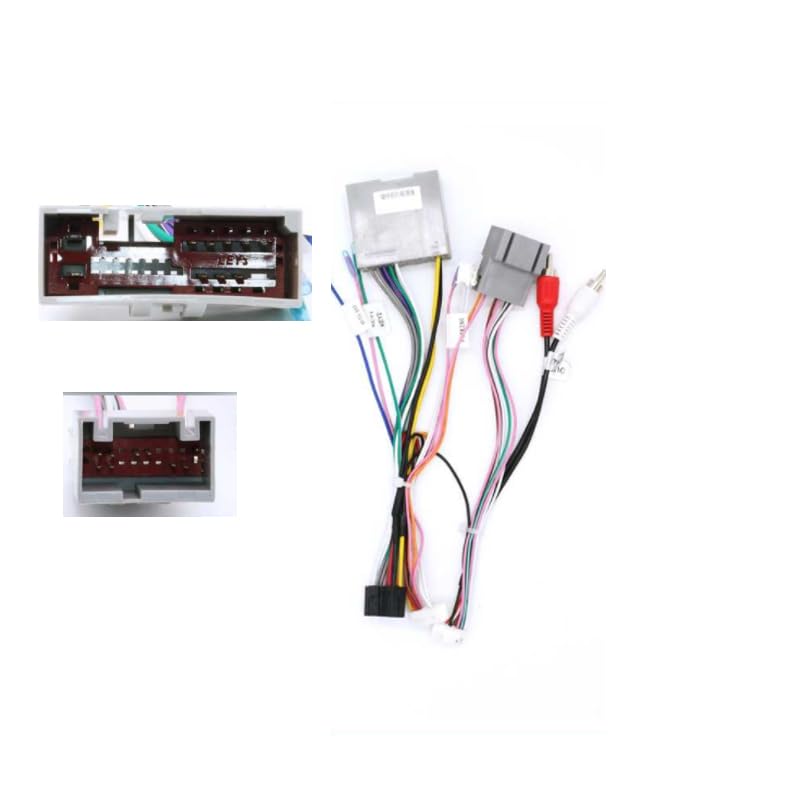
Image: The 16-pin Android wiring harness showing various connectors for vehicle and head unit integration.
4.3 Wiring Diagram (P1 Connector)
The following diagram illustrates the pin assignments for the P1 connector on the wiring harness. Use this for reference when making connections, especially for custom setups or troubleshooting.
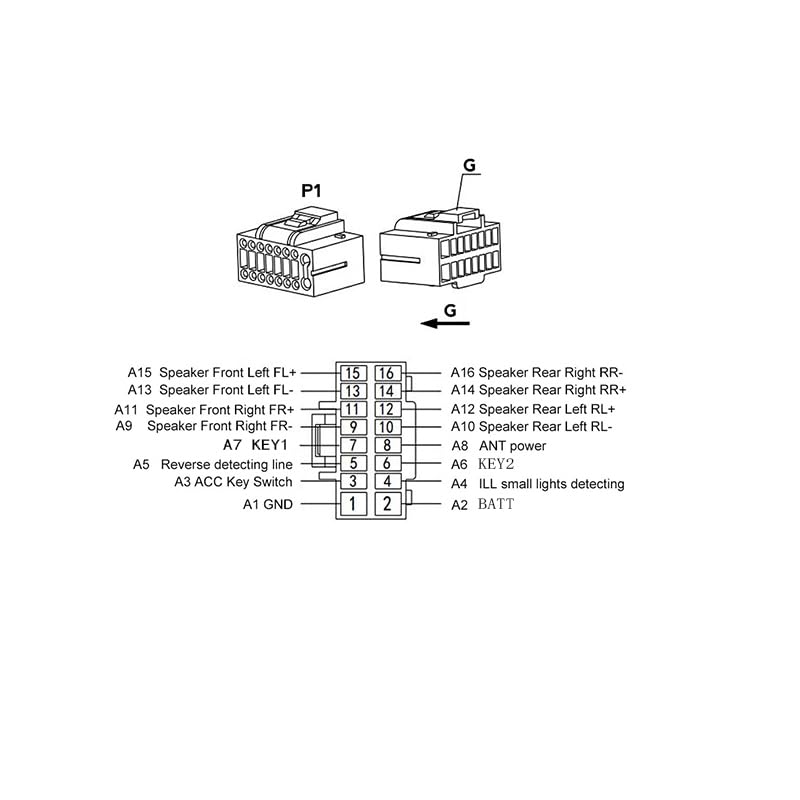
Image: Detailed wiring diagram for the P1 connector, showing pin numbers and their corresponding functions (e.g., speaker outputs, ACC key switch, reverse detecting line, antenna power).
| Speldnr. | Funksie | Speldnr. | Funksie |
|---|---|---|---|
| A1 | GND (Grond) | A2 | BATT (Battery +12V Constant) |
| A3 | ACC Key Switch (Accessory Power) | A4 | ILL Small Lights Detecting (Illumination) |
| A5 | Reverse Detecting Line | A6 | KEY2 (Steering Wheel Control 2) |
| A7 | KEY1 (Steering Wheel Control 1) | A8 | ANT Power (Antenna Remote Turn-on) |
| A9 | Speaker Front Right FR+ | A10 | Speaker Rear Left RL- |
| A11 | Speaker Front Right FR- | A12 | Speaker Rear Left RL+ |
| A13 | Speaker Front Left FL- | A14 | Speaker Rear Right RR+ |
| A15 | Speaker Front Left FL+ | A16 | Speaker Rear Right RR- |
4.4 Finale Stappe
- Herkoppel battery: Once all connections are secure, reconnect the negative terminal of the vehicle's battery.
- Toetsstelsel: Turn on the vehicle and the new Android car radio. Verify that all functions (audio, steering wheel controls, reverse camera, etc.) are working correctly.
- Monteer die dashboard weer: Monteer die komponente van die dashboard versigtig weer.
5. Bedryfsinstruksies
The FD-SS-04 wiring harness and Canbus box are designed to provide seamless integration between your Ford Raptor F-150 and an aftermarket Android car radio. Once installed, the Canbus box translates vehicle data (such as ignition status, steering wheel controls, and reverse gear signals) into a format compatible with your Android head unit.
- Krag aan/af: The Android head unit should power on and off with the vehicle's ignition.
- Stuurwielkontroles: If your Android head unit supports it, the Canbus box will enable the use of factory steering wheel controls for audio functions (e.g., volume, track skip). Configuration may be required within the Android head unit's settings.
- Reverse Gear Detection: When the vehicle is shifted into reverse, the Canbus box sends a signal to the Android head unit, typically activating a connected reverse camera display.
- Verligting: The illumination wire provides a signal for the head unit to dim its display when the vehicle's headlights are on.
Refer to your specific Android car radio's user manual for detailed operating instructions of the head unit itself.
6. Onderhoud
The FD-SS-04 wiring harness and Canbus box are designed for maintenance-free operation. No regular servicing is required.
- Maak seker dat alle verbindings stewig en vry van korrosie bly.
- Keep the Canbus box and wiring away from excessive heat, moisture, and physical damage.
- Do not attempt to open or repair the Canbus box.
7. Probleemoplossing
Indien u probleme ondervind na installasie, raadpleeg die volgende stappe vir probleemoplossing:
| Probleem | Moontlike oorsaak | Oplossing |
|---|---|---|
| Android head unit does not power on. | Los kragverbinding, geblaasde sekering, verkeerde bedrading. | Check battery connection. Verify ACC and BATT wires are correctly connected (Pins A3 and A2). Check vehicle's fuse box and head unit's fuse. |
| Geen klank van luidsprekers nie. | Incorrect speaker wiring, amplifer skakel nie aan nie. | Verify speaker wire connections (Pins A9-A16) using the wiring diagram. Ensure amplifier remote turn-on (if applicable) is connected. |
| Stuurwielkontroles werk nie. | Incorrect KEY1/KEY2 connection, head unit not configured. | Check KEY1 (A7) and KEY2 (A6) connections. Configure steering wheel controls within the Android head unit's settings menu. |
| Reverse camera not activating. | Reverse detecting line not connected, camera power issue. | Ensure Reverse Detecting Line (A5) is correctly connected to the head unit's reverse trigger input. Verify camera power and video signal. |
| Canbus box feels warm. | Normal operation, or potential overload. | A slight warmth is normal. If it's excessively hot or emitting smoke/smell, disconnect power immediately and check for short circuits. |
If problems persist after following these steps, contact customer support or a professional installer.
8. Spesifikasies
- Model Naam: FD-SS-04
- Interface: Micro SD/TF (Note: This refers to the internal interface of the Canbus box, not an external user port.)
- Materiaal tipe: Plastiek
- Item gewig: 0.2 kg
- Voltage: 5V (Operating voltage for Canbus box logic)
- Uit krag: 5W (Maximum power consumption/output for Canbus functions)
- Verenigbaarheid: Ford Raptor F-150 (Specific years/trims may apply, verify with vehicle manufacturer)
9. Waarborginligting
Spesifieke waarborgbesonderhede vir hierdie produk word nie in die beskikbare inligting verskaf nie. Verwys asseblief na die kleinhandelaar of vervaardiger se website for current warranty terms and conditions. Typically, electronic components like this come with a limited manufacturer's warranty covering defects in materials and workmanship for a specified period from the date of purchase.
Bewaar u bewys van aankoop vir enige waarborgaansprake.
10. Ondersteuning
For further assistance, technical support, or inquiries regarding the Generic FD-SS-04 Android Wiring Harness and Canbus Box, please contact your point of purchase or refer to the manufacturer's official support channels.
Vervaardiger: HUNTAN
ASIN: B0DXPTTHW7
When contacting support, please have your product model (FD-SS-04) and purchase details readily available.