
1. Inleiding
Thank you for choosing the Kratos PB03 10000mAH Magsafe Power Bank. This manual provides essential information for the safe and efficient use of your device. Please read it thoroughly before operation and retain it for future reference.
2. Produk verbyview
The Kratos PB03 is a versatile 10000mAH power bank designed for both wired and wireless charging. It features Magsafe compatibility for iPhones and other Qi-enabled devices, along with Type-C and dual Type-A ports for wired connections.
Sleutel kenmerke:
- 10000mAH Capacity: Verskaf ample krag vir veelvuldige ladings.
- Magsafe Compatibility: Secure magnetic attachment for wireless charging with compatible devices.
- 22.5W Bedrade Laai: Fast charging via Type-C and Type-A ports.
- 18W draadlose laai: Efficient wireless power delivery.
- Veelvuldige poorte: Includes 1x Type-C (input/output) and 2x Type-A (output) ports.
- LED-aanwyser: Displays battery status and charging activity.
- Veiligheidskenmerke: Auto Shut-Off, Over Charging Protection, Short Circuit Protection.
Pakketinhoud:
- Kratos PB03 10000mAH Magsafe Power Bank
- Laaikabel (USB-A na Tipe-C)
- Gebruikershandleiding
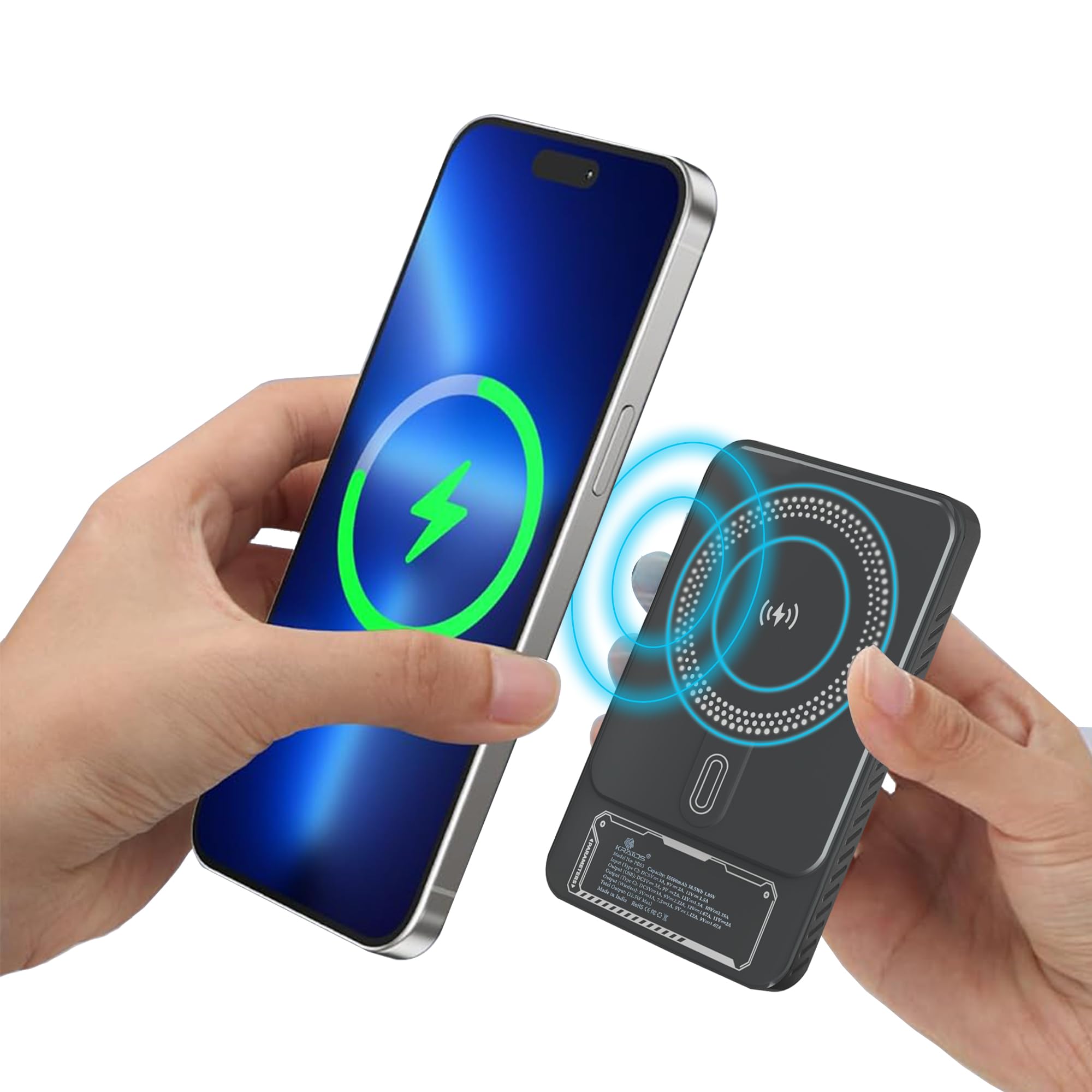
Figure 1: Kratos PB03 10000mAH Magsafe Power Bank, front view.

Figuur 2: oorview of the Kratos PB03's stylish mechanical design and power features, highlighting Magsafe, Type-C, and USB ports.
3. Opstelling
3.1 Laai die kragbank
- Connect the provided USB-A to Type-C cable to the power bank's Type-C port.
- Plug the other end of the cable into a compatible USB wall adapter (not included).
- The LED indicator lights will illuminate to show the charging status. When all lights are solid, the power bank is fully charged.
Dit word aanbeveel om die kragbank volledig te laai voor die eerste gebruik.
3.2 Krag aan/af
Press the power button once to check the battery level or to activate wireless charging. The power bank will automatically turn off when not in use for a period to conserve energy.

Figure 3: The compact, pocket-sized design of the Kratos PB03 power bank.
4. Bedryfsinstruksies
4.1 Bedrade laai
- Connect your device to one of the power bank's output ports (Type-C or Type-A) using an appropriate charging cable.
- Die kragbank sal outomaties jou toestel begin laai.
- The LED indicator will show charging activity.
4.2 Wireless Charging (Magsafe Compatible)
- Ensure your device is Qi-enabled and Magsafe compatible (for magnetic attachment).
- Press the power button on the power bank to activate wireless charging.
- Align your device with the wireless charging pad on the power bank. For Magsafe compatible devices, the magnetic connection will secure it in place.
- Charging will begin automatically. The LED indicator will confirm wireless charging is active.

Figure 4: The Kratos PB03 supports multi-compatibility, charging a phone via Type-C, a game controller via USB-A, and earbuds wirelessly.

Figure 5: Magnetic resonance charging in action, with the power bank securely attached to a smartphone, providing 10000 mAh of pure energy.

Figure 6: Demonstrating the ease of snapping the power bank onto a compatible device for instant charging.
5. Veiligheidsinligting
- Moenie die kragbank blootstel aan uiterste temperature (bo 45°C of onder 0°C), direkte sonlig of hoë humiditeit nie.
- Vermy die val, demontage of wysiging van die toestel.
- Hou weg van water en ander vloeistowwe.
- Moenie gebruik as die kragbank beskadig of geswel is nie.
- Hou buite bereik van kinders.
- Dispose of the power bank according to local regulations.
6. Onderhoud
- Maak die kragbank skoon met 'n sagte, droë lap. Moenie harde chemikalieë of skuurmiddels gebruik nie.
- Berg die kragbank op 'n koel, droë plek wanneer dit nie gebruik word nie.
- For optimal battery life, charge the power bank at least once every three months if stored for extended periods.
7. Probleemoplossing
| Kwessie | Moontlike oorsaak | Oplossing |
|---|---|---|
| Kragbank laai nie | Charging cable or adapter faulty; power bank fully charged; loose connection. | Check cable and adapter; ensure secure connection; try a different cable/adapter. |
| Toestel laai nie vanaf kragbank nie | Power bank battery low; device cable faulty; incorrect port used; wireless charging not activated. | Recharge power bank; check device cable; ensure correct port for wired charging; press power button for wireless charging. |
| Stadige laai | Kabel ondersteun nie vinnige laai nie; toestel ondersteun nie vinnige laai nie; verskeie toestelle laai gelyktydig. | Use a fast-charging compatible cable; ensure device supports fast charging; charge one device at a time for maximum speed. |
| Draadlose laai werk nie | Device not Qi-enabled or misaligned; power bank not activated; phone case too thick. | Ensure device compatibility and proper alignment; press power button to activate; remove thick phone cases. |
8. Spesifikasies
| Kenmerk | Detail |
|---|---|
| Model Naam | PB03 |
| Battery kapasiteit | 10000mAH |
| Battery sel samestelling | Litium polimeer |
| Bedrade uitset | Up to 22.5W (Type-C, Type-A) |
| Draadlose uitset | Up to 18W (Magsafe compatible) |
| Invoerpoort | Tipe-C |
| Uitsetpoorte | 1x Type-C, 2x Type-A |
| Dimensions (L x W x Thickness) | 16L x 10W x 4Th Centimeters |
| Gewig | 250 gram |
| Spesiale kenmerke | Auto Shut-Off, Fast Charging, LED Indicator Lights, Over Charging Protection, Short Circuit Protection, Wireless Charging |
9. Waarborg en Ondersteuning
9.1 Waarborginligting
The Kratos PB03 Power Bank comes with a 1 jaar waarborg from the date of purchase. This warranty covers manufacturing defects. It does not cover damage caused by misuse, accidents, unauthorized modifications, or normal wear and tear.
9.2 Kliëntediens
For any questions, technical support, or warranty claims, please contact Kratos customer service:
- Telefoon: 81482 73270
- E-pos: hulp@gokratos.com