
ClokoWe T800
ClokoWe Mini Projector T800 User Manual
Model: T800
1. Inleiding
This manual provides detailed instructions for the safe and effective use of your ClokoWe Mini Projector T800. Please read this manual thoroughly before operating the device and retain it for future reference.
Veiligheidsinligting
- Moenie direk in die projektorlens kyk wanneer die lamp is aan.
- Verseker behoorlike ventilasie rondom die projektor om oorverhitting te voorkom.
- Hou die projektor weg van water of ander vloeistowwe.
- Gebruik slegs die kragadapter wat by die toestel voorsien is.
- Moenie probeer om die projektor self uitmekaar te haal of te herstel nie. Kontak kliëntediens vir hulp.
2. Pakketinhoud
Verifieer dat alle items in die pakket teenwoordig is:
- ClokoWe Mini Projector T800
- HDMI kabel
- Afstandbeheer
- Kragkoord
- Gebruikershandleiding (hierdie dokument)
3. Produk verbyview
Familiarize yourself with the projector's components and features.
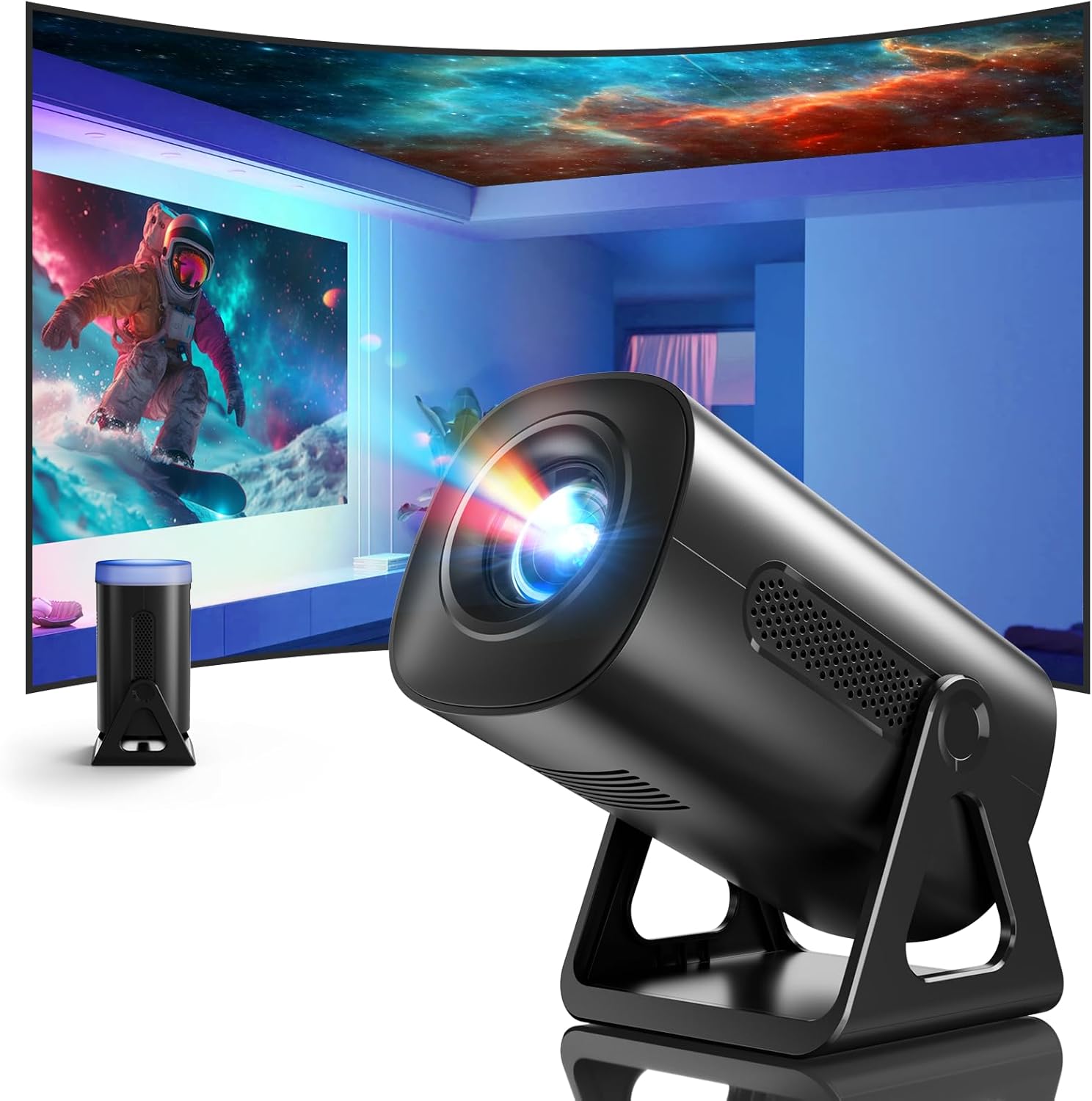
Beeld 3.1: Voorkant view of the ClokoWe Mini Projector T800, showcasing its compact design and projection capability.
Sleutel kenmerke:
- Native 1080p Resolution with 4K Support
- 270° Rotatable Stand for flexible projection angles
- Integrated Star Projector with 6 Galaxy Projection Modes and 7 Ambient Night Light Colors
- Dual Band WiFi 6 (2.4G/5G) for stable wireless connectivity
- Bluetooth 5.2 HiFi Speaker for enhanced audio
- Automatic Keystone Correction and 50%-100% Zoom function
- Multiple connectivity options: USB, HDMI, AV, Audio

Image 3.2: Dimensions and weight of the projector, highlighting the 270-degree rotatable stand.
4. Opstelling
4.1 Kragverbinding
- Koppel die kragkabel aan die projektor se kragtoevoerpoort.
- Steek die ander kant van die kragkabel in 'n standaard elektriese aansluiting.
- Die kragaanwyserlig sal verlig.
4.2 Plasing en Aanpassing
The 270° rotatable stand allows for flexible placement and projection.

Image 4.1: The projector's 270-degree rotation feature, enabling projection onto walls, floors, or ceilings.
- Posisionering: Plaas die projektor op 'n stabiele, plat oppervlak.
- Hoek verstelling: Rotate the projector body on its stand to achieve the desired projection angle (up to 270 degrees).
- Fokus: Use the focus ring on the projector lens to sharpen the image.
- Keystone-korreksie: The projector features automatic keystone correction. If the image appears trapezoidal, the device will automatically adjust it to a rectangular shape. Manual adjustments may also be available in the settings menu.

Image 4.2: Demonstration of automatic keystone correction and image zoom capabilities.
5. Bedryfsinstruksies
5.1 Aanvanklike aanskakeling
- Druk die kragknoppie op die projektor of die afstandbeheer.
- The projector will start up and display the main interface.
5.2 Konnektiwiteit
The projector supports various input sources and wireless connections.

Beeld 5.1: verbyview of supported device connections via HDMI, USB, and Audio interfaces.
5.2.1 WiFi Connection (Dual Band WiFi 6)
- Navigeer na die 'Instellings'-kieslys op die projektor.
- Kies 'Netwerk' of 'WiFi-instellings'.
- Choose your desired 2.4G or 5G WiFi network from the list.
- Voer die wagwoord in en koppel.

Image 5.2: Demonstrating Dual Band WiFi 6 connectivity and wired screen mirroring with a smartphone.
5.2.2 Bluetooth Connection (Bluetooth 5.2)
- Gaan na 'Instellings' en kies 'Bluetooth'.
- Skakel Bluetooth aan en soek vir beskikbare toestelle.
- Kies jou Bluetooth-luidspreker of -oorfone uit die lys om te koppel.

Image 5.3: The projector's Bluetooth 5.2 capability for connecting to external audio devices.
5.2.3 HDMI/USB/AV Connection
- Connect your device (e.g., laptop, TV stick, game console) to the corresponding HDMI, USB, or AV port on the projector.
- Select the correct input source from the projector's main menu using the remote control.
5.3 Projection Modes (Star Projector & Night Light)
The projector includes integrated ambient lighting features.

Image 5.4: The projector's ability to display 7 night light colors and 6 galaxy projection modes.
- Melkwegprojeksie: Access the 'Star Projector' or 'Galaxy Modes' option in the menu to select from 6 different galaxy patterns.
- Omgewingsnaglig: With the lens cover on, select from 7 ambient light colors to use the projector as a night light.
5.4 Beeldaanpassing
- Zoem funksie: Adjust the projection size from 50% to 100% via the projector's menu settings.
- Beeldkwaliteit: The projector supports native 1080p resolution and 4K input. Ensure your source content is of high quality for the best viewondervinding.
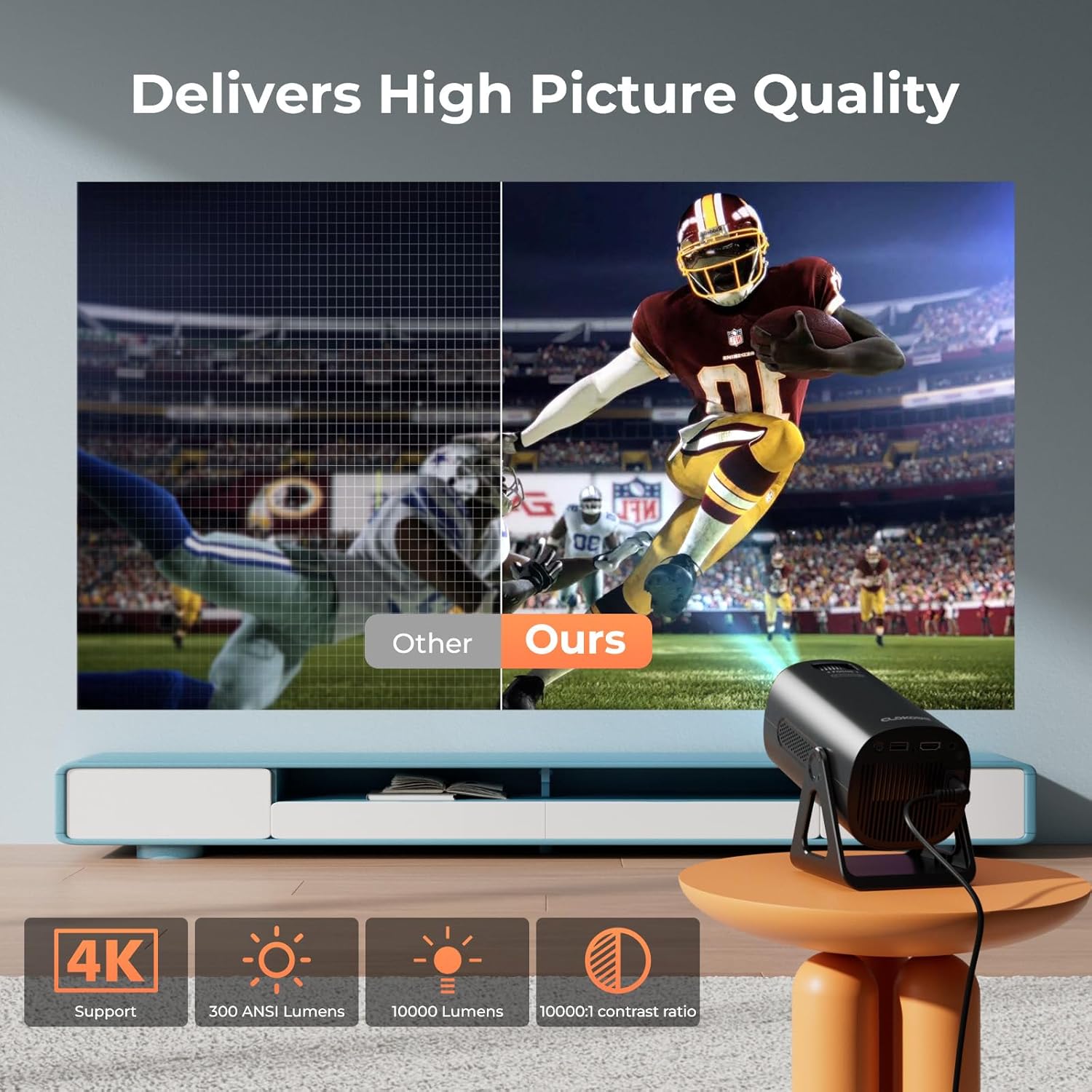
Image 5.5: Visual comparison of picture quality, emphasizing 4K support and brightness specifications.
6. Onderhoud
- Lens skoonmaak: Use a soft, lint-free cloth specifically designed for optical lenses to gently wipe the projector lens. Do not use abrasive cleaners.
- Stofverwydering: Regularly clean the projector's vents with a soft brush or compressed air to prevent dust buildup, which can affect performance and lifespan.
- Berging: When not in use for extended periods, store the projector in a cool, dry place, preferably in its original packaging or a protective case.
- Skakel af: Always power off the projector correctly and allow it to cool down before unplugging or moving it.
7. Probleemoplossing
Algemene kwessies en oplossings:
- Geen krag:
• Ensure the power cord is securely connected to both the projector and the power outlet.
• Check if the power outlet is functional. - Geen Beeld/Sein:
• Verify that the correct input source (HDMI, USB, AV) is selected in the projector's menu.
• Check the connection cables between the projector and the source device.
• Ensure the source device is powered on and outputting a signal. - Vervaagde prent:
• Adjust the focus ring on the projector lens.
• Ensure the projection surface is flat and the projector is stable.
• Check if the lens is clean. - Beeld is trapesiumvormig:
• The automatic keystone correction should adjust this. If not, check for manual keystone adjustment options in the settings. - Geen klank:
• Check the volume settings on both the projector and the source device.
• If using Bluetooth, ensure the external speaker/headphones are properly paired and connected.
• If using HDMI, ensure the audio output is correctly configured on the source device. - WiFi/Bluetooth Connection Issues:
• Ensure the projector is within range of the WiFi router or Bluetooth device.
• Restart the projector and the network device.
• Re-enter WiFi passwords carefully.
8. Spesifikasies
| Kenmerk | Spesifikasie |
|---|---|
| Modelnommer | T800 |
| Vertoon resolusie | 1280 x 720 (Native 1080p, 4K Support) |
| Verbindingstegnologie | 3.5mm Jack, Bluetooth 5.2, HDMI, USB, Wi-Fi 6 (2.4G/5G) |
| Spesiale kenmerk | Portable, 270° Rotatable Stand, Star Projector, Ambient Night Light, Auto Keystone Correction, Zoom |
| Aanbevole gebruike | Besigheid, Onderwys, Speletjies, Tuisbioskoop |
| Item gewig | 2.38 pond |
| Pakket afmetings | 9.13 x 6.69 x 5.28 duim |
9. Waarborg en Ondersteuning
ClokoWe products are designed for reliability and performance. For warranty information, technical support, or service inquiries, please refer to the warranty card included in your package or visit the official ClokoWe website. Please have your model number (T800) and purchase details ready when contacting support.
Ask a question about this manual
Ask about setup, troubleshooting, compatibility, parts, safety, or missing instructions. Manuals+ will review the question and use this page’s manual context to help answer it.