
Inleiding
Thank you for choosing the Bell+Howell Triburst 5500 Lumen LED Light. This powerful and energy-efficient lighting solution is designed to provide superior illumination for various indoor spaces such as garages, basements, workshops, and attics. Featuring 144 high-intensity LED bulbs and three adjustable panels, the Triburst light offers versatile and bright lighting where you need it most. Please read this manual carefully before installation and use to ensure proper operation and safety.
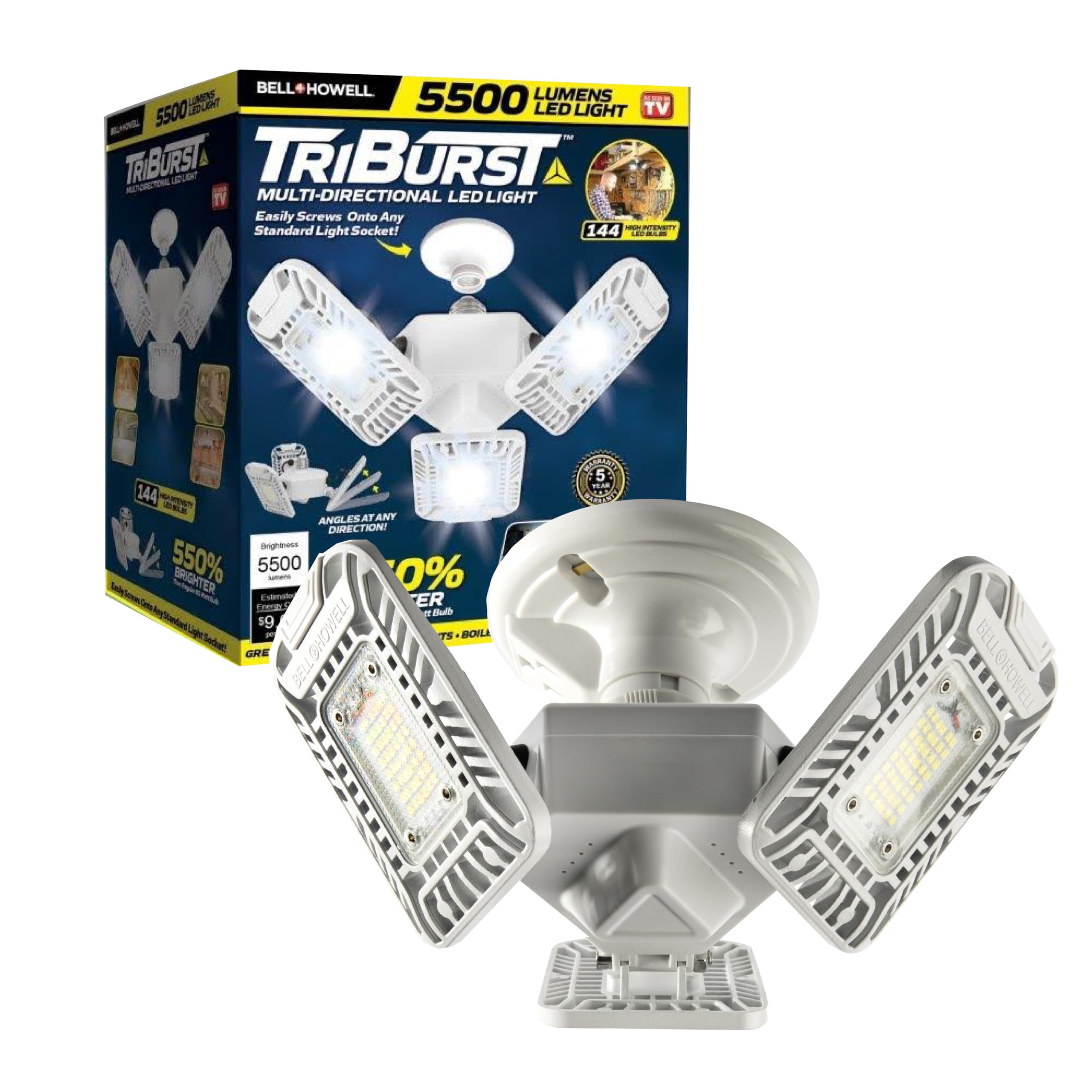
Image: The Bell+Howell Triburst LED Light, showcasing its three adjustable panels and bright illumination.
Veiligheidsinligting
- Slegs binnenshuise gebruik: This product is designed for indoor use in dry locations. Do not expose to water or moisture.
- Elektriese veiligheid: Ensure the power is turned off at the switch or circuit breaker before installation or maintenance.
- Proper Socket: Only install into a standard E26 light bulb socket. Do not force the light into an incompatible socket.
- Moenie uitmekaar haal nie: Moenie probeer om die ligtoestel oop te maak of te verander nie. Daar is geen onderdele binne wat deur die gebruiker onderhou kan word nie.
- Vermy direkte oogblootstelling: The LED light is very bright. Avoid looking directly into the light source for extended periods to prevent eye strain.
- Ventilasie: Verseker voldoende ventilasie rondom die toestel om oorverhitting te voorkom.
Pakketinhoud
Your Bell+Howell Triburst package should contain the following item:
- 1 x Bell+Howell Triburst 5500 Lumen LED Light (Model 8948)
Produk Kenmerke
- Ultra-helder beligting: Delivers 5500 lumens of bright white light, equivalent to 20 standard light bulbs.
- 144 High-Intensity LED Bulbs: Provides powerful and consistent lighting.
- 360° Adjustable Panels: Three hinged panels can be angled in any direction to direct light precisely where needed.
- Maklike installasie: Screws into any standard E26 light socket, requiring no tools or special wiring.
- Energiedoeltreffend: Designed for low energy consumption, offering significant savings compared to traditional bulbs.
- Duursame konstruksie: Made from aluminum for long-lasting performance.

Image: Key features of the Triburst LED Light, including its brightness, adjustability, and energy efficiency.

Image: Visual comparison demonstrating the significant increase in brightness provided by the Triburst light compared to a standard 60-watt bulb.
Opstelling en installasie
Installing your Bell+Howell Triburst LED Light is quick and easy. No tools are required.
- Skakel krag af: Before beginning, ensure the power to the light socket is turned off at the wall switch or circuit breaker to prevent electrical shock.
- Verwyder bestaande gloeilamp: Carefully unscrew and remove any existing light bulb from the E26 socket.
- Screw in Triburst Light: Gently screw the Triburst LED Light into the standard E26 light socket until it is snug. Do not overtighten.
- Pas panele aan: Once installed, adjust the three hinged LED panels to your desired angles to direct the light coverage. The panels can be angled up to 360 degrees.
- Herstel krag: Turn the power back on at the wall switch or circuit breaker.

Image: Step-by-step visual guide for installing the Triburst light into a standard socket and adjusting its panels.
Bedryfsinstruksies
The Bell+Howell Triburst LED Light operates like a standard light bulb once installed.
- Skakel aan/af: Use the existing wall switch connected to the light socket to turn the Triburst light on or off.
- Pas ligrigting aan: The three LED panels can be manually adjusted to direct light. Gently pivot each panel to illuminate specific areas or achieve broader coverage.

Image: A garage before and after installing the Triburst light, demonstrating its powerful illumination.
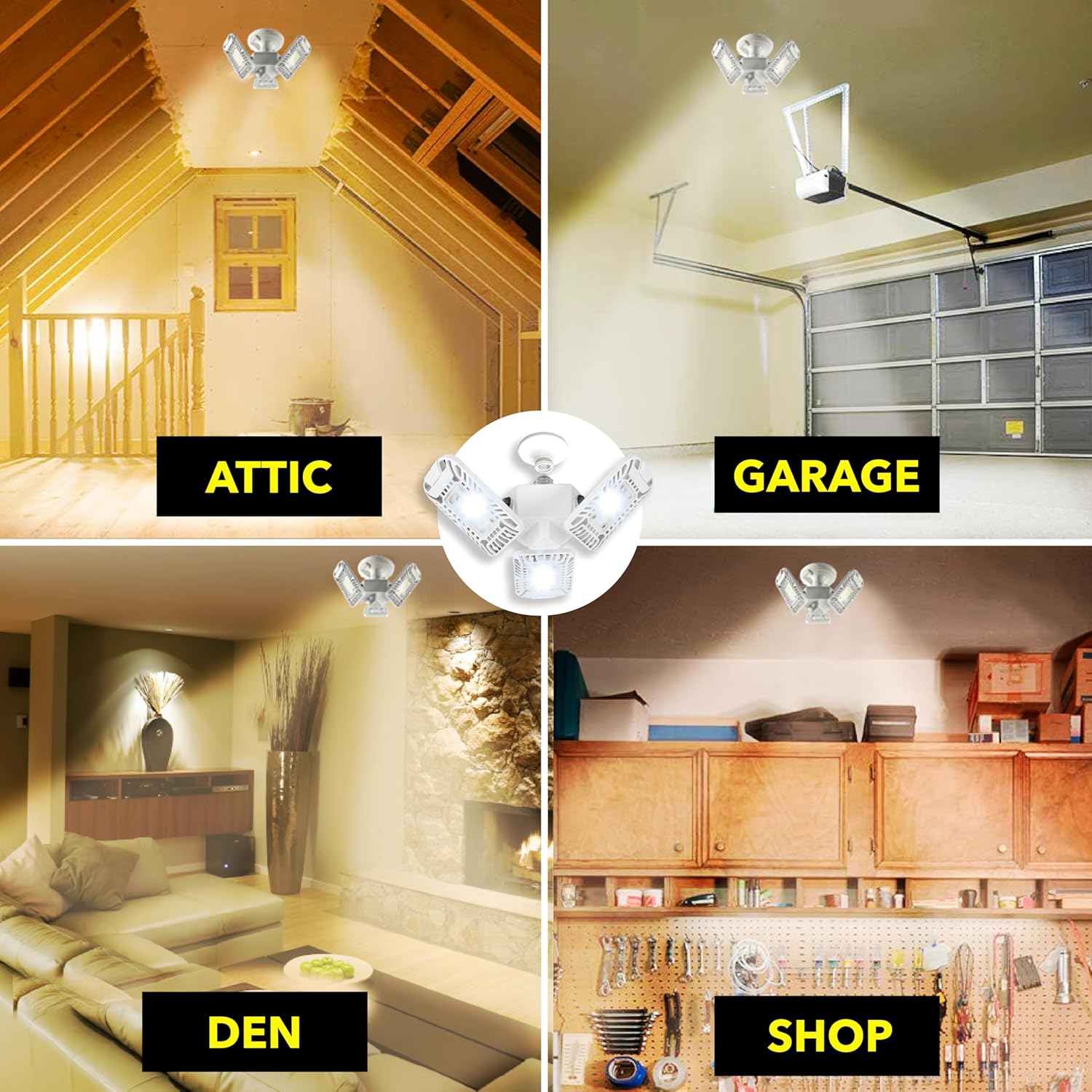
Beeld: Bvamples of the Triburst light in various applications, including attics, garages, dens, and shops.
Onderhoud
The Bell+Howell Triburst LED Light requires minimal maintenance.
- Skoonmaak: Ensure the power is off before cleaning. Use a soft, dry cloth to wipe the surface of the light. Do not use abrasive cleaners or solvents.
- Geen gebruikerdiensbare onderdele nie: The LED bulbs are integrated and not replaceable. Do not attempt to open the fixture.
Probleemoplossing
If you encounter issues with your Triburst LED Light, please refer to the following common solutions:
| Probleem | Moontlike oorsaak | Oplossing |
|---|---|---|
| Lig skakel nie aan nie. | No power to the socket. Light not screwed in properly. | Check the wall switch and circuit breaker. Ensure the light is securely screwed into the E26 socket. |
| Light is dim or not covering desired area. | Panels are not optimally angled. | Adjust the three hinged panels to direct light more effectively to your desired areas. |
Spesifikasies
| Kenmerk | Detail |
|---|---|
| Handelsmerk | Bell+Howell |
| Modelnommer | 8948 |
| Helderheid | 5500 Lumen |
| Wattage | 60 watt |
| Ligbron | LED (144 gloeilampe) |
| Gloeilamp basis | E26 |
| Materiaal | Aluminium |
| Kleur | Wit |
| Afmetings (L x B x H) | 6 cm L x 8 cm B x 9 cm H |
| Binne/buiteluggebruik | Binneshuise |
| Beheer metode | Push Button (via wall switch) |

Image: Detailed dimensions of the Triburst LED Light.
Waarborg en Ondersteuning
This product comes with a manufacturer's warranty. For specific warranty details, duration, and to register your product or obtain support, please refer to the warranty information included with your purchase or visit the official Bell+Howell webwebwerf. Bewaar u aankoopbewys as bewys van aankoop.
Amptelike Produkvideo
Video: Official product video demonstrating the features and benefits of the Triburst Ceiling Light. This video shows the light in various settings and highlights its brightness and adjustability.


