
1. Inleiding
The XIAOMI Pad 7 Ai WiFi Version (Model 2410CRP4CG) is a high-performance tablet designed for productivity and entertainment. It features an 11.2-inch 3.2K 144Hz crystal-clear display, offering detailed visuals and an immersive viewing experience. The device supports Dolby Vision® with 800 nits peak brightness for stunning HDR content. Eye comfort is prioritized with multi-dimensional eye-care functions, including 4096 levels of brightness adjustment and TÜV Rheinland eye comfort certifications. Audio is enhanced by quad speakers with Dolby Atmos® support and 200% volume boost. Powered by the Snapdragon 7+ Gen 3 Mobile Platform and HyperOS 2, it offers seamless multitasking and AI capabilities for various office tasks, text/image generation, and meetings. The tablet boasts a sleek unibody design crafted from high-strength aluminum alloy, combining sophistication with portability.
2. Wat is in die boks
Upon unboxing your XIAOMI Pad 7 Ai, please ensure all the following items are present:
- USB Type-C kabel
- Handleiding
- Vinnige motorlaaier
Note: A 45W power adapter is not included in the box and is sold separately. Using a Xiaomi 45W power adapter is recommended for turbo charging.
3. Toestel oorview
The XIAOMI Pad 7 Ai features a sleek and durable unibody design. Familiarize yourself with the device's layout:
- Vertoon: 11.2-inch 3.2K 144Hz crystal-clear screen.
- Kameras: Rear 13MP camera and Front 8MP camera.
- Luidsprekers: Four speakers for immersive audio experience.
- Poorte: USB Tipe-C-poort vir laai en data-oordrag.
- Sensors: Accelerometer, Gyroscope, Ambient light (front/rear), Flicker sensor, Hall sensor, Magnetic sensor, Proximity sensor, RGB LED, IR remote control.

Figuur 3.1: Voor en agter view of the XIAOMI Pad 7 Ai.
4. Opstelling
Follow these steps to set up your XIAOMI Pad 7 Ai for the first time:
- Krag aan: Druk en hou die aan/af-knoppie in totdat die XIAOMI-logo verskyn.
- Aanvanklike konfigurasie: Volg die aanwysings op die skerm om jou taal en streek te kies en aan 'n Wi-Fi-netwerk te koppel.
- Google-rekening: Meld aan met jou Google-rekening of skep 'n nuwe een.
- Sekuriteit: Set up a screen lock (PIN, pattern, or password). Face unlock is also available.
- Sagteware-opdaterings: The tablet may prompt you to download and install available software updates. It is recommended to keep your device's software up-to-date for optimal performance and security.
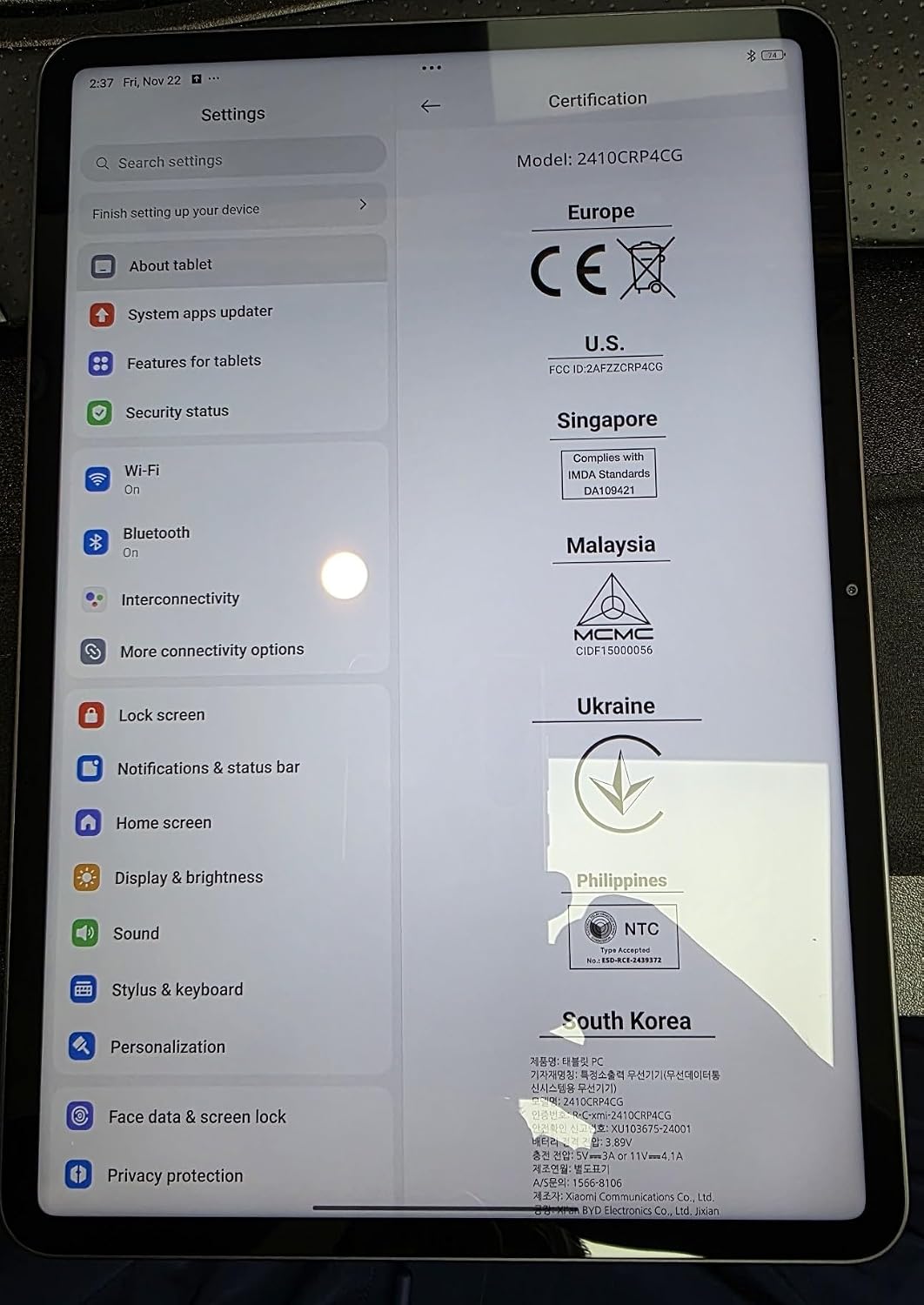
Figure 4.1: Device settings screen displaying certification information.
5. Bedryfsinstruksies
The XIAOMI Pad 7 Ai runs on HyperOS 2, offering a user-friendly interface and advanced features:
- Navigasie: Use gestures for navigation (swipe up for home, swipe from edge to go back) or switch to 3-button navigation in Settings.
- Notifications & Control Panel: Swipe down from the top-left for notifications and from the top-right for the control panel (quick settings).
- Multitasking: HyperOS 2 supports split-screen and floating windows, allowing you to run multiple applications simultaneously for enhanced productivity.
- App-laai: You can choose between a classic home screen layout or one with an app drawer for organizing your applications.
- Vertoon opsies: Adjust brightness, enable Sunlight mode for outdoor visibility, and customize color schemes.
6. Kameragebruik
Capture moments with the integrated cameras:
- Agterste kamera: 13MP with f/2.2 aperture and PDAF. Supports 4K video recording at 30fps, and 1080P/720P video at 30fps/60fps.
- Voorste kamera: 8MP with f/2.28 aperture. Supports 1080P/720P video recording at 30fps.
- Kameramodusse: Photo, Video, Portrait, Document, Dual video, Director mode, Teleprompter, Dynamic shot, HDR.
7. Werkverrigting en battery
The XIAOMI Pad 7 Ai is built for robust performance and extended usage:
- Verwerker: Snapdragon 7+ Gen 3 Mobile Platform (4nm manufacturing process, Octa-core up to 2.8GHz, Adreno GPU, Qualcomm AI engine).
- RAM: 8 GB.
- Interne berging: 128 GB.
- Battery: 8850mAh (typical) with 45W turbo charging support (charger sold separately).
- Verbinding: Wi-Fi 6E (2x2 MIMO, 8x8 Sounding for MU-MIMO, Wi-Fi Direct, Miracast), Bluetooth 5.4 (AAC / LDAC / LHDC 5.0, IPv6).
8. Spesifikasies
| Vertoongrootte van die staande skerm | 11.2 duim |
| Skermresolusie | 3200 x 2136 piksels |
| Maksimum skermresolusie | 3200 x 2136, 345 ppi Piksels |
| Verwerker | 2800 MHz |
| Kaartbeskrywing | Geïntegreerde |
| Draadlose tipe | 802.11a, 802.11ac, 802.11b, 802.11g, 802.11n |
| Handelsmerk | XIAOMI |
| Reeks | Xiaomi Pad 7 |
| Item model nommer | a2d4d7f2-14eb-447b-bfaa-03a30748b3a3 |
| Bedryfstelsel | Android 14 HyperOS |
| Item gewig | 1 pond |
| Produk afmetings | 9.89 x 0.24 x 6.83 duim |
| Item Afmetings LxBxH | 9.89 x 0.24 x 6.83 duim |
| Kleur | Blou |
| Agter Webcam resolusie | 13 MP |
| Verwerker handelsmerk | Snapdragon |
| Flash geheue grootte | 128 GB |
| Batterye | 1 Litium-polimeerbatterye benodig. (ingesluit) |
9. Onderhoud
To ensure the longevity and optimal performance of your XIAOMI Pad 7 Ai, follow these maintenance guidelines:
- Skoonmaak: Gebruik 'n sagte, pluisvrye lap om die skerm en liggaam skoon te maak. Vermy harde chemikalieë of skuurmiddels.
- Sagteware-opdaterings: Kontroleer gereeld vir stelselopdaterings en installeer dit om voordeel te trek uit die nuutste kenmerke, sekuriteitsopdaterings en prestasieverbeterings.
- Omgewingstoestande: Avoid exposing the tablet to extreme temperatures, direct sunlight for prolonged periods, or high humidity.
- Batterysorg: For optimal battery health, avoid fully discharging the battery frequently. Charge your device using the recommended charger.
10. Probleemoplossing
If you encounter any issues with your XIAOMI Pad 7 Ai, try the following solutions:
- Toestel reageer nie: Druk en hou die aan/af-knoppie vir ongeveer 10 sekondes in om 'n herbegin te forseer.
- Wi-Fi-verbindingskwessies: Maak seker dat Wi-Fi geaktiveer is en dat jy binne die bereik van 'n bekende netwerk is. Probeer om jou router te herbegin.
- Program-ineenstorting: Clear the cache and data of the problematic app in Settings > Apps. If the issue persists, try reinstalling the app.
- Stadige prestasie: Close unused apps, clear storage space, and restart the device.
- Fabrieksinstelling: As a last resort, you can perform a factory reset via Settings > System > Reset options. Back up all important data before proceeding, as this will erase all data on the device.
11. Waarborg en Ondersteuning
Your XIAOMI Pad 7 Ai is covered by a manufacturer's warranty. Please refer to the warranty card included in your product packaging for detailed terms and conditions. For technical support, service, or inquiries about protection plans, please visit the official XIAOMI support webwebwerf of kontak hul kliëntediens.


