
Zigma Y90
Zigma Solar Pool Skimmer User Manual
Model: Y90
Brand: Zigma
1. Belangrike veiligheidsinstruksies
Please read all instructions carefully before operating the Zigma Solar Pool Skimmer. Retain this manual for future reference.
- Elektriese veiligheid: Do not attempt to open or repair the device. Refer all servicing to qualified personnel. Ensure the charging port is dry before connecting the USB charging cable.
- Waterveiligheid: Always remove the skimmer from the pool before adding chemicals or performing major pool maintenance. Do not operate the skimmer if there are swimmers or pets in the pool.
- Kinder- en troeteldierveiligheid: Keep the skimmer and its remote control out of reach of children and pets. This device is not a toy.
- Omgewingstoestande: Do not expose the skimmer to extreme temperatures or direct sunlight for prolonged periods when not in water.
- Behoorlike gebruik: Use the skimmer only for its intended purpose of surface debris removal in pools.
2. Produk verbyview
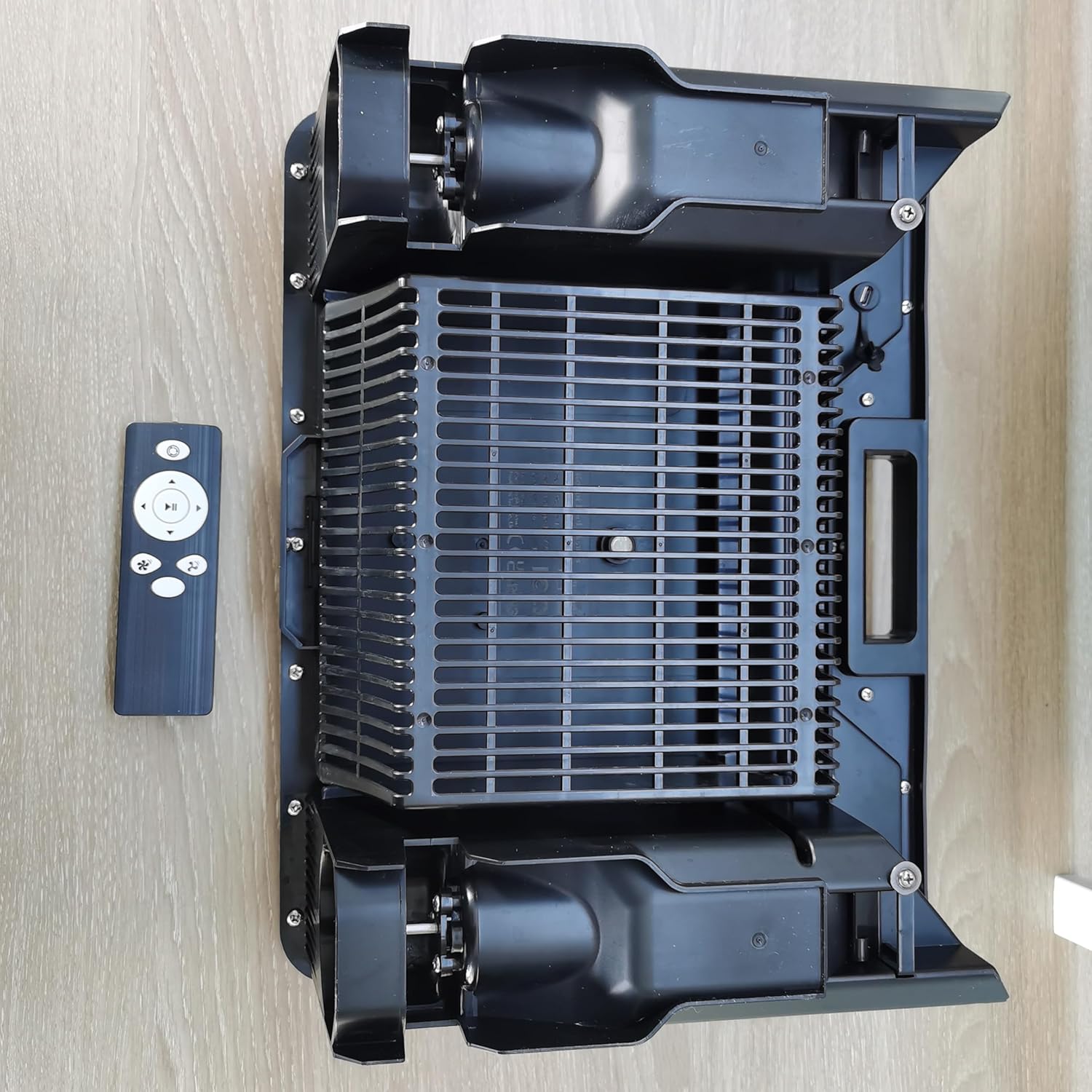
The Zigma Solar Pool Skimmer (Model Y90) is an advanced robotic device designed to automatically clean the surface of your pool. It utilizes solar power for continuous operation and features smart obstacle avoidance, remote control capabilities, and dual charging options for convenience. Its motors are tolerant to both salt and chlorine, making it suitable for various pool types.


3. Opstelling
3.1 Uitpak en Aanvanklike Inspeksie
- Verwyder alle komponente versigtig uit die verpakking.
- Verify that all parts are present: Zigma Solar Pool Skimmer unit, remote control, USB charging cable, and user manual.
- Inspect the skimmer for any visible damage. If damage is found, do not proceed with setup and contact customer support.
3.2 Aanvanklike laai
Although the skimmer is solar-powered, it is recommended to fully charge the internal battery via USB before first use to ensure optimal performance.
- Locate the USB charging port on the skimmer. Ensure it is dry.
- Connect the provided USB charging cable to the skimmer and to a standard USB power adapter (not included).
- The charging indicator light will illuminate. Allow the skimmer to charge until the indicator light changes, signaling a full charge.
3.3 Placing in the Pool
Once charged, gently place the Zigma Solar Pool Skimmer onto the surface of your pool. Ensure it floats freely and is not obstructed by pool edges or other objects.
4. Bedryfsinstruksies
4.1 Aan-/afskakel
- Om aan te skakel: Press and hold the power button located on the top surface of the skimmer until the indicator lights illuminate.
- Om af te skakel: Druk en hou die aan/af-knoppie weer in totdat die aanwyserligte afskakel.
4.2 Outomatiese skoonmaakmodus
Upon powering on, the skimmer will typically enter its automatic cleaning mode. In this mode, it will autonomously navigate the pool surface, collecting debris.
- The skimmer uses smart obstacle avoidance technology to detect and navigate around pool walls, ladders, and other obstructions.
- It will continue to operate as long as there is sufficient battery charge, which is continuously replenished by the solar panel during daylight hours.
4.3 Gebruik van die afstandbeheer
The remote control allows for manual steering and control of the skimmer.
- Saambinding: The remote control should be pre-paired. If not, refer to the remote control's specific pairing instructions (usually involves holding a button on both devices).
- Rigtingbeheer: Use the directional buttons to steer the skimmer manually to specific areas of the pool.
- Moduskeuse: The remote may have buttons to switch between automatic and manual modes, or to initiate specific cleaning patterns. Refer to the remote's button labels for exact functions.
4.4 Battery and Charging Indicators
Monitor the indicator lights on the skimmer for battery status. A low battery will typically be indicated by a specific light pattern or color, prompting a need for USB charging if solar power is insufficient.
5. Onderhoud
Regular maintenance ensures the longevity and efficiency of your Zigma Solar Pool Skimmer.
5.1 Cleaning the Debris Basket
The debris basket should be emptied regularly, depending on the amount of debris in your pool.
- Remove the skimmer from the pool.
- Locate and open the debris basket compartment.
- Empty all collected leaves, bugs, and other debris. Note that the basket's mesh is designed to capture larger debris effectively, but very fine particles may pass through.
- Rinse the basket with clean water.
- Reinsert the basket securely into the skimmer.
5.2 Skoonmaak van die sonpaneel
A clean solar panel ensures maximum charging efficiency.
- Wipe the solar panel surface with a soft, damp lap om stof, vuiligheid of waterkolle te verwyder.
- Avoid using abrasive cleaners or brushes that could scratch the panel.
5.3 Propeller Inspection and Cleaning
Periodically check the propellers for any tangled hair, string, or other debris that could impede their rotation.
- Carefully remove any obstructions from the propellers.
- Ensure the propellers spin freely.
5.4 Winterisering en berging
If you live in an area with freezing temperatures, remove the skimmer from the pool before winter.
- Clean and dry the skimmer thoroughly.
- Bêre dit op 'n koel, droë plek, weg van direkte sonlig en uiterste temperature.
- Ensure the battery is partially charged (around 50%) before long-term storage to preserve battery health.
6. Probleemoplossing
This section addresses common issues you might encounter with your Zigma Solar Pool Skimmer.
| Probleem | Moontlike oorsaak | Oplossing |
|---|---|---|
| Skimmer not moving or charging. | Low battery; insufficient sunlight; charging cable not connected properly. | Ensure skimmer is in direct sunlight or connect to USB charger. Check charging cable connection. |
| Skimmer not collecting debris effectively. | Debris basket full; propellers obstructed; basket holes too large for fine debris. | Empty and clean the debris basket. Clear any obstructions from propellers. Note that the skimmer is designed primarily for larger surface debris like leaves and bugs. |
| Skimmer stuck or not avoiding obstacles. | Sensors are dirty or obstructed; skimmer is physically jammed. | Clean the obstacle avoidance sensors. Manually reposition the skimmer if it is physically jammed. |
| Afstandbeheer werk nie. | Remote battery low; remote not paired with skimmer. | Replace remote control batteries. Refer to remote control instructions for re-pairing procedure. |
If the problem persists after attempting these solutions, please contact Zigma customer support.
7. Spesifikasies
| Kenmerk | Detail |
|---|---|
| Modelnommer | Y90 |
| Handelsmerk | Zigma |
| Produk afmetings | 17 x 12 x 7 duim (43.18 x 30.48 x 17.78 cm) |
| Item gewig | 6.32 pond (2.87 kg) |
| Kleur | Oranje |
| Kragbron | Solar Powered (with USB charging option) |
| Vergadering benodig | Nee |
| Vervaardiger | Zigma |
8. Waarborg en Ondersteuning
Zigma products are manufactured to high quality standards. For information regarding warranty coverage, please refer to the warranty card included with your product or visit the official Zigma webwebwerf.
For technical support, troubleshooting assistance, or to inquire about replacement parts, please contact Zigma customer service:
- Webwebwerf: www.zigma.com (bvample, werklike URL kan verskil)
- E-pos: support@zigma.com (bvample, actual email may vary)
- Telefoon: Verwys na u produkverpakking of webwebwerf vir streeks kontaknommers.
When contacting support, please have your product model number (Y90) and purchase information readily available.