
1. Inleiding
Thank you for choosing the AOC 27B35HM Full HD 27-inch monitor. This display is designed to provide a high-quality visual experience with features such as a 120 Hz refresh rate, 1ms MPRT response time, and Adaptive Sync technology for smooth, responsive images. It also incorporates eye-care technologies like Low Blue Light and Flicker-Free to enhance viewing comfort during extended use. This manual will guide you through the setup, operation, and maintenance of your new monitor.
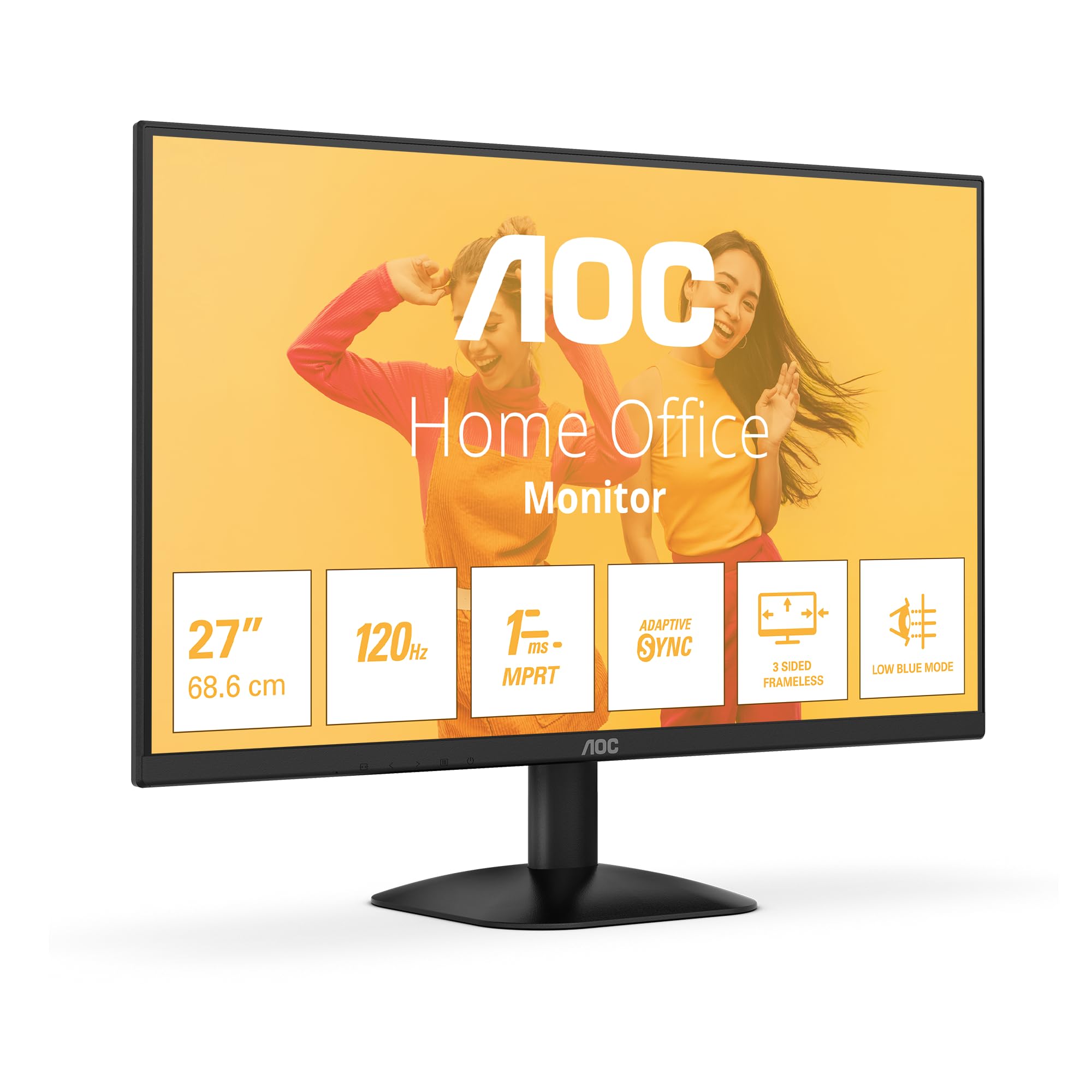
Figuur 1: Voorkant view of the AOC 27B35HM monitor, showcasing its 27-inch screen, 120Hz refresh rate, 1ms MPRT, Adaptive Sync, 3-sided frameless design, and Low Blue Light mode.
2. Veiligheidsinligting
Lees asseblief alle instruksies sorgvuldig deur voordat u hierdie produk gebruik. Bewaar hierdie handleiding vir toekomstige verwysing.
- Do not place the monitor near water or in humid environments.
- Verseker behoorlike ventilasie rondom die monitor. Moenie ventilasie-openinge blokkeer nie.
- Gebruik slegs die kragadapter wat saam met die monitor voorsien word.
- Vermy om swaar voorwerpe op die kragkabel te plaas.
- Moenie probeer om die monitor self te diens nie. Verwys alle diens na gekwalifiseerde personeel.
- Ontkoppel die monitor van die kragtoevoer tydens weerligstorms of wanneer dit vir lang tye nie gebruik word nie.
3. Pakketinhoud
Verify that all the following items are present in your product package:
- AOC 27B35HM Monitor
- Monitorstaander (basis en nek)
- Kragkabel
- HDMI kabel
- D-Sub (VGA) Cable (may vary by region)
- Gebruikershandleiding en waarborgkaart
4. Opstelling
4.1 Montering van die Staanplek
- Plaas die monitor versigtig met die gesig na onder op 'n sagte, skoon oppervlak om skrape te voorkom.
- Attach the stand neck to the monitor's rear panel. Secure it with the provided screws.
- Attach the stand base to the stand neck. Tighten the thumb screw at the bottom of the base.
4.2 Koppel aan 'n rekenaar
The AOC 27B35HM monitor supports HDMI and D-Sub (VGA) connections.
- HDMI-verbinding: Connect one end of the HDMI cable to the HDMI port on your computer's graphics card and the other end to the HDMI 1.4 port on the monitor.
- D-Sub (VGA) Connection: Connect one end of the D-Sub cable to the VGA port on your computer's graphics card and the other end to the D-Sub port on the monitor.
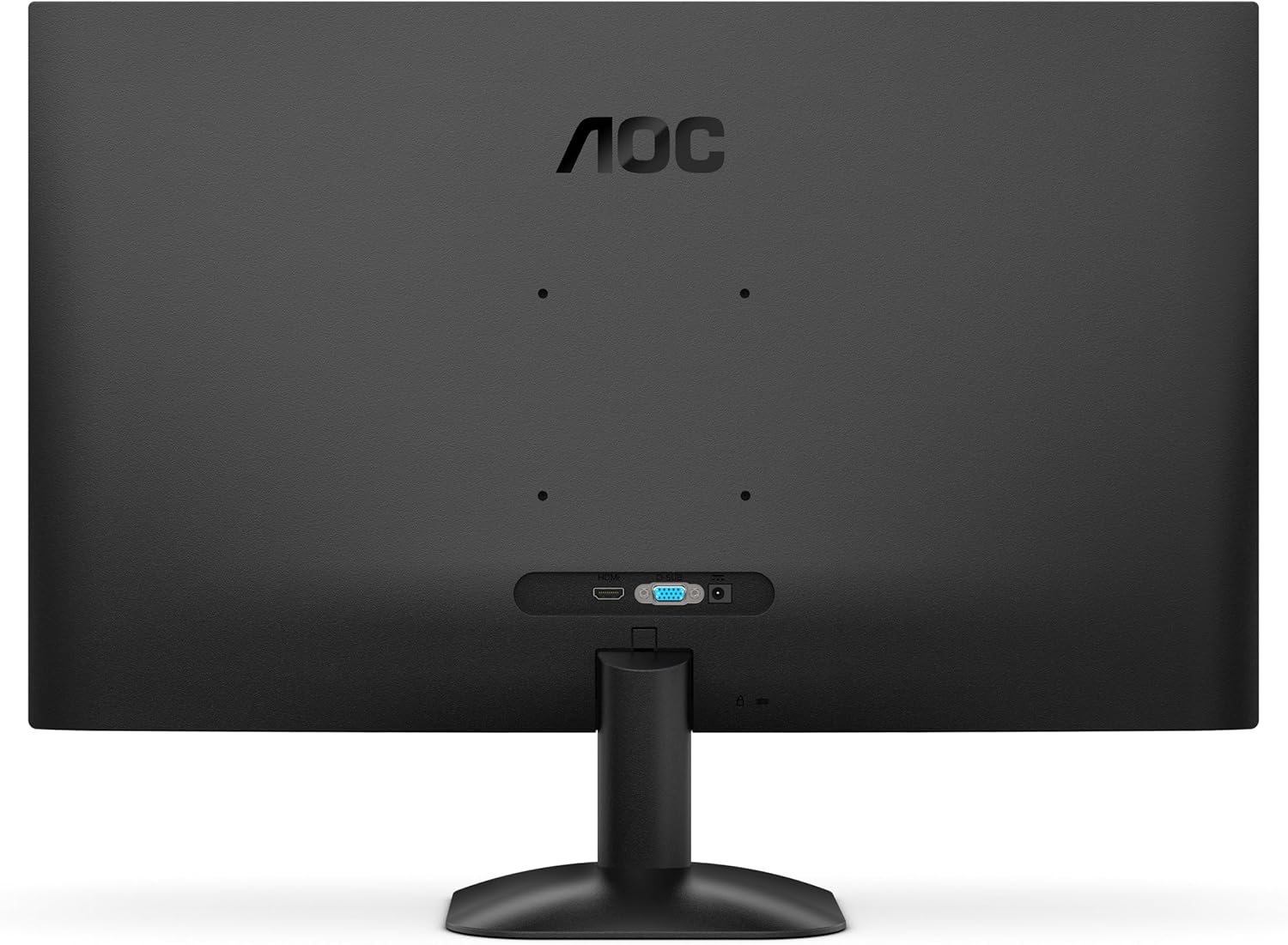
Figuur 2: Agter view of the monitor, illustrating the location of the HDMI and D-Sub input ports.
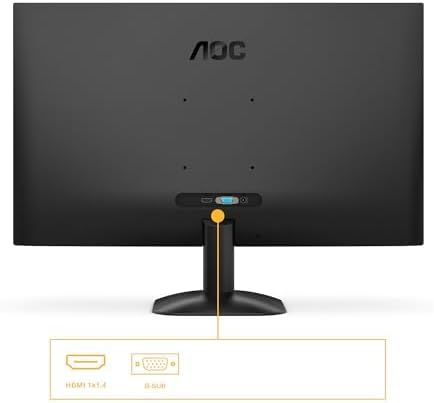
Figuur 3: Gedetailleerd view of the monitor's connectivity options, specifically highlighting the HDMI 1.4 and D-Sub ports.
4.3 Kragverbinding
- Connect the power cable to the monitor's power input.
- Steek die ander kant van die kragkabel in 'n geaarde elektriese aansluiting.
5. Bedryfsinstruksies
5.1 Aan-/afskakel
Druk die aan/af-knoppie regs onder op die monitor om dit aan of af te skakel. Die aan/af-liggie sal brand wanneer die monitor aan is.
5.2 Skermvertoning (OSD) Kieslys
The OSD menu allows you to adjust various monitor settings. Use the buttons or joystick (if applicable) on the monitor's bezel to navigate the menu.
Belangrike OSD-funksies:
- Helderheid/kontras: Pas die algehele helderheid en kontras van die skerm aan.
- Kleurinstellings: Verander kleurtemperatuur, gamma en individuele RGB-vlakke.
- Invoerkeuse: Manually switch between HDMI and D-Sub input sources.
- Prentmodus: Select from preset display modes (e.g., Standard, Text, Game, Movie).
- Aanpasbare sinkronisering: Enable or disable Adaptive Sync for tear-free gaming (requires a compatible graphics card).
- Lae blou lig modus: Reduce blue light emission to minimize eye strain.
- Flikkervrye tegnologie: This monitor features flicker-free technology to reduce eye fatigue during prolonged use.
- HDR10: The monitor supports HDR10 for enhanced color and contrast, providing a more vivid visual experience.
6. Onderhoud
6.1 Skoonmaak van die skerm
Vee die skerm liggies af met 'n sagte, pluisvrye lap. Vir hardnekkige merke, dampen the cloth with a small amount of screen cleaner (non-ammonia based) and wipe gently. Do not spray cleaner directly onto the screen.
6.2 Skoonmaak van die buitekant
Wipe the monitor's exterior with a soft, dry cloth. Avoid using abrasive cleaners or solvents.
7. Probleemoplossing
As jy probleme met jou monitor ondervind, raadpleeg die volgende algemene probleme en oplossings:
| Probleem | Moontlike oorsaak | Oplossing |
|---|---|---|
| Geen krag | Kragkabel nie gekoppel nie; Kragaansluiting foutief. | Maak seker dat die kragkabel stewig aan die monitor en die stopcontact gekoppel is; Toets die stopcontact met 'n ander toestel. |
| Geen sein nie | Video cable not connected; Incorrect input selected. | Check video cable connections (HDMI/D-Sub); Use OSD menu to select correct input source. |
| Image is too dark/bright | Helderheid-/kontrasinstellings verkeerd. | Pas Helderheid- en Kontrasinstellings aan via die OSD-kieslys. |
| Image is distorted/blurry | Incorrect resolution; Faulty cable. | Set display resolution to 1920 x 1080; Try a different video cable. |
| Flikkerende skerm | Refresh rate mismatch; Graphics card issue. | Ensure graphics card drivers are updated; Check monitor refresh rate settings in OS. |
8. Spesifikasies
Detailed technical specifications for the AOC 27B35HM monitor:
| Kenmerk | Spesifikasie |
|---|---|
| Handelsmerk | AOC |
| Modelnommer | 27B35HM |
| Skerm grootte | 27 duim (68.6 cm) |
| Resolusie | 1920 x 1080 (Vol HD) |
| Aspekverhouding | 16:9 |
| Herlaaitempo | 120 Hz |
| Reaksie Tyd | 1 ms (MPRT) |
| Paneel tipe | LED-LCD |
| Oppervlakbeskrywing | Mat |
| Kontrasverhouding | 1000:1 tot 3000:1 |
| Konnektiwiteit | 1 x HDMI 1.4, 1 x D-Sub (VGA) |
| Spesiale kenmerke | Eye Care (Low Blue Light, Adaptive Sync), HDR10 |
| Kleur | Swart |
| Vervaardiger | AOC International |
| Land van oorsprong | China |
8.1 Energie-inligting
Vir meer inligting oor energie-doeltreffendheid, verwys asseblief na die EPREL-databasis:
- EPREL-registrasienommer: 2046639
- EPREL Link: https://eprel.ec.europa.eu/qr/2046639
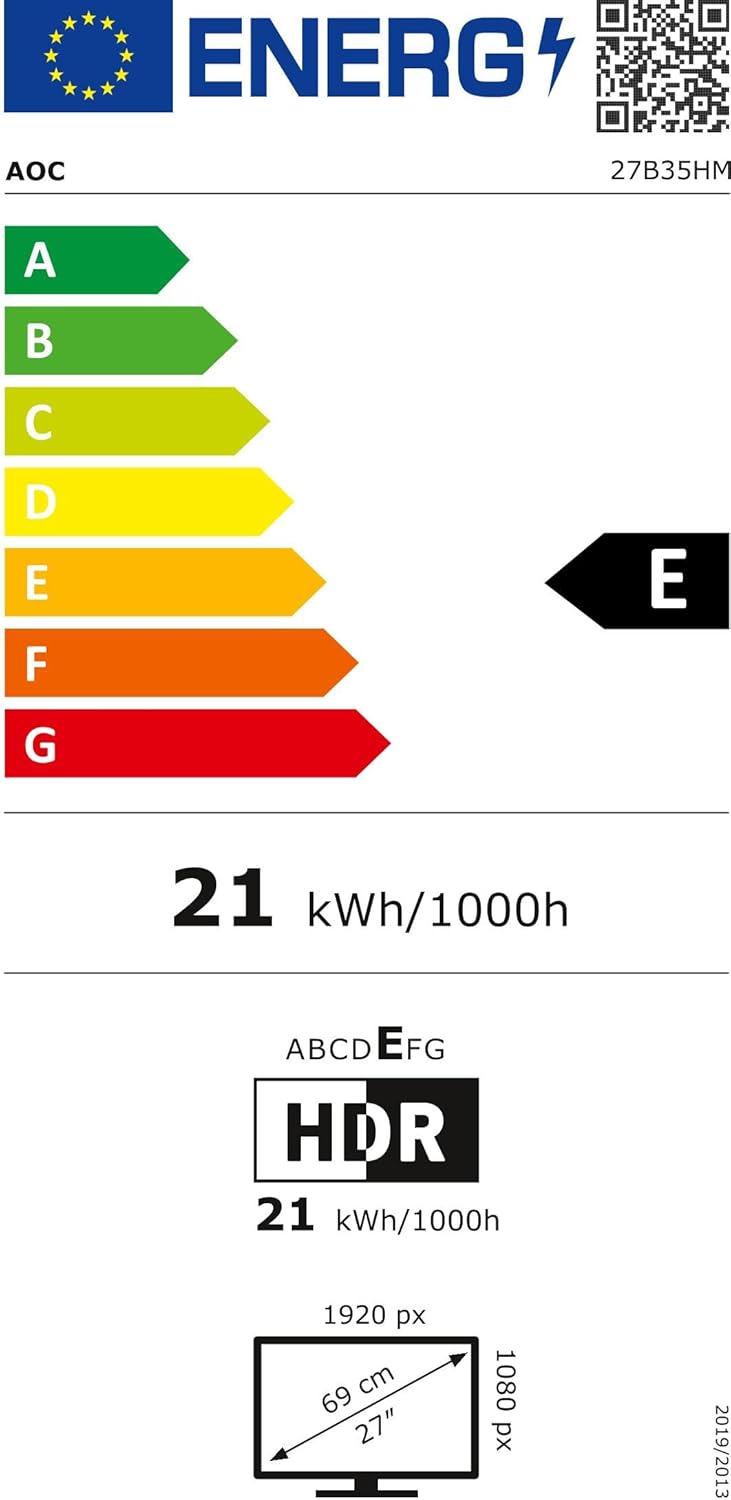
Figure 4: EU Energy Label for the AOC 27B35HM monitor, showing its energy efficiency class E and consumption of 21 kWh/1000h.
9. Waarborg en Ondersteuning
9.1 Waarborginligting
This product comes with a minimum guaranteed product support period of 8 years and a minimum guarantee period of 3 years offered by the supplier.
9.2 Kliëntediens
For technical assistance, warranty claims, or other inquiries, please contact AOC International (Europe) B.V. using the following information:
- Webwebwerf: https://eu.aoc.com
- E-pos: kevin.yang@tpv-tech.com
- Telefoon: +31 (0)20 504 6962
- Adres: Prins Bernhardplein 200 1097 JB Amsterdam, Netherlands