
1. Inleiding
This manual provides essential instructions for the installation, operation, and maintenance of your Generic 8M6005763 SmartCraft SC-1000 Tachometer. This device is designed to accurately display engine RPM for Mercury gasoline stern drive and outboard motors. Please read this manual thoroughly before installation and use to ensure proper function and safety.
2. Produk verbyview
The SmartCraft SC-1000 Tachometer is a crucial instrument for monitoring your engine's performance. It features a clear analog RPM display (0-7000 RPM) and a digital screen for additional information. Control buttons for 'TROLL -', 'MODE', and 'TROLL +' are integrated for various functions.
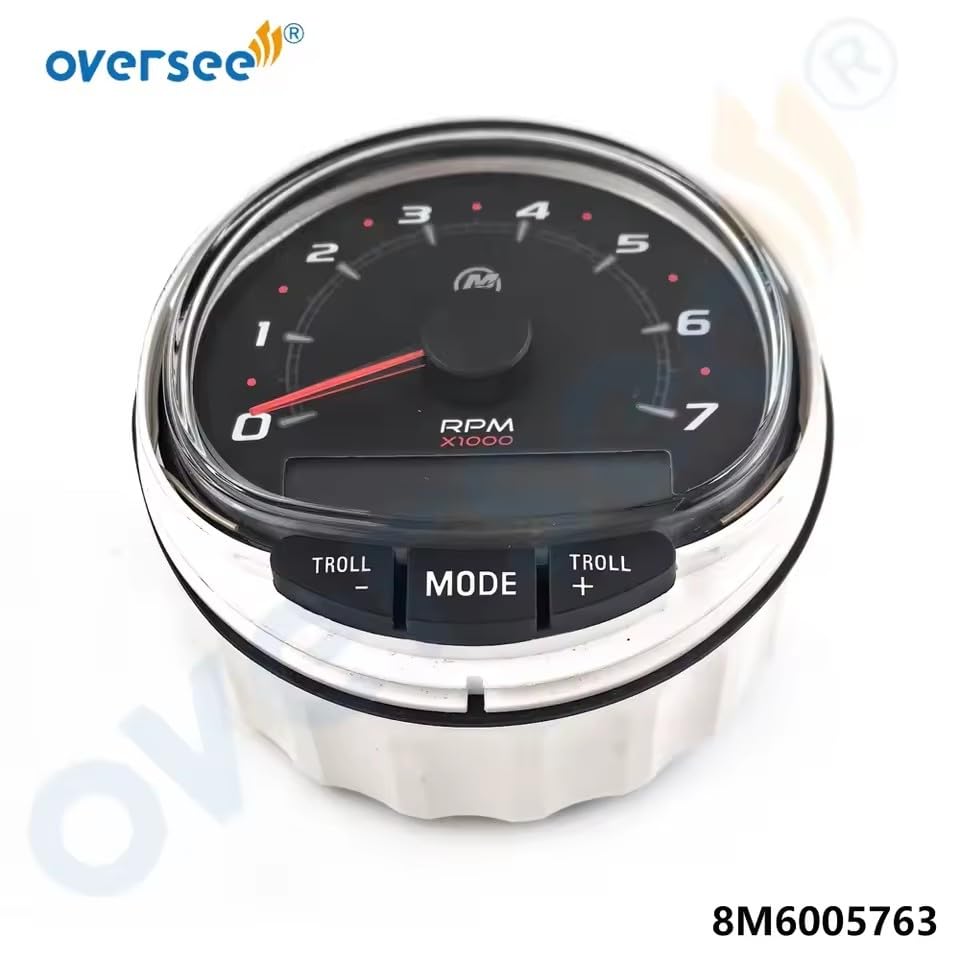
Figuur 2.1: Voorkant view of the SmartCraft SC-1000 Tachometer.

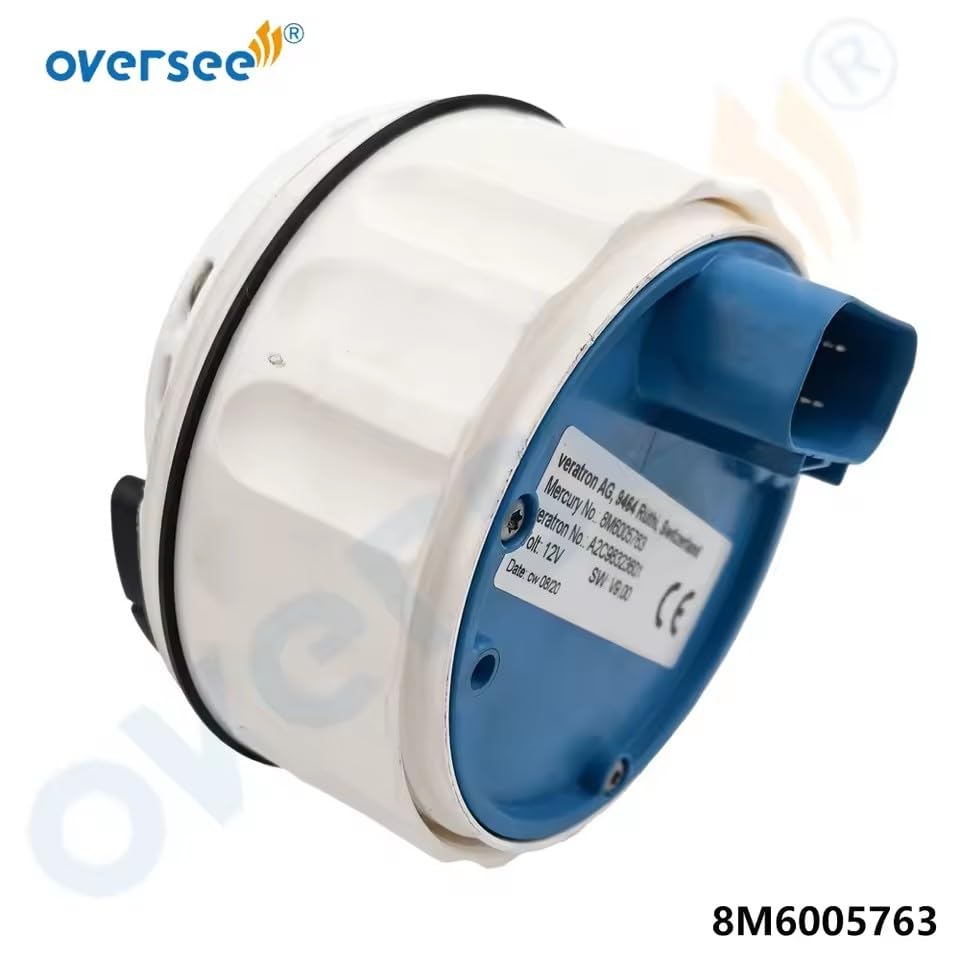
Figuur 2.2: Agter view of the tachometer with electrical connector and product label.
Figuur 2.3: Syprofile of the tachometer.
Wat is in die boks:
- 1 x 8M6005763 SmartCraft SC-1000 RPM Tachometer for Mercury Outboard
3. Opstelling en installering
Proper installation is critical for the accurate and safe operation of your tachometer. It is recommended that installation be performed by a qualified marine technician.
Belangrike oorwegings:
- Verenigbaarheid: This tachometer is designed for Mercury gasoline stern drive and outboard motors. Always verify the OEM part number (8M6005763) before purchase and installation. If unsure, provide your engine nameplate or serial number to a dealer for compatibility check.
- Kragtoevoer: The unit operates on a 12V electrical system. Ensure your vessel's electrical system meets this requirement.
- Multiple Engine Installations: For installations involving multiple engines, a Mercury diagnostic tool MOET be used to set the engine position on all Non-Starboard engine ECMs. Failure to do so may result in incorrect readings.
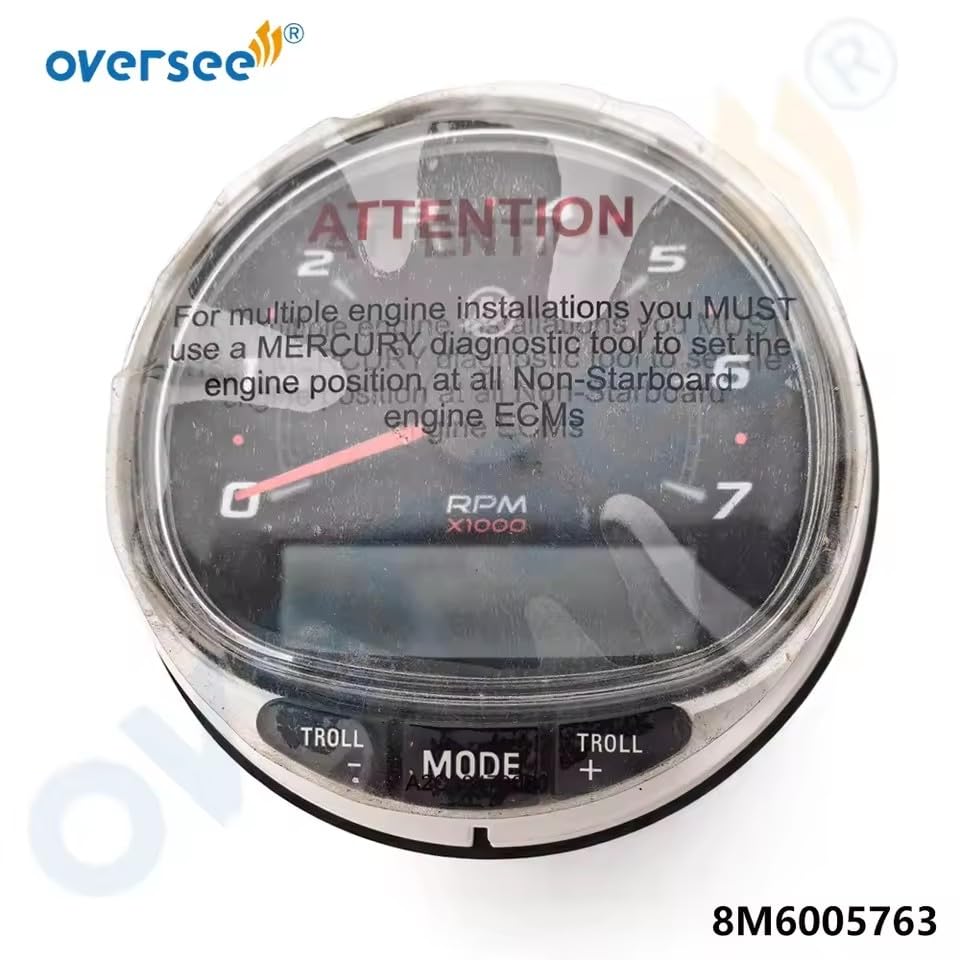
Figure 3.1: Tachometer with important attention sticker regarding multi-engine setup.
Installasiestappe (Algemeen):
- Montering: Select a suitable location on your dashboard or console. Ensure there is sufficient space behind the panel for the tachometer body and wiring. Cut a mounting hole of the appropriate diameter.
- Bedrading: Connect the tachometer to your vessel's electrical system and engine harness according to the wiring diagram provided with your engine or vessel. Ensure all connections are secure and properly insulated.
- Securement: Mount the tachometer securely using the provided hardware.
- Toets: After installation, turn on your vessel's power and start the engine to verify proper operation of the tachometer.
4. Bedryfsinstruksies
The SmartCraft SC-1000 Tachometer provides real-time engine RPM data and additional functions via its control buttons.
Basiese werking:
- RPM-skerm: The large analog needle indicates the engine's revolutions per minute (RPM) in thousands.
- Digitale skerm: The integrated digital screen provides additional engine data, which can be cycled through using the 'MODE' button.
Beheerknoppies:
- MODUS-knoppie: Press this button to cycle through various data screens on the digital display, such as engine hours, fuel consumption, or other SmartCraft-compatible information.
- TROLL - Button: Used to decrease the trolling speed setting when the trolling mode is active.
- TROLL + Button: Used to increase the trolling speed setting when the trolling mode is active.
Refer to your Mercury engine's specific SmartCraft documentation for detailed information on all available digital display parameters and trolling mode functionalities.
5. Onderhoud
The SmartCraft SC-1000 Tachometer is designed for durability in a marine environment. Regular maintenance will ensure its longevity and accurate performance.
- Skoonmaak: Maak die skerm skoon enasing met 'n sagte, damp cloth. Avoid abrasive cleaners or solvents that could damage the plastic or finish.
- Inspeksie: Periodically inspect the wiring connections for corrosion or looseness. Ensure the mounting is secure.
- Omgewingsbeskerming: While designed for marine use, protecting the unit from prolonged direct sunlight and extreme weather when not in use can extend its lifespan.
6. Probleemoplossing
If you encounter issues with your tachometer, refer to the following common problems and solutions:
- Geen krag/skerm:
- Check all electrical connections for proper seating and corrosion.
- Verify the vessel's battery voltage and ensure fuses are intact.
- Incorrect RPM Reading:
- Ensure the tachometer is correctly configured for your engine type (if adjustable).
- For multiple engine installations, confirm that a Mercury diagnostic tool was used to set the engine position on Non-Starboard ECMs.
- Inspect the engine's sensor and wiring for damage or loose connections.
- Knoppies reageer nie:
- Ensure the unit is receiving power.
- Check for any physical obstructions or damage to the buttons.
If problems persist after attempting these solutions, contact a qualified marine technician or the product seller for further assistance.
7. Spesifikasies
| Modelnommer | 8M6005763 |
| Handelsmerk | Generies |
| Vervaardiger | OVERSEE |
| RPM reeks | 0-7000 XNUMX RPM |
| Toepassing | Mercury Gasoline Stern Drive and Outboard Motors |
| Materiaal | Metaal, plastiek |
| Voltage | 12 V |
8. Waarborg en Ondersteuning
For warranty information, technical support, or service inquiries, please contact the seller or the manufacturer directly. Keep your purchase receipt and product model number (8M6005763) handy when contacting support.