
1. Inleiding
This manual provides essential information for the installation, operation, and maintenance of your ARENTI O3 4MP Wi-Fi IP65 Weatherproof Surveillance Camera. The ARENTI O3 camera is designed to offer a comprehensive security solution for both home and business environments. It features 2K 4MP resolution for clear and detailed imaging, innovative color night vision for visibility in low-light conditions, and two-way audio for real-time communication. The camera supports continuous 24/7 recording, zone intrusion detection, and offers flexible storage options including SD card and cloud services. Its IP65 weather resistance ensures reliable outdoor performance. Please read this manual thoroughly before using the product to ensure proper setup and functionality.
2. Pakketinhoud
Verifieer dat al die items wat hieronder gelys word, in jou pakket ingesluit is:
- ARENTI O3 Surveillance Camera
- Kragadapter
- Kragkabel
- Vinnige Begingids
- Mounting Material (screws, wall anchors)
- Silikoonbedekking
3. Produk verbyview
Familiarize yourself with the components of your ARENTI O3 camera.
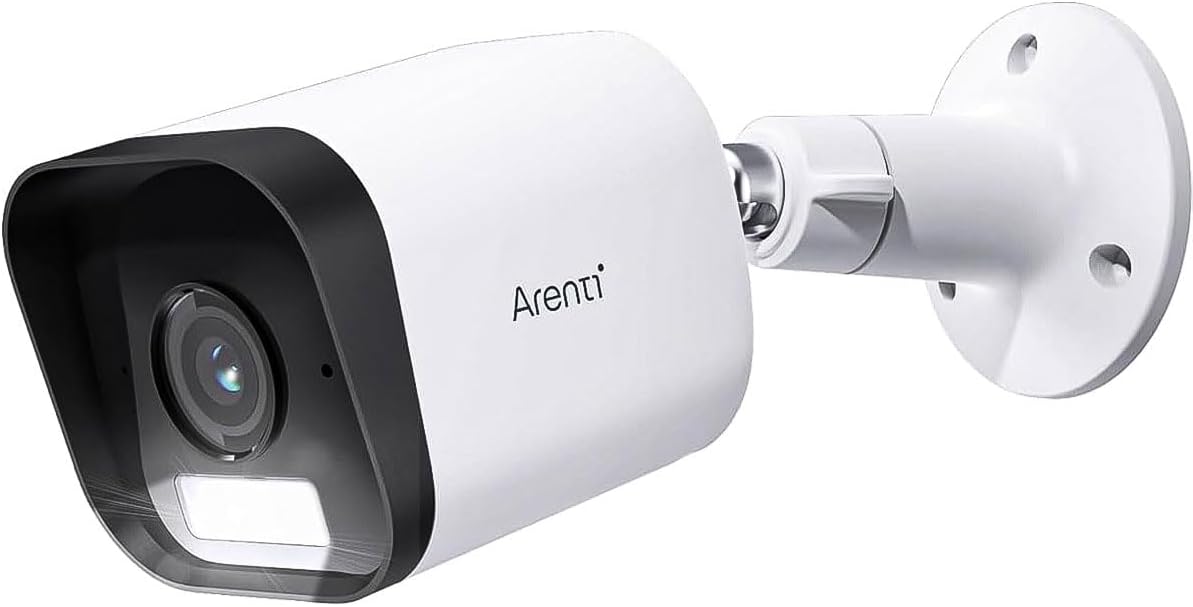
Figure 3.1: ARENTI O3 Surveillance Camera with Mounting Bracket

Figuur 3.2: Voorkant view of the ARENTI O3 camera, highlighting the lens, infrared LEDs, and light sensor.
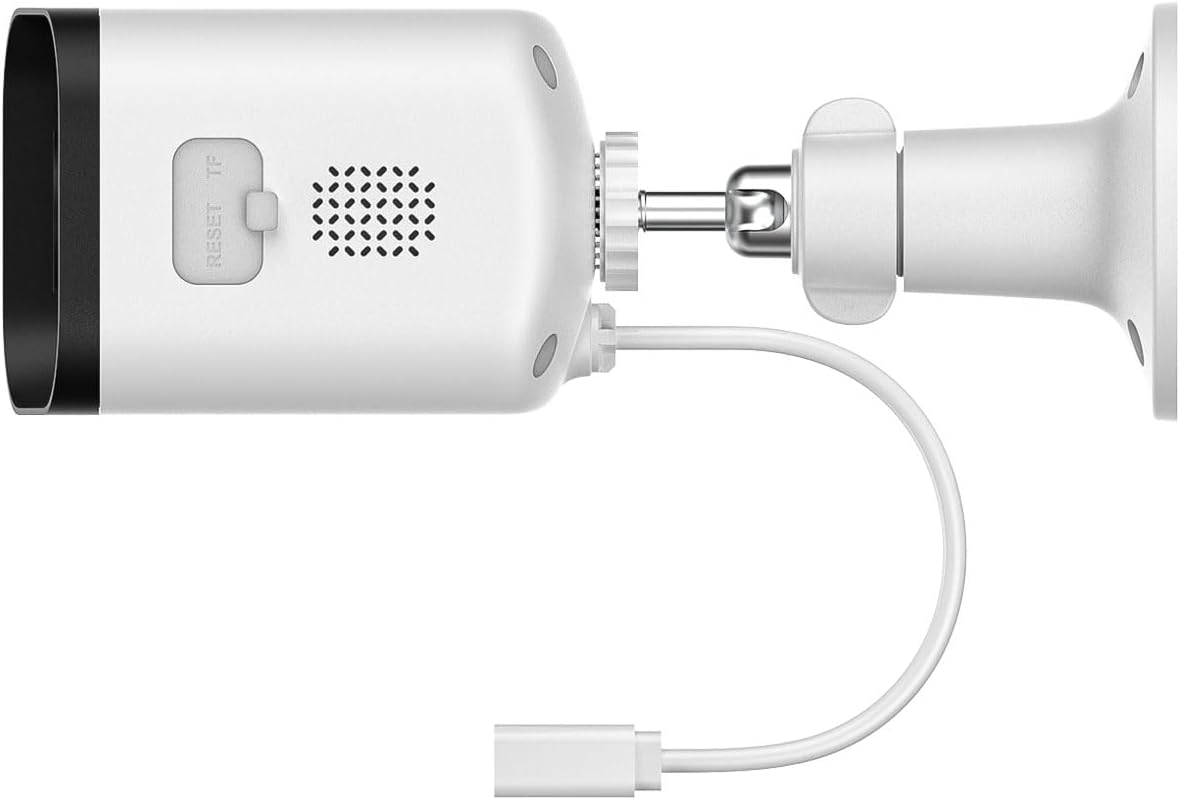
Figuur 3.3: Agter en sy view of the ARENTI O3 camera, showing the reset button, TF (microSD) card slot, speaker, and power cable connection.
4. Opstelling
Follow these steps to set up your ARENTI O3 camera:
- Laai die toepassing af: Soek vir the 'Arenti' app on your smartphone's app store (iOS or Android) and install it.
- Skep 'n rekening: Open the Arenti app and follow the on-screen instructions to create a new user account or log in if you already have one.
- Skakel die kamera aan: Connect the power cable to the camera and plug the power adapter into an electrical outlet. The camera will power on, and an indicator light will show its status.
- Voeg toestel by: In the Arenti app, tap the '+' icon to add a new device. Select the ARENTI O3 camera from the list of available devices.
- Koppel aan Wi-Fi: Follow the app's instructions to connect the camera to your 2.4 GHz Wi-Fi network. Ensure your Wi-Fi password is correct.
- Monteer die kamera: Choose a suitable outdoor location for mounting. Use the provided mounting material to securely attach the camera to a wall or desired surface. Ensure the camera has a clear field of view and is within range of your Wi-Fi signal.
- Pas hoek aan: Pas die kamera se viewing angle using the adjustable bracket to cover the desired surveillance area.

Figure 4.1: ARENTI O3 camera mounted on an outdoor wall, providing surveillance of a backyard area.
5. Bedryfsinstruksies
Once your ARENTI O3 camera is set up, you can utilize its various features through the Arenti app.
- Leef View: Access the live video feed from your camera anytime, anywhere via the Arenti app.
- 24/7 Deurlopende Opname: The camera supports continuous recording. Footage can be stored on a microSD card (up to 256GB, not included) or via optional cloud storage services.
- Kleur Nag Visie: The camera automatically switches to color night vision in low-light conditions, providing clear, detailed color images even in darkness.
- Tweerigting-klank: Use the built-in microphone and speaker to communicate with individuals near the camera in real-time.
- Bewegingsopsporing en -waarskuwings: The camera detects people, pets, vehicles, and luggage. Configure motion detection zones and sensitivity settings in the app to receive relevant alerts.
- Hoorbare en visuele alarms: When motion is detected, the camera can trigger integrated audible and visual alarms to deter intruders. These can be configured in the app.
- Terugspeel: Review opgeneem footage stored on your microSD card or cloud service through the app's playback feature.
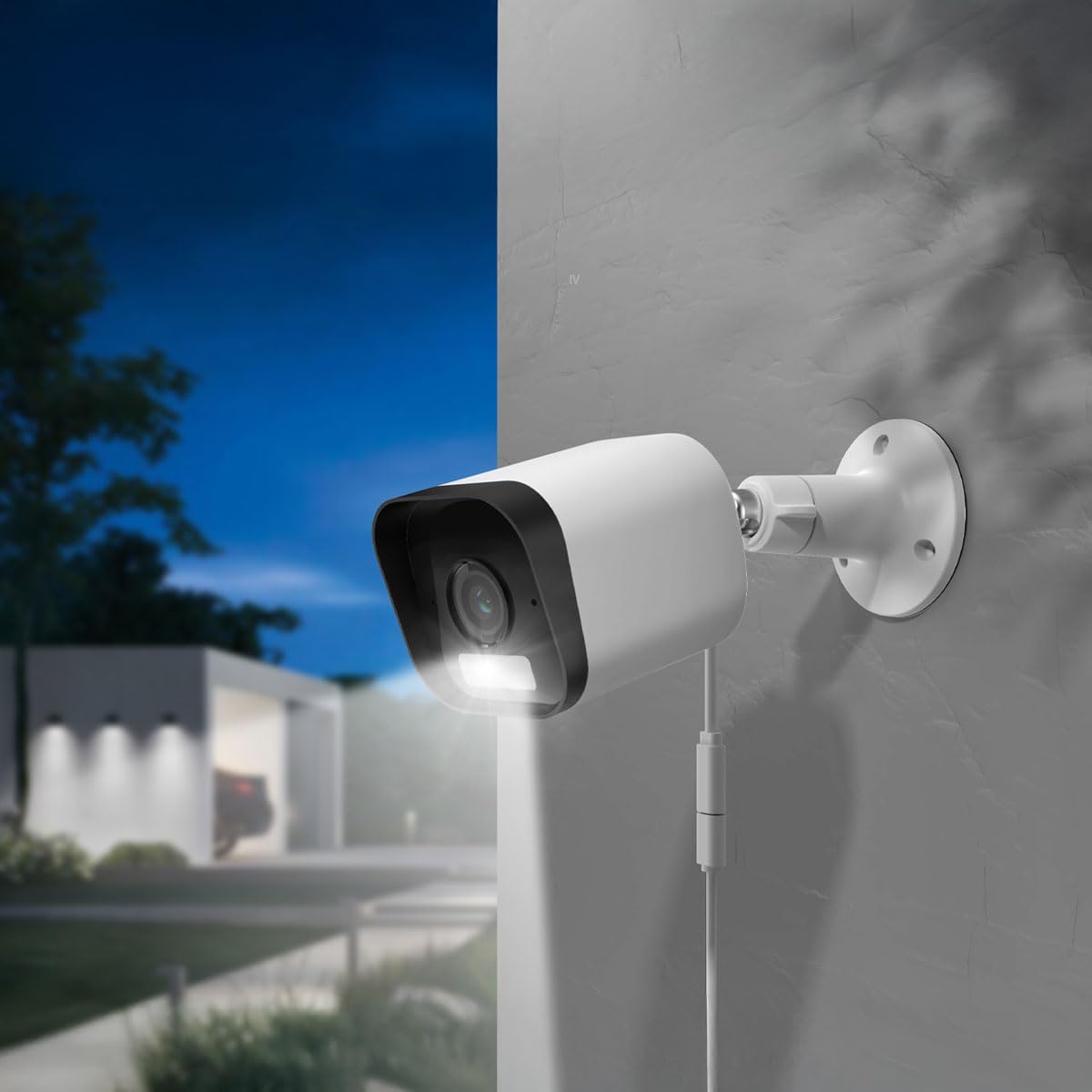
Figure 5.1: The ARENTI O3 camera installed outdoors, demonstrating its color night vision capability in a low-light environment.
6. Onderhoud
Gereelde onderhoud verseker optimale werkverrigting en lang lewensduur van jou kamera.
- Skoonmaak: Maak die kameralens en behuising gereeld skoon met 'n sagte, damp lap. Vermy skuurmiddels of oplosmiddels.
- Firmware -opdaterings: Check the Arenti app regularly for firmware updates. Keeping your camera's firmware updated ensures access to the latest features and security enhancements.
- Kragtoevoer: Ensure the power cable and adapter are free from damage and properly connected.
- Wi-Fi-verbinding: Monitor your Wi-Fi signal strength in the app to ensure a stable connection.

Figure 6.1: The ARENTI O3 camera installed outdoors during rainfall, showcasing its IP65 weatherproof design.
7. Probleemoplossing
If you encounter issues with your ARENTI O3 camera, refer to the following common problems and solutions:
- Kamera skakel nie aan nie:
- Maak seker dat die kragadapter stewig in 'n werkende elektriese aansluiting ingeprop is.
- Kontroleer die kragkabel vir enige skade.
- Kan nie aan Wi-Fi koppel nie:
- Confirm your Wi-Fi network is 2.4 GHz. The camera does not support 5 GHz Wi-Fi.
- Verifieer dat die Wi-Fi-wagwoord korrek is.
- Maak seker dat die kamera binne die bereik van jou Wi-Fi-router is.
- Probeer om jou router en die kamera te herbegin.
- Swak beeldkwaliteit:
- Maak die kameralens skoon.
- Gaan jou internetverbindingspoed na. ’n Stadige verbinding kan die stroomgehalte beïnvloed.
- Maak seker dat daar geen obstruksies is wat die kamera se view.
- Geen bewegingsopsporingswaarskuwings nie:
- Verify motion detection is enabled in the Arenti app.
- Adjust motion detection sensitivity and detection zones.
- Gaan die kennisgewinginstellings van die toepassing op jou slimfoon na.
- Tweerigting-oudio werk nie:
- Ensure microphone and speaker permissions are granted to the Arenti app on your smartphone.
- Check volume settings on both your phone and within the app.
If these steps do not resolve the issue, please contact ARENTI customer support.
8. Spesifikasies
| Kenmerk | Spesifikasie |
|---|---|
| Model Naam | Arenti O3 |
| Modelnommer | MS240702010 |
| Video-opname-resolusie | 4 Megapixel (2K) |
| Kleur | Wit |
| Draadlose kommunikasietegnologie | Wi-Fi (2.4 GHz, Wi-Fi 6 support) |
| Vormfaktor | Koeël |
| Viewing Hoek | 85 grade |
| Nagsigreeks | 10 meter |
| Voltage | 5 Volt |
| Kragverbruik | 2.5 Watt |
| Itemafmetings (L x B x H) | 15.6 x 5.8 x 5.8 cm |
| Gewig | 124 gram |
| Waterweerstandvlak | IP65 (weerbestand) |
| Binne/buiteluggebruik | Buitelug |
| Kragbron | Elektriese kabel |
| Montage tipe | Muurmontering |
| Bergingsopsies | MicroSD Card (up to 256GB), Cloud Storage |
| Spesiale kenmerke | Audible and Visual Alarms, Color Night Vision, Two-Way Audio, Zone Detection |
9. Waarborg en Ondersteuning
For warranty information and technical support, please refer to the official ARENTI webwebwerf of kontak hul kliëntediens direk. Bewaar u aankoopbewys as bewys van aankoop vir enige waarborgeise.