
1. Inleiding en oorview
The ciciglow B250M-V3 is an M-ATX form factor motherboard designed for desktop personal computers. It supports LGA 1151 socket processors, specifically 6th and 7th generation Intel Core i7, i5, and i3 CPUs. This motherboard features two DDR4 memory slots, supporting up to 32GB of 2400MHz RAM, and multiple PCI Express slots for expansion. It is equipped with an onboard gigabit network card and an 8-channel sound chip, making it suitable for various applications including home use, design work, and gaming.

Figure 1.1: ciciglow B250M-V3 Motherboard
2. Sleutel kenmerke
- LGA 1151-sokkel: Compatible with 7th and 6th generation Intel Core i7, i5, i3 14nm CPU processors.
- DDR4 geheue ondersteuning: Two DDR4 memory slots supporting dual-channel DDR4 2400MHz memory, with a maximum capacity of 32GB.
- PCIe 3.0 Expansion: Includes one PCIe x16 slot, one PCIe x4 slot, and one PCIe x1 slot for dedicated graphics cards, sound cards, network cards, and other PCIe devices.
- Geïntegreerde Netwerke: Onboard RTL8111H gigabit network card for efficient internet connectivity.
- Hoë kwaliteit oudio: Integrated ALC887 8-channel sound chip for immersive audio experiences.
- DVI-uitvoer: Equipped with a DVI output interface for high-definition visuals on compatible displays.
- Stabiele kragtoevoer: Utilizes all solid capacitors and an 8-pin and 24-pin power connector for stable performance and enhanced system reliability.
- Duursame konstruksie: Constructed from robust PCB and metal materials for a longer lifespan.

Figure 2.1: DDR4 Memory Support
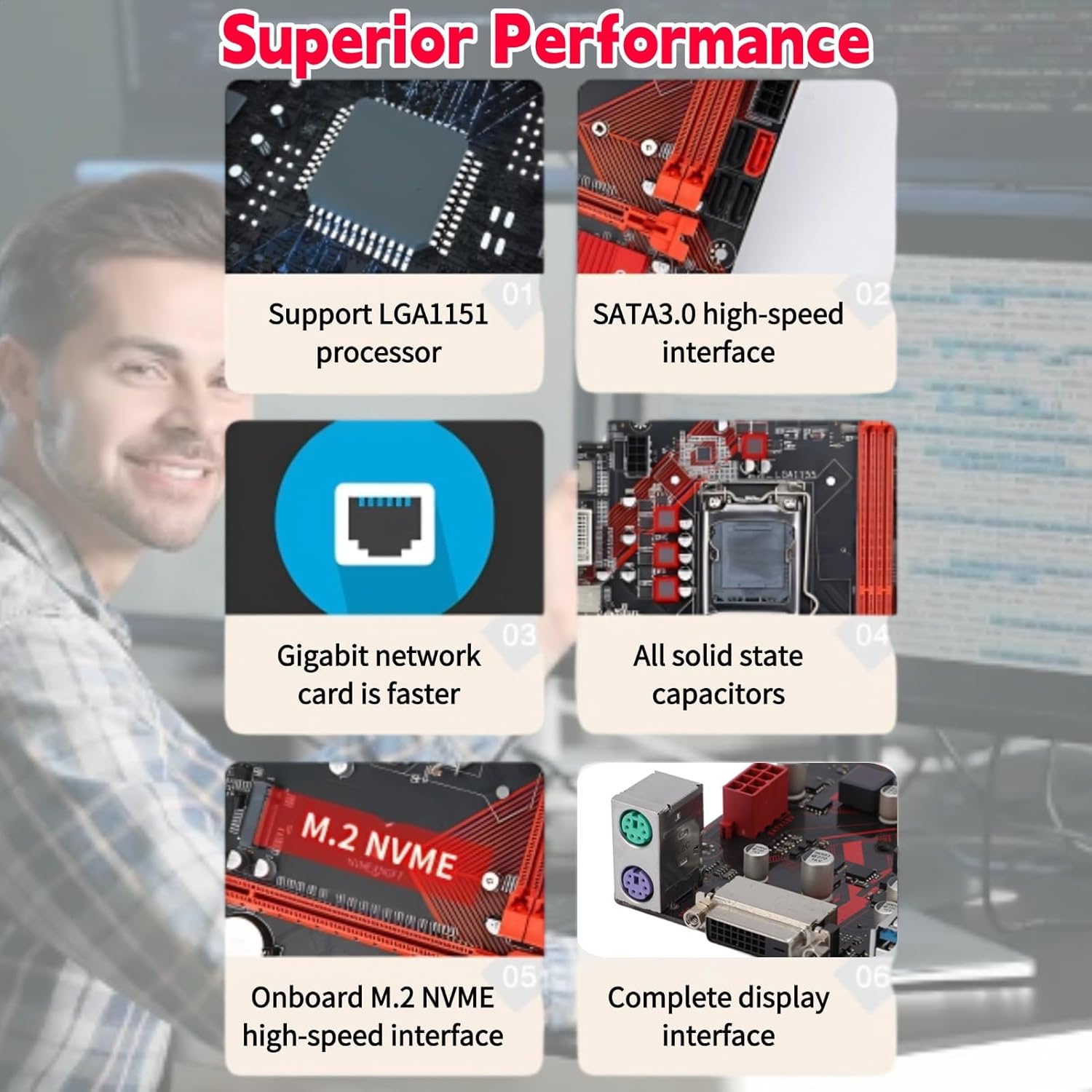
Figure 2.2: Superior Performance Features
3. Interface Layout and Components
The B250M-V3 motherboard provides a comprehensive set of interfaces for connecting various components and peripherals. Familiarize yourself with the layout before installation.

Figure 3.1: Motherboard Interface Layout
Key interfaces include:
- SVE Krag: 8-pen connector.
- Motherboard Power: 24-pen connector.
- DDR4 Slots: Two slots for memory modules.
- PS/2-poorte: For keyboard and mouse.
- DVI-poort: Video -uitset.
- USB 3.0 Poorte: Multiple ports for high-speed peripherals.
- USB 2.0 Poorte: Multiple ports for standard peripherals.
- RJ45-koppelvlak: Gigabit Ethernet-poort.
- Oudio-koppelvlak: Vir klankinvoer/-uitvoer.
- PCIe x16-gleuf: Vir grafiese kaarte.
- PCIe x4-gleuf: Vir uitbreidingskaarte.
- PCIe x1-gleuf: Vir uitbreidingskaarte.
- SATA III Interfaces: Multiple ports for storage devices.
- Front COM Pin: For serial port expansion.
- Power LED/HDD LED/Power SW Headers: For front panel connections.

Figure 3.2: Detailed Interface Views
4. Opstelling en installering
Proper installation is crucial for the stable operation of your system. Always ensure your power supply is disconnected before handling internal components.
- Berei die saak voor: Ensure your computer case is ready for motherboard installation, with standoffs correctly aligned.
- Installeer die SVE: Carefully open the CPU socket lever, align the CPU with the socket (matching the triangle indicator), gently place the CPU into the socket, and close the lever to secure it.
- Installeer die SVE-verkoeler: Apply thermal paste (if not pre-applied) and install the CPU cooler according to its manufacturer's instructions. Connect the CPU fan cable to the “CPU_FAN” header on the motherboard.
- Installeer RAM: Open the clips on the DDR4 memory slots. Align the memory modules with the slots (notches should match) and press down firmly on both ends until the clips snap into place.
- Monteer die moederbord: Plaas die moederbord versigtig in die kas en belyn die skroefgate met die afstandhouers. Bevestig die moederbord met skroewe.
- Koppel kragtoevoer: Connect the 24-pin ATX power connector and the 8-pin CPU power connector from your power supply to the corresponding ports on the motherboard.
- Installeer bergingstoestelle: Connect SATA data cables from your storage drives (HDDs/SSDs) to the SATA III ports on the motherboard. Connect SATA power cables from your power supply to the drives.
- Installeer grafiese kaart (opsioneel): If using a dedicated graphics card, insert it into the PCIe x16 slot and secure it. Connect any required PCIe power cables from your power supply to the graphics card.
- Verbind voorpaneelkabels: Connect the power button, reset button, HDD LED, power LED, and front USB/audio cables from your case to the corresponding headers on the motherboard. Refer to the motherboard's manual for exact pin assignments.
- Koppel randapparatuur: Connect your monitor, keyboard, mouse, and other peripherals to the appropriate ports on the motherboard's rear I/O panel.
5. Bedryfsinstruksies
After successful installation, follow these steps to operate your system:
- Aanvanklike opstart: Power on your system. The system should display the BIOS/UEFI splash screen.
- BIOS/UEFI-opstelling: Press the designated key (usually DEL or F2) during startup to enter the BIOS/UEFI setup utility. Here you can configure boot order, system time, and other hardware settings.
- Bedryfstelsel installasie: Insert your operating system installation media (USB drive or DVD) and follow the on-screen instructions to install your preferred OS.
- Bestuurder installasie: After OS installation, install the necessary drivers for the motherboard chipset, network, audio, and any dedicated graphics cards. These are typically provided on a CD/DVD with the motherboard or can be downloaded from the manufacturer's webwebwerf.
- Stelselopdaterings: Dateer jou bedryfstelsel en drywers gereeld op om optimale werkverrigting en sekuriteit te verseker.
Video 5.1: Oorview of the ciciglow B250M-V3 Motherboard's physical features and design.
6. Spesifikasies
Detailed technical specifications for the ciciglow B250M-V3 Motherboard:
| Kenmerk | Spesifikasie |
|---|---|
| Handelsmerk | ciciglow |
| Model Naam | B250M-V3 |
| CPU-sok | LGA 1151 |
| Versoenbare verwerkers | Intel Core i7-6700K, i5-6600K, i3-6100, i7-7700K, i5-7600K, i3-7100 (6th/7th Gen) |
| Chipset Tipe | Intel B250 |
| RAM geheue tegnologie | DDR4 |
| Geheue Klokspoed | 2400 MHz |
| Geheuegleuwe beskikbaar | 2 |
| Maksimum RAM-kapasiteit | 32 GB |
| Grafiese kaart koppelvlak | PCI Express |
| Total PCIe Ports | 3 (1x PCIe x16, 1x PCIe x4, 1x PCIe x1) |
| Total SATA Ports | 4 |
| Totale USB-poorte | 12 (various USB 3.0 and USB 2.0) |
| Aantal Ethernet-poorte | 1 (Gigabit) |
| Tipe hoofkragaansluiting | 24-pen, 8-pen |
| Versoenbare toestelle | Persoonlike rekenaar |
7. Probleemoplossing
If you encounter issues with your ciciglow B250M-V3 Motherboard, consider the following common troubleshooting steps:
- Geen krag/geen opstart:
- Maak seker dat alle kragkabels (24-pen ATX, 8-pen SVE, PCIe vir GPU) stewig gekoppel is.
- Verifieer dat die kragtoevoereenheid (PSU) aangeskakel is en korrek funksioneer.
- Check front panel connections (power button header) for correct placement.
- Try booting with only essential components (CPU, one RAM stick, CPU cooler, PSU) to isolate the issue.
- Geen skerm:
- Ensure your monitor is connected to the correct video output (motherboard DVI or dedicated graphics card).
- Plaas die grafiese kaart en RAM-modules terug.
- Test with a different monitor or display cable if possible.
- Stelselonstabiliteit/Ineenstortings:
- Kontroleer die SVE- en GPU-temperature om seker te maak dat hulle nie oorverhit nie.
- Verify RAM modules are properly seated and compatible. Run a memory diagnostic tool.
- Maak seker dat alle drywers op datum is.
- Check for loose cables or connections.
- Netwerkverbindingsprobleme:
- Maak seker dat die Ethernet-kabel stewig aan die RJ45-poort en jou router/modem gekoppel is.
- Install or update the network adapter drivers.
- Check network settings in your operating system.
- Randapparatuur nie opgespoor nie:
- Probeer om die randapparatuur aan 'n ander USB-poort te koppel.
- Ensure the peripheral has its own power supply if required.
- Install necessary drivers for the peripheral.
8. Waarborg en Ondersteuning
For warranty information and technical support, please refer to the official ciciglow website or contact your retailer. The product is typically covered by a manufacturer's warranty against defects in materials and workmanship.
For returns or exchanges, please consult the return policy of the platform where the product was purchased. For example, Amazon typically offers a 30-day return window for most electronics.
Vir verdere hulp kan u die ciciglow Store on Amazon.