
Inleiding
This manual provides comprehensive instructions for the assembly, operation, maintenance, and troubleshooting of your FLEXISPOT One-Piece Electric Standing Desk. Please read this manual thoroughly before assembly and use to ensure proper function and safety. Keep this manual for future reference.

Image: The FLEXISPOT One-Piece Electric Standing Desk, featuring a black desktop and black frame, set up with a laptop and monitor.
Opstelling en samestelling
Your FLEXISPOT Electric Standing Desk is designed for straightforward assembly. The desk ships in two separate packages, which may arrive at different times. Please ensure all components are present before beginning assembly.
Vereiste gereedskap (nie ingesluit nie):
- Electric drill (recommended for faster assembly)
Monteerstappe:
- Pak alle komponente uit en verifieer dit teen die onderdelelys wat in die aparte monteergids verskaf word.
- Attach the desk legs to the desktop frame. The main bracket and motor are pre-attached for convenience.
- Secure the desktop to the frame. The desktop is a single, seamless piece, 1 inch thick, providing enhanced stability.
- Connect the control panel and power cables according to the wiring diagram in the assembly guide.
- Install any optional accessories, such as the headphone hooks, if desired.
Belangrik: Always follow the detailed assembly instructions included in your product packaging. Ensure all screws are tightened securely to prevent instability. Do not exceed the maximum weight recommendation of 132 pounds.

Beeld: 'n Nabyskoot view highlighting the seamless, one-piece desktop with rounded edges, emphasizing its solid construction.
Bedryfsinstruksies
The FLEXISPOT Electric Standing Desk features an intuitive control panel for easy height adjustment and memory presets.
Hoogte verstelling:
- Gebruik die Up en Af arrow buttons on the control panel to adjust the desk height.
- Die lessenaar kan verstel word van 'n minimum hoogte van 28.1 duim tot 'n maksimum hoogte van 45.7 duim.
- The motor operates quietly, under 50 dB, ensuring minimal disruption to your workspace.
Geheuevoorinstellings:
The desk includes four programmable memory height presets, allowing you to save and recall your preferred sitting and standing positions instantly.
- Verstel die lessenaar tot die verlangde hoogte met die Op/Af-knoppies.
- Druk die 'M' button (or similar memory set button, refer to your control panel diagram).
- Immediately press one of the numbered preset buttons (1, 2, 3 of 4) to save the current height to that position.
- To recall a saved height, simply press the corresponding numbered preset button. The desk will automatically move to the saved position.

Beeld: 'n Gedetailleerde view of the smart control panel, showing the LED display for height, up/down buttons, and four memory preset buttons.

Image: A visual representation of the desk's height adjustment range, indicating minimum (28.1 inches) and maximum (45.7 inches) heights.
Onderhoud
Gereelde onderhoud verseker die lang lewensduur en optimale prestasie van jou staande lessenaar.
- Skoonmaak: Vee die lessenaar en raam af met 'n sagte, damp lap. Vermy skuurmiddels of harde chemikalieë wat die afwerking kan beskadig.
- Kabelbestuur: Periodically check and organize cables to prevent tangles and ensure smooth operation during height adjustments.
- Gewigsbeperking: Do not exceed the maximum weight capacity of 132 pounds. Overloading can strain the motor and frame.
- Omgewingstoestande: Keep the desk away from direct heat sources and excessive moisture.
- Bevestigingskontrole: Occasionally check all screws and fasteners to ensure they remain tight. Retighten if necessary.
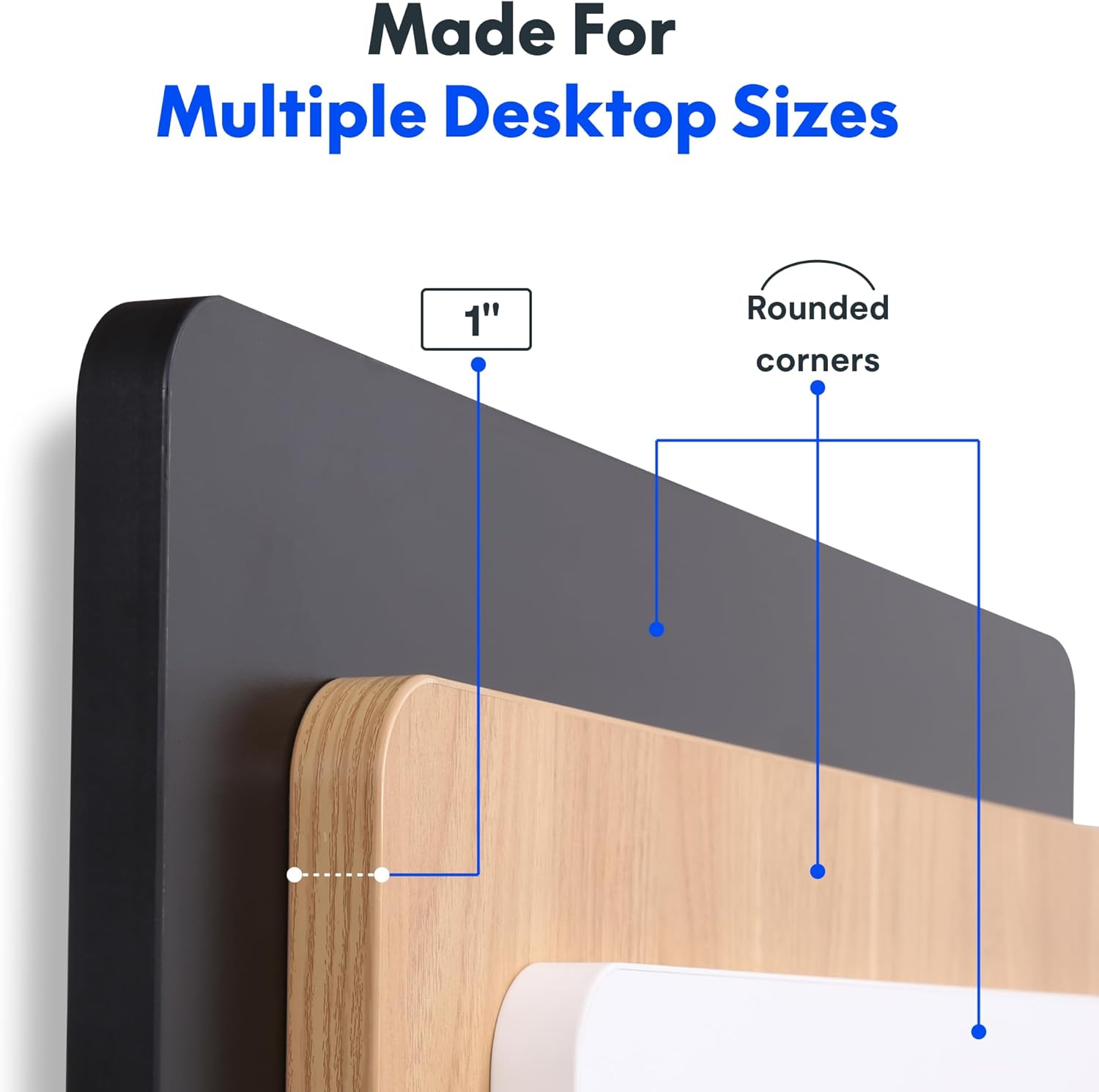
Image: The desk in operation, illustrating its smooth and quiet movement, ideal for maintaining concentration.
Probleemoplossing
If you encounter issues with your FLEXISPOT Electric Standing Desk, refer to the following common problems and solutions.
Desk Not Adjusting Height:
- Kragverbinding: Ensure the power cord is securely plugged into both the desk and a working electrical outlet.
- Kabelverbindings: Check all cables connecting the control panel to the motor and power supply for secure connections.
- Oorlading: Verify that the weight on the desk does not exceed the maximum capacity of 132 pounds. Remove excess weight and try again.
- Herstel prosedure: Consult your specific assembly guide for any factory reset procedures for the control panel.
Unusual Noises During Adjustment:
- Clicking Sound: A clicking sound, particularly when lowering, may indicate an issue with the motor or leg mechanism. Ensure the desk is not overloaded. If the issue persists, contact customer support.
- Wobbel: Ensure all assembly screws are tightly secured. Check that the desk is on a level surface.
If these steps do not resolve the issue, please refer to the warranty and support section for further assistance.
Spesifikasies
Detailed specifications for the FLEXISPOT One-Piece Electric Standing Desk (48x24 inch model).

Image: A diagram illustrating the key dimensions of the desk: 48 inches in width, 24 inches in depth, and a 1-inch desktop thickness.
| Kenmerk | Detail |
|---|---|
| Handelsmerk | FLEXISPOT |
| Model | One-Piece Electric Standing Desk 48x24 |
| Afmetings van die lessenaar (B x D) | 48 duim x 24 duim |
| Desktop Dikte | 1 duim |
| Hoogteaanpassingsreeks | 28.1 inches (min) to 45.7 inches (max) |
| Motorgeraasvlak | Onder 50 dB |
| Geheuevoorinstellings | 4 |
| Maksimum gewig kapasiteit | 132 pond |
| Raammateriaal | Allooi staal |
| Lessenaarmateriaal | Gemanipuleerde hout |
| Kleur | Black Top + Black Frame |
| Spesiale kenmerke | One-Piece Desktop, Headphone Hook |
| Vergadering benodig | Ja |

Beeld: 'n Nabyskoot view of the desk's underside, highlighting the two convenient headphone hooks for storage.
Waarborg inligting
FLEXISPOT provides the following warranty for your Electric Standing Desk:
- Frame, Motor, and Mechanical Parts: 5 jaar beperkte waarborg.
- Elektroniese komponente: 2 jaar beperkte waarborg.
This warranty covers defects in materials and workmanship under normal use. Please retain your proof of purchase for warranty claims. For specific terms and conditions, refer to the warranty documentation included with your product or visit the official FLEXISPOT webwebwerf.
Kliënte ondersteuning
For further assistance, technical support, or warranty claims, please contact FLEXISPOT customer service. You can typically find contact information on the official FLEXISPOT webwebwerf of deur die kleinhandelaar waar jy die produk gekoop het.
Wanneer u ondersteuning kontak, hou asseblief die volgende inligting gereed:
- Product Model: One-Piece Electric Standing Desk 48x24
- ASIN: B0DRFZWN7X
- Datum van aankoop
- 'n Gedetailleerde beskrywing van die probleem
Besoek die FLEXISPOT Store on Amazon vir meer produkinligting en ondersteuningsbronne.