
1. Inleiding
The INIA X3B002 3-in-1 Skin Tightening Device is designed to enhance your skincare routine with its multi-mode functionality. This device combines advanced technologies to help improve skin appearance, promote natural facial contours, and enhance the absorption of skincare products. It is suitable for use on the face and neck.
Sleutel kenmerke sluit in:
- 3-in-1 Multi-Mode Design: Features LIFT, TIGHTEN, and INFUSE modes with adjustable intensity.
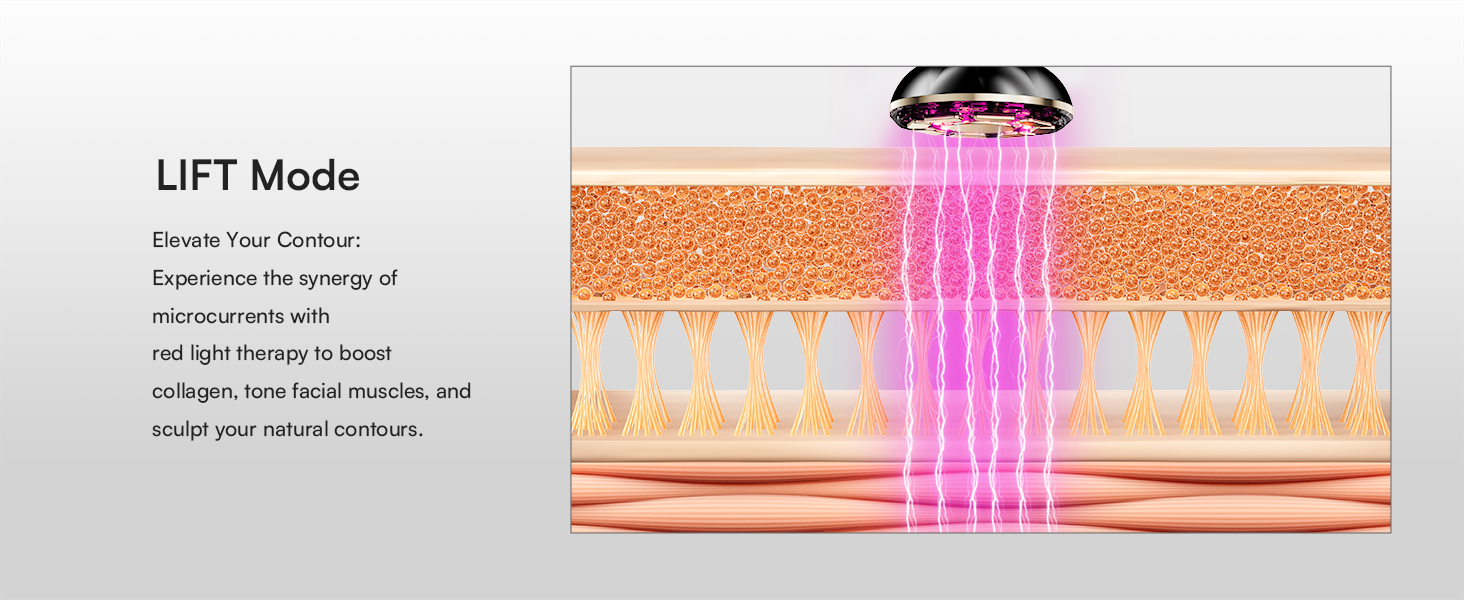
- LIFT Mode: Utilizes microcurrents and red light therapy to help reshape and tone facial muscles, promoting natural contours.
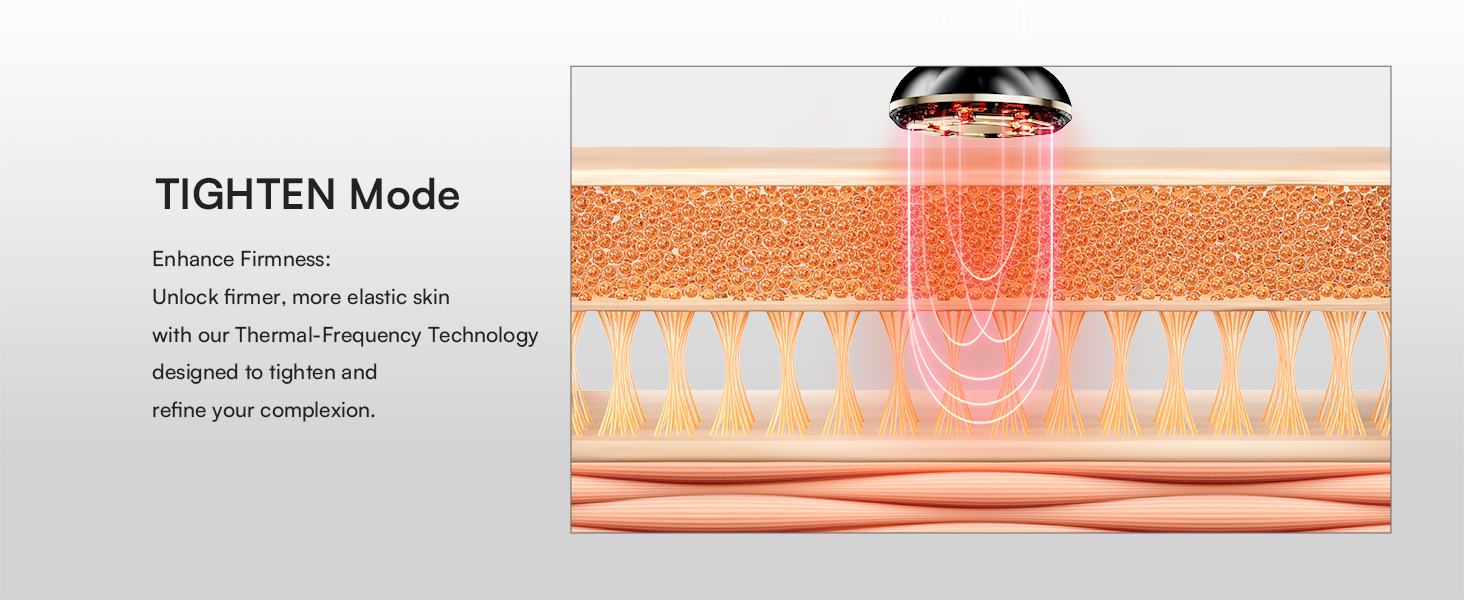
- TIGHTEN Mode: Employs red light technology and thermal-frequency technology to help reduce the appearance of fine lines and improve skin firmness and elasticity.
- INFUSE Mode: Incorporates negative ion technology to enhance the absorption and effectiveness of your skincare products.
- Ergonomiese ontwerp: Features a flexible 3D head for consistent application across various facial contours.
2. Veiligheidsmaatreëls
Please read all instructions carefully before using the INIA X3B002 device. Keep this manual for future reference.
- Moenie die toestel op gebarste, geïrriteerde of besmette vel gebruik nie.
- Vermy direkte kontak met oë.
- Consult a physician before use if you have any medical conditions, are pregnant, or have electronic implants.
- Hou buite bereik van kinders.
- Do not immerse the device in water. Clean with a damp cloth as instructed.
- Use only with the recommended conductive gel or essence to ensure proper function and avoid skin irritation.
- Hou op met gebruik as u enige ongemak of nadelige reaksies ervaar.
3. Produkkomponente
Your INIA X3B002 package includes:
- INIA X3B002 3-in-1 Skin Tightening Device
- Hydrating Conductive Gel (300g)
- Laaikabel (USB-C)
- Gebruikershandleiding

4. Toestel oorview
The INIA X3B002 features an intuitive design for ease of use. It includes a multi-functional head with 9 advanced zinc-alloy electrodes and a flexible 3D head for optimal skin contact.
Modes and Indicators:
- LIFT Mode: Indicated by purple light. Focuses on contouring and muscle toning.
- TIGHTEN Mode: Indicated by red light. Targets skin firmness and elasticity.
- INFUSE Mode: Indicated by blue light. Enhances product absorption.
- Intensiteitsvlakke: Three adjustable intensity levels for each mode, indicated by LED lights.
5. Aan die gang kom (Opstelling)
Before your first use, ensure the device is fully charged. A full charge typically takes 2-3 hours.
Voorbereidingstappe:
- Reinig vel: Thoroughly clean and dry your face and hands. Ensure your skin is free from any makeup, dirt, or other products.
- Apply Conductive Gel: Squeeze a sufficient amount of INIA Hydrating Conductive Gel onto your palm. Apply the gel evenly to the area of your face or neck you intend to treat. The gel is essential for optimal conductivity and comfort during treatment.

6. Bedryfsinstruksies
The INIA X3B002 device offers three distinct modes to target different skincare needs. Press and hold the Power/Mode button for 1 second to switch on the device and select your desired treatment mode.
6.1. LIFT Mode (Purple Light)
This mode helps to elevate tired-looking skin and promote the appearance of natural facial contours through microcurrents and red light therapy.
- Tydsduur: 10-minute smart partition (4 minutes for left cheek, 4 minutes for right cheek, 2 minutes for forehead).
- Aansoek: Gently glide the device upwards along your jawline, cheekbones, and forehead. Follow the natural contours of your face.

6.2. TIGHTEN Mode (Red Light)
This mode employs red light technology and thermal-frequency technology to help reduce the appearance of fine lines and wrinkles, promoting a smoother and firmer complexion.
- Tydsduur: 10-minute smart partition (4 minutes for left cheek, 4 minutes for right cheek, 2 minutes for forehead).
- Aansoek: Move the device in small, circular motions or short, upward strokes over areas with fine lines and areas needing firmness.

6.3. INFUSE Mode (Blue Light)
Features negative ion technology to help enhance the absorption of your favorite serums and moisturizers, maximizing their effectiveness.
- Tydsduur: 4-minute symmetrical treatment (2 minutes on each cheek).
- Aansoek: After applying your essence or serum, gently glide the device over the treated areas to aid absorption.
6.4. Skincare Routine Suggestion
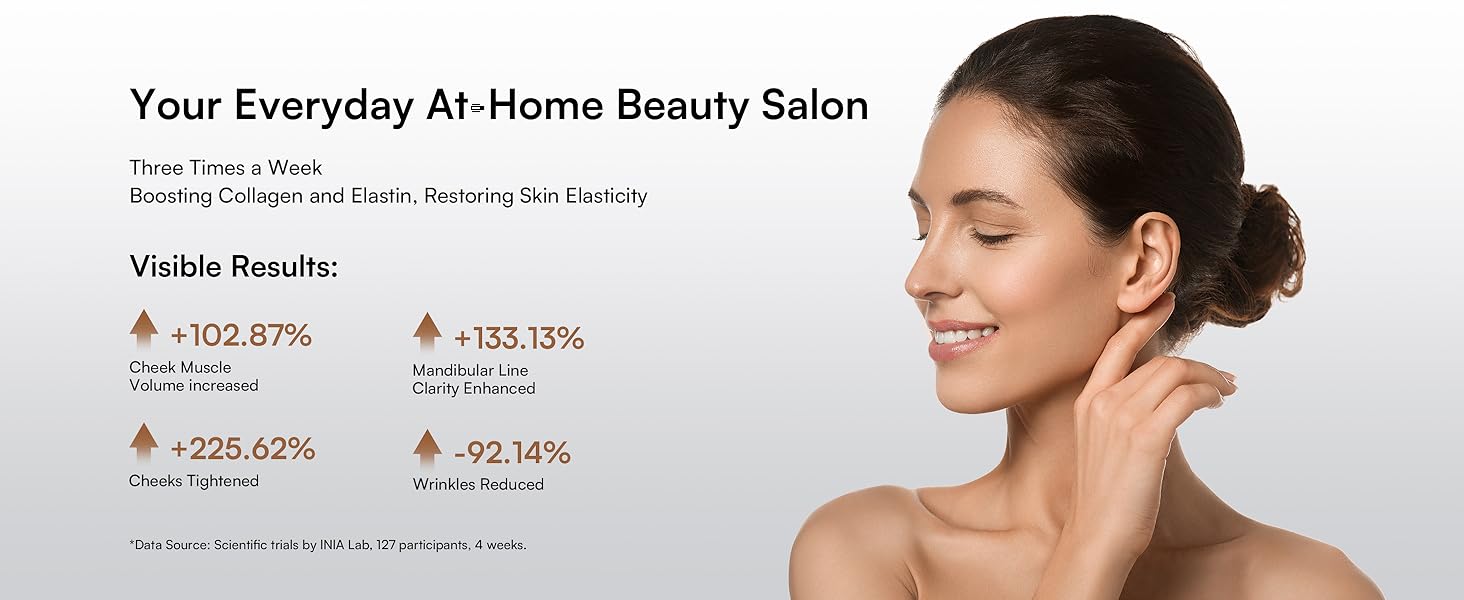
It is recommended to dynamically adjust the frequency of use according to your skin condition (2-5 times/week). The total duration of a single treatment should not exceed 15 minutes (including preparation time).
A suggested weekly routine:
| Dag | Recommended Mode(s) |
|---|---|
| Maandag | LIFT + INFUSE |
| Dinsdag | TIGHTEN + INFUSE |
| Woensdag | LIFT + INFUSE |
| Donderdag | TIGHTEN + INFUSE |
| Vrydag | LIFT + INFUSE |
| Saterdag | TIGHTEN + INFUSE |
| Sondag | Rusdag |
Note: It is advised not to use LIFT and TIGHTEN modes on the same day to prevent dry skin.
Amptelike produkvideo:
Video: Official INIA FLARE demonstration, showcasing the device and its use with the 300g gel.
7. Onderhoud en versorging
Proper cleaning and storage will ensure the longevity and effectiveness of your INIA X3B002 device.
- Na elke gebruik: Thoroughly clean the electrode head with a soft, damp lap of 'n nat papierhanddoek nadat u die toestel afgeskakel het.
- Droog: Ensure the device is completely dry before storing.
- Berging: Berg die toestel op 'n koel, droë plek, weg van direkte sonlig en vog.
- Vermy harde chemikalieë: Do not use alcohol, abrasive cleaners, or harsh chemicals to clean the device, as this may damage its surface or internal components.
8. Probleemoplossing
If you encounter any issues with your INIA X3B002 device, please refer to the following common solutions:
- Toestel skakel nie aan nie: Ensure the device is fully charged. Press and hold the Power/Mode button for at least 1 second.
- No sensation during use: Ensure sufficient conductive gel is applied to the skin. Increase the intensity level if needed.
- Velirritasie: Discontinue use immediately. Ensure you are using the recommended conductive gel and that your skin is clean before treatment. Consult a dermatologist if irritation persists.
- Ligte werk nie: Check if the device is powered on and fully charged. If the issue persists, contact customer support.
9. Spesifikasies
| Kenmerk | Detail |
|---|---|
| Modelnommer | X3B002 |
| Handelsmerk | INIA |
| Pakket afmetings | 10.28 x 7.4 x 3.43 duim |
| Item gewig | 2.23 pond |
| Kleur | Swart |
| Materiaal | Plastiek |
| Styl | Modern, Sleek, Luxury |
| Produkvoordele | Skin Care (Lifting, Tightening, Infusion) |
10. Waarborg en Ondersteuning
The INIA X3B002 device comes with a manufacturer's warranty. For detailed warranty information, please refer to the product packaging or contact INIA customer support.
For any questions, technical support, or service inquiries, please visit the official INIA website or contact our customer service team. Keep your purchase receipt as proof of purchase for warranty claims.