
1. Inleiding
This user manual provides comprehensive instructions for the Headwolf WPad7 Tablet. It covers setup, operation, maintenance, and troubleshooting to ensure optimal performance and user experience. Please read this manual thoroughly before using your device.
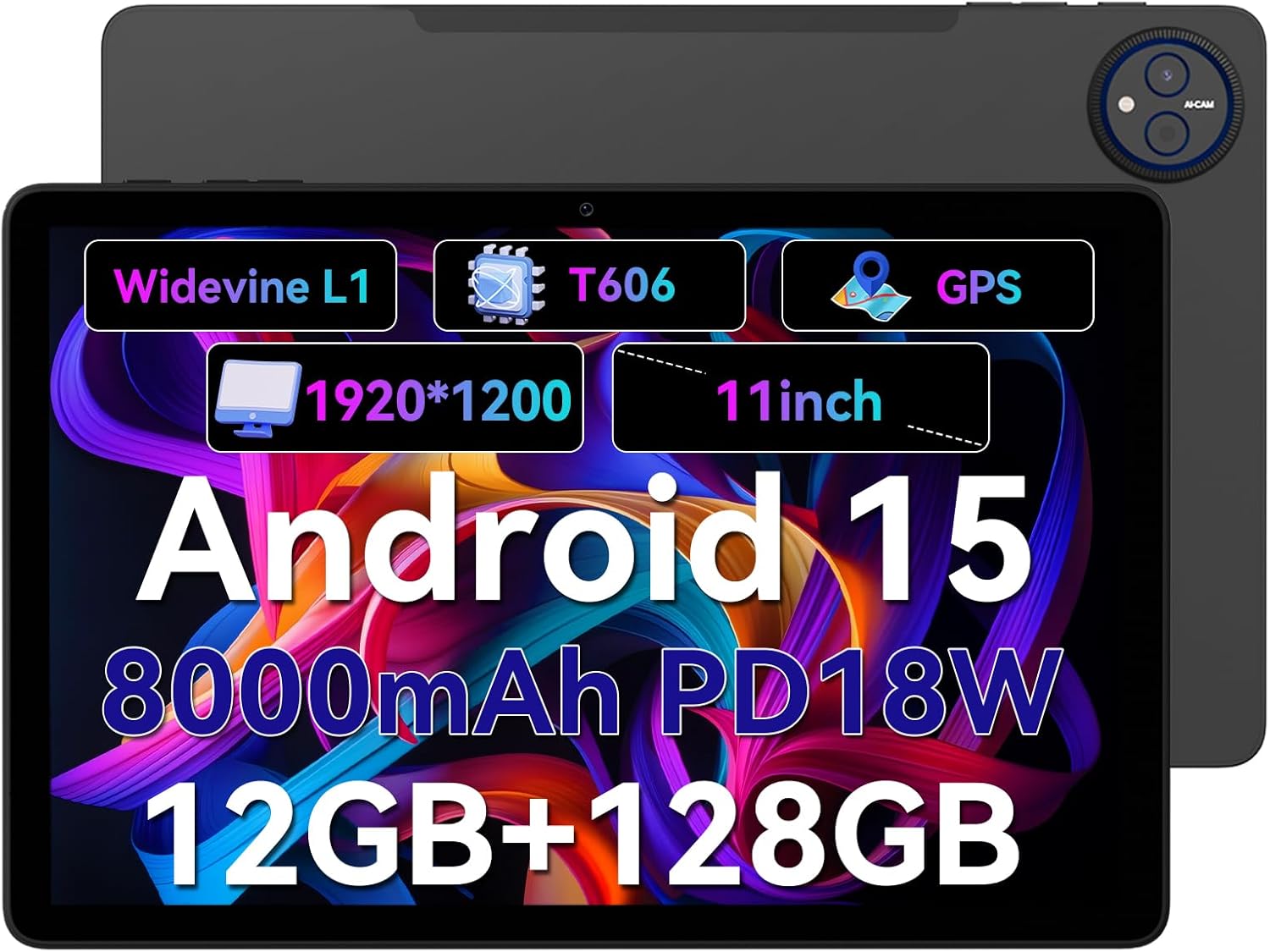
Figure 1.1: Headwolf WPad7 Tablet showcasing its 11-inch display, Android 15, 8000mAh battery, 12GB RAM, 128GB ROM, Widevine L1, T606 processor, and GPS capabilities.
2. Pakketinhoud
Nadat u die pakkie oopgemaak het, maak seker dat al die items wat hieronder gelys word, teenwoordig en in 'n goeie toestand is:
- 1 x Headwolf WPad7 Tablet
- 1 x laaier
- 1 x Tipe C-kabel
- 1 x Card Pin (for SIM/SD card tray)
- 1 x Gebruikershandleiding
3. Produk verbyview
3.1 Fisiese kenmerke
Familiarize yourself with the physical components of your Headwolf WPad7 Tablet:
- Vertoon: 11-inch IPS In-Cell screen with 1920x1200 resolution.
- Voorste kamera: 8MP, located on the top bezel when held horizontally.
- Agterste kamera: 13MP, located on the back panel.
- Kragknoppie: Typically on the side, used to power on/off or wake/sleep the device.
- Volume sleutels: Located near the power button, for adjusting audio levels.
- USB Tipe C-poort: Vir laai en data-oordrag.
- 3.5 mm koptelefoonaansluiting: For connecting wired audio devices.
- Kaartgleuf: For inserting a SIM card (if supported) and a microSD card for expandable storage.
- Stel gat terug: A small pinhole for force restarting the device if unresponsive.

Figure 3.1: Physical aspects of the Headwolf WPad7 Tablet, showing its 8mm thickness, 495g weight, 13MP rear camera, 8MP front camera, and 3.5mm earphone jack.

Figure 3.2: Key features of the Headwolf WPad7 Tablet, including Android 15 OS, 12GB+128GB memory, T606-8 core processor, 8000mAh battery, GPS navigation, 1920x1200 FHD display, face recognition, dual cameras, 2.4G/5Ghz Wi-Fi, Widevine L1, and 300nit brightness.
4. Opstelling
4.1 Aanvanklike laai
Before first use, fully charge the tablet. Connect the provided Type-C cable to the tablet's USB-C port and the charger to a power outlet. The battery indicator on the screen will show charging status. A full charge typically takes several hours.

Figure 4.1: The 8000mAh battery of the Headwolf WPad7 Tablet, highlighting its safety and stability features, and showing typical usage times for processing, video playback, reading, and music playback.
4.2 Krag aan/af
- Om aan te skakel: Press and hold the Power button until the Headwolf logo appears on the screen.
- Om af te skakel: Press and hold the Power button until a power-off menu appears. Select "Power off".
- Om te slaap/wakker te word: Druk kortliks die aan/af-knoppie om die tablet aan die slaap te maak of wakker te maak.
4.3 MicroSD-kaartinstallasie
The Headwolf WPad7 supports microSD card expansion up to 2TB. To install:
- Vind die kaartgleuf aan die kant van die tablet.
- Steek die meegeleverde kaartpen in die klein gaatjie langs die skinkbord om dit uit te werp.
- Place the microSD card into the designated slot on the tray, ensuring correct orientation.
- Druk die skinkbord versigtig terug in die tablet totdat dit in plek klik.

Figure 4.2: Details of the Unisoc T606 Octa-core Processor and memory configuration, showing 12GB RAM (6GB physical + 6GB virtual) and 128GB ROM, expandable up to 2TB via SD card.
5. Bediening van u tablet
5.1 Android 15-kenmerke
Your Headwolf WPad7 Tablet runs on Android 15, offering enhanced AI capabilities, improved privacy, optimized performance, and a refined user interface. Explore features like:
- AI Dynamic Adjustment: Adapts to your usage patterns for optimized performance.
- Multilingual Real-time Translation: Facilitates communication across languages.
- AI Automatic Scene Recognition: Enhances camera performance.
- Intelligent Audio Switching: Seamlessly manages audio output.
- AI Battery Saving Optimization: Extends battery life based on usage.
- Skermverdeling: Use two apps simultaneously side-by-side.
- Gesigsherkenning: Securely unlock your device with your face.

Figuur 5.1: oorview of Android 15's intelligent AI features, including dynamic adjustment, real-time translation, automatic scene recognition, portrait mode processing, intelligent audio switching, accurate speech recognition, battery saving, game mode, and document auto summary.
5.2 Konnektiwiteit
- Wi-Fi: Supports high-speed AC 2.4G/5G Wi-Fi for stable internet connection. Navigate to Settings > Network & internet > Wi-Fi to connect to available networks.
- Bluetooth: Connect to Bluetooth headphones, speakers, and other devices. Go to Settings > Connected devices > Bluetooth.
- GPS: The tablet supports GPS, GLONASS, BDS, and GALILEO satellite systems for precise location services and navigation.

Figure 5.2: The Headwolf WPad7 Tablet's 2.4G/5G Dual Band Wi-Fi and Bluetooth capabilities, demonstrating its versatility for work, presentations, and video calls.

Figure 5.3: The tablet's Four-In-One Satellite Positioning System, supporting GPS, Beidou, Galileo, and Glonass for accurate real-time location tracking and navigation.
5.3 Kameragebruik
The tablet features an 8MP front camera and a 13MP rear camera. Open the Camera app to capture photos and videos. Utilize AI scene recognition for optimized shots.
5.4 Vertoonkenmerke
The 11-inch IPS in-cell display provides vivid colors and deep contrasts. It features Widevine L1 certification, enabling secure streaming of high-definition content from platforms like Netflix, Prime Video, and Disney+.

Figure 5.4: The 11-inch Widevine L1-compatible FHD display, showcasing its 1920x1200 resolution, 224 PPI, IPS incell technology, 300 nit brightness, 1500:1 contrast, and 75% NTSC color gamut, ideal for streaming services.
6. Onderhoud
6.1 Skoonmaak
Om jou tablet skoon te maak, gebruik 'n sagte, pluisvrye lap. Vir hardnekkige vlekke, vee dit effens af.ampMaak die lap skoon met water of 'n skermreiniger. Vermy die gebruik van harde chemikalieë, skuurmiddels of oormatige vog.
6.2 Batterysorg
- Vermy blootstelling van die tablet aan uiterste temperature (warm of koud).
- Moenie die battery gereeld heeltemal laat leegloop nie.
- Use the original charger and cable for optimal charging and battery longevity.
- As jy die tablet vir 'n lang tydperk bêre, laai dit tot ongeveer 50% voordat jy dit afskakel.
7. Probleemoplossing
7.1 Tablet skakel nie aan nie
- Maak seker dat die battery gelaai is. Koppel die laaier aan en wag 'n paar minute voordat jy probeer om dit aan te skakel.
- Druk en hou die aan/af-knoppie vir ten minste 10-15 sekondes in om 'n herbegin te forseer.
7.2 Wi-Fi-verbindingsprobleme
- Toggle Wi-Fi off and on in Settings.
- Herbegin jou Wi-Fi-router.
- Vergeet die netwerk en koppel weer aan, en voer die wagwoord weer in.
7.3 Programme wat vasval of vries
- Maak die problematiese toepassing toe en maak dit weer oop.
- Clear the app's cache (Settings > Apps > [App Name] > Storage & cache > Clear cache).
- Herbegin die tablet.
- Ensure the app and Android system are updated to the latest versions.
8. Spesifikasies
| Kenmerk | Spesifikasie |
|---|---|
| Handelsmerk | Kopwolf |
| Model Naam | W7 |
| Bedryfstelsel | Android 15 |
| Skerm grootte | 11 duim |
| Skermresolusie | 1920x1200 Pixels (FHD In-Cell) |
| Verwerker | Unisoc T606 Octa-core |
| RAM | 12GB (6GB fisies + 6GB virtueel) |
| Interne berging | 128 GB |
| Uitbreidbare berging | Tot 2 TB via MicroSD-kaart |
| Agterste kamera | 13MP |
| Voorste kamera | 8MP |
| Battery kapasiteit | 8000mAh |
| Laaipoort | USB Type-C (supports 18W fast charge) |
| Draadlose konneksie | 802.11a/b/g/n/ac/ax (2.4G/5G Wi-Fi), Bluetooth |
| Navigasie | GPS, GLONASS, BDS, GALILEO (with A-GPS) |
| Klankaansluiting | 3.5 mm |
| Afmetings (LxBxH) | 11 x 2 x 8 duim |
| Item gewig | 1.98 pond (ongeveer 495 g) |
| Kleur | Grys |
| Widevine Certification | L1 |
9. Waarborg en Ondersteuning
Headwolf provides a standard warranty for the WPad7 Tablet. For detailed warranty terms and conditions, please refer to the warranty card included in your package or visit the official Headwolf webwebwerf.
For technical support, troubleshooting assistance, or service inquiries, please contact Headwolf customer support through their official channels. Keep your purchase receipt and product serial number handy when contacting support.
Aanlyn hulpbronne: