
1. Inleiding
Thank you for choosing the DreamSky Wooden Digital Alarm Clock, Model DS2208. This clock combines modern design with essential features to enhance your daily routine. With its large, easy-to-read display, adjustable brightness, and customizable alarm volume, it is designed for convenience and reliability. Please read this manual carefully to ensure proper setup and operation.
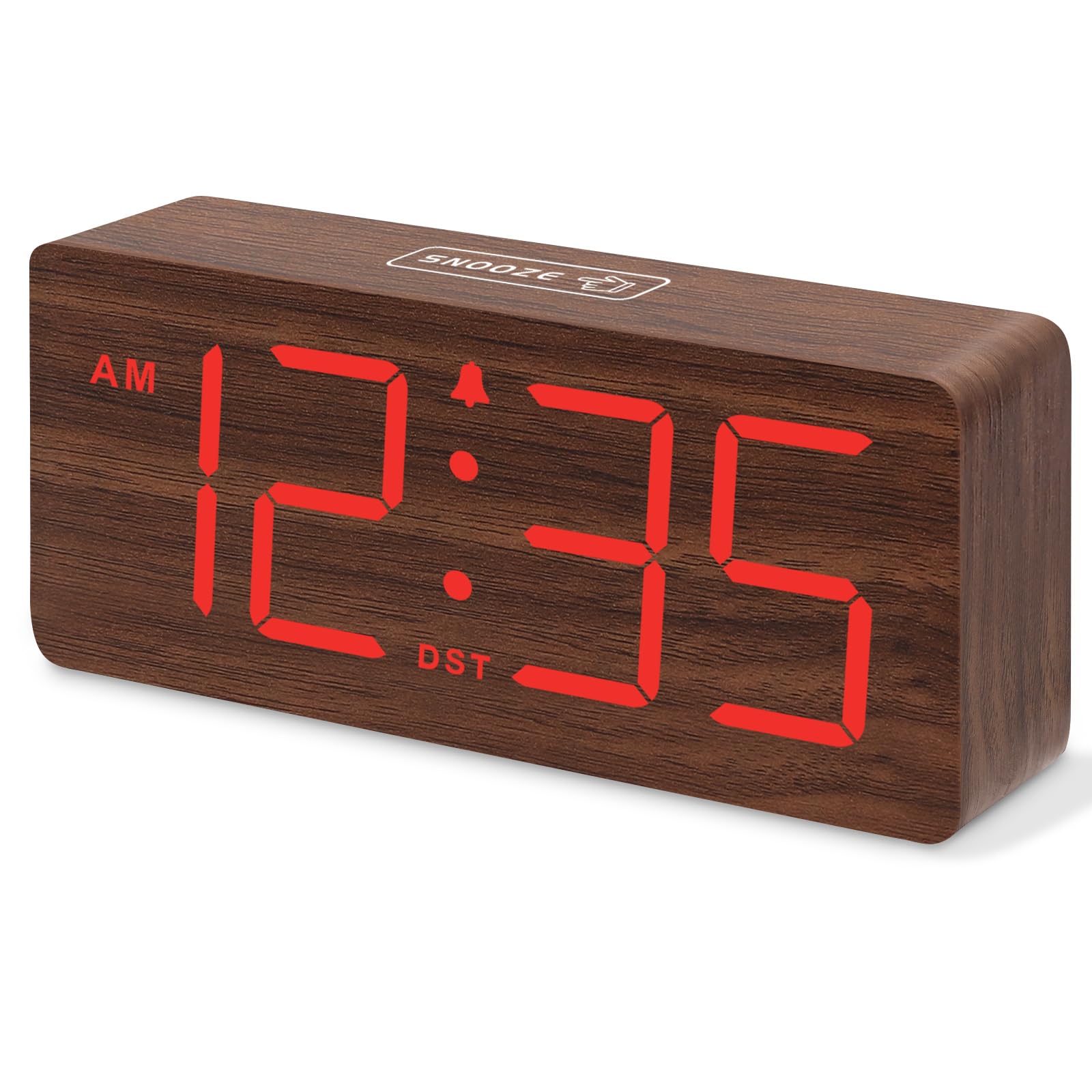
Figuur 1: DreamSky Wooden Digital Alarm Clock (Red)
2. Produkkenmerke
- Groot digitale skerm: Features 1.8-inch bold numbers for easy readability across the room.
- 6 Dimmable Brightness Levels: Adjust the display brightness from off to bright, suitable for day and night use.
- 5 Adjustable Alarm Volume Levels: Customize alarm volume from 70dB to 105dB, catering to both light and heavy sleepers.
- Sluimer-funksie: Provides an extra 9 minutes of rest after the alarm sounds.
- Plug-in Power with Battery Backup: Primarily powered by an included adapter, with battery backup (batteries not included) to maintain time settings and trigger alarms during power outages.
- DST and 12/24 Hour Format: Easy one-click switching for Daylight Saving Time and between 12-hour and 24-hour time formats.
- Modern Wooden Design: An elegant and space-saving design that complements various home and office decors.
3. Pakketinhoud
Kontroleer asseblief die pakket vir die volgende items:
- DreamSky Wooden Digital Alarm Clock (Model DS2208)
- 5V/1.2A kragadapter
- Gebruikershandleiding (hierdie dokument)
4. Opstelinstruksies
4.1 Aandryf die klok
The DreamSky alarm clock is designed to be continuously powered by the included 5V/1.2A power adapter. For stable operation and continuous display, always keep the clock plugged into a power outlet.

Figuur 2: Clock powered by electricity.
4.2 Battery-rugsteun
Vir rugsteun tydens krag outages, insert 2 AAA batteries (not supplied) into the battery compartment located on the back of the clock. The battery backup ensures that alarm settings are saved and the alarm will still function, though the display will not be lit to conserve power.

Figuur 3: Battery backup functionality.
4.3 kontroles oorview
The control buttons are located on the back panel of the clock. Familiarize yourself with these buttons for easy operation:

Figuur 4: Rear panel controls and power input.
4.4 Stel die tyd in
- Druk en hou die TYD BEREIK knoppie vir 2 sekondes ingedruk om tydinstellingsmodus te betree. Die uursyfers sal flikker.
- Gebruik die + or - knoppies om die uur aan te pas.
- Druk TYD BEREIK druk weer om die uur te bevestig en na die minuutinstelling oor te skakel. Die minuutsyfers sal flikker.
- Gebruik die + or - knoppies om die minute aan te pas.
- Druk TYD BEREIK to save the time and exit setting mode.
4.5 Stel die alarm in
- Druk en hou die ALARMSTEL knoppie vir 2 sekondes ingedruk. Die alarm se uursyfers sal flikker.
- Gebruik die + or - knoppies om die wekker uur aan te pas.
- Druk ALARMSTEL again to confirm the alarm hour and move to alarm minute setting. The minute digits will flash.
- Gebruik die + or - knoppies om die alarmminute aan te pas.
- Druk ALARMSTEL to save the alarm time. The alarm icon will appear on the display, indicating the alarm is active.
4.6 12/24-uur-formaat
To switch between 12-hour (AM/PM) and 24-hour (military) time formats, simply press the 12/24 uur knoppie.
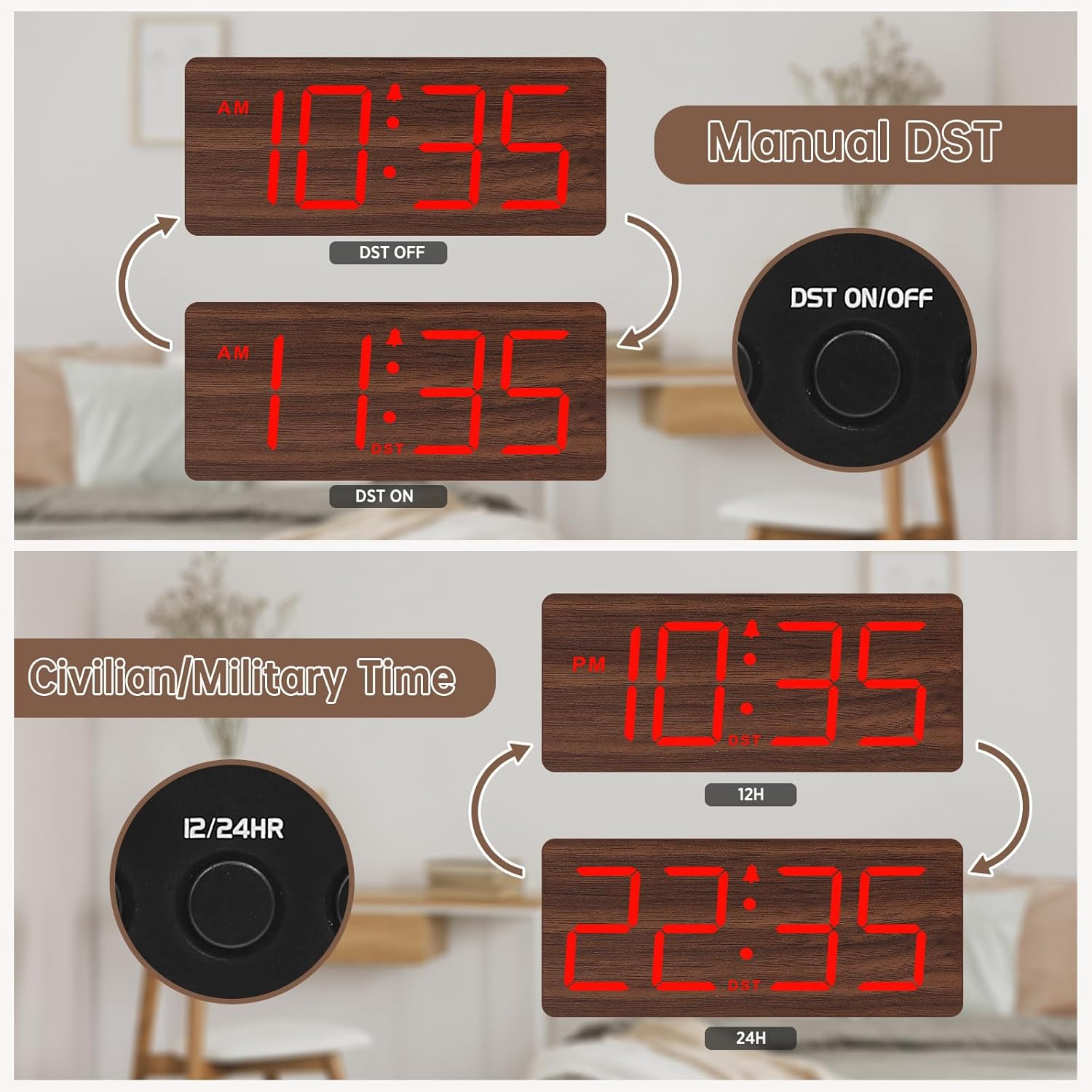
Figuur 5: Manual DST and 12/24 Hour Time Switch.
4.7 Somertyd (DST)
To activate or deactivate Daylight Saving Time, press the DST aan / uit button. The display will adjust by one hour forward or backward, and a 'DST' indicator will appear or disappear.
4.8 Aanpassing van die skermhelderheid
The clock offers 6 levels of display brightness (L1 to L5, plus OFF). Press the DOWWER button repeatedly to cycle through the brightness levels. Select a level that is comfortable for your environment, from bright during the day to dim or off at night.

Figuur 6: Adjustable Display Brightness Levels.
4.9 Adjusting Alarm Volume
The alarm volume can be adjusted to 5 different levels (V1 to V5). Use the VOL+ en VOL- buttons to set your preferred alarm volume. This feature is ideal for heavy sleepers who need a louder alarm or for light sleepers who prefer a softer tone.

Figuur 7: 5 Adjustable Alarm Volume Levels.
5. Bedryfsinstruksies
5.1 Snooze -funksie
Wanneer die alarm afgaan, druk die groot knoppie SLUIMER button on the top of the clock to temporarily silence the alarm for 9 minutes. The alarm will sound again after the snooze period ends.
5.2 Alarm Aan/Af
To turn the alarm on or off, press the AAN/AF button. The alarm icon on the display will indicate whether the alarm is currently active.
6. Onderhoud
To maintain your DreamSky Wooden Digital Alarm Clock:
- Vee die horlosie af met 'n sagte, droë lap.
- Vermy die gebruik van skuur skoonmakers of oplosmiddels.
- Keep the clock away from direct sunlight, extreme temperatures, and moisture.
7. Probleemoplossing
- Display not lit: Ensure the power adapter is securely plugged into both the clock and a working power outlet. If using battery backup, the display will not light up to conserve power.
- Alarm klink nie: Check if the alarm is set and the alarm icon is visible on the display. Ensure the alarm volume is not set to the lowest level (V1) or muted.
- Verkeerde tyd: Re-enter time setting mode and adjust the time as described in Section 4.4. If using battery backup, ensure batteries are fresh.
8. Spesifikasies
| Kenmerk | Detail |
|---|---|
| Handelsmerk | DreamSky |
| Modelnommer | DS2208 |
| Kleur | Red (Plug-in) |
| Tipe vertoon | Digitaal |
| Produk afmetings | 6.1"B x 2.8"H |
| Kragbron | Corded Electric (5V/1.2A adapter included) |
| Battery-rugsteun | 2 x AAA-batterye (nie ingesluit nie) |
| Materiaal | Hout |
| Item gewig | 10.2 onse |
9. Amptelike Produkvideo
Knip 1: 'n verbyview of the DreamSky Wooden Digital Clock, demonstrating its features and aesthetic appeal. This video is provided by DreamSky Direct.
10. Waarborg en Ondersteuning
DreamSky products are designed for durability and performance. For any questions, technical support, or warranty inquiries, please contact DreamSky customer support at: info@dreamsky4u.com.