
1. Inleiding
Dankie vir die aankoopasing the sainlogic S-M-1 Video Baby Monitor. This device is designed to provide a secure and reliable way to monitor your baby. Featuring a 1080P FHD 5-inch display, two-way audio, night vision, and temperature monitoring, it offers comprehensive surveillance for your peace of mind. Please read this manual thoroughly before use to ensure proper operation and safety.
2. Veiligheidsinligting
- Verwurgingsgevaar: Keep all cables out of reach of children (at least 1 meter / 3 feet away). Never place the camera or monitor within reach of the baby's crib or playpen.
- Verstikkingsgevaar: This product contains small parts. Keep them away from children.
- Kragbron: Gebruik slegs die meegeleverde kragadapters. Die gebruik van ongemagtigde adapters kan die toestel beskadig en die waarborg ongeldig maak.
- Water en vog: Do not expose the product to water or moisture. Do not use near bathtubs, sinks, or other wet areas.
- Hittebronne: Keep the product away from heat sources such as radiators, heat registers, stoves, or other heat-producing appliances.
- Ventilasie: Verseker behoorlike ventilasie. Moenie enige ventilasie-openinge blokkeer nie.
- Inmenging: This product operates on 2.4 GHz FHSS technology. Avoid placing it near other 2.4 GHz devices (e.g., Wi-Fi routers, microwaves) to prevent interference.
- Volwasse toesig: This product is intended to assist in monitoring your baby and should not replace proper adult supervision.
3. Pakketinhoud
Please check the package contents. If any items are missing or damaged, contact your retailer.
- Baby Monitor Unit (Parent Unit)
- Baby Camera Unit (Baby Unit)
- Kragadapter vir monitor
- Power Adapter for Camera
- Gebruikershandleiding
- Wall Mount Kit (optional, if included)
4. Produk verbyview
4.1 Ouereenheid (monitor)
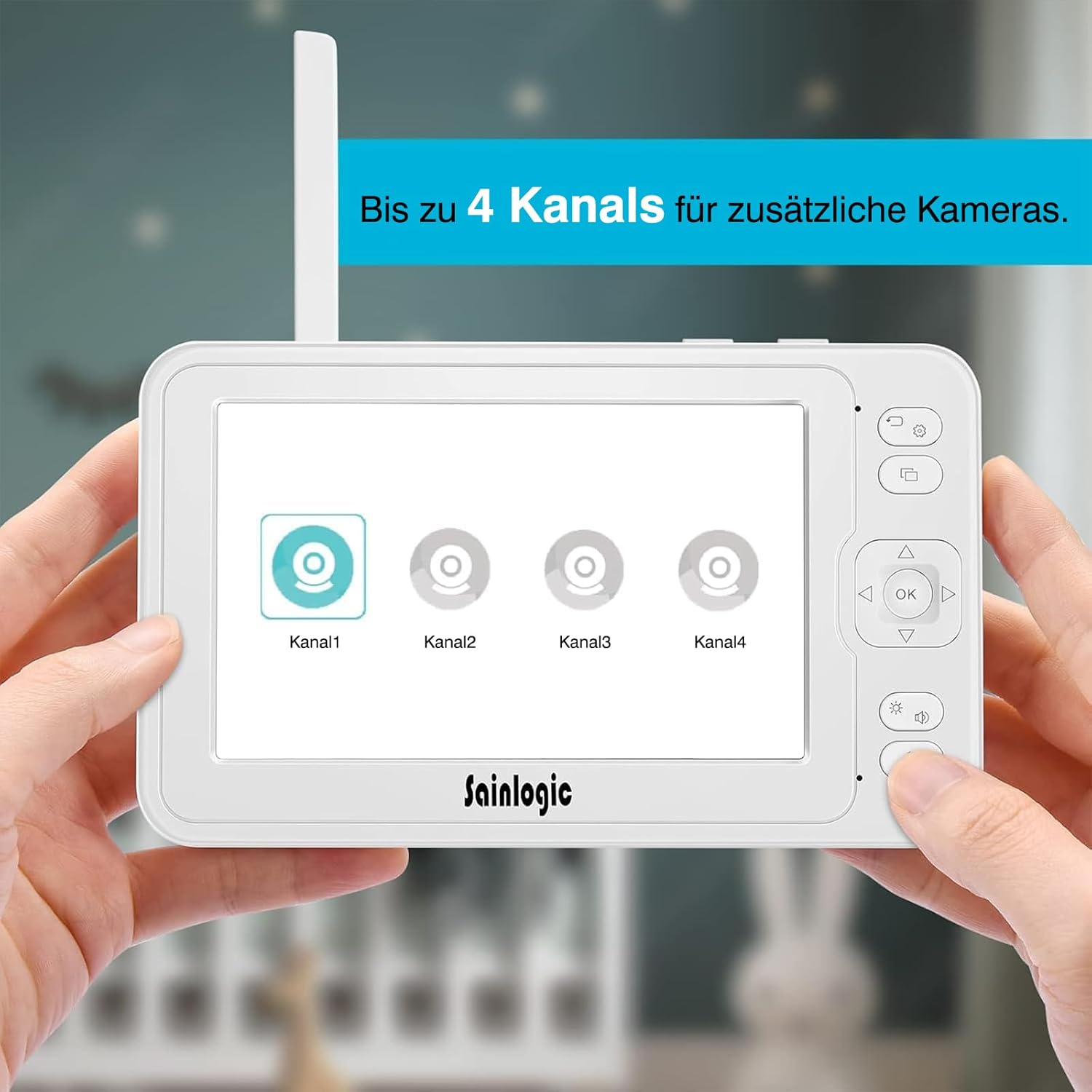
Figuur 4.1: The parent unit (monitor) displaying options for connecting up to four camera channels.
- 5-inch HD LCD Screen: Displays live video feed from the camera.
- Antenna: Vir draadlose seinontvangs.
- Kragknoppie: Turns the monitor ON/OFF.
- Kieslys-knoppie: Accesses monitor settings and features.
- Navigasieknoppies (Op/Af/Links/Regs): For menu navigation and camera pan/tilt control.
- OK knoppie: Bevestig keuses.
- Praat-knoppie: Activates two-way intercom.
- Volume knoppies: Adjusts monitor speaker volume.
- Mikrofoon: For two-way communication.
- Spreker: Outputs audio from the baby unit.
- Kragtoevoer: Koppel aan die kragadapter.
- MicroSD -kaartgleuf: For video recording storage (MicroSD card not included).
4.2 Baba-eenheid (kamera)

Figuur 4.2: The baby unit (camera) providing a clear 1080P Full HD view of a baby, demonstrating high-quality image capture.
- Kameralens: Neem video vas.
- Infrarooi LED's: Vir nagvisie.
- Ligsensor: Bespeur omgewingslig vir outomatiese nagsig-aktivering.
- Mikrofoon: Picks up sounds from the baby's room.
- Spreker: Outputs audio from the parent unit (lullabies, two-way talk).
- Temperatuursensor: Monitors room temperature.
- Koppelknoppie: For pairing the camera with the monitor.
- Kragtoevoer: Koppel aan die kragadapter.
- Montagegat: Vir muurmontering.
5. Opstelling
5.1 Aandryf van die baba-eenheid (kamera)
- Plaas die baba-eenheid op 'n plek wat 'n duidelike view of your baby. Ensure it is at least 1 meter (3 feet) away from the baby's crib or playpen to prevent strangulation hazards from the power cable.
- Connect the small plug of the camera power adapter to the camera's power input.
- Steek die ander kant van die kragadapter in 'n geskikte elektriese aansluiting.
- The camera will automatically power on.
5.2 Powering the Parent Unit (Monitor)
- Connect the small plug of the monitor power adapter to the monitor's power input.
- Steek die ander kant van die kragadapter in 'n geskikte elektriese aansluiting.
- Press and hold the Power button on the monitor for a few seconds to turn it on.
- The monitor has a built-in rechargeable battery for portable use. Charge it fully before initial use.
5.3 Pairing the Camera and Monitor
The baby unit and parent unit are pre-paired at the factory. If you lose connection or add additional cameras, follow these steps:
- Ensure both the camera and monitor are powered on.
- Op die monitor, druk die Spyskaart knoppie.
- Navigeer na die Kamera or Voeg kamera by option and select it.
- Choose an available channel (e.g., Camera 1, Camera 2).
- The monitor will display a message indicating it is searching for a camera.
- Binne 10 sekondes, druk en hou die Paar button on the back of the baby unit until the monitor displays the video feed.
- Once paired, the video feed will appear on the monitor.

Figuur 5.3: The monitor interface illustrating the capability to connect and switch between up to four camera channels for expanded monitoring.
6. Bedryfsinstruksies
6.1 Basiese Monitering
Once the camera and monitor are powered on and paired, the monitor will automatically display the live video feed from the camera. Adjust the volume using the Volume buttons on the side of the monitor.
6.2 Camera Control (Pan/Tilt/Zoom)
- Gebruik die Navigasie buttons (Up/Down/Left/Right) on the monitor to remotely pan (355° horizontally) and tilt (90° vertically) the camera lens to get the desired view.
- To zoom in/out, press the Zoem button (often integrated with a navigation button or a dedicated button, refer to monitor button layout).
6.3 Tweerigting-intercom
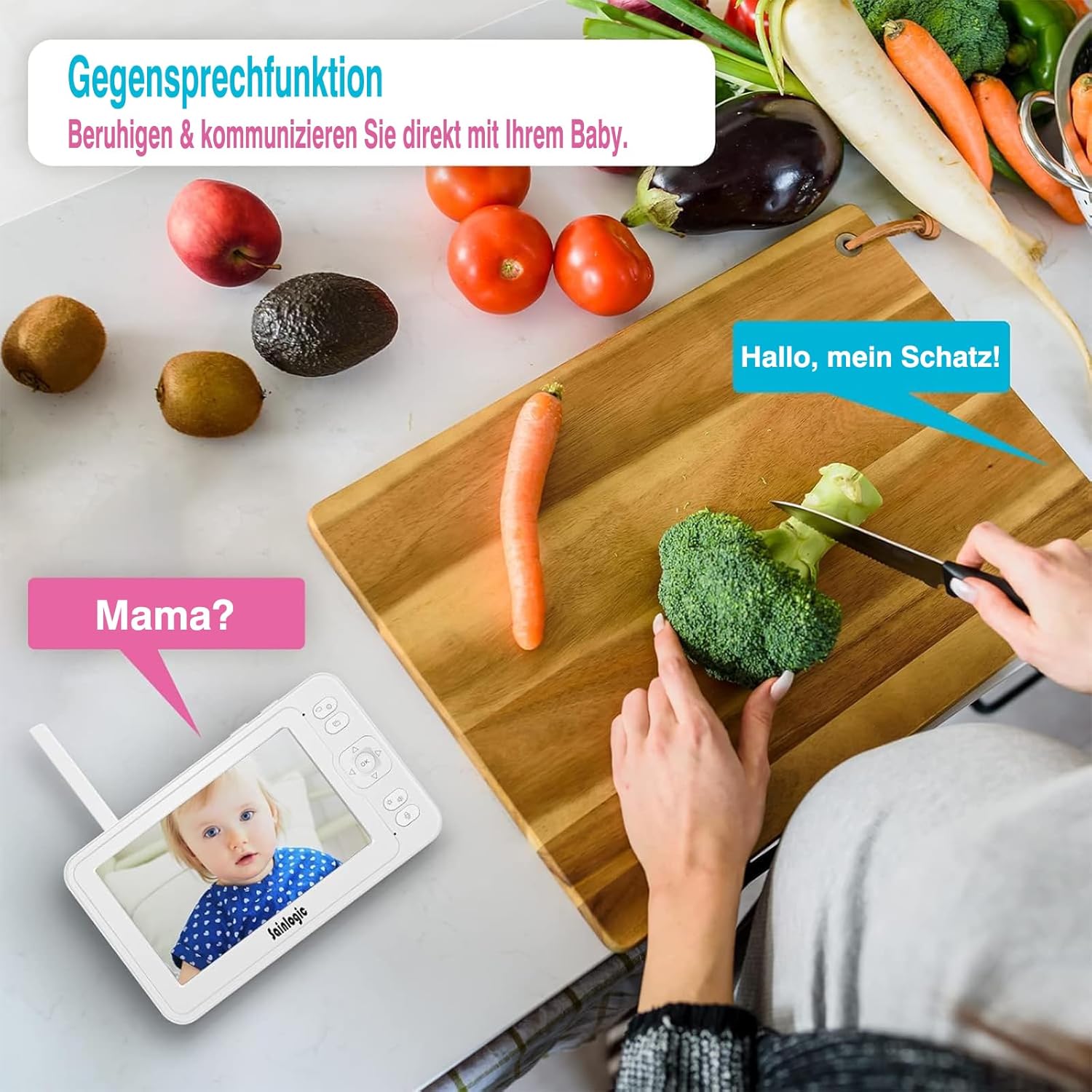
Figuur 6.3: Demonstrating the two-way intercom function, allowing a parent to speak to their baby through the monitor.
Om met jou baba te praat, druk en hou die Praat button on the monitor. Release the button to hear your baby's sounds.
6.4 VOX-funksie (Stembeheerde uitruiling)

Figuur 6.4: The monitor displaying a crying baby, indicating the activation of the sound detection alarm via integrated VOX technology and auto-wake feature.
The VOX function automatically activates the monitor screen and sound when it detects noise above a certain level in the baby's room. You can adjust the VOX sensitivity level in the monitor's menu settings.
- Hoë sensitiwiteit: Detects even soft sounds.
- Lae sensitiwiteit: Only activates for louder sounds.
6.5 Wiegeliedjies
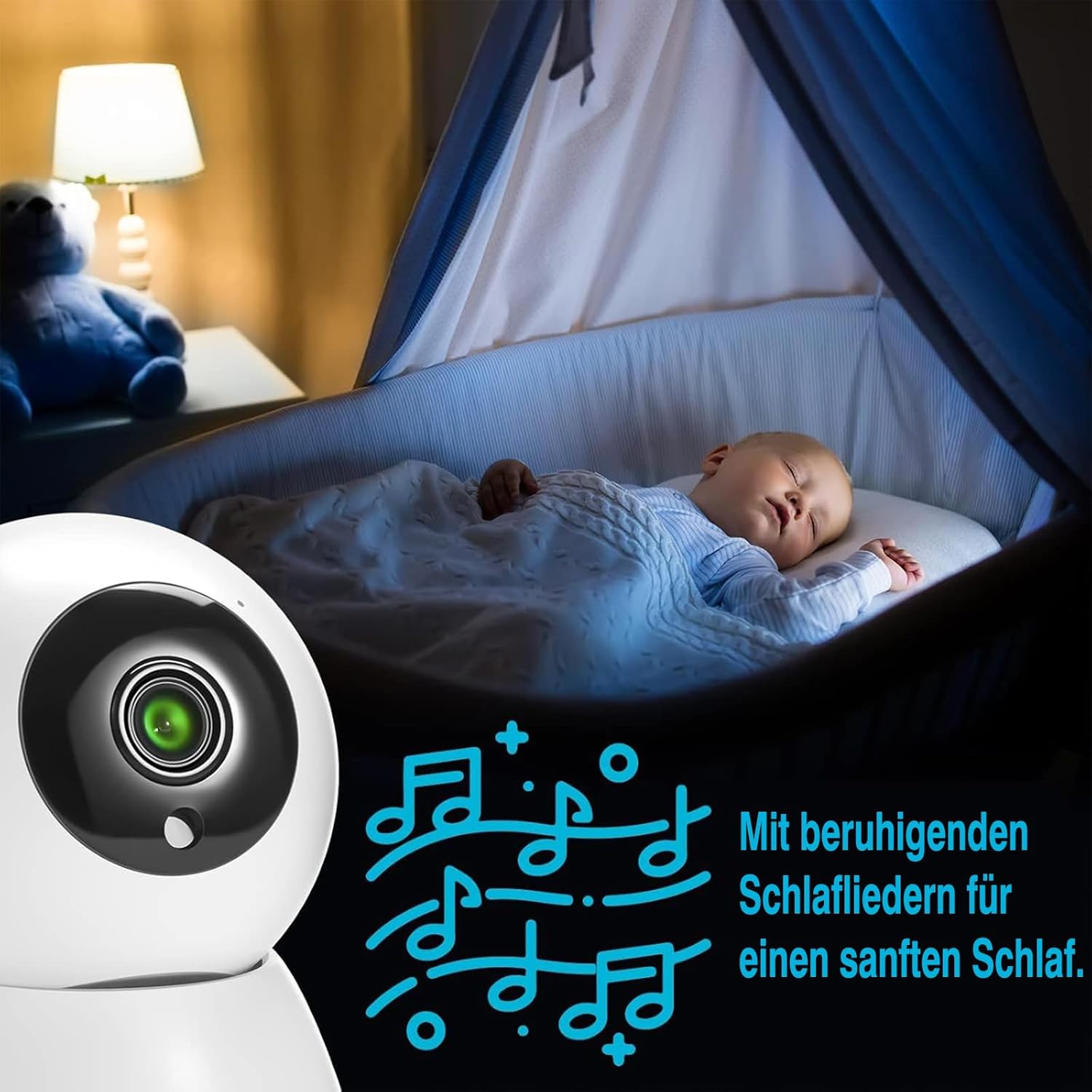
Figuur 6.5: A baby sleeping soundly, accompanied by musical notes, illustrating the monitor's lullaby feature for soothing sleep.
The monitor includes 8 soothing lullabies. To play a lullaby, access the menu, navigate to the Wiegeliedjie option, and select your desired tune. You can also set a timer for how long the lullaby plays.
6.6 Temperatuurmonitering

Figuur 6.6: The baby monitor displaying a baby, with an overlay indicating both temperature and sound alarms, ensuring a safe environment.
The baby unit has a built-in temperature sensor that displays the room temperature on the parent unit. You can set high and low temperature alerts in the menu to be notified if the room becomes too hot or too cold.
6.7 Feeding Reminders
Set up feeding reminders through the monitor's menu. This feature allows you to schedule alerts to help maintain your baby's feeding schedule.
6.8 MicroSD Recording
Insert a MicroSD card (not included) into the designated slot on the monitor to record video footage. Access recording options and playback through the monitor's menu.
6.9 Spyskaartnavigasie

Figuur 6.9: The monitor screen displaying a range of menu icons, including options for cameras, feeding reminders, sound alarms, temperature alarms, lullabies, display settings, recording, playback, system settings, and language.
Druk die Spyskaart knoppie om toegang tot die hoofkieslys te kry. Gebruik die Navigasie buttons to scroll through options and the OK button to select. Common menu options include:
- Kamera-instellings: Add/delete cameras, switch camera views.
- VOX Settings: Adjust sensitivity, enable/disable.
- Alarm instellings: Temperature alerts, feeding reminders.
- Wiegeliedjies: Select and play melodies.
- Vertoon opsies: Brightness, sleep mode.
- Stelselinstellings: Time, date, language, factory reset.
7. Onderhoud
- Skoonmaak: Clean the monitor and camera with a soft, dry cloth. Do not use cleaning agents or solvents.
- Batterysorg: For optimal battery life, avoid fully discharging the monitor's battery frequently. Charge it regularly.
- Berging: If storing the device for an extended period, ensure the battery is partially charged and store it in a cool, dry place.
8. Probleemoplossing
| Probleem | Moontlike oorsaak | Oplossing |
|---|---|---|
| No picture/sound on monitor. |
|
|
| Picture is blurry or distorted. |
|
|
| VOX not working or too sensitive. |
|
|
| Two-way talk not functioning. |
|
|
9. Spesifikasies
| Modelnommer | SM-1 |
| Handelsmerk | sainlogic |
| Skerm grootte | 5-duim HD LCD |
| Video-resolusie | 1080P FHD (Recording and Effective Video Resolution) |
| Verbindingsprotokol | FHSS 2.4 GHz (No Wi-Fi required) |
| Krag Invoer | 5 Volt, 10 Watt |
| Monitor battery | 1 Non-standard battery (rechargeable) |
| Produkafmetings (L x B x H) | 16 x 1.5 x 10 cm |
| Produk Gewig | 830 gram |
| Montage tipe | Muurmontering |
| Waarskuwingstipes | Audio and Motion, Temperature |
| Wiegeliedjies | 8 built-in melodies |
| Multi-Camera Support | Tot 4 kameras |
| Gebruiksomgewing | Binneshuise |
| GTIN/UPC | 734257140072 |
10. Waarborg en Ondersteuning
For warranty information or technical support, please refer to the warranty card included in your package or visit the official sainlogic webwebwerf. Bewaar u aankoopbewys as bewys van aankoop.