
1. Inleiding
Thank you for choosing the YI Smart Security Camera 360° PTZ Dome Camera. This camera provides comprehensive surveillance with its 360° pan and tilt capabilities, delivering crystal-clear 1080p Full HD video. Designed for indoor use, it features advanced motion detection, smart auto-tracking, enhanced night vision, and two-way audio communication. This manual will guide you through the setup, operation, and maintenance of your new security camera.
Sleutel kenmerke:
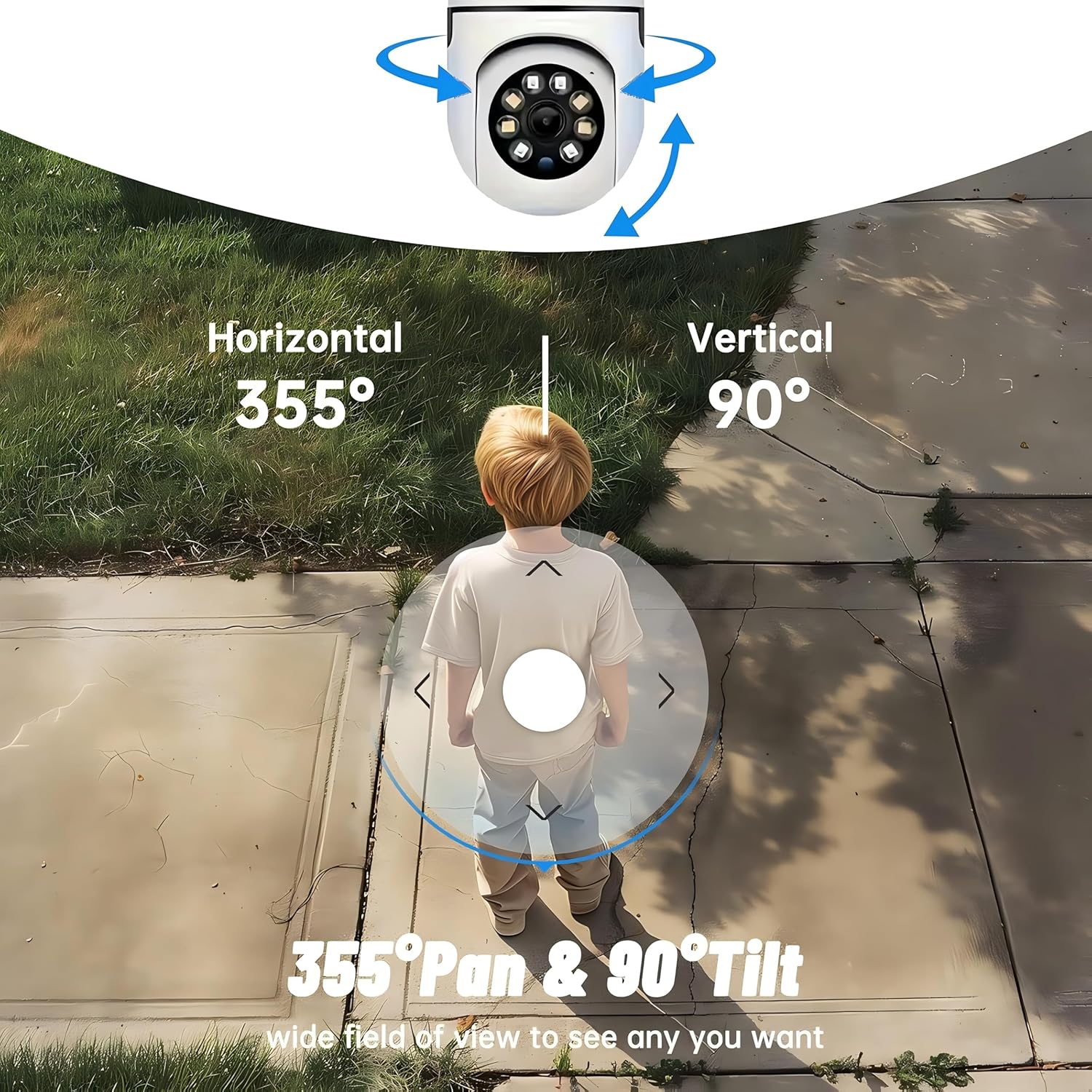
- 360° dekking: 355° horizontal and 90° vertical rotation for zero blind spots.
- 1080p Full HD: Hoëdefinisie-video vir duidelike monitering.
- Motion Detection & Auto Tracking: Alerts and tracks moving objects automatically.
- Verbeterde Nagvisie: Multiple modes including full-color night vision.
- Tweerigting-klank: Ingeboude mikrofoon en luidspreker vir kommunikasie intyds.
- Buigsame berging: Supports Cloud storage and local storage via microSD card (up to 128GB).
2. Pakketinhoud
Kontroleer asseblief die pakket vir die volgende items:
- YI Smart Security Camera x1
- USB kabel x1
- Gebruikershandleiding x1 (Hierdie dokument)
3. Produk verbyview
Familiarize yourself with the components of your YI Smart Security Camera.

Figuur 3.1: Voorkant view of the YI Smart Security Camera, showing the lens, LED lights, and two antennas.

Figure 3.2: Dimensions of the YI Smart Security Camera, indicating a height of 180mm (7.08in), width of 102mm (4.0in), and depth of 85mm (3.34in).
4. Opstelling en installering
4.1 Aanvanklike opstart
- Connect the provided USB cable to the camera's power port and plug the other end into a compatible USB power adapter (not included).
- The camera will power on and initiate its self-test sequence. Wait for the indicator light to flash, indicating it's ready for setup.
4.2 App-aflaai en rekeningskepping
- Laai die af YI IOT App vanaf die App Store (iOS) of Google Play Store (Android).
- Maak die toepassing oop en volg die instruksies op die skerm om 'n nuwe rekening te skep of aan te meld as jy reeds een het.
4.3 Adding Your Camera to the App
- In the YI IOT App, tap the "+" icon to add a new device.
- Kies jou kameramodel uit die lys.
- Follow the app's instructions to connect the camera to your 2.4GHz Wi-Fi network. This typically involves scanning a QR code generated by the app with the camera's lens.
- Sodra jy gekoppel is, kan jy jou kamera 'n naam gee en regstreeks begin viewing.
4.4 Montering van die kamera
The camera is designed for indoor use and can be placed on a flat surface or wall-mounted. For wall mounting, use the included mounting accessories (if applicable) and ensure the camera is securely fastened.
Figuur 4.1: Examples of multi-scene applications, including wall and ceiling mounting, and placement in living rooms, bedrooms, and studies.
5. Bediening van jou kamera
5.1 Pan-Tilt-beheer
The YI Smart Security Camera offers extensive pan and tilt capabilities, allowing you to monitor a wide area.
- Horisontale rotasie: 355°
- Vertikale rotasie: 90°
In the YI IOT App, use the directional controls on the live view screen to remotely adjust the camera's viewing hoek.

Figure 5.1: Illustration of the camera's 355° horizontal pan and 90° vertical tilt capabilities, providing a wide field of view.
5.2 Motion Detection & Smart Auto Tracking
The camera can detect movement and automatically track objects, sending alerts to your smartphone.
- Bewegingsopsporing: When motion is detected, the camera will send an instant push notification with a 6-second video clip to your phone via the YI IOT App.
- Smart Auto Tracking: If enabled, the camera will automatically follow moving objects for up to 10 seconds after detection, ensuring continuous monitoring of the activity.
Adjust sensitivity settings and notification preferences within the app.

Figure 5.2: Real-time alarm notification on the YI IOT app, showing an intruder detected by the camera.
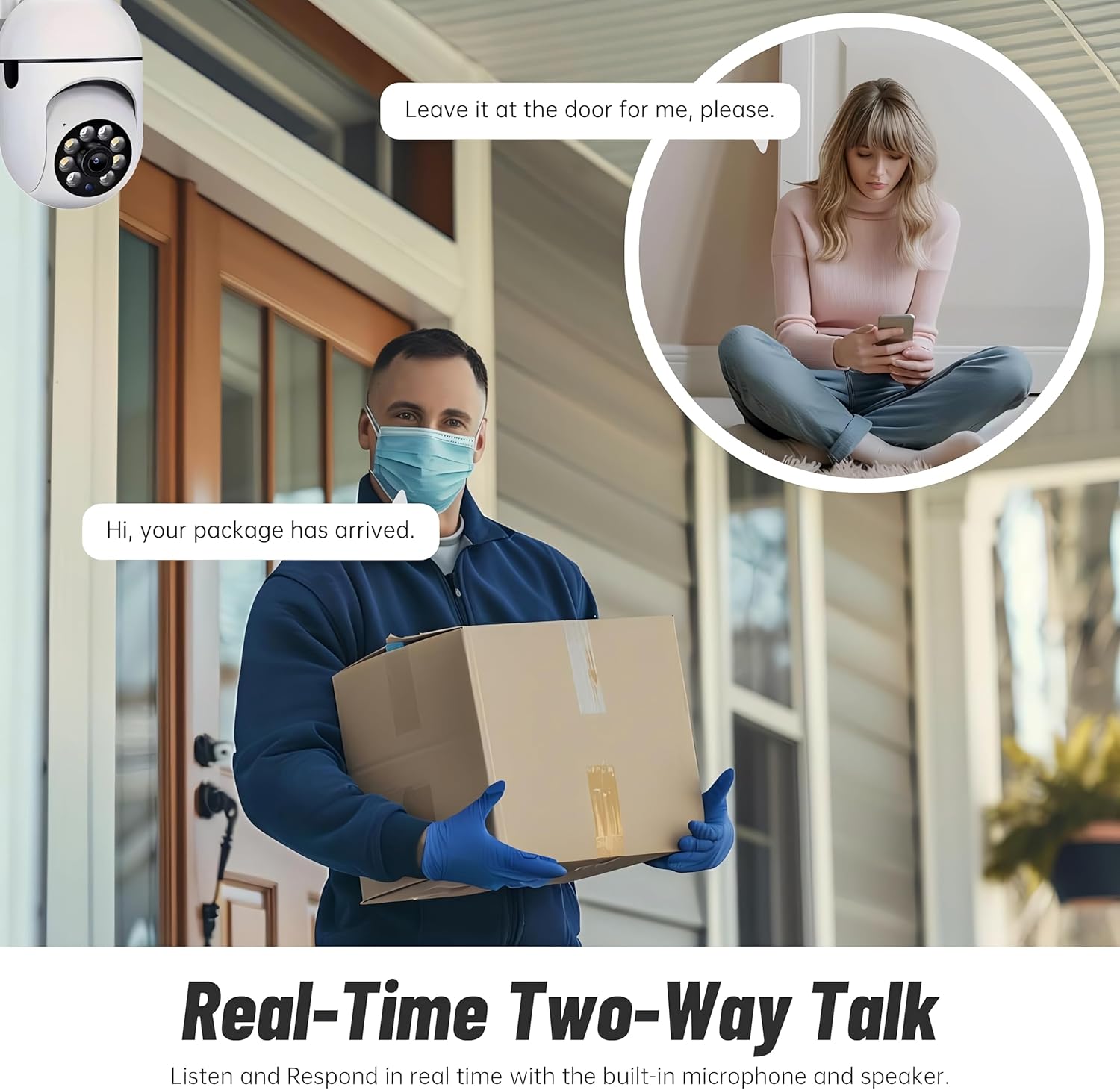
Figure 5.3: The camera's motion tracking feature focusing on a moving pet.

Figure 5.4: Visual representation of a motion detection alert, showing the camera capturing movement and sending notifications.
5.3 Enhanced Night Vision
The camera is equipped with ultra-long-distance infrared LEDs and floodlight LEDs, offering multiple night vision modes for clear visibility in low-light conditions.
- Normal Night Vision: Standaard swart en wit infrarooi view.
- Intelligente Nagvisie: Automatically switches between infrared and full-color based on detected activity.
- Volkleur Nagvisie: Provides a color image even in low light, utilizing the built-in floodlight.
You can switch between these modes directly from the YI IOT App.

Figure 5.5: Comparison illustrating the difference between standard infrared night vision (monochrome) and 1080p full-color night vision.
5.4 Tweerigting-klank
Communicate through the camera using its built-in microphone and high-power speaker.
- Interkommodus: Press and hold the microphone icon in the app to speak, and release to listen. Ideal for giving commands to pets or deterring unwanted visitors.
- Handvrye modus: Allows for a continuous two-way conversation, similar to a phone call.
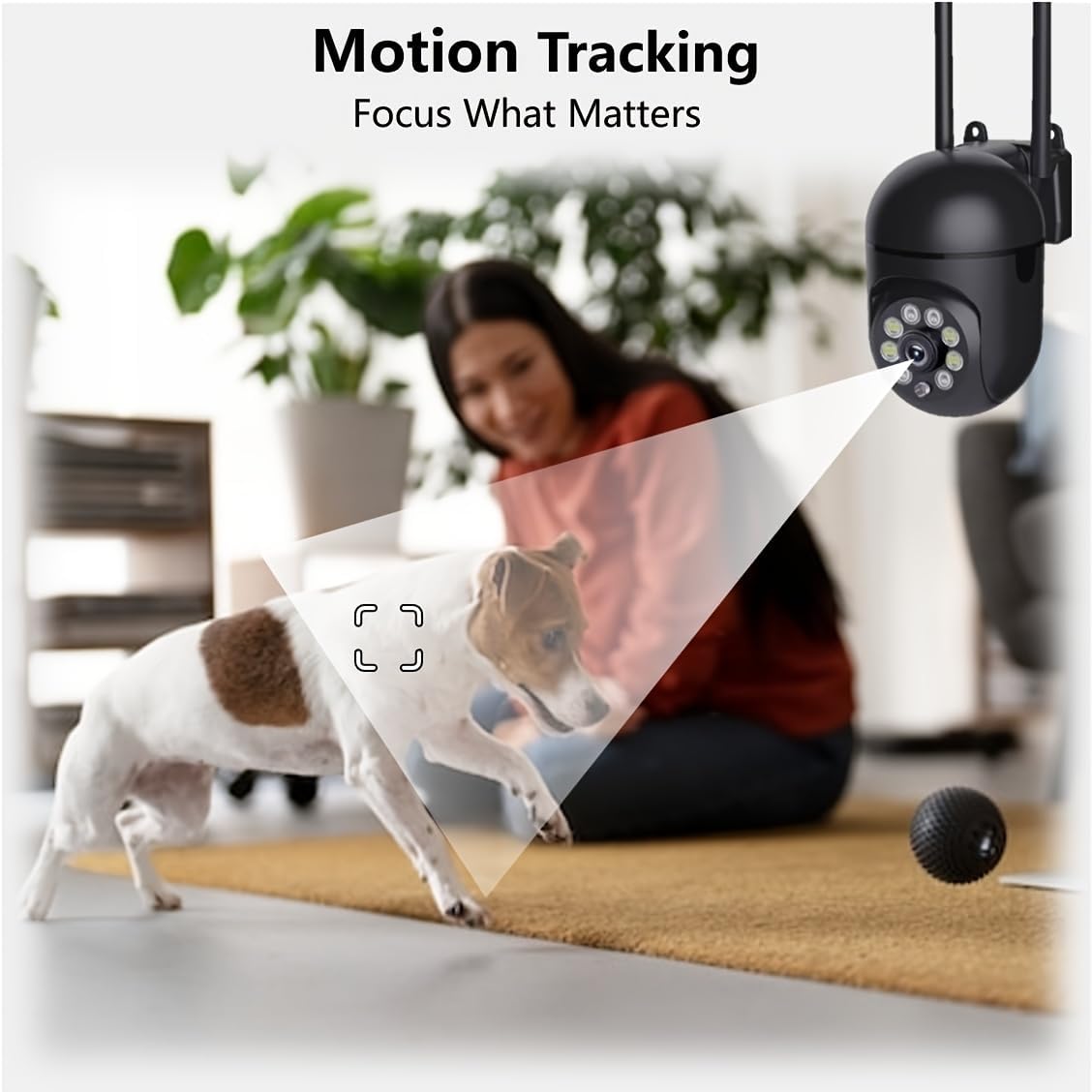
Figure 5.6: Demonstration of real-time two-way talk, allowing communication between the camera's location and the app user.
5.5 Cloud & Local Storage
Your camera offers flexible storage options for your video footage.
- YI Cloud Storage: Securely store 6-second video clips triggered by motion or sound detection. This ensures your footage is safe from loss, theft, or damage to local storage. Available for both iOS and Android.
- Plaaslike berging: The camera supports microSD cards up to 128GB (not included) for continuous recording or event-triggered recordings.
6. Onderhoud
To ensure optimal performance and longevity of your camera, follow these maintenance guidelines:
- Skoonmaak: Vee die kameralens en -liggaam liggies af met 'n sagte, droë lap. Vermy die gebruik van harde chemikalieë of skuurmiddels.
- Firmware -opdaterings: Regularly check for and install firmware updates via the YI IOT App. Updates often include performance improvements, new features, and security enhancements.
- Krag siklus: If the camera becomes unresponsive, unplug it from the power source for 10 seconds, then plug it back in to restart it.
7. Probleemoplossing
As jy probleme met jou kamera ondervind, raadpleeg die volgende algemene probleme en oplossings:
| Probleem | Moontlike oorsaak | Oplossing |
|---|---|---|
| Kamera vanlyn | Geen krag nie; Wi-Fi afgeskakel; Router probleem | Check power connection; Restart camera and router; Reconnect camera to Wi-Fi via app. |
| Swak beeldkwaliteit | Dirty lens; Insufficient lighting; Network bandwidth | Clean the lens; Ensure adequate lighting or enable night vision; Check Wi-Fi signal strength. |
| Bewegingsbespeuring werk nie | Feature disabled; Incorrect sensitivity; Obstruction | Enable motion detection in app; Adjust sensitivity; Ensure clear view. |
| Tweerigting-klankprobleme | Microphone/speaker muted; App permissions; Network delay | Check app settings; Grant microphone permissions; Ensure stable network connection. |
| MicroSD-kaart nie herken nie | Card not inserted correctly; Incompatible card; Corrupted card | Reinsert card; Use a compatible card (Class 10 or higher); Format card in app or replace. |
If the problem persists, please contact YI customer support.
8. Spesifikasies
Detailed technical specifications for the YI Smart Security Camera.
| Kenmerk | Spesifikasie |
|---|---|
| Model Naam | CB201-1X-W |
| Binne/buiteluggebruik | Binneshuise |
| Video-opname-resolusie | 1080p Full HD |
| Verbindingstegnologie | Draadloos (Wi-Fi 2.4GHz) |
| Pan/kantel-reeks | Horisontaal 355°, Vertikaal 90° |
| Nagsigreeks | 10 meter |
| Tweerigting-klank | Ja |
| Bergingsopsies | Cloud Storage, MicroSD Card (up to 128GB) |
| Kragbron | Elektries met koord |
| Versoenbare toestelle | Slimfoon (iOS/Android) |
| Produkafmetings (L x B x H) | 4 x 3.35 x 7.09 duim |
| Ingesluit komponente | Security Camera x1, USB Cable x1 |
9. Waarborg en Ondersteuning
Vir waarborginligting en tegniese ondersteuning, verwys asseblief na die amptelike YI website or contact their customer service directly. Details can typically be found on the product packaging or within the YI IOT App's 'About' or 'Support' section.
Aanlyn ondersteuning: Besoek die amptelike YI webwebwerf vir algemene vrae, probleemoplossingsgidse en kontakopsies.
App -ondersteuning: Access support resources directly within the YI IOT App.