
NIMO Nimo N153
NIMO 15.6" FHD IPS Business Gaming Laptop User Manual
Model: Nimo N153
Inleiding
This manual provides essential information for the setup, operation, and maintenance of your NIMO 15.6" FHD IPS Business Gaming Laptop. Designed for both productivity and light gaming, this laptop features an AMD Ryzen 5 6600H processor, 32GB DDR5 RAM, and a 1TB PCIe SSD, ensuring fast performance and ample storage. Please read this manual thoroughly to ensure proper use and longevity of your device.
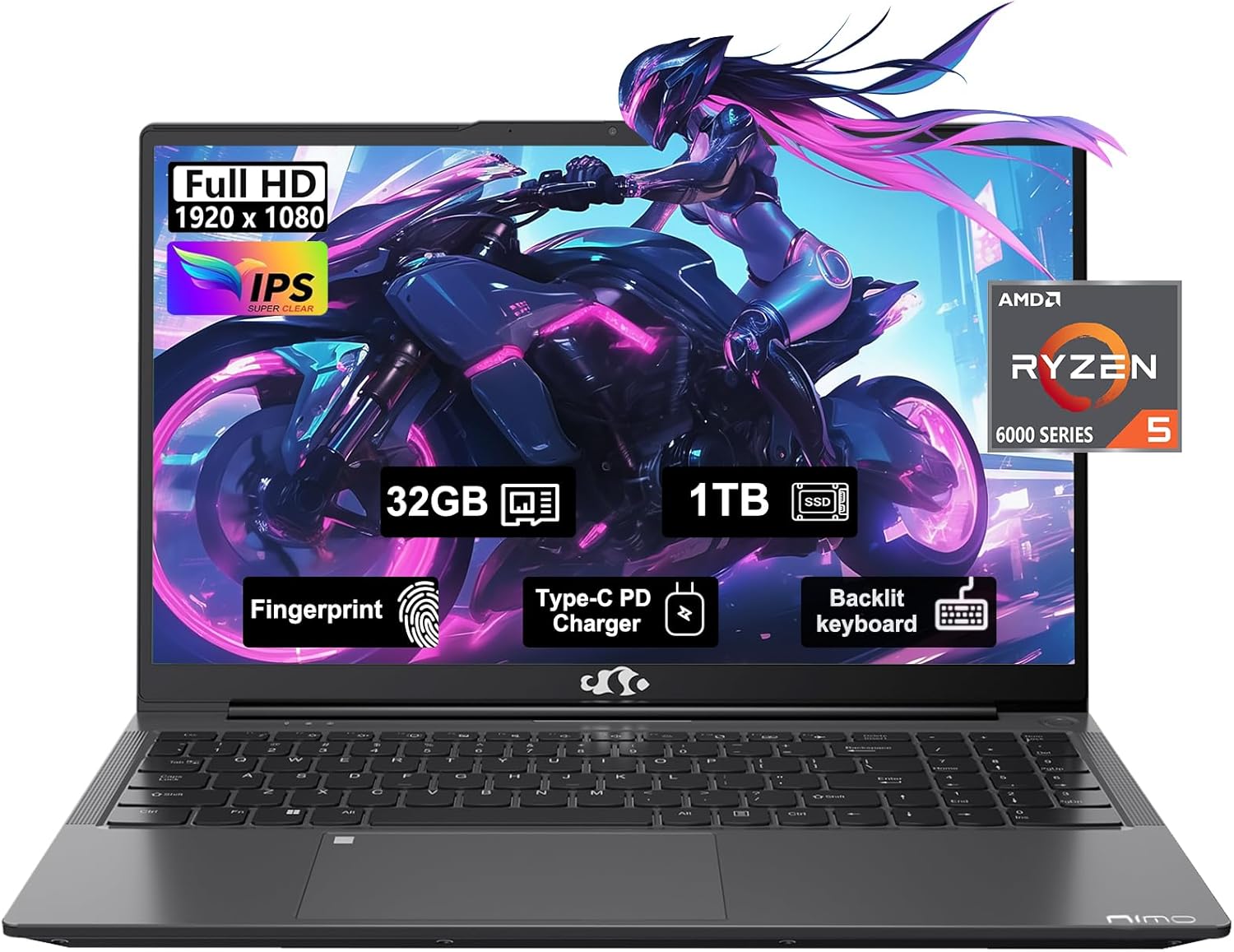
Figure 1: NIMO 15.6" FHD IPS Business Gaming Laptop overview.
Opstelling
1. Uitpak en aanvanklike inspeksie
Verwyder alle komponente versigtig uit die verpakking. Die boks moet die volgende bevat:
- 1 x Nimo N153 Laptop
- 1 x Type-C 100W PD Fast Charger
- 1 x Gebruikershandleiding
Inspect the laptop and accessories for any signs of damage. If any components are missing or damaged, contact customer support immediately.
2. Aanvanklike aanskakeling en laai
Before first use, it is recommended to fully charge the laptop.
- Connect the Type-C 100W PD Fast Charger to the laptop's Type-C port (Multifunction) and to a power outlet.
- The charge LED indicator will illuminate. Allow the laptop to charge until the LED indicates a full charge.
- Druk die kragknoppie om die skootrekenaar aan te skakel.

Figure 2: Connecting the Type-C 100W PD Fast Charger.
3. Operating System Setup (Windows 11)
Follow the on-screen prompts to complete the initial setup of Windows 11. This typically includes:
- Kies jou streek en sleutelborduitleg.
- Koppel aan 'n Wi-Fi-netwerk.
- Aanmeld met of skep 'n Microsoft-rekening.
- Die opstel van 'n PIN of wagwoord.
- Configuring privacy settings.
Bediening van jou skootrekenaar
1. Sleutelbord en raakvlak
The NIMO laptop features a full-size backlit keyboard and a large touchpad for comfortable and efficient input.
- Verligte sleutelbord: Use the function keys (Fn + F-key combination, typically F3 or F4) to adjust keyboard backlight brightness.
- Raakblad: Ondersteun multi-aanraking gebare vir navigasie. Verwys na Windows-instellings vir aanpassing.
- Vingerafdrukleser: Located on the touchpad, allows for secure login via Windows Hello.

Figure 3: Laptop keyboard layout with backlit keys and integrated fingerprint reader.
2. Poorts en Konnektiwiteit
Your NIMO laptop is equipped with various ports for versatile connectivity:
- USB 2.0 Poorte: 1 port for connecting peripherals.
- USB 3.0 Poorte: 2 poorte vir hoëspoed-data-oordrag.
- Type-C Ports (Multifunction): 2 ports supporting power delivery (PD) and data.
- HDMI-poort: Vir die koppeling aan eksterne skerms.
- Koptelefoonaansluiting: Vir oudio-uitvoer.
- Micro SD -kaartgleuf: Vir die uitbreiding van stoorplek of die oordrag van data vanaf geheuekaarte.
- Kensington Slot Slot: Vir fisiese sekuriteit.
- Draadlose konneksie: Supports Wi-Fi 802.11a/b/g/n/ac and Bluetooth 5.2.

Figuur 4: oorview of laptop ports for various connections.
3. Vertoon
The laptop features a 15.6" FHD IPS (1920x1080) Anti-Glare Display with an 85% screen-to-body ratio. This display is designed to provide clear visuals and reduce eye strain during extended use.

Figure 5: The 15.6-inch Full HD IPS display.
4. Prestasie
Powered by an AMD Ryzen 5 6600H processor (6 Cores, 12 Threads, up to 4.5 GHz) and 32GB DDR5 RAM, the laptop delivers robust performance for business tasks, content creation, and light gaming. The integrated AMD Radeon 660M GPU handles graphics processing efficiently.

Figure 6: AMD Ryzen 5 6600H processor, central to the laptop's performance.
The 1TB PCIe SSD provides fast boot times and rapid data access, enhancing overall system responsiveness.
Onderhoud
1. Maak jou skootrekenaar skoon
- Gebruik 'n sagte, pluisvrye lap effens dampmet water of 'n skermreiniger om die skerm skoon te maak.
- Vir die sleutelbord en onderstel, gebruik 'n sagte lap. Vermy harde chemikalieë of skuurmiddels.
- Use compressed air to clear dust from vents and ports periodically.
2. Sagteware-opdaterings
Kontroleer gereeld vir Windows-opdaterings en dryweropdaterings en installeer dit om optimale werkverrigting en sekuriteit te verseker.
- Gaan na Instellings > Windows-opdatering to check for OS updates.
- Visit the NIMO support webwebwerf vir die nuutste bestuurderopdaterings.
3. Bergingbestuur
To maintain performance, regularly manage your 1TB SSD storage:
- Skrap onnodig files en toepassings.
- Gebruik wolkberging vir groot files.
- Periodically run Disk Cleanup (built-in Windows tool).
4. Batteryversorging
Om batterylewe te maksimeer:
- Vermy uiterste temperature.
- Moenie die skootrekenaar vir lang tye met 100% lading ingeprop laat as dit nie gebruik word nie.
- Kalibreer die battery af en toe deur dit volledig te ontlaai en weer te laai.
5. Memory and Storage Upgrades
The NIMO laptop supports dual-channel memory upgrades (up to 2 x 16GB DDR5 RAM) and features an upgradable PCIe SSD. Consult a qualified technician for hardware upgrades to avoid voiding your warranty.
Probleemoplossing
Hierdie afdeling spreek algemene probleme aan wat jy mag teëkom.
Skootrekenaar skakel nie aan nie
- Maak seker dat die laaier stewig aan beide die skootrekenaar en 'n werkende kragpunt gekoppel is.
- Verifieer dat die kragaansluiting funksioneel is deur 'n ander toestel in te prop.
- Probeer om die aan/af-knoppie vir 15-20 sekondes in te hou om 'n harde herstel uit te voer.
- Indien die battery heeltemal leeg is, laat dit vir ten minste 30 minute laai voordat jy probeer om dit aan te skakel.
Screen Remains Blank
- Check if the laptop is powered on (listen for fan noise or look for indicator lights).
- Connect an external monitor via the HDMI port to check if the display output works.
- Herbegin die skootrekenaar.
Stadige prestasie
- Maak onnodige toepassings wat in die agtergrond loop toe.
- Kontroleer vir en installeer enige hangende Windows-opdaterings.
- Maak seker daar is genoeg vrye spasie op jou SSD.
- Voer 'n virusskandering uit.
Wi-Fi-verbindingsprobleme
- Maak seker dat Wi-Fi in Windows-instellings geaktiveer is.
- Herbegin jou router en modem.
- Dateer jou draadlose netwerkadapterbestuurders op.
- Vergeet die netwerk en koppel weer aan.
Vir probleme wat nie hier gedek word nie, verwys asseblief na die Waarborg- en Ondersteuningsafdeling vir kontakinligting.
Spesifikasies
| Kenmerk | Detail |
|---|---|
| Handelsmerk | NIMO |
| Model Naam | Nimo N153G |
| Skerm grootte | 15.6 duim |
| Skermresolusie | 1920 x 1080 pixels (FHD IPS Anti-Glare) |
| Verwerker | AMD Ryzen 5 6600H (6 kerns, 12 drade, tot 4.5 GHz) |
| RAM | 32GB DDR5 (Dual-channel, upgradable to 2x16GB) |
| Hardeskyf | 1TB PCIe SSD |
| Grafiese medeverwerker | AMD Integrated graphics (Radeon 660M GPU) |
| Bedryfstelsel | Windows 11 |
| Draadlose tipe | 802.11a/b/g/n/ac (Wi-Fi 5), Bluetooth 5.2 |
| Hawens | 1x USB 2.0, 2x USB 3.0, 2x Type-C (Multifunction), 1x HDMI, 1x Headphone Jack, 1x Micro SD Slot |
| Spesiale kenmerke | Fingerprint Reader, HD Audio, Backlit Keyboard, Numeric Keypad |
| Kragbron | Battery Powered, Type-C 100W PD Fast Charger |
| Gemiddelde batterylewe | 5 ure |
| Item gewig | 6 pond |
| Produk afmetings | 14.07 x 8.98 x 0.76 duim |
| Kleur | Ruimtegrys |
Waarborg en Ondersteuning
Vervaardiger se waarborg
Your NIMO laptop is covered by a comprehensive 2-jaar vervaardiger se waarborg offered by Nimo Direct Inc. This warranty covers defects in materials and workmanship under normal use.
Additionally, Nimo Direct Inc. offers 90-Day Hassle-Free Returns. If you encounter any concerns or issues with your product within this period, please contact customer support for assistance with resolution or replacement.
Kontak ondersteuning
For technical assistance, warranty claims, or return inquiries, please contact NIMO customer support. Refer to the contact information provided on the official NIMO webwebwerf of die dokumentasie wat by u produk ingesluit is.
Please have your product model number (Nimo N153) and purchase details ready when contacting support.
Ask a question about this manual
Ask about setup, troubleshooting, compatibility, parts, safety, or missing instructions. Manuals+ will review the question and use this page’s manual context to help answer it.