
1. Inleiding
Dankie vir die aankoopasing the Sharp KI-TX75-W Humidifying Air Purifier. This appliance is designed to improve your indoor air quality through advanced air purification and humidification technologies. It features Plasmacluster NEXT for high-density ion emission, AI AUTO mode for intelligent operation, Coanda flow for efficient dust collection, an AI monitor for real-time air quality feedback, and COCORO AIR for smart control via a smartphone app.
This manual provides essential information for the safe and efficient use, maintenance, and troubleshooting of your air purifier. Please read it thoroughly before use and keep it for future reference.
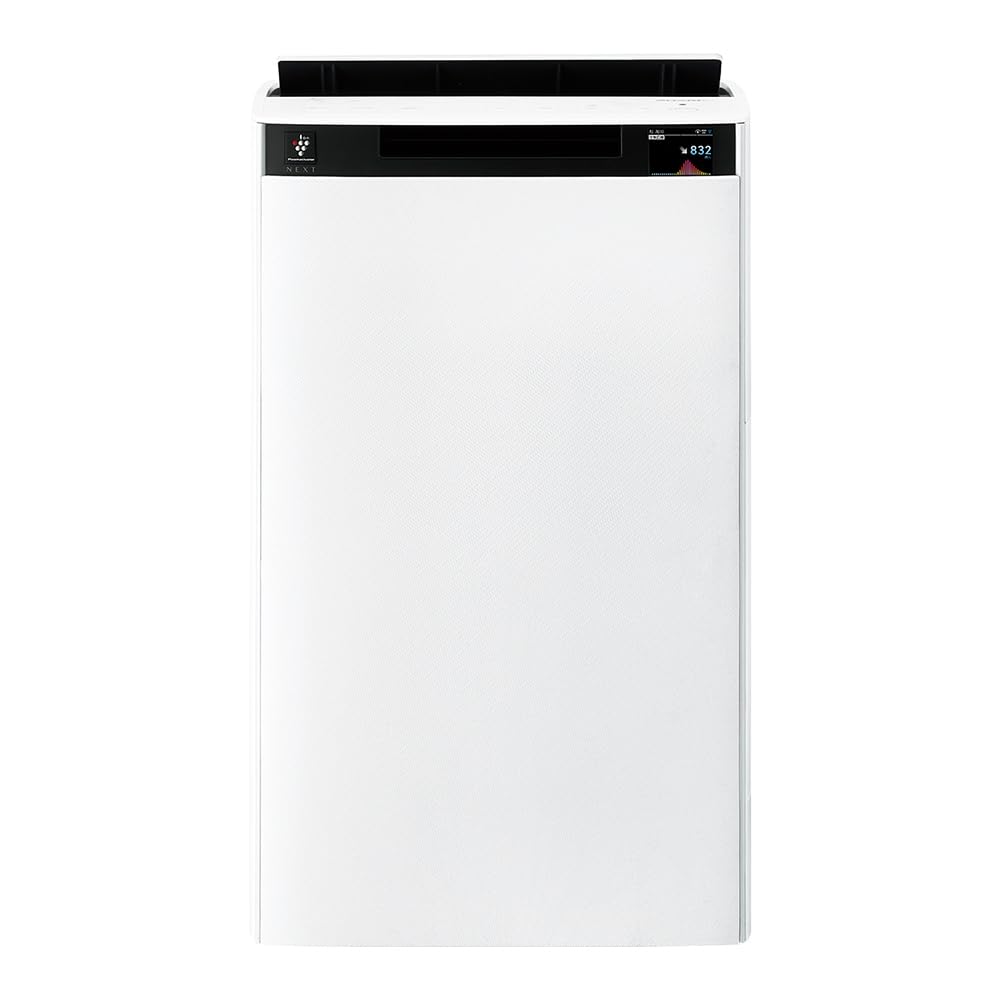
Voorkant view of the Sharp KI-TX75-W Humidifying Air Purifier.
2. Veiligheidsinligting
Om veilige werking te verseker en skade te voorkom, neem asseblief die volgende veiligheidsmaatreëls in ag:
- Gebruik altyd die toestel met die korrekte volumetage as specified on the rating label.
- Moenie die luginlaat- of uitlaatopeninge blokkeer nie.
- Keep the appliance away from water and moisture. Do not operate with wet hands.
- Unplug the power cord before cleaning or performing any maintenance.
- Moenie toelaat dat kinders die toestel sonder toesig gebruik nie.
- As die kragkoord beskadig is, moet dit deur die vervaardiger, sy diensagent of soortgelyke gekwalifiseerde persone vervang word om 'n gevaar te vermy.
- Moenie vreemde voorwerpe in enige openinge steek nie.
- Plaas die eenheid op 'n stabiele, gelyk oppervlak.
3. Opstelling
3.1 Uitpak en plasing
- Verwyder die lugsuiweraar versigtig uit sy verpakking.
- Choose a location with adequate space around the unit for optimal airflow. Avoid placing it directly against walls or furniture.
- Ensure the unit is placed on a flat, stable surface. The built-in casters with stoppers allow for easy movement and secure positioning.

The unit features casters with stoppers for convenient movement and secure placement.
3.2 Filterinstallasie
The unit comes with pre-installed filters. Verify they are correctly seated before first use.
- Open the back panel of the air purifier.
- Ensure the HEPA filter, deodorizing filter, and pre-filter are securely in place.
- Maak die agterpaneel toe.

The air purifier utilizes a three-layer filter system: pre-filter, deodorizing filter, and HEPA filter.
3.3 Watertenkvul
For humidification, fill the water tank with clean tap water.
- Remove the water tank from the side of the unit.
- Open the water tank cap and fill it with fresh tap water.
- Maak die doppie stewig toe en plaas die watertenk terug in die eenheid.

Remove the water tank from the side of the unit to fill it with water.
3.4 Aanvanklike aanskakeling en netwerkverbinding
- Steek die kragkabel in 'n muuraansluiting.
- Druk die aan / uit-knoppie op die bedieningspaneel.
- To utilize smart features, download the COCORO AIR app on your smartphone and follow the in-app instructions to connect the air purifier to your wireless LAN network.
4. Bedryfsinstruksies
4.1 Beheerpaneel verbyview

The control panel allows selection of various modes and settings.
4.2 Bedryfsmodusse
- AI AUTO Mode: This intelligent mode automatically adjusts operation based on detected air quality, aiming for a cleanroom Class 8 level environment. It optimizes airflow to effectively collect pollen, dust, and fine particles.
- Lugsuiweringsmodus: Operates solely as an air purifier, removing airborne particles and odors.
- Bevogtigingsmodus: Adds moisture to the air while purifying. The unit can deliver up to 900 mL/h of humidification.
- Plasmacluster NEXT: This technology generates high-density Plasmacluster ions (50,000 ions/cm³) to suppress airborne and adhering viruses, allergens, and odors.

AI AUTO mode significantly reduces airborne particles to maintain a clean environment.
4.3 AI Monitor
The AI Monitor visualizes the number of particles in the room and provides feedback on air quality. It displays real-time particle counts and indicates when the air is clean or needs purification.

The AI Monitor provides a visual representation of airborne particle levels.
The AI Monitor also provides notifications for humidification status, maintenance timing, and estimated electricity costs.

Notifications include humidification status, maintenance alerts, and electricity usage.
4.4 COCORO AIR App
Connect your air purifier to the COCORO AIR app via Wi-Fi for enhanced control and monitoring. The app allows you to:
- Monitor air quality and operating status remotely.
- Customize operation schedules and settings.
- Receive notifications for filter replacement and maintenance.
- Access special operating modes, such as pet-specific modes.

The COCORO AIR app provides remote control and monitoring capabilities.
5. Onderhoud
Gereelde onderhoud verseker optimale werkverrigting en verleng die lewensduur van jou lugsuiweraar.
5.1 Filter Skoonmaak en Vervanging
- Voorfilter: Clean regularly (e.g., once a month) by vacuuming or washing with water.
- HEPA Filter & Deodorizing Filter: These filters are not washable. Replace them according to the recommended schedule (typically every 1-2 years, depending on usage and environment). The COCORO AIR app will notify you when replacement is due.
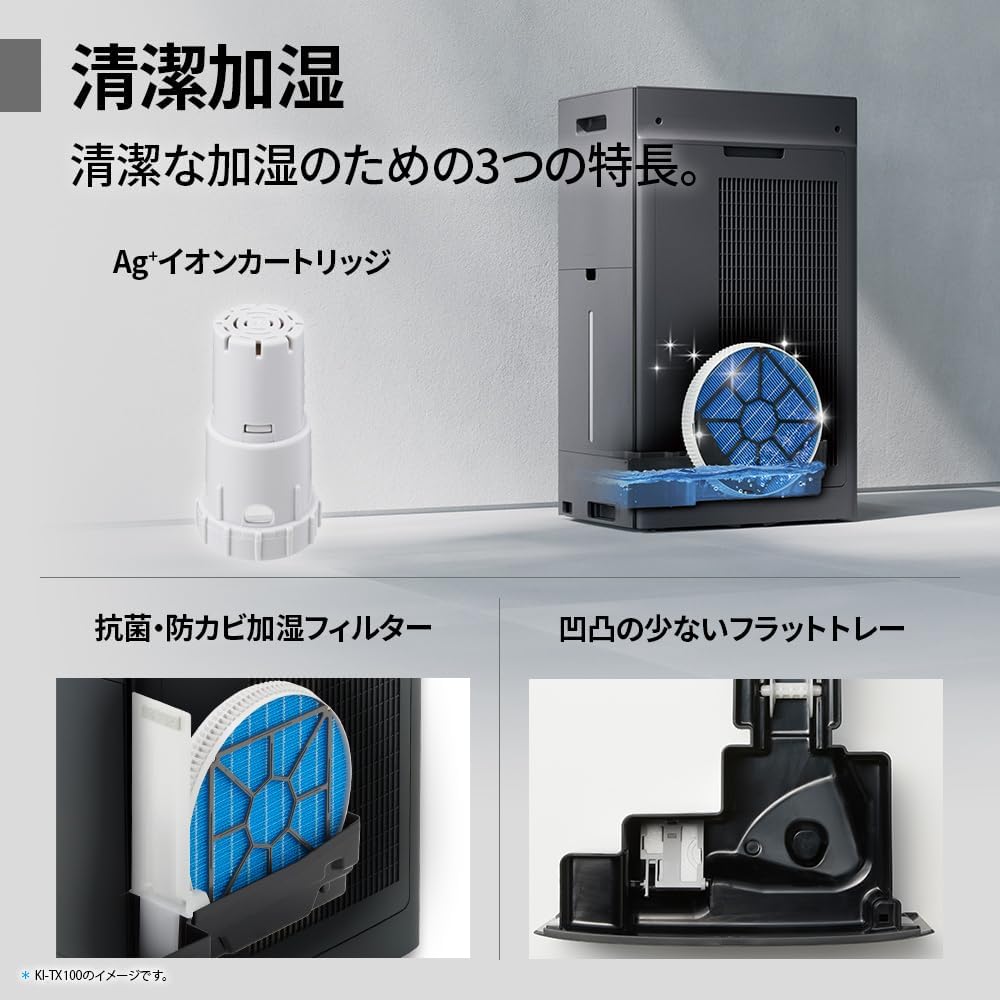
Regularly clean the pre-filter to maintain air purification efficiency.
5.2 Humidifying Filter Maintenance
The humidifying filter can be automatically cleaned using the unit's internal cleaning function. This helps prevent scale buildup.
- Remove the water tank and humidifying filter assembly.
- Add a small spoon of citric acid (commercially available) to the water tank and fill with water.
- Press the internal humidification cleaning button on the unit.
- After the cleaning cycle, rinse the tank and filter thoroughly.

The humidifying filter can be automatically cleaned using citric acid and water.
5.3 Ag+ Ion Cartridge Replacement
The Ag+ ion cartridge helps keep the water in the tank clean. Replace it approximately once a year.

Replace the Ag+ ion cartridge annually for optimal water tank hygiene.
6. Probleemoplossing
As jy probleme met jou lugsuiweraar ondervind, raadpleeg die volgende algemene probleme en oplossings:
| Probleem | Moontlike oorsaak | Oplossing |
|---|---|---|
| Eenheid skakel nie aan nie. | Power cord not properly connected. No power from outlet. | Kontroleer die kragkabelverbinding. Toets die aansluiting met 'n ander toestel. |
| Weak airflow or poor purification. | Filters are dirty or clogged. Air intake/outlet blocked. | Clean or replace filters. Ensure vents are clear. |
| No humidification or low humidity output. | Water tank is empty. Humidifying filter is dirty. | Refill water tank. Clean the humidifying filter. |
| Ongewone geraas tydens operasie. | Unit not on a level surface. Foreign object in fan. | Ensure unit is stable. Check for obstructions (unplug first). |
| AI Monitor shows high particle count despite operation. | Filters need cleaning/replacement. Room size exceeds recommended area. | Perform filter maintenance. Consider unit placement or additional units for larger spaces. |
Indien die probleem voortduur nadat u hierdie oplossings probeer het, kontak asseblief kliëntediens.
7. Spesifikasies
| Kenmerk | Spesifikasie |
|---|---|
| Modelnommer | KI-TX75-W |
| Handelsmerk | Skerp |
| Afmetings (B x D x H) | 39.5 cm x 26.5 cm x 65 cm |
| Gewig | 12 kg |
| Kragbron | Elektries met koord |
| Geraasvlak | 20-52 dB |
| Recommended Room Size (Plasmacluster) | Up to 18 tatami (~29.7 m²) |
| Recommended Room Size (Air Purification) | Up to 34 tatami (~56.1 m²) |
| Maximum Humidification Capacity | 900 ml/h |
| Air Purification Time (8 tatami) | 9 minute |
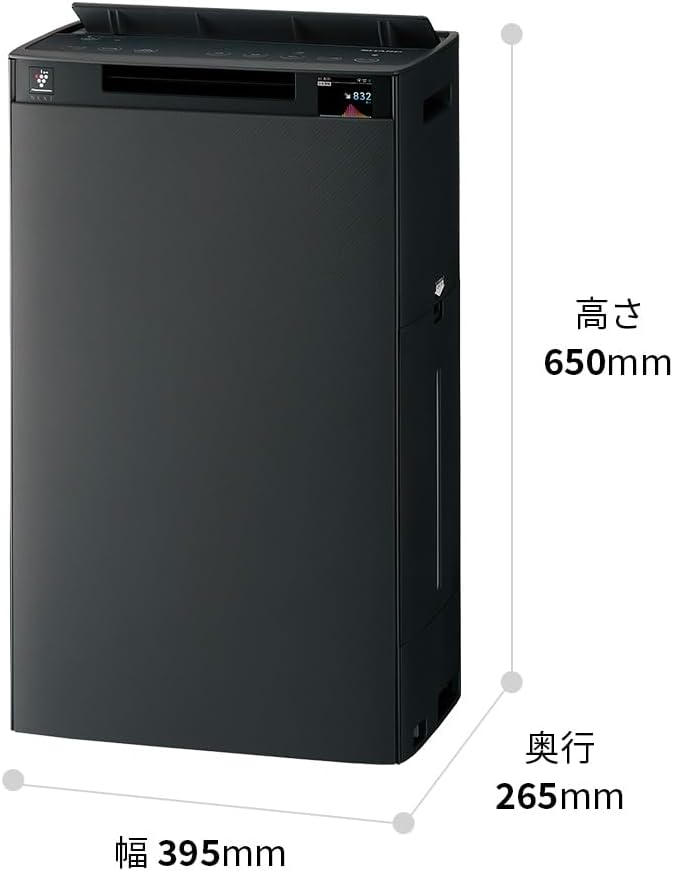
Detailed dimensions of the Sharp KI-TX75-W.
8. Waarborg en Ondersteuning
8.1 Vervaardiger se waarborg
This Sharp KI-TX75-W Humidifying Air Purifier comes with a 1 jaar vervaardiger se waarborg vanaf die aankoopdatum. Hierdie waarborg dek defekte in materiaal en vakmanskap onder normale gebruik. Bewaar asseblief u bewys van aankoop vir waarborgeise.
Die waarborg dek nie skade wat veroorsaak word deur misbruik, ongeluk, ongemagtigde wysiging of versuim om die instruksies in hierdie handleiding te volg nie.
8.2 Kliëntediens
For technical assistance, warranty service, or inquiries about replacement parts, please contact Sharp customer support.
You can find additional support resources and FAQs on the official Sharp webwebwerf: