
1. Belangrike veiligheidsinligting
Please read all safety instructions carefully before using your COLORROOM A30 tablet. Keep this manual for future reference.
- Moenie die toestel blootstel aan uiterste temperature, direkte sonlig of hoë humiditeit nie.
- Vermy om die tablet te laat val of aan harde impakte bloot te stel.
- Gebruik slegs goedgekeurde laaiers en bykomstighede om skade te voorkom en veiligheid te verseker.
- Moenie probeer om die toestel self uitmekaar te haal of te herstel nie. Kontak kliëntediens vir bystand.
- Hou die tablet weg van kinders en troeteldiere om te verhoed dat klein onderdele per ongeluk ingesluk word.
2. Pakketinhoud
Verifieer dat alle items in die pakket teenwoordig is:
- COLORROOM A30 Tablet
- USB Type-C kabel
- Power Adapter (18W PD compatible)
- Gebruikershandleiding
- Beskermende saak
- Skermbeskermer (vooraf aangebring of ingesluit)
- SIM Ejector Tool (SD pin)

Image: The COLORROOM A30 tablet and its included accessories, such as the USB-C cable, power adapter, and documentation, neatly arranged in the product box.
3. Toestel oorview
Familiarize yourself with the physical components of your COLORROOM A30 tablet.
- Voorste kamera: Located at the top center when held horizontally, used for video calls and selfies.
- Vertoon: 10.1-inch IPS screen for clear visuals.
- Kragknoppie: Tipies aan die kant, gebruik om die toestel aan/af te skakel of die skerm wakker te maak/te slaap.
- Volume knoppies: Adjacent to the power button, for adjusting audio levels.
- USB Tipe C-poort: Vir laai en data-oordrag.
- MicroSD -kaartgleuf: Vir die uitbreiding van stoorplek tot 2 TB.
- Agterste kamera: Located on the back, used for taking photos and videos.
- Luidsprekers: Dual speakers for enhanced audio experience.
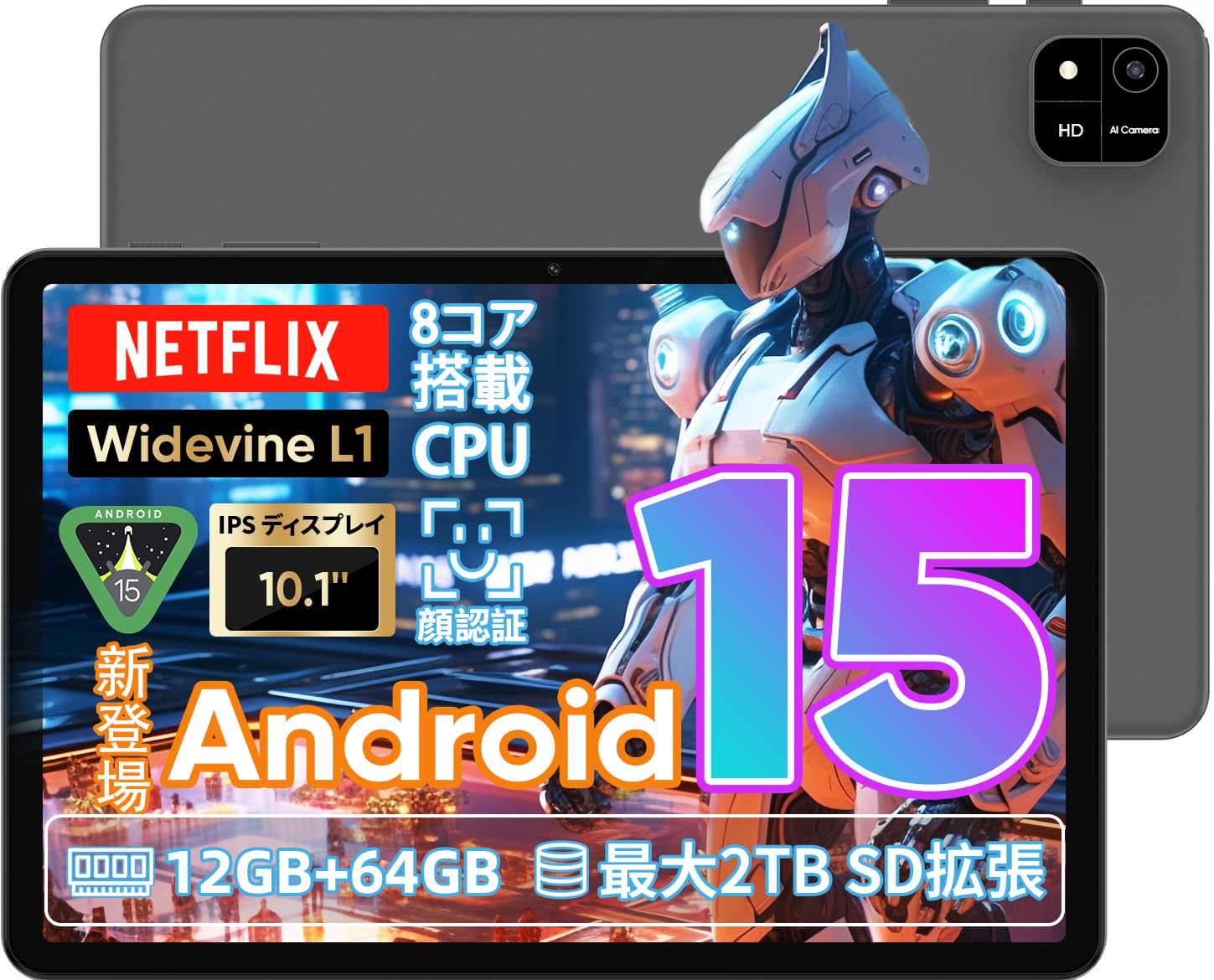
Image: A visual representation of the COLORROOM A30 tablet, highlighting its 10.1-inch display, Android 15 OS, T606 8-core CPU, 12GB RAM, 64GB ROM, 6000mAh battery, 5MP front camera, 8MP rear camera, 2.4G/5G WiFi, Bluetooth 5.0, GPS, and Widevine L1 support.
4. Opstelling
4.1 Aanvanklike aanskakeling en taalkeuse
- Press and hold the Power button until the COLORROOM logo appears.
- Follow the on-screen prompts to select your preferred language (e.g., Japanese).
- Tap 'Start' or 'Next' to proceed.
4.2 Wi-Fi-verbinding
- Kies jou verlangde Wi-Fi-netwerk uit die lys.
- Voer die Wi-Fi-wagwoord in as dit gevra word.
- Tap 'Connect'.
4.3 Google-rekeningopstelling
- Meld aan met jou Google-rekening of skep 'n nuwe een. Dit is nodig om programme van die Google Play Winkel af te laai.
- Review and accept the Google Terms of Service and Privacy Policy.
4.4 Set Screen Lock (PIN/Pattern/Password)
- For security, set a screen lock method (PIN, pattern, or password). A 6-digit PIN is recommended.
- You may choose to skip this step, but it is not recommended for device security.
Video: This video demonstrates the initial setup process for an Android 15 tablet, including language selection, Wi-Fi connection, Google account setup, and setting a screen lock. While the video features an M30 tablet, the setup steps are generally applicable to the COLORROOM A30.
5. Bedryfsinstruksies
5.1 Basiese bewerkings
- Legstukke: Long-press on an empty area of the home screen to add widgets like a clock or calendar for quick access to information.
- Skerm aan/af: The tablet can be configured to turn on the screen automatically when lifted, allowing you to quickly check notifications. This setting can be found under System > Gestures.
Video: This video illustrates basic Android tablet functions, including adding and removing widgets from the home screen, and enabling the 'lift to wake' feature for notifications. Although shown on an M30 tablet, these features are common to Android 15 devices like the COLORROOM A30.
5.2 Vertoonkenmerke
The COLORROOM A30 features a 10.1-inch IPS display with 1280x800 resolution, offering clear and vibrant visuals for all your content. It supports Widevine L1, enabling high-definition streaming from platforms like Netflix and Hulu.

Image: The COLORROOM A30 tablet showcasing its 10.1-inch IPS display with vivid colors and sharp details, ideal for watching movies and reading e-books.
5.3 Prestasie
Powered by an 8-core T606 CPU, the COLORROOM A30 delivers smooth performance for multitasking, gaming, and media consumption. It comes with 12GB (virtual) RAM and 64GB of internal storage, expandable up to 2TB via a TF (MicroSD) card.

Beeld: 'n Gedetailleerde view of the COLORROOM A30 tablet's internal components, emphasizing the T606 8-core CPU and the 6000mAh large-capacity battery, indicating high performance and extended usage.
5.4 Kamera
The tablet is equipped with an 8MP rear camera for capturing photos and videos, and a 5MP front camera for video calls and selfies. Face recognition is supported for convenient unlocking.

Image: The COLORROOM A30 tablet displayed from the front and back, showcasing its 8MP rear camera and 5MP front camera, designed for capturing moments and facilitating video communication.
5.5 Konnektiwiteit
Enjoy seamless connectivity with 2.4G/5G dual-band Wi-Fi, Bluetooth 5.0, and built-in GPS for navigation and location services.
5.6 Batterybestuur
The 6000mAh battery provides extended usage, and with Type-C and 18W PD fast charging, you can quickly recharge your device.
5.7 Kids Space
The tablet includes a Kids Space feature, offering a safe and curated environment for children. Parents can manage content, set usage limits, and monitor activities remotely.
Video: This video demonstrates the Kids Space feature on a tablet, showing how children can access age-appropriate content and how parents can manage settings like usage time and content restrictions remotely. While shown on a T10 tablet, the functionality is similar for the COLORROOM A30.
5.8 Multitasking and Split Screen
Android 15 enhances multitasking capabilities. You can use the split-screen feature to run two applications simultaneously, improving productivity. For example, watch a video while browsing the web.
Video: This video showcases the unboxing of an Android 15 tablet and demonstrates various features including reading comics, watching videos, using split-screen mode for multitasking, and taking screenshots. While the video features an AvidPad S60, the demonstrated features are applicable to the COLORROOM A30.
6. Onderhoud
- Skoonmaak: Gebruik 'n sagte, pluisvrye lap om die skerm en liggaam van die tablet skoon te maak. Vermy die gebruik van harde chemikalieë of skuurmiddels.
- Sagteware-opdaterings: Kontroleer gereeld vir stelselopdaterings en installeer dit om optimale werkverrigting, sekuriteit en toegang tot nuwe funksies te verseker. Gaan na Instellings > Stelsel > Stelselopdatering.
- Bergingbestuur: Maak gereeld onnodige dinge skoon files en programme om stoorplek vry te maak en toestelspoed te handhaaf.
7. Probleemoplossing
| Probleem | Oplossing |
|---|---|
| Tablet skakel nie aan nie | Maak seker dat die battery gelaai is. Koppel die laaier aan en wag 'n paar minute voordat jy weer probeer aanskakel. Indien nie reageer nie, voer 'n geforseerde herbegin uit deur die aan/af-knoppie vir 10-15 sekondes in te hou. |
| Wi-Fi-verbindingskwessies | Kontroleer of Wi-Fi in instellings geaktiveer is. Herbegin jou router en die tablet. Maak seker dat jy binne die bereik van die Wi-Fi-sein is. |
| Programme stort vas of vries | Close and reopen the app. Clear the app's cache (Settings > Apps > [App Name] > Storage > Clear cache). Ensure the app is updated to the latest version. Restart the tablet. |
| Stadige prestasie | Maak ongebruikte programme toe. Maak kasgeheue en tydelike programme skoon. files. Check for system updates. Consider a factory reset if the issue persists (backup data first). |
8. Spesifikasies
| Kenmerk | Detail |
|---|---|
| Handelsmerk | KLEURKAMER |
| Model | A30 |
| Bedryfstelsel | Android 15 |
| Verwerker | Unisoc T606 8-core CPU |
| RAM | 12GB (Virtual) |
| ROM | 64 GB |
| Uitbreidbare berging | Up to 2TB via TF (MicroSD) card |
| Vertoon | 10.1-inch IPS, 1280x800 resolution, Widevine L1 support |
| Battery kapasiteit | 6000mAh |
| Laai | Type-C, 18W PD |
| Agterste kamera | 8MP |
| Voorste kamera | 5MP |
| Konnektiwiteit | 2.4G/5G WiFi, Bluetooth 5.0, GPS |
| Afmetings | 32.29 x 19.8 x 3.7 cm (Pakketgrootte) |
| Gewig | 1.04 kg (Pakketgewig) |
9. Waarborg en Ondersteuning
Your COLORROOM A30 tablet comes with a manufacturer's warranty. Please refer to the warranty card included in your package for specific terms and conditions.
For technical support, troubleshooting, or warranty claims, please contact COLORROOM customer service through the retailer where you purchased the product or visit the official COLORROOM webwebwerf vir kontakinligting.
Always provide your product model (A30) and purchase details when seeking support.