
1. Belangrike veiligheidsinligting
- Moenie die oordopjes of laaikas uitmekaar haal of wysig nie.
- Hou die toestel weg van uiterste temperature, humiditeit en vloeistowwe.
- Vermy langdurige blootstelling aan hoë volume vlakke om gehoorskade te voorkom.
- Gebruik slegs die voorsiene of gesertifiseerde laaikabels.
- Gooi die produk verantwoordelik volgens plaaslike regulasies weg.
2. Pakketinhoud
Kontroleer asseblief die inhoud van die pakkie na opening:
- Wireless Earbuds (2)
- Laaihouer (1)
- Tipe C-laaikabel (1)
- Gebruikershandleiding (1)

Image: Contents of the Jxrev J51 Wireless Earbuds package.
3. Produk verbyview
The Jxrev J51 Wireless Earbuds offer a high-quality audio experience with advanced features. They are designed for comfort and convenience, suitable for various activities.
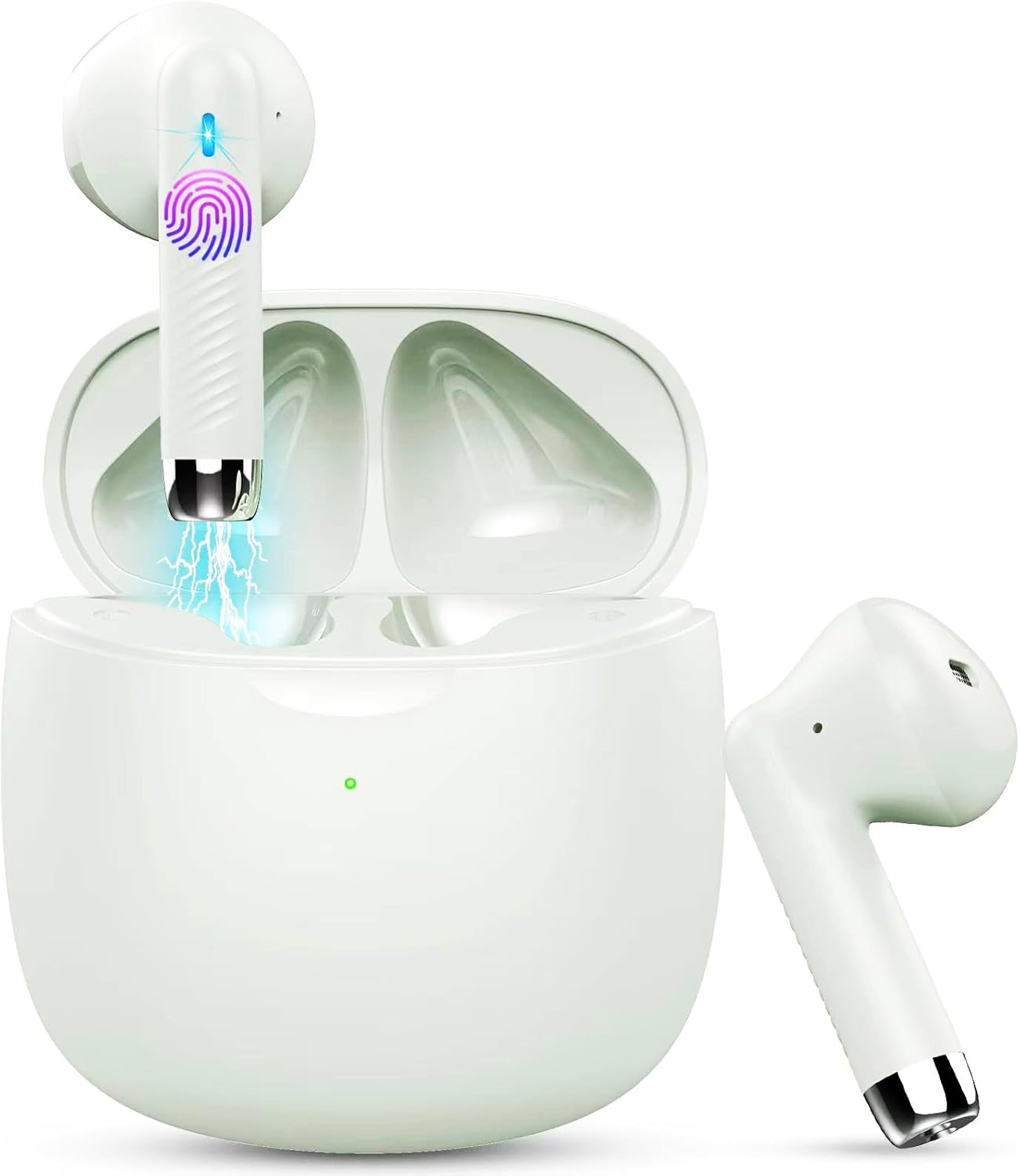
Image: Jxrev J51 Wireless Earbuds and their charging case.
Sleutel kenmerke:
- Bluetooth 5.4 Tegnologie: Provides a stable and fast wireless connection.
- 13 mm dinamiese drywers: Delivers clear audio with enhanced bass.
- IP7 Waterdigte Gradering: Resistant to sweat and splashes, ideal for sports.
- Raakbeheer: Intuitive control for music, calls, and voice assistant.
- Liggewig ontwerp: Elke oordopje weeg ongeveer 3 g vir gemaklike dra.

Image: Illustration of the 13mm dynamic driver for audio quality.

Beeld: Intern view of an earbud showcasing the Bluetooth chip for stable connectivity.
4. Opstelling en eerste gebruik
4.1 Laai die houer en oordopjes
- Aanvanklike heffing: Laai die laaikas en oorfone volledig voor die eerste gebruik.
- Koppel kabel: Insert the Type-C charging cable into the charging port on the case and connect the other end to a USB power source.
- Laai aanwyser: The indicator light on the charging case will show the charging status. A full charge typically takes about 1 hour for the case.
- Oorfoonlaai: Plaas die oorfone in die laaikas. Hulle sal outomaties begin laai.

Image: Charging case with earbuds, illustrating USB-C charging and battery capacity.
4.2 Koppeling met jou toestel
The earbuds feature one-step pairing for convenience.
- Krag aan: Maak die laaikas oop. Die oorfone sal outomaties aanskakel en in paringsmodus gaan.
- Aktiveer Bluetooth: Gaan na die Bluetooth-instellings op jou slimfoon of ander Bluetooth-geaktiveerde toestel en skakel Bluetooth aan.
- Kies Toestel: Look for 'J51' in the list of available devices and select it to connect.
- Bevestiging: Sodra dit gekoppel is, sal jy 'n oudio-prompt hoor, en die oorfone sal gereed wees vir gebruik.
- Outomatiese herverbinding: Na die aanvanklike paring sal die oordopjes outomaties aan die laaste gekoppelde toestel koppel wanneer dit uit die houer gehaal word.

Image: Visual guide for one-step Bluetooth pairing with a smartphone.
5. Bedryfsinstruksies
5.1 Dra van die oordopjes
The J51 earbuds are designed for an ergonomic and secure fit.
- Identify Left/Right: Locate the 'L' and 'R' markings on each earbud.
- Voeg in: Plaas die oorknoppie liggies in jou oorkanaal.
- Pas aan: Rotate the earbud slightly until it feels comfortable and secure. The lightweight design ensures minimal pressure.

Image: Demonstrating the lightweight and ergonomic fit of the earbuds.
5.2 Raak kontroles
The earbuds feature touch-sensitive areas for easy control of various functions.

Image: Comprehensive guide to earbud touch controls.
| Aksie | Linkeroordop (L) | Regter oordopjes (R) |
|---|---|---|
| Speel / Pouse | Dubbelklik | Dubbelklik |
| Volgende Liedjie | NVT | Hou 2 sekondes |
| Vorige Liedjie | Hou 2 sekondes | NVT |
| Volume af | Enkel-kliek | NVT |
| Volume op | NVT | Enkel-kliek |
| Beantwoord/beëindig oproep | Dubbelklik | Dubbelklik |
| Verwerp oproep | Hou 2 sekondes | Hou 2 sekondes |
| Aktiveer stemassistent | Triple-klik | Triple-klik |
5.3 Mono Mode (Single Earbud Use)
You can use either the left or right earbud independently. Simply take one earbud out of the charging case, and it will automatically connect to your device. The other earbud can remain in the case or be used by another person in 'Sharing mode' if desired.
5.4 Binaural Mode (Both Earbuds Use)
For stereo sound, use both earbuds. They will automatically pair with each other and your device when removed from the charging case.

Image: Depiction of Mono and Twin (Binaural) usage modes.
5.5 Stemassistent
Triple-click either earbud to activate your device's voice assistant (e.g., Siri, Google Assistant).

Image: Activating the voice assistant feature.
6. Onderhoud en versorging
6.1 Skoonmaak
- Maak die oordopjes en laaikas gereeld skoon met 'n sagte, droë, pluisvrye lap.
- Moenie skuurmiddels, alkohol of chemiese oplosmiddels gebruik nie.
- Maak seker dat die laaikontakte op beide die oordopjes en die houer skoon en droog is vir optimale laai.
6.2 Waterbestandheid (IP7)
The Jxrev J51 earbuds are IP7 waterproof, meaning they are protected against temporary immersion in water. This makes them suitable for workouts and use in light rain.
- Do not intentionally submerge the earbuds in water for extended periods.
- The charging case is not waterproof. Keep it dry.
- Maak seker dat die oorfone heeltemal droog is voordat jy dit terug in die laaikas sit om skade te voorkom.

Image: Earbuds demonstrating IP7 waterproof capability.
6.3 Berging
Wanneer dit nie gebruik word nie, bêre die oordopjes in hul laaikassie om hulle te beskerm en gelaai te hou.
7. Probleemoplossing
Indien u enige probleme ondervind, verwys asseblief na die volgende algemene oplossings:
- Oordopjes koppel nie met mekaar nie: Place both earbuds back into the charging case, close the lid for a few seconds, then open it again. They should automatically re-sync.
- Oorfone koppel nie aan toestel nie:
- Maak seker dat Bluetooth op jou toestel geaktiveer is.
- Delete 'J51' from your device's Bluetooth history and try pairing again.
- Maak seker dat die oorfone gelaai is.
- Geen geluid uit een oorfone nie: Place both earbuds back in the case, close the lid, then open it again. Check if both are connected.
- Laai kwessies:
- Kontroleer die laaikabel en adapter.
- Ensure the charging contacts on the earbuds and case are clean and free of debris.
- Aanraakkontroles reageer nie: Maak seker dat jou vingers skoon en droog is. Probeer om die oorfone weer te begin deur hulle in die houer te plaas en weer uit te haal.
8. Spesifikasies
| Model Naam | J51 |
| Verbindingstegnologie | Draadloos (Bluetooth) |
| Bluetooth weergawe | 5.4 |
| Bluetooth-reeks | Tot 15 meter |
| Oudiobestuurdergrootte | 13 millimeter |
| Frekwensiereeks | 20 Hz - 20,000 XNUMX Hz |
| Impedansie | 40 ohm |
| Waterweerstandvlak | IP7 Waterdig |
| Oordopjesgewig | Approx. 3 Grams (each) |
| Die batterylewe van die laaikas | Up to 32 Hours (with case) |
| Enkele speeltyd | 6-8 uur |
| Laaityd (kas) | Approx. 1 Hour (USB-C) |
| Tipe beheer | Raak Beheer |
| Versoenbare toestelle | Cellphones, PCs, Tablets, Laptops, TVs |
9. Waarborg en Ondersteuning
Jxrev products are designed for reliability and performance. For specific warranty details, please refer to the warranty card included in your product packaging or contact Jxrev customer support.
Kliëntediens:
If you have any questions, concerns, or require technical assistance, please contact Jxrev customer support through the official webwebwerf of die kontakinligting wat in u produkdokumentasie verskaf word.