
1. Inleiding
The TRIGKEY Key-N150 Mini PC is a compact and efficient computer designed for various tasks, from office work to media entertainment. It features an Intel Twin Lake N150 processor, 16GB DDR4 RAM, and a 500GB M.2 PCIeX4 SSD, offering reliable performance in a small form factor. This manual provides essential information for setting up, operating, and maintaining your Mini PC.

Beeld 1.1: Voorkant view of the TRIGKEY Key-N150 Mini PC.
2. Pakketinhoud
Kontroleer asseblief die pakket vir die volgende items:
- TRIGKEY Key-N150 Mini PC
- Gebruikershandleiding
- HDMI-kabel (1m)
- AC Power Cable (Optional: US/EU/UK/JP/AU)
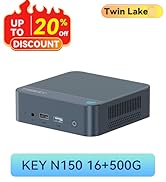
Image 2.1: TRIGKEY Key-N150 Mini PC and included accessories.
3. Produk verbyview
The Key-N150 Mini PC is equipped with a variety of ports and internal components to support its functionality.
3.1 Voor- en agterpaneelkoppelvlakke

Image 3.1: Front panel of the Mini PC, showing USB ports and audio jack.

Image 3.2: Rear panel of the Mini PC, showing AC power, USB, LAN, and HDMI ports.
The Mini PC features:
- Voor: 3.5mm Audio Jack, USB 2.0, USB 3.2 (10Gbps), Power Button, Power Indicator Light.
- Agter: AC Power Input, USB 3.2 (10Gbps) x2, LAN (1000M) x2, HDMI x2.
3.2 Interne Komponente
Beeld 3.3: Ontplof view showing the internal components of the Mini PC, including the CPU, fan, RAM, and SSD slots.
Belangrike interne kenmerke sluit in:
- Verwerker: Intel Twin Lake N150 (4 Cores/4 Threads, up to 3.60GHz).
- Grafika: Intel UHD Graphics (24EUs, 1000MHz).
- Geheue: 16GB DDR4 3200MHz SO-DIMM (single channel, expandable).
- Berging: 500GB M.2 PCIeX4 SSD (supports dual M.2 2280 SSDs, up to 2TB expansion).
- Draadlose konneksie: WiFi 5 and Bluetooth 5.0.
- Kragtoevoer: Built-in 45W PSU.

Image 3.4: Details of the Intel Twin Lake N150 processor, highlighting its 3.6 GHz max turbo frequency, 4 cores, and 4 threads.

Image 3.5: Illustration of the 16GB DDR4 SO-DIMM RAM and the dual M.2 2280 SSD slots for storage expansion.
4. Opstelinstruksies
Follow these steps to set up your TRIGKEY Key-N150 Mini PC:
- Koppel aan 'n skerm: Use an HDMI cable to connect the Mini PC to your monitor or TV. The device supports dual HDMI output for multiple displays.
- Koppel randapparatuur: Plug in your USB keyboard and mouse into the available USB ports.
- Koppel aan netwerk: For a wired connection, connect an Ethernet cable to one of the two LAN ports. For wireless, ensure your WiFi network is available during initial setup.
- Krag aan: Connect the AC power cable to the Mini PC and then to a power outlet. Press the power button on the front panel.
- Aanvanklike opstart: The Mini PC will boot up. Follow the on-screen instructions to complete the operating system setup (if not pre-configured).
Video 4.1: 'n Oorview of the TRIGKEY Key-N150 Mini PC, demonstrating its features and connectivity options. This video provides a visual guide to the product's design and capabilities.
5. Bedryfsinstruksies
5.1 Basiese werking
Once set up, your Mini PC functions like a standard desktop computer. You can perform tasks such as web browsing, media playback, and office applications.

Image 5.1: The Mini PC supports various applications including web browsing, media entertainment, office work, and 4K video playback.
5.2 Dubbele skermopstelling
The Mini PC supports connecting two monitors via its dual HDMI ports. To configure dual displays:
- Koppel beide monitors aan die HDMI-poorte aan die agterkant van die Mini-rekenaar.
- Skakel die Mini-rekenaar en albei monitors aan.
- The operating system should automatically detect both displays. You can adjust display settings (extend, duplicate, primary display) through your OS display settings.
5.3 Intel Unison App
The Intel Unison App allows seamless connection between your Mini PC and mobile devices. This enables features such as:
- Viewing photo galleries from your PC.
- Extending your PC screen with a tablet.
- Making and receiving phone calls from your PC.
- Oordrag files between phone/tablet and PC.
- Sending and receiving text messages from your PC.
- Managing device notifications from a single source.

Image 5.2: The Intel Unison App facilitates seamless connectivity and data transfer between your Mini PC and mobile devices.
6. Onderhoud
Om die lang lewensduur en optimale werkverrigting van jou Mini-rekenaar te verseker, oorweeg die volgende onderhoudswenke:
- Hou dit skoon: Regularly clean the exterior of the Mini PC with a soft, dry cloth. Ensure ventilation holes are free from dust and obstructions to maintain efficient cooling.
- Sagteware-opdaterings: Hou jou bedryfstelsel en drywers opgedateer na die nuutste weergawes vir sekuriteits- en werkverrigtingverbeterings.
- Behoorlike afskakeling: Always shut down the Mini PC properly through the operating system to prevent data corruption.
- Omgewingstoestande: Operate the Mini PC in a well-ventilated area, away from direct sunlight, excessive heat, and moisture.

Image 6.1: The Mini PC features an efficient cooling system to ensure stable operation and heat dissipation.
7. Probleemoplossing
If you encounter issues with your Mini PC, refer to the following common solutions:
- Geen krag: Ensure the AC power cable is securely connected to both the Mini PC and the power outlet. Try a different power outlet.
- Geen skerm: Check that the HDMI cable is firmly connected to both the Mini PC and the monitor. Verify the monitor is powered on and set to the correct input source. Try a different HDMI cable or monitor if possible.
- Geen internetverbinding nie: For wired connections, check the Ethernet cable and router status. For wireless, ensure Wi-Fi is enabled in the operating system and you are connected to the correct network with the correct password.
- Randapparatuur werk nie: Ensure USB devices are properly plugged into the USB ports. Try different USB ports or restart the Mini PC.
- Stelselvertraging: Maak onnodige toepassings toe. Kontroleer vir agtergrondprosesse wat hoë hulpbronne verbruik. Verseker voldoende vrye stoorplek.
- Onverwagte afsluitings: Ensure the Mini PC is in a well-ventilated area and not overheating. Check for any recent software or driver installations that might be causing instability.
If problems persist, consult the TRIGKEY support resources mentioned in the Warranty and Support section.
8. Spesifikasies
| Kenmerk | Detail |
|---|---|
| Handelsmerk | TRIGKEY |
| Modelnommer | KEY N150 |
| SVE Model | Intel Twin Lake N150 (Celeron) |
| SVE-spoed | Tot 3.6 GHz |
| Verwerkertelling | 4 |
| Grafiese medeverwerker | Intel UHD-grafika |
| RAM-geheue geïnstalleer | 16 GB DDR4 SDRAM |
| Geheue spoed | 3200 MHz |
| Geheuegleuwe beskikbaar | 1 |
| Geheue berging kapasiteit | 500 GB |
| Hardeskyf beskrywing | 500GB M.2 PCIeX4 SSD |
| Bedryfstelsel | OS (vooraf geïnstalleer) |
| Verbindingstegnologie | Bluetooth, Ethernet, HDMI, Wi-Fi |
| Draadloos versoenbaarheid | 802.11ac (Wi-Fi 5), Bluetooth 5.0 |
| Totale USB-poorte | 3 (USB 3.2 x2, USB 2.0 x1) |
| Total Number of HDMI Ports | 2 |
| Maksimum vertoonresolusie | 3840x2160 (4K) |
| Verkoelingsmetode | Passive (with fan for efficient heat dissipation) |
| Kragprop tipe | Type A - 2 pin (North American) |
| Kleur | Grys |
9. Waarborg en Ondersteuning
TRIGKEY is committed to providing excellent customer service and support for your Mini PC.
- Vinnige antwoord: Support inquiries receive a reply within 24 hours.
- Retourbeleid: 30-dae terugkeerbeleid.
- Vervanging: Replacement available within 12 months of purchase.
- Lewenslange ondersteuning: Lifetime after-sales service and technical support.

Image 9.1: TRIGKEY's commitment to customer service, including response times, return policy, replacement period, and lifetime technical support.
Kontak ons
For further assistance, technical support, or warranty claims, please use the following channels:
- E-pos: Refer to your product packaging or the official TRIGKEY website for email contact information.
- Webwebwerf: Visit the official TRIGKEY webwebwerf vir algemene vrae, drywers en ondersteuningsbronne.
- Online Consultation: Check the TRIGKEY store page for online chat or consultation options.

Image 9.2: Various contact methods for TRIGKEY customer service and technical support.


