
Lytmi CozyClip D1
Lytmi CozyClip D1 Oopklem-oordopjes Gebruikershandleiding
Model: CozyClip D1 | Brand: Lytmi
Inleiding
The Lytmi CozyClip D1 Open Clip Earbuds are designed for comfortable, all-day listening while maintaining awareness of your surroundings. Featuring an ultra-light open-ear design, Hi-Fi sound, AI-powered clear calls, and IP54 waterproof rating, these earbuds offer a unique audio experience. This manual provides essential information for setting up, operating, and maintaining your CozyClip D1 earbuds.
Wat is in die boks
- Lytmi CozyClip D1 Open-Ear Clip-on Earphones (1 pair)
- Laaihouer (1)
- Gebruikershandleiding (1)
- Tipe C-laaikabel (1)

Image: Lytmi CozyClip D1 packaging and included accessories.
Produk verbyview
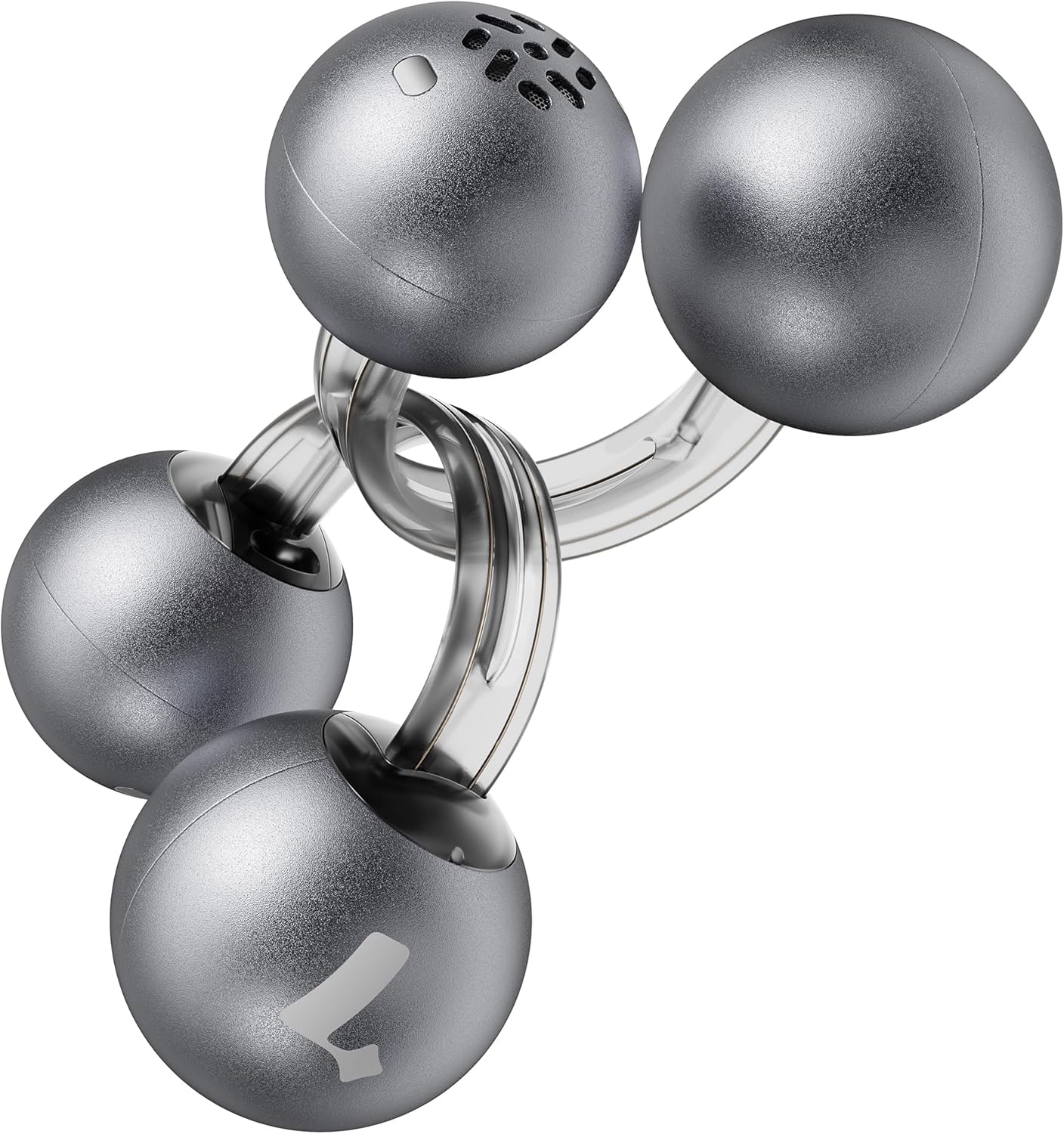
Image: Lytmi CozyClip D1 Earbuds, showcasing their open-ear clip design.

Image: Earbud resting on a feather, illustrating its ultra-lightweight design.
Sleutel kenmerke:
- Oop-oor ontwerp: Weighing just 5.4g each, these earbuds clip onto your ear, providing comfort and allowing you to remain aware of your surroundings.
- Hi-Fi-klank: Experience immersive audio with enhanced bass and clear highs.
- AI Noise Reduction for Calls: Ensures crystal-clear calls by reducing environmental noise, even in windy conditions.
- Auto Left-Right Recognition: Earbuds are interchangeable; wear either earbud on either ear without manual configuration.
- Lang batterylewe: Up to 9 hours of playtime on a single charge, and up to 30 hours with the charging case.
- IP54 waterdig en stofdig: Designed to withstand sweat and water splashes, suitable for various activities and weather conditions.
- Bluetooth 5.4: Provides stable and efficient wireless connectivity with faster data transfer and extended signal range.
- Dual-Connection: Connect to two devices simultaneously and switch between them seamlessly.
Opstelling
1. Laai die oordopjes en houer
Laai die oordopjes en die laaikassie volledig voor die eerste gebruik.
- Plaas die oorfone in die laaikas. Maak seker dat hulle behoorlik vas is.
- Connect the Type-C charging cable to the charging port on the case and the other end to a USB power source.
- The indicator light on the case will show charging status. Once fully charged, the indicator will change or turn off.

Image: Charging case and earbuds, illustrating battery life.
2. Koppel met 'n Toestel
- Maak die laaikas oop. Die oorfone sal outomaties in paringsmodus gaan.
- Aktiveer Bluetooth op jou toestel (slimfoon, tablet, ens.) en soek vir beskikbare toestelle.
- Select "Lytmi CozyClip D1" from the list of devices.
- Sodra dit gekoppel is, sal 'n stemboodskap die suksesvolle paring bevestig.

Image: Quick pairing process with a smartphone.
3. Dra van die oordopjes
The CozyClip D1 earbuds feature an auto left-right recognition system, allowing you to wear either earbud on either ear.
- Gently clip the earbud onto your earlobe, positioning the speaker component near your ear canal.
- Adjust for a comfortable and secure fit. The flexible design ensures stability during movement.
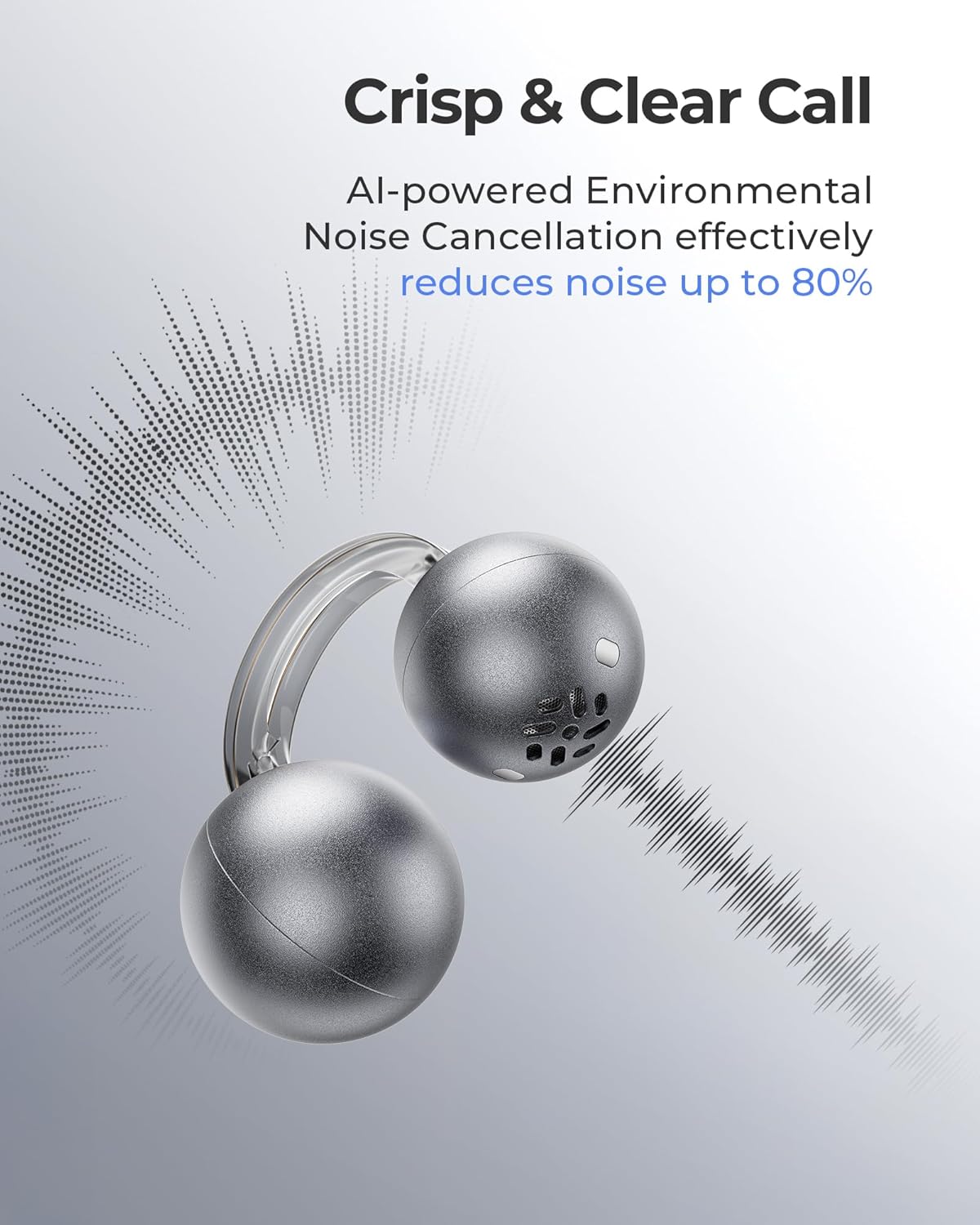
Image: Earbud worn on an ear, showing the secure fit.

Image: Wearing styles for awareness or full sound.
Bedryfsinstruksies
Raak kontroles
Die oordopjes het intuïtiewe aanraakkontroles vir die bestuur van klankterugspeel en oproepe.
- Double Tap (Left or Right Earbud): Answer a call, End a call, Play/Pause music.
- Triple Tap (Left or Right Earbud): Next track, Reject a call.

Image: Touch control gestures for playback and calls.
Dual-Connection
The CozyClip D1 earbuds support simultaneous connection to two devices.
- Pair the earbuds with your first device (e.g., smartphone).
- Ontkoppel die oordopjes van die eerste toestel se Bluetooth-instellings.
- Koppel die oorfone met jou tweede toestel (bv. skootrekenaar).
- Reconnect the earbuds to the first device from its Bluetooth settings. The earbuds will now be connected to both devices.
- Audio will automatically switch to the device playing content or receiving a call.

Image: Seamless switching between two connected devices.
Amptelike Produkvideo
Video: 'n Oorview of the Lytmi CozyClip D1 Open Ear Clip-on Earbuds, demonstrating their design, fit, and key features in various usage scenarios.
Onderhoud
- Skoonmaak: Vee die oorfone en laaikas gereeld af met 'n sagte, droë lap. Vermy die gebruik van harde chemikalieë of skuurmiddels.
- Berging: Wanneer dit nie gebruik word nie, bêre die oordopjes in hul laaikassie om hulle teen stof en skade te beskerm.
- Waterblootstelling: While IP54 rated for water splashes and sweat, avoid submerging the earbuds in water. Ensure they are dry before placing them back in the charging case.
Probleemoplossing
| Probleem | Oplossing |
|---|---|
| Oorknoppies koppel nie | Ensure earbuds are charged. Turn off and on Bluetooth on your device. Forget "Lytmi CozyClip D1" from your device's Bluetooth list and re-pair. |
| Geen klank of lae volume nie | Check device volume. Ensure earbuds are properly seated on your ears. Reconnect the earbuds to your device. |
| Oorfone val uit | Adjust the clip for a more secure fit around your earlobe. Experiment with different positioning for optimal stability. |
| Laaikas laai nie | Verify the charging cable and power adapter are working correctly. Ensure the Type-C cable is fully inserted into the charging port. |
| Raakkontroles reageer nie | Maak seker dat jou vingers skoon en droog is. Probeer om die oorfone weer te begin deur hulle in die houer te plaas en weer uit te haal. |
Spesifikasies
| Kenmerk | Detail |
|---|---|
| Model Naam | Lytmi CozyClip D1 |
| Verbindingstegnologie | Draadloos (Bluetooth 5.4) |
| Bluetooth-reeks | 10 meter |
| Batterylewe (Oorfone) | Tot 9 ure |
| Totale speeltyd (met omhulsel) | Tot 30 ure |
| Laai tyd | 1 Hour (for earbuds) |
| Waterweerstandvlak | IP54 (Waterdig en Stofdig) |
| Itemgewig (Oorfonie) | 0.17 onse (ongeveer 5.4 g) |
| Oudiobestuurdergrootte | 12 millimeter |
| Impedansie | 32 ohm |
| Frekwensierespons | 20 KHz (Upper limit, typical range 20Hz-20kHz) |
| Geraasbeheer | Adaptive Noise Cancellation (for calls) |
| Materiaal | ABS+PC (for carrying case) |
| Beheer metode | Raak |
Waarborg en Ondersteuning
For warranty information, technical support, or further assistance, please refer to the official Lytmi webwebwerf of kontak hul kliëntediens direk. Bewaar u aankoopbewys vir waarborgeise.
You can visit the Lytmi Store for more information: Lytmi Official Store
Ask a question about this manual
Ask about setup, troubleshooting, compatibility, parts, safety, or missing instructions. Manuals+ will review the question and use this page’s manual context to help answer it.