
Inleiding
This manual provides detailed instructions for the setup, operation, and maintenance of your AT&T CL84218 DECT 6.0 Corded/Cordless Home Phone system. This system includes a corded base unit and two cordless handsets, offering features such as a digital answering machine, Smart Call Blocker, and Caller ID. Please read this manual thoroughly to ensure proper use and to maximize the benefits of your new phone system.

This image displays the complete AT&T CL84218 phone system, including the corded base unit with its integrated handset and two additional cordless handsets with their respective charging stations.
Pakketinhoud
Verifieer dat jou pakket die volgende items bevat:
- Basis Eenheid
- 1 Corded Phone (integrated with base unit)
- 2 koordlose selfone
- 2 Handsetlaaiers
- 3 AC Adapters
- Telefoon lyn koord
- 2 Batterypakke
- Vinnige Begingids
Opstelling
Follow these steps to set up your AT&T CL84218 phone system:
- Verbind die basiseenheid: Plug one end of the telephone line cord into the TEL LINE jack on the back of the base unit and the other end into a telephone wall jack. Plug one of the AC adapters into the POWER jack on the base unit and the other end into an electrical outlet.
- Installeer handsetbatterye: Open the battery compartment cover on each cordless handset. Connect the battery pack connector securely into the jack inside the compartment. Place the battery pack inside the compartment and close the cover.
- Laai handtoestelle: Place each cordless handset in its respective charger. The CHARGE light on the handset will illuminate, indicating it is charging. Allow the handsets to charge for at least 16 hours before initial use.
- Connect Handset Chargers: Plug the remaining two AC adapters into the power jacks on the cordless handset chargers and then into electrical outlets.
Bedryfsinstruksies
General Phone Functions
- Maak en ontvang oproepe: Use the corded handset or any cordless handset to make and receive calls. The system supports both corded and cordless operation.
- Luidspreker: Druk die SPREKER button on the base unit or cordless handset to activate the speakerphone for hands-free conversations. The simulated full-duplex speakerphone allows both parties to speak and be heard simultaneously.
- Volumebeheer: Adjust the earpiece or speakerphone volume using the VOL + / - knoppies.
- Demp: Druk die DEM button during a call to temporarily silence your microphone.
Sleutel kenmerke
- Unsurpassed Range with DECT 6.0: The DECT 6.0 technology provides extended range and clear audio quality, allowing you to use your cordless handsets throughout your home and property.
- Beller-ID kondig aan: The base unit and cordless handsets will audibly announce the name of the caller, allowing you to screen calls without needing to look at the display.
- Line-Powered Mode: The base unit can operate in a line-powered mode, enabling you to make and receive calls even during a power outage.
- Large Backlit Display and Big Buttons: Both the 3.5-inch base unit display and the 2-inch handset displays feature high-contrast backlighting for easy viewing. The large, backlit keys on the keypad facilitate dialing in various lighting conditions.
- Push-To-Talk (PTT), Intercom & Conference: Use the PTT feature to instantly communicate between handsets like a walkie-talkie. The intercom function allows private conversations between handsets, and conference calling enables multiple parties to join a call.
- Hoëdefinisie oudio: Experience enhanced sound quality with HD audio, featuring an equalizer for customized audio preferences.
- 9-nommer spoedskakel: Store up to 9 frequently called numbers for quick and easy dialing.
- Download Cellphone Phonebook: Transfer up to 1,000 names and numbers from your cellphone's phonebook to the AT&T CL84218 system.

This image depicts a house with the phone system, indicating the extensive coverage provided by DECT 6.0 technology, allowing communication over long distances from the base unit.

This image shows the phone's display announcing an incoming call with the caller's name, 'Call from Johnson', demonstrating the Caller ID Announce feature.

The phone is depicted in a low-light setting, emphasizing its ability to function and allow calls even during a power outage, thanks to its line-powered base unit.

This image highlights the large, high-contrast backlit displays on both the 3.5-inch base unit and the 2-inch cordless handset, designed for easy readability of caller ID and call history.

'n Vergrote view of the phone's keypad, showcasing the large font and extra-large backlit keys designed for easy dialing and visibility in various lighting conditions.

This image illustrates the Push-To-Talk feature, allowing the phone system to function like a walkie-talkie between handsets, with an inset showing the PTT button on the handset.
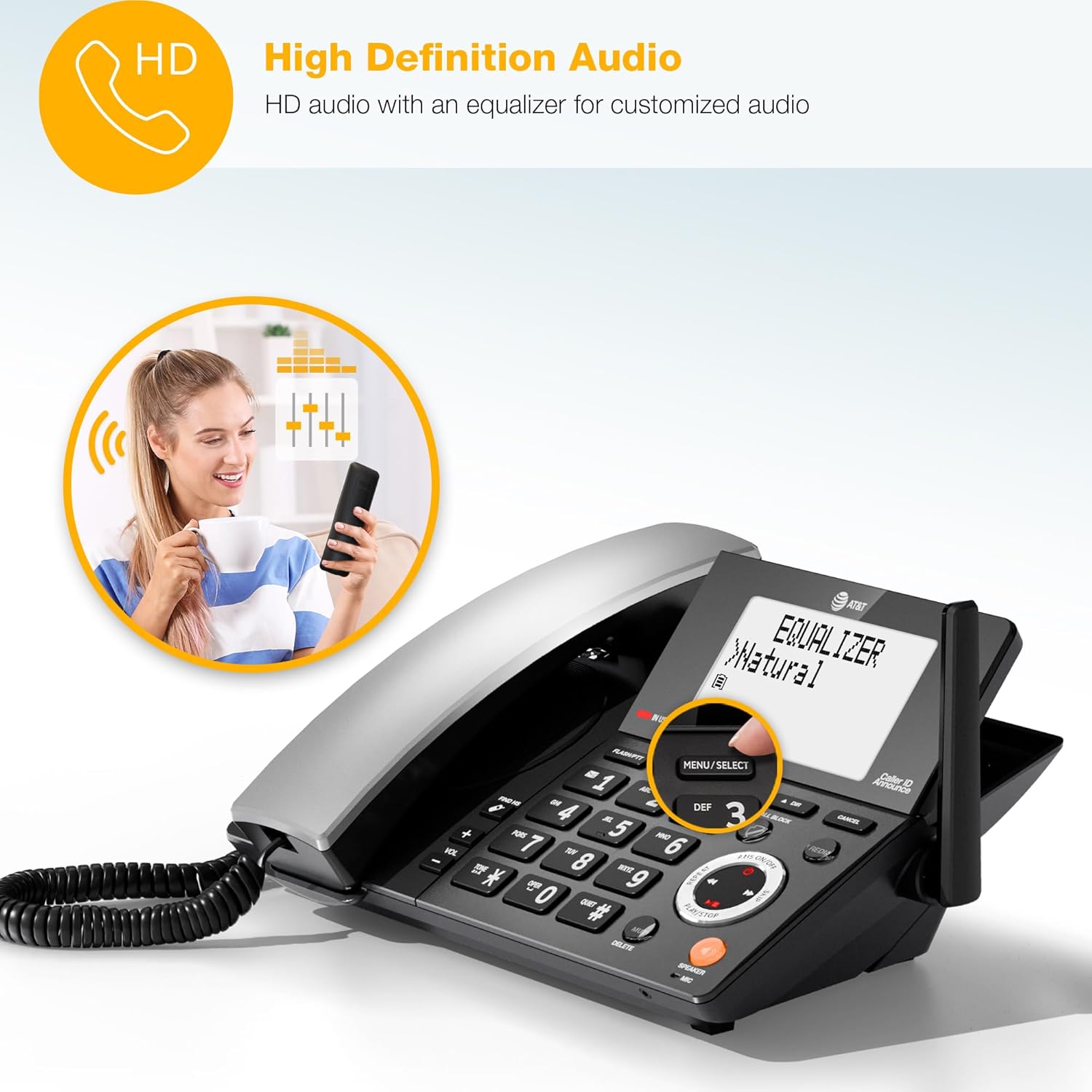
A woman is shown having a phone conversation, representing the high-definition audio feature with an equalizer for customized sound quality.
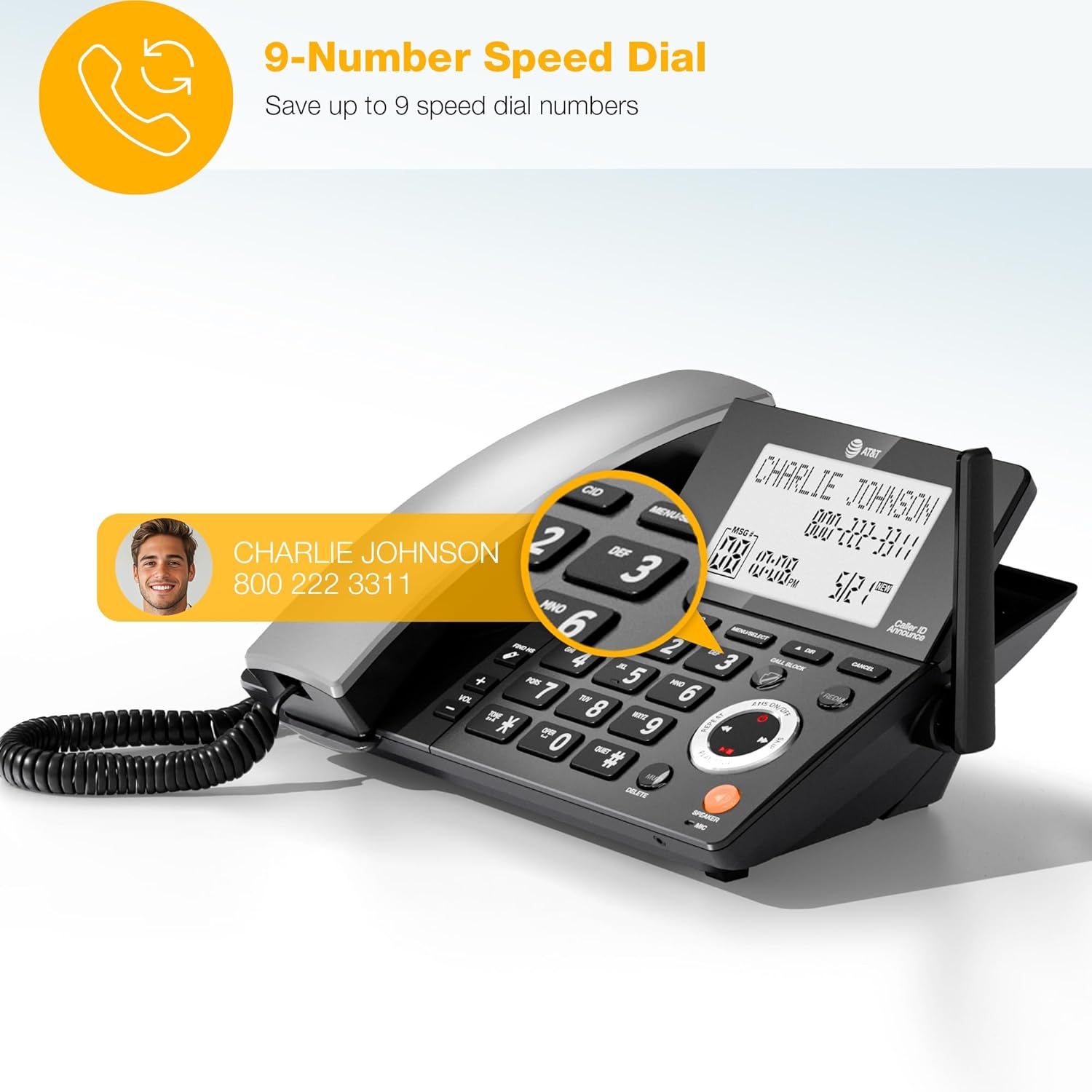
The phone's display shows a contact being accessed via speed dial, illustrating the ability to save up to 9 frequently called numbers for quick access.

This image demonstrates the feature allowing users to download up to 1,000 names and numbers from a cellphone's phonebook to the AT&T CL84218 system.
Slim oproepblokker
The Smart Call Blocker feature helps you manage unwanted calls:
- Automatic Robocall Blocking: Robocalls are automatically blocked from ringing through, even on the first attempt.
- Bloklys: Store up to 1,000 names and numbers in your block list.
- One-Touch Blacklisting: Permanently blacklist any unwanted caller on the spot by pressing the dedicated SKAKELBLOK key on the handset or base unit.

The phone's display screen is shown with a list of numbers that have been blocked by the Smart Call Blocker feature, preventing unwanted calls from ringing through.

'n Gedetailleerde view of the dedicated 'CALL BLOCK' button on the phone's base, which allows for instant blacklisting of unwanted callers with a single press.
Digitale antwoordstelsel
The integrated digital answering system records incoming messages and memos:
- Opnametyd: Up to 22 minutes of recording time for messages.
- Voice-Guided Setup: Easy navigation through setup options with voice prompts.
- Message Retrieval: Listen to messages from the base unit or any cordless handset.

The phone's screen shows a message indicator, illustrating the digital answering system's capability to record messages. The background suggests the user can retrieve messages even when away from the phone.
Onderhoud
To ensure the longevity and optimal performance of your phone system, follow these maintenance guidelines:
- Skoonmaak: Clean the phone's surfaces with a soft, damp lap. Vermy die gebruik van harde chemikalieë of skuur skoonmakers.
- Batterysorg: Replace handset batteries when they no longer hold a charge effectively. Use only the specified battery type.
- Ligging: Place the base unit and chargers in a dry area, away from direct sunlight, heat sources, and moisture.
Probleemoplossing
If you encounter issues with your phone system, refer to the following common troubleshooting steps:
- Geen kiestoon: Ensure the telephone line cord is securely connected to both the base unit and the wall jack. Check if the AC adapter is properly connected to the base unit and a working electrical outlet.
- Handset laai nie: Verify that the handset is correctly seated in its charger and that the charger's AC adapter is plugged into a working electrical outlet. Clean the charging contacts on both the handset and charger.
- Swak klankgehalte: Move closer to the base unit if using a cordless handset. Check for interference from other electronic devices. Ensure the telephone line cord is not damaged.
- Beller-ID wys nie: Confirm that you have subscribed to Caller ID service from your telephone service provider.
- Antwoordstelsel neem nie op nie: Check if the answering system is turned on. Ensure there is sufficient recording time available.
Spesifikasies
Detailed specifications for the AT&T CL84218 phone system:
| Kenmerk | Spesifikasie |
|---|---|
| Produk Afmetings (Basis) | 8.9 x 7.38 x 4.15 duim |
| Item gewig | 3.12 pond (1.42 kilogram) |
| Modelnommer | CL84218 |
| Batterye | 2 AAA-batterye benodig (ingesluit) |
| Vervaardiger | AT&T |
| Kleur | Houtskool Swart |
| Telefoon tipe | Koord/Koordloos |
| Materiaal | Plastiek |
| Kragbron | Elektries met koord |
| Dialer Tipe | Enkel sleutelbord |
| Tipe antwoordstelsel | Digitaal |

A detailed diagram providing the height, width, and depth measurements for both the corded base unit and the cordless handset.
Ondersteuning en waarborg
For technical support, warranty information, or to purchase accessories, please refer to the contact information provided in your Quick Start Guide or visit the official AT&T support webwebwerf. Bewaar u aankoopbewys as bewys van aankoop vir waarborgeise.