
1. Inleiding
This manual provides detailed instructions for the setup, operation, and maintenance of your TUINYO WH-819 Wireless Over-Ear Bluetooth Headphones. Please read this manual thoroughly before using the product to ensure proper function and longevity.
2. Produk verbyview
The TUINYO WH-819 headphones offer high-fidelity stereo sound, comfortable over-ear design, and versatile connectivity options. They are designed for extended listening periods, featuring a long-lasting battery and a foldable structure for portability.
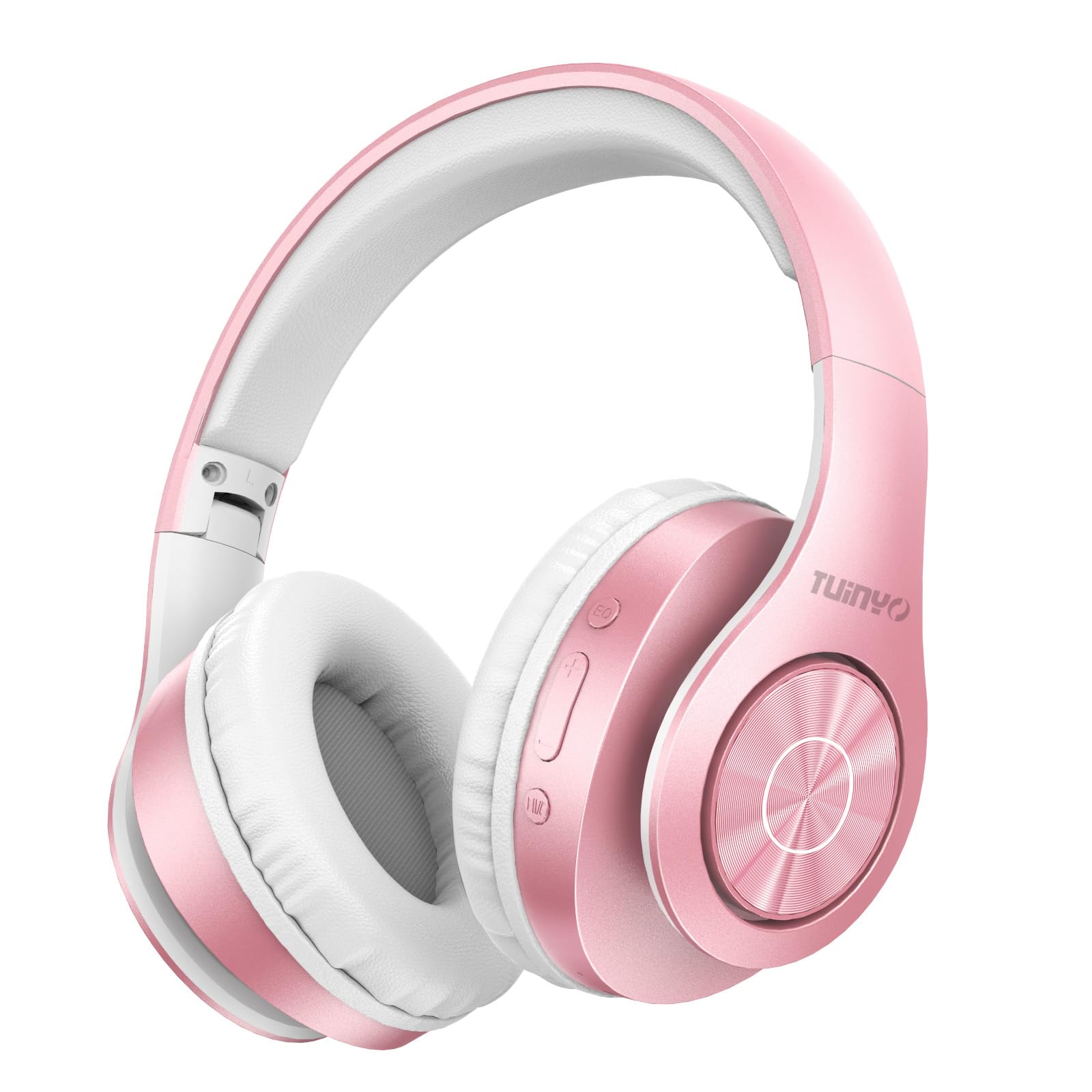
Figure 2.1: TUINYO WH-819 Rose Gold Wireless Over-Ear Bluetooth Headphones.
Video 2.1: 'n Oorview of the TUINYO wireless Bluetooth headphones, highlighting their design and features.
3. Pakketinhoud
Maak seker dat alle items in die pakket teenwoordig is:
- TUINYO WH-819 Wireless Over-Ear Bluetooth Headphones
- USB-laaikabel
- 3.5 mm oudio kabel
- Protective Premium Case
- Gebruikershandleiding

Figure 3.1: Included accessories with the TUINYO WH-819 headphones.
4. Kontroles en Poorts
Familiarize yourself with the headphone controls and ports:
- Kragknoppie: Long press to power on/off. Short press to play/pause music or answer/end calls.
- Volume op/Volgende snit-knoppie: Druk kort om die volume op te hef. Druk lank vir die volgende snit.
- Volume Verlaag/Vorige Liedjie Knoppie: Druk kort om volume te verlaag. Druk lank vir die vorige snit.
- EQ-knoppie: Press to cycle through different equalizer modes (Normal, Rock, Pop, Classic, Jazz, Country).
- 3.5 mm oudio-aansluiting: Vir bedrade verbinding.
- USB-laaipoort: Vir die laai van die oorfone.
- MicroSD -kaartgleuf: For direct music playback from a MicroSD card.

Figuur 4.1: Gedetailleerd view of headphone controls and features.
Video 4.1: A demonstration of the TUINYO headphones' folding mechanism and button controls.
5. Opstelling
5.1 Laai die oorfone
- Connect the USB charging cable to the headphone's charging port.
- Koppel die ander kant van die USB-kabel aan 'n versoenbare USB-kragbron (bv. rekenaar, muuradapter).
- Die LED-aanwyser sal die laaistatus wys (bv. rooi vir laai, blou vir volledig gelaai).
- 'n Volle laai neem gewoonlik 2-2.5 uur.
5.2 Bluetooth -koppeling
- Maak seker dat die oorfone volledig gelaai is.
- Long press the Power button until the LED indicator flashes blue and red, indicating pairing mode.
- Aktiveer Bluetooth op jou toestel (slimfoon, tablet, skootrekenaar) en soek vir beskikbare toestelle.
- Select "WH-819" from the list of devices.
- Once connected, the LED indicator will flash blue slowly, and a voice prompt will confirm successful pairing.
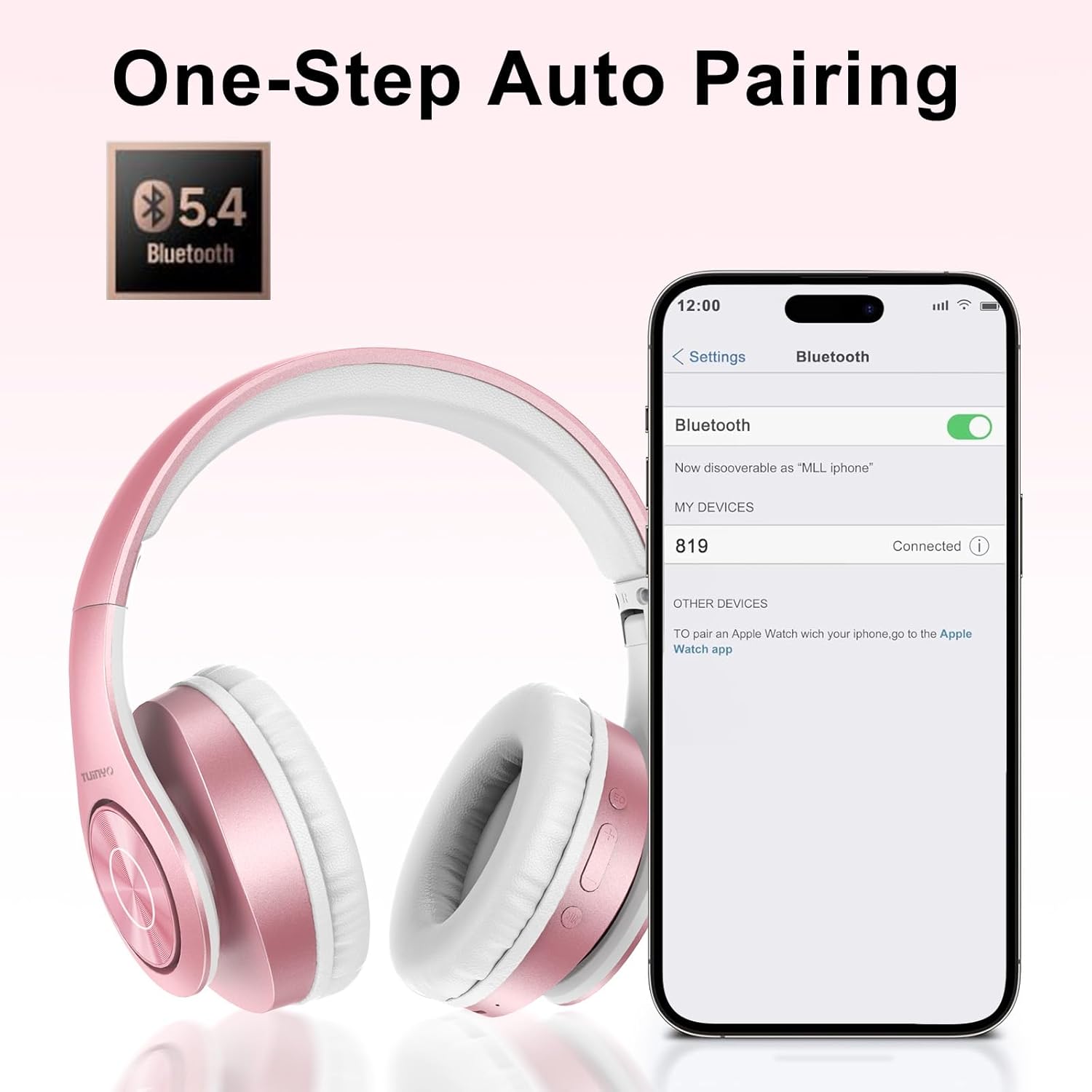
Figure 5.1: Bluetooth pairing process on a smartphone.
6. Bedryfsinstruksies
6.1 Krag aan/af
- Krag aan: Long press the Power button until the LED indicator lights up blue.
- Skakel af: Druk die aan/uit-knoppie lank totdat die LED-aanwyser afskakel.
6.2 Musiekweergawe
- Speel/pouse: Druk kort op die Power-knoppie.
- Volgende snit: Druk die Volume Op-knoppie lank.
- Vorige snit: Druk die Volume Af-knoppie lank.
- Volume aanpassing: Druk kort op die Volume Op- of Volume Af-knoppies.
6.3 Oproepbestuur
- Beantwoord/beëindig oproep: Druk kort op die Power-knoppie.
- Verwerp oproep: Druk die aan/af-knoppie lank.
6.4 EQ Mode
- Press the EQ button to switch between different sound equalizer modes (Normal, Rock, Pop, Classic, Jazz, Country) to optimize your listening experience.
6.5 Bedrade modus
- Insert the 3.5mm audio cable into the headphone's audio jack and the other end into your audio device.
- The headphones will automatically switch to wired mode, and Bluetooth functionality will be disabled.
6.6 MicroSD Card Playback
- Insert a MicroSD card with MP3 audio files into the MicroSD card slot.
- The headphones will automatically detect the card and begin playing music.
- Use the music playback controls (Play/Pause, Next/Previous Track, Volume) to manage your audio.
7. Onderhoud
- Maak die oorfone gereeld skoon met 'n sagte, droë lap.
- Vermy die gebruik van skuur skoonmakers of oplosmiddels.
- Bêre die oorfone in hul beskermende houer wanneer dit nie gebruik word nie om skade te voorkom.
- Hou weg van uiterste temperature en vog.
8. Probleemoplossing
| Probleem | Oplossing |
|---|---|
| Oorfone skakel nie aan nie. | Maak seker dat die oorfone gelaai is. Koppel aan 'n kragbron en probeer weer. |
| Kan nie via Bluetooth koppel nie. | Ensure headphones are in pairing mode (LED flashing blue/red). Turn off and on Bluetooth on your device. Move closer to the device. |
| Geen klank in Bluetooth-modus nie. | Check volume levels on both headphones and connected device. Ensure headphones are successfully paired. |
| Geen klank in bedrade modus nie. | Ensure the 3.5mm audio cable is fully inserted into both the headphones and the audio device. Check the audio source. |
| MicroSD card not playing. | Ensure the MicroSD card is inserted correctly and contains compatible MP3 audio files. |
9. Spesifikasies
| Kenmerk | Detail |
|---|---|
| Model Naam | WH-819 |
| Verbindingstegnologie | Draadloos (Bluetooth), Bedraad (3.5mm-aansluiting) |
| Draadlose kommunikasietegnologie | Bluetooth 4.0 |
| Tipe oudiobestuurder | Dynamic Driver (40mm neodymium) |
| Batterylewe | Up to 40 hours of music time (800mAh battery) |
| Laai tyd | 2-2.5 uur |
| Oorstukvorm | Oor-oor |
| Materiaal | Plastic, Memory-Protein Earmuffs |
| Gewig | 13.4 onse |
| Afmetings | 8.5 x 6.22 x 4.25 duim (Pakket) |
| Versoenbare toestelle | Tablets, Laptops, Desktops, Smartphones, Bluetooth-enabled devices |
| Waterweerstandvlak | Nie waterbestand nie |
10. Waarborg en Ondersteuning
Your TUINYO WH-819 headphones are covered by a 30-day warranty from the date of purchase. For any product inquiries, technical support, or warranty claims, please refer to the contact information provided with your purchase or visit the official TUINYO webwebwerf.