
1. Inleiding
Thank you for choosing the AWEI T21 Bluetooth Earbuds. These wireless earbuds are designed to provide a high-quality audio experience with advanced features such as Bluetooth 5.3 connectivity, smart touch controls, and IPX6 waterproofing. This manual will guide you through the setup, operation, and maintenance of your new earbuds.

Beeld: Oorview of AWEI T21 Earbuds key features including Bluetooth 5.3, TWS, HD Microphone, comfortable fit, Type-C fast charging, and touch control.
2. Pakketinhoud
- AWEI T21 Wireless Bluetooth Headset (Left and Right Earbuds)
- Laaikas
- USB-C-laaikabel
- User Instructions (This Manual)
3. Opstelling
3.1 Aanvanklike laai
Before first use, fully charge the earbuds and the charging case. Connect the provided USB-C cable to the charging port on the case and to a power source. The charging case has a 300mAh capacity and takes approximately 1.5 hours to fully charge.

Image: The AWEI T21 charging case with its Type-C fast-fill port, shown connected to a power source.

Image: The AWEI T21 multi-function charging case highlighting its 300mAh capacity, 2.5 hours play time, and 130 hours standby time.
3.2 Koppeling met 'n Toestel
- Maak die laaikas oop. Die oorfone sal outomaties aanskakel en in paringsmodus gaan.
- Aktiveer Bluetooth op jou toestel (slimfoon, tablet, skootrekenaar).
- Soek vir "AWEI T21" in the list of available Bluetooth devices and select it to connect.
- Sodra dit gekoppel is, sal jy 'n bevestigingstoon hoor, en die oorfone sal gereed wees vir gebruik.
The earbuds feature Bluetooth 5.3 technology for a fast and stable connection, with a range of up to 10 meters.

Image: AWEI T21 earbuds in their charging case, illustrating instant connection via Bluetooth 5.3 upon removal.
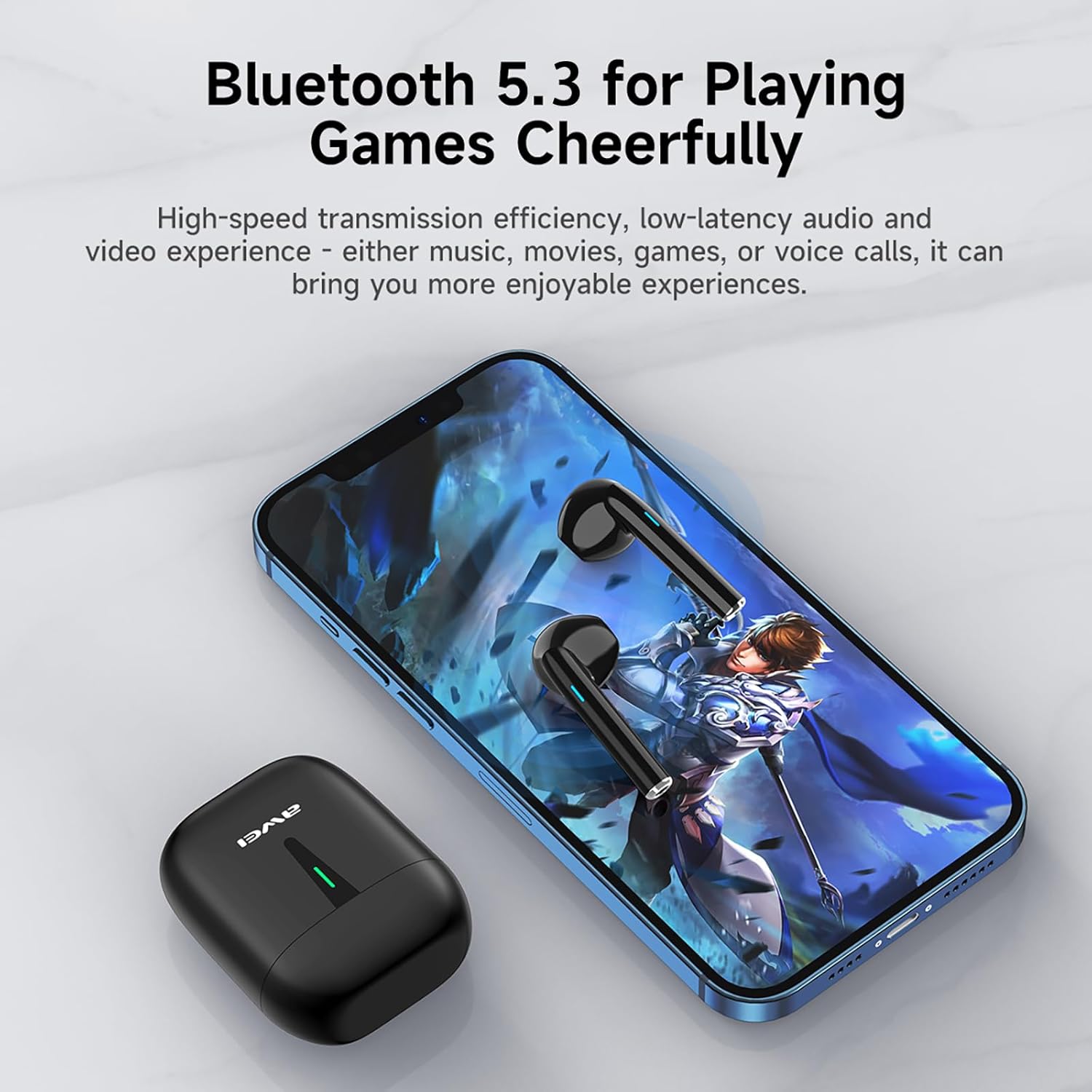
Image: A smartphone displaying a game, with AWEI T21 earbuds and their charging case nearby, emphasizing Bluetooth 5.3 for low-latency audio.
4. Bedryfsinstruksies
4.1 Krag aan/af
- Krag aan: Die oorfone skakel outomaties aan wanneer dit uit die laaikas verwyder word.
- Skakel af: Plaas die oordopjes terug in die laaikas om hulle outomaties af te skakel en te begin laai.
4.2 Slim aanraakkontroles
The AWEI T21 earbuds feature intuitive touch controls on each earbud. Specific touch functions may vary slightly by device, but common controls include:
- Speel/pouse: Enkele tik op enige van die oordopjes.
- Volgende liedjie: Dubbeltik op die regteroorfone.
- Vorige liedjie: Dubbeltik op die linker oordopje.
- Beantwoord/beëindig oproep: Enkele tik op enige van die oordopjes.
- Verwerp oproep: Druk en hou enige oordopjes vir 2 sekondes.
- Volumebeheer: (Specific gesture not detailed in product info, typically long press or multiple taps. Refer to device settings if needed.)
- Aktiveer stemassistent: (Specific gesture not detailed in product info, typically triple tap or long press.)
4.3 Monaural and Binaural Modes
The earbuds support both single-ear (monaural) and dual-ear (binaural) usage modes.
- Monomodus: Use one earbud independently while the other is in the charging case. This extends total listening time by allowing you to alternate earbuds.
- Binaurale modus: Use both earbuds simultaneously for stereo sound.

Image: Illustration of AWEI T21 earbuds in both monaural (single earbud connected) and binaural (both earbuds connected for stereo) modes.
5. Onderhoud
5.1 Skoonmaak
- Vee die oorfone en laaikassie versigtig af met 'n sagte, droë, pluisvrye lap.
- Moenie skuurmiddels, oplosmiddels of aërosolspuitmiddels gebruik nie.
- Maak seker dat die laaikontakte op beide die oordopjes en die houer skoon en droog is.
5.2 Waterweerstand
The AWEI T21 earbuds are rated IPX6 waterproof, meaning they are protected against high-pressure water jets from any direction. This makes them suitable for use during workouts or in light rain. However, they are not designed for submersion in water. Ensure earbuds are dry before placing them back in the charging case.
5.3 Berging
Wanneer dit nie gebruik word nie, bêre die oorfone in hul laaikassie om hulle te beskerm en gelaai te hou. Bêre op 'n koel, droë plek weg van uiterste temperature.
6. Probleemoplossing
| Probleem | Moontlike Oplossing |
|---|---|
| Oordopjes koppel nie met toestel nie. |
|
| Slegs een oorknoppie werk. |
|
| Oorfone laai nie. |
|
| Low sound quality or intermittent connection. |
|
7. Spesifikasies
| Model Naam | T21 |
| Handelsmerk | Awei |
| Verbindingstegnologie | Draadloos (Bluetooth) |
| Bluetooth weergawe | 5.3 |
| Bluetooth-reeks | 10 meter |
| Oorplasing | In Oor |
| Tipe beheer | Raak Beheer |
| Waterweerstandvlak | IPX6 waterdig |
| Oorknoppie se batterylewe | 6 uur (deurlopende gebruik) |
| Laaikas kapasiteit | 300mAh |
| Totale speeltyd (met omhulsel) | Up to 36 Hours (dual-ear mode), Up to 72 Hours (single-ear alternating) |
| Laaityd (kas) | 1.5 uur (via Tipe-C) |
| Tipe oudiobestuurder | Dynamic Driver (10mm speaker) |
| Materiaal | Silikoon (oorkappe) |
| Item gewig | 0.09 kilogram |
| Ingesluit komponente | USB-C Charging Cable, Wireless Bluetooth Headset, User Instructions, Wireless Bluetooth Headset Charging Case |
8. Waarborginligting
The AWEI T21 Bluetooth Earbuds come with a 1 jaar waarborg vanaf die aankoopdatum. Hierdie waarborg dek vervaardigingsdefekte. Bewaar asseblief u bewys van aankoop vir waarborgeise. Die waarborg dek nie skade wat veroorsaak word deur misbruik, ongelukke, ongemagtigde wysigings of normale slytasie nie.
9. Kliëntediens
For further assistance, technical support, or warranty inquiries, please contact Awei customer service through the retailer where you purchased the product or visit the official Awei webwebwerf vir kontakinligting.