
Awei T86
AWEI T86 Wireless Earbuds Gebruikershandleiding
Model: T86
1. Inleiding
Thank you for choosing the AWEI T86 Wireless Earbuds. This manual provides detailed instructions on how to set up, operate, and maintain your earbuds to ensure optimal performance and longevity. Please read this manual carefully before using the product.

Image: AWEI T86 Wireless Earbuds in their charging case, showcasing die slanke ontwerp.
2. Pakketinhoud
Maak seker dat alle items in die pakket teenwoordig is:
- AWEI T86 Wireless Bluetooth Headset (Left and Right Earbuds)
- Laaikas
- USB-C-laaikabel
- User Instructions (This manual)
3. Produk verbyview
The AWEI T86 earbuds feature a compact design with advanced audio technology. Each earbud is equipped with a touch control area and a microphone. The charging case protects the earbuds and provides extended battery life.

Image: AWEI T86 Wireless Earbuds displayed individually, highlighting their ergonomic shape.
3.1 Sleutelkenmerke
- Hoë-resolusie oudio: 13mm speakers for immersive sound and ENC calling noise cancellation for clear calls.
- Bluetooth 5.3 Tegnologie: Ensures fast, stable, and low-latency wireless connection up to 10 meters.
- Verlengde batterylewe: Up to 7 hours of playback per charge, with the charging case providing up to 35 hours (dual-ear mode) or 70 hours (single-ear mode).
- IPX6 waterdigte ontwerp: Resistant to dust and rain, suitable for various environments.
- Slim raakbeheer: Manage music playback, volume, and calls directly from the earbuds.

Beeld: Gedetailleerd view of an AWEI T86 earbud, highlighting its ergonomic design and touch control area.
4. Opstelling
4.1 Laai die oordopjes en houer
Laai beide die oordopjes en die laaikas volledig voor die eerste gebruik.
- Plaas die oorfone in die laaikas. Maak seker dat hulle korrek geplaas is; die aanwyserliggies op die oorfone sal brand om die laaistatus aan te dui.
- Koppel die USB-C-laaikabel aan die laaipoort op die omhulsel en die ander kant aan 'n USB-kragadapter (nie ingesluit nie) of 'n rekenaar se USB-poort.
- The charging case will display its charging status. A full charge for the case takes approximately 1.5 hours.

Image: AWEI T86 charging case with earbuds inserted, illustrating the charging process.
4.2 Koppeling met 'n Toestel
The earbuds use Bluetooth 5.3 for a stable connection.
- Eerste keer saamparing:
- Maak die laaikas oop. Die oorfone sal outomaties aanskakel en in paringsmodus gaan.
- Aktiveer Bluetooth op jou toestel (slimfoon, tablet, ens.).
- Soek vir available Bluetooth devices and select "AWEI T86" from the list.
- Once connected, you will hear a confirmation sound, and the earbuds' indicator lights will change.
- Outomatiese herverbinding: After the initial pairing, the earbuds will automatically connect to the last paired device when taken out of the case, provided Bluetooth is enabled on the device.
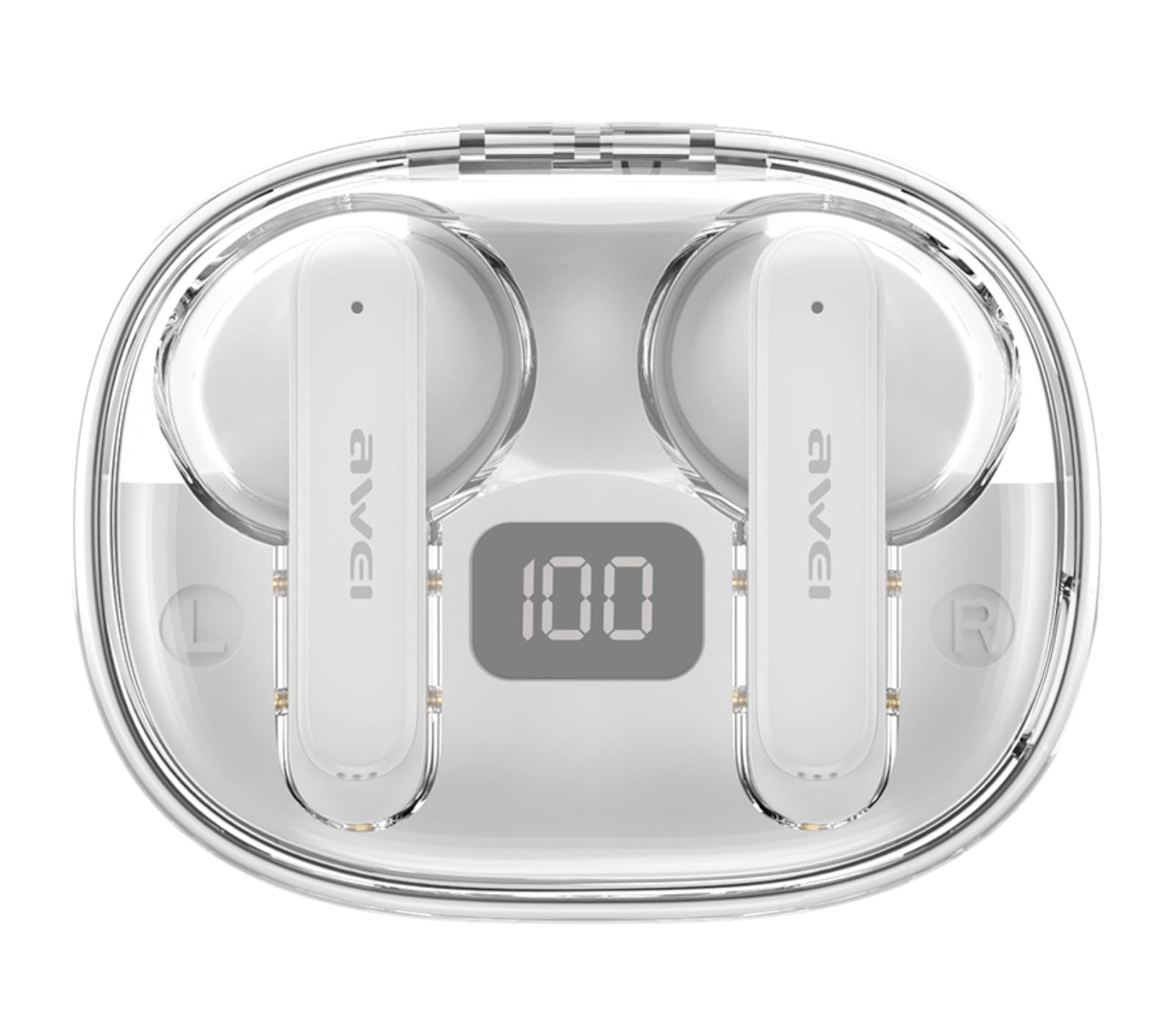
Image: AWEI T86 earbud with an overlay indicating Bluetooth 5.3 technology, representing the pairing process.
5. Bediening van die oordopjes
5.1 Dra van die oordopjes
Vir optimale klankgehalte en gemak, maak seker dat die oorfone korrek gedra word.
- Identifiseer die linker (L) en regter (R) oorfone.
- Gently insert each earbud into your ear canal and rotate slightly until it fits snugly and comfortably.

Image: A person wearing the AWEI T86 earbuds, demonstrating proper fit and usage.
5.2 Raak kontroles
The AWEI T86 earbuds feature smart touch controls on each earbud. The functions may vary slightly depending on your device and application.
| Aksie | Funksie |
|---|---|
| Enkele tik (links/regs) | Speel/Pauseer Musiek, Beantwoord/Beëindig Oproep |
| Dubbeltik (regteroorknoppie) | Volgende Liedjie |
| Dubbeltik (linkeroorknoppie) | Vorige Liedjie |
| Drievoudige tik (regteroorknoppie) | Volume op |
| Drievoudige tik (linkeroorknoppie) | Volume af |
| Lang druk (2 sekondes) | Verwerp oproep, aktiveer stemassistent |
Let wel: The ENC (Environmental Noise Cancellation) feature for calls is automatically active during phone calls, enhancing voice clarity by reducing ambient noise.
Image: Close-up of an AWEI T86 earbud, indicating the touch-sensitive control area.
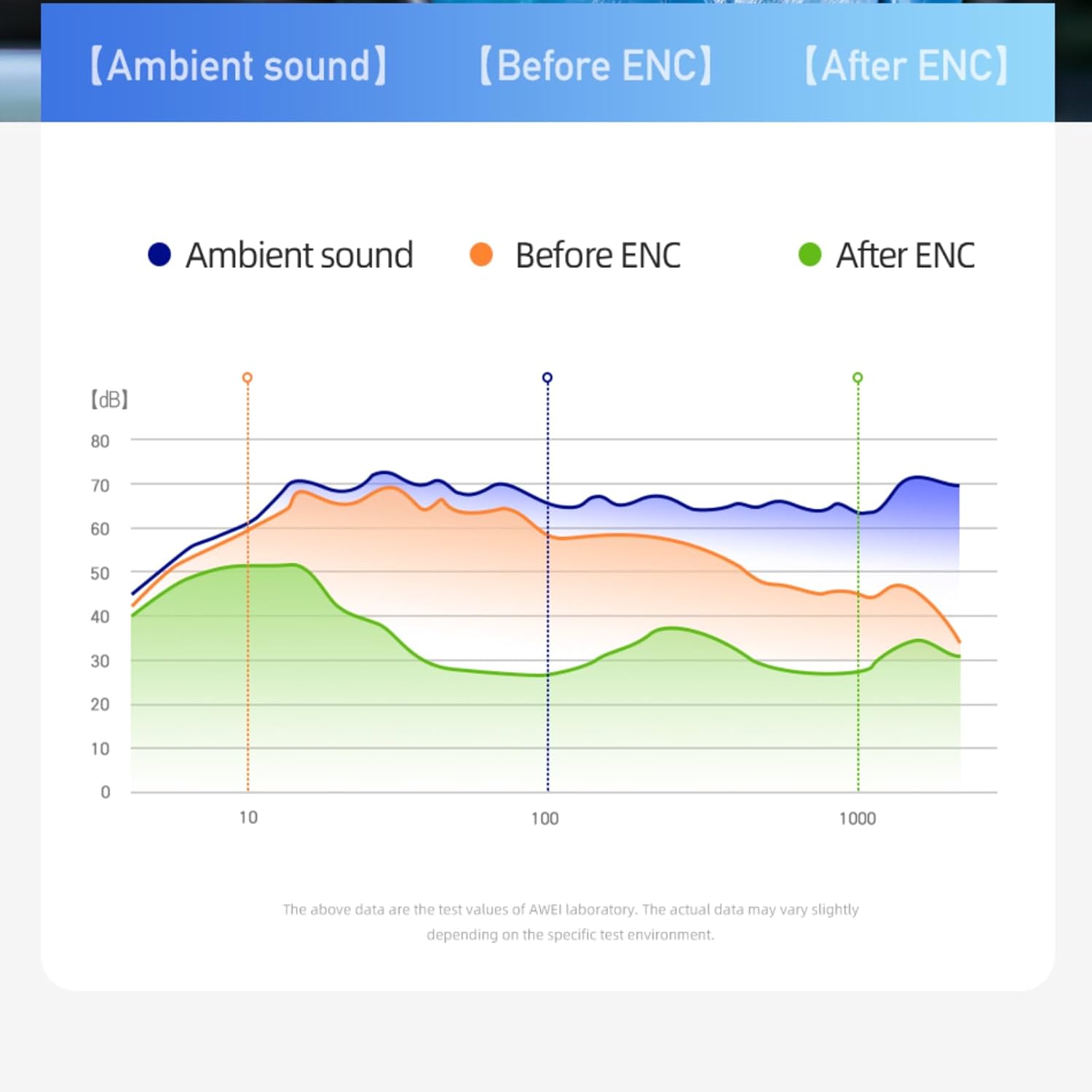
Image: A graph illustrating the effect of ENC (Environmental Noise Cancellation) on ambient sound, showing reduction of noise levels.
5.3 Krag aan/af
- Krag aan: Die oorfone skakel outomaties aan wanneer dit uit die laaikas verwyder word.
- Skakel af: Die oordopjes skakel outomaties af en begin laai wanneer dit terug in die laaikas geplaas word en die deksel toegemaak word.
- Handmatige afskakel: If not in the case, long-press the touch area on either earbud for approximately 5 seconds until you hear a power-off prompt.
6. Onderhoud
6.1 Skoonmaak
Gereelde skoonmaak help om klankgehalte en higiëne te handhaaf.
- Gebruik 'n sagte, droë, pluisvrye lap om die oorfone en laaikas af te vee.
- Moenie skuurmiddels, oplosmiddels of aërosolspuitmiddels gebruik nie.
- Gently clean the ear tips and speaker mesh with a cotton swab or a small, soft brush to remove earwax or debris.
6.2 Berging
Wanneer dit nie gebruik word nie, bêre die oordopjes in hul laaikassie om hulle te beskerm en gelaai te hou.
- Bêre in 'n koel, droë plek, weg van uiterste temperature en direkte sonlig.
- Vermy berging naby magnetiese velde.
6.3 Waterbestandheid (IPX6)
The AWEI T86 earbuds are rated IPX6, meaning they are protected against powerful water jets. This makes them suitable for use during workouts or in light rain.
- Moenie die oorfone in water dompel nie.
- The charging case is not waterproof. Keep it dry.
- If the earbuds get wet, wipe them dry completely before placing them back in the charging case to prevent damage.
7. Probleemoplossing
If you encounter issues with your AWEI T86 earbuds, try the following solutions:
| Probleem | Moontlike Oplossing |
|---|---|
| Oorknoppies koppel nie |
|
| Slegs een koptelefoon werk |
|
| Lae volume of swak klankgehalte |
|
| Oorknoppies laai nie |
|
8. Spesifikasies
| Kenmerk | Detail |
|---|---|
| Model | T86 |
| Bluetooth weergawe | 5.3 |
| Luidsprekergrootte | 13 mm |
| Waterweerstand | IPX6 (slegs oordopjes) |
| Oortelefoon Speeltyd | Tot 7 uur |
| Totale speeltyd (met omhulsel) | Up to 35 hours (dual-ear), 70 hours (single-ear) |
| Laaikas battery | 300mAh |
| Laaityd (kas) | Ongeveer 1.5 uur (via USB-C) |
| Wireless Range | Tot 10 meter (33 voet) |
| Gewig | 0.15 kilogram (totale pakketgewig) |
| Tipe beheer | Raak Beheer |
| Ingesluit komponente | Earbuds, Charging Case, USB-C Cable, User Manual |
Image: AWEI T86 Wireless Earbuds, representing the product's technical specifications.
9. Veiligheidsinligting
- Moenie die produk uitmekaar haal of verander nie.
- Keep away from extreme temperatures, humidity, and corrosive substances.
- Vermy om die oordopjes te laat val of aan harde impakte bloot te stel.
- Moenie die laaikas aan water of vog blootstel nie.
- Langdurige blootstelling aan harde klanke kan gehoorskade veroorsaak. Verstel die volume na 'n matige vlak.
- Use only the provided or certified charging cable.
10. Waarborg en Ondersteuning
For warranty information and technical support, please refer to the warranty card included with your purchase or visit the official AWEI webwebwerf. Bewaar u bewys van aankoop vir waarborgeise.
Ask a question about this manual
Ask about setup, troubleshooting, compatibility, parts, safety, or missing instructions. Manuals+ will review the question and use this page’s manual context to help answer it.