
Loocam LU8W8W-8M41S-296
Loocam 4K Wireless Security Camera System
Model: LU8W8W-8M41S-296 - Instruction Manual
1. Produk verbyview
The Loocam 4K Wireless Security Camera System provides comprehensive surveillance with advanced features. This system includes an 8-channel NVR with a pre-installed 1TB hard drive and four 4K cameras. Key functionalities include Wi-Fi 6 connectivity, color night vision, pan-tilt capabilities, AI-powered detection, and two-way audio communication.

Image: Loocam 4K Wireless Security Camera System with NVR and four cameras.
2. Wat is in die boks
- 1x 8CH 8MP NVR with 1TB Hard Drive Pre-installed
- 4x 4K Cameras
- 4x Camera Power Adapters
- 1x NVR-kragadapter
- 1x Ethernet-kabel
- 1x HDMI-kabel
- 1x USB 2.0 Mouse
- 4x monteerskroewe
- 4x Monteringsjablone
- 1x Waterproof Lid
- 1x vinnige begingids

Image: All components included in the Loocam 4K Wireless Security Camera System package.
3. Opstelling
Follow these steps to set up your Loocam 4K Wireless Security Camera System.
- Koppel die NVR: Connect the NVR to your router using the Ethernet cable. Connect the NVR to a monitor or TV via the HDMI cable. Plug in the NVR power adapter and the USB mouse.
- Power on Cameras: Connect each 4K camera to its individual power adapter. The cameras will automatically pair with the NVR.
- Initial NVR Configuration: Once the NVR boots up and displays on your monitor, select your preferred language. Follow the on-screen prompts to set a password for the system.
- App-aflaai en -verbinding: Download the Loocam APP or AVSS client on your smartphone or tablet. Scan the QR code displayed on the NVR monitor to add the system to your app for remote viewing.
- Kamera montering: The cameras feature a 360° rotatable bracket for flexible installation on walls or ceilings. Use the provided mounting screws and templates. Ensure the camera and NVR are connected to a power outlet.
Video: Unboxing and Installation Guide for Loocam WiFi 6 Camera System.

Image: Visual representation of the three-step setup process for the Loocam system.
4. Bedryfsinstruksies
4.1 Afstandsbediening Viewing en afspeel
Access live feeds and recorded video from your smartphone or tablet anytime, anywhere, using the Loocam APP or AVSS client. The system supports remote playback of stored footage.
Video: Tutorial on how to view the Loocam WiFi 6 Security Camera System via the mobile app.

Image: Remote access to camera feeds from smartphones, tablets, and computers.
4.2 Smart AI Auto Tracking and Detection
The cameras feature 355° pan and 95° tilt capabilities. Smart AI automatically tracks detected individuals or vehicles, ensuring continuous monitoring of movement. The system accurately detects people and vehicles, reducing false alarms from animals or shadows.

Image: Illustration of smart AI auto-tracking with 355° pan and 95° tilt camera movement.

Image: Visual representation of human and vehicle detection with instant alerts.
4.3 Instant Siren & Spotlight Alerts and Two-Way Talk
Upon detection of people or vehicles, the system can trigger siren and spotlight alarms. APP notifications are sent to your device for immediate awareness. The two-way audio feature allows for remote communication, enabling you to greet visitors or deter intruders.
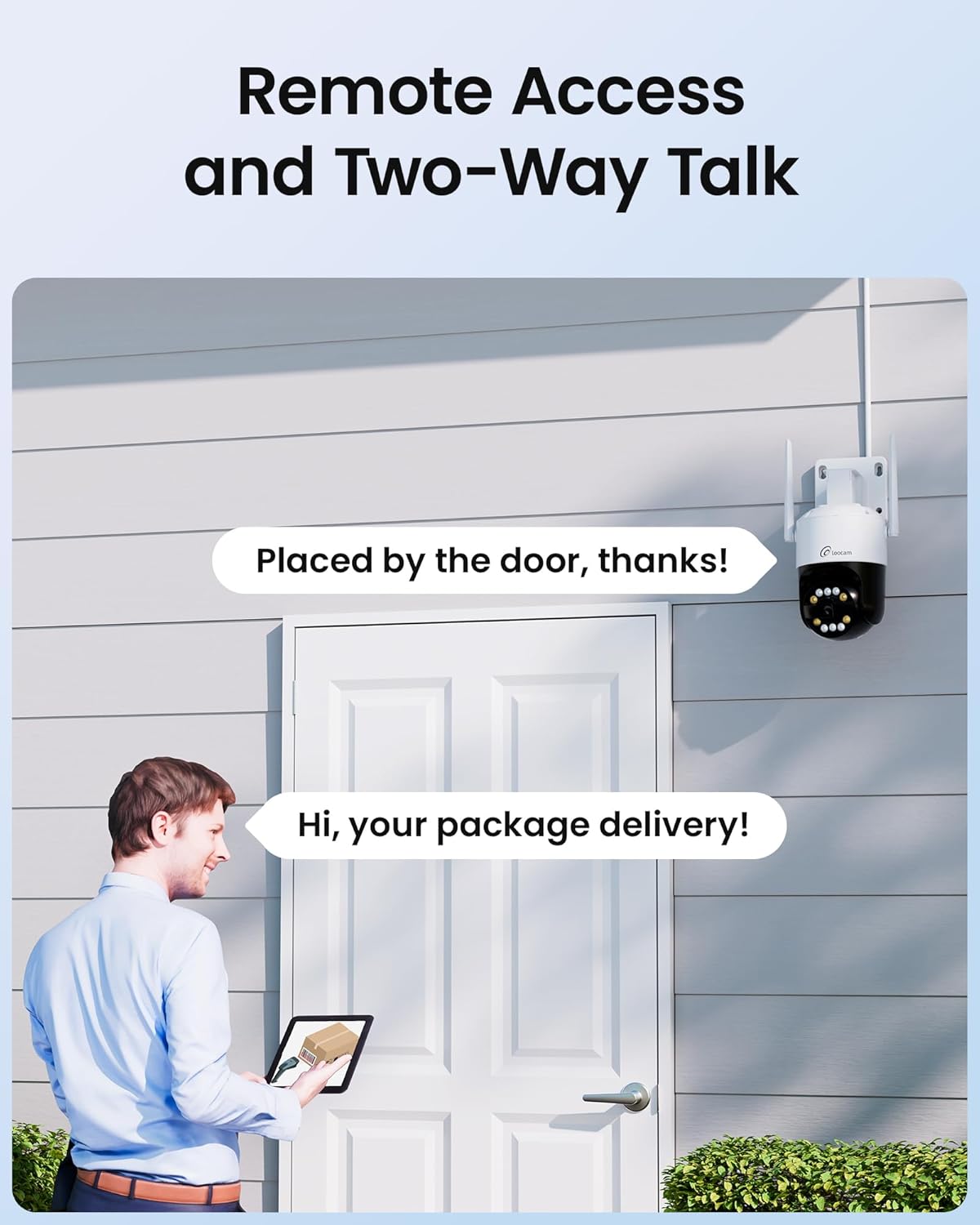
Image: Depiction of instant siren and spotlight alerts triggered by detection, with corresponding app notifications.

Image: A person communicating through the camera's two-way audio feature.
4.4 4K Ultra HD & Color Night Vision
The cameras capture video in 4K Ultra HD (3840x2160) resolution, providing clear and detailed images. The system supports auto-switching color night vision, allowing for clear color surveillance footage selfs in lae lig toestande.

Image: Comparison of 4K 8MP resolution and color night vision capabilities.
4.5 Continuous Recording and Storage
The NVR comes with a pre-installed 1TB hard disk for 24/7 continuous recording. The storage capacity is expandable up to 8TB, providing ample space for video archives without ongoing subscription fees.

Image: Camera with details on built-in 1TB HDD and expandability up to 8TB for continuous recording.
5. Onderhoud
5.1 Weatherproof Rating
The outdoor security cameras are rated IP66 weatherproof, ensuring normal operation in temperatures ranging from -10℃ to +60℃ (14°F to 140°F). This allows for reliable use in various indoor and outdoor environments.

Image: Mounting options (wall, ceiling) and IP66 weatherproof rating for the outdoor camera.
5.2 Algemene sorg
Regularly check camera lenses for dirt or obstructions and clean with a soft, damp cloth. Ensure all cable connections are secure and protected from environmental elements. Periodically verify hard drive status and available storage space.
6. Probleemoplossing
- Geen videostroom nie: Ensure all power adapters are securely connected to both the NVR and cameras. Verify HDMI/VGA connections to the monitor. Check network connectivity for remote viewing.
- Swak Wi-Fi-prestasie: Ensure your Wi-Fi 6 router is operating on the 2.4GHz band. Position cameras within optimal range of the NVR's dual antennas. Consider a Wi-Fi 6 router for improved performance.
- Vals alarms: Adjust the sensitivity settings for human/vehicle detection in the system's configuration to minimize triggers from environmental factors like animals or shadows.
- Terugspeelprobleme: Check the NVR's hard drive status to ensure it is functioning correctly and has sufficient storage.
- Programverbindingsprobleme: Verify your smartphone or tablet has a stable internet connection. Ensure the Loocam APP/AVSS client is updated to the latest version.
7. Spesifikasies
| Kenmerk | Detail |
|---|---|
| Handelsmerk | Loocam |
| Modelnommer | LU8W8W-8M41S-296 |
| Verbindingstegnologie | Wireless (Wi-Fi 6, 2.4GHz only) |
| Video-opname-resolusie | 4K (3840x2160) |
| Spesiale kenmerke | Dual Antenna Enhance, Lightning Protection, Siren Alarm, Smart Playback, Two-Way Audio, Human/Vehicle Detection, Color Night Vision, 355° Pan, 95° Tilt, IP66 Weatherproof |
| Aantal kanale | 8 |
| Geheue berging kapasiteit | 1 TB (uitbreidbaar na 8 TB) |
| Kragbron | Elektries met koord |
| Nagsigreeks | 100 Voet |
| Bedryfstemperatuur | -10℃~+60℃ (14°F~140°F) |
8. Waarborg en Ondersteuning
- 30-Day Money Back and Free Return: Contact customer service within 30 days of purchase for returns.
- 2-jaar beperkte waarborg: Die produk word gedek deur 'n 2-jaar beperkte waarborg.
- Prompt Online Assistance: For technical support or inquiries, prompt online assistance is available.
- Lewenslange tegniese ondersteuning: Loocam provides lifetime technical support for its products.