
1. Inleiding
Thank you for choosing the FOFUN T-Fun NC95 Hybrid Active Noise Cancelling Headphones. This manual provides essential information for the safe and efficient use of your headphones. Please read it thoroughly before use and retain it for future reference.

Image 1.1: T-Fun NC95 Hybrid Active Noise Cancelling Headphones.
2. Pakketinhoud
Verifieer dat alle items in die pakket teenwoordig is:
- NC95 ANC Headphones
- 3.5 mm oudio kabel
- Type A-C Charging Cable
- PU Bag (Carrying Case)
- Vinnige Begingids
- Digital Manual (Downloadable)

Image 2.1: Included accessories and headphones.
3. Produk verbyview
3.1 Koptelefoonkomponente

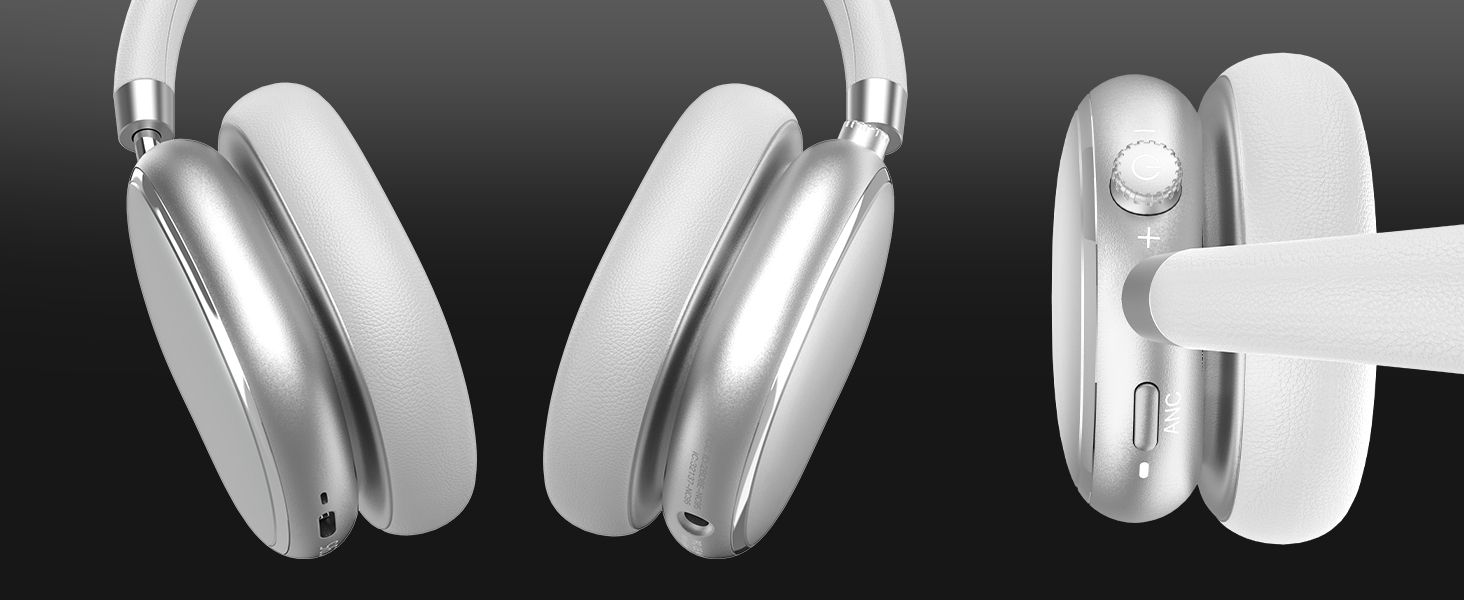
Beeld 3.1: verbyview of headphone ports and buttons.
3.2 Fit and Adjustability
- Verstelbare kopband: The headband can be extended or retracted to fit various head sizes, ensuring a personalized and comfortable fit.
- 90° Rotatable Earcups: The earcups rotate more than 90 degrees, allowing for a comfortable fit and easy storage when not in use.
- Sagte oorkussings: Made with quality protein memory foam for extended comfort.
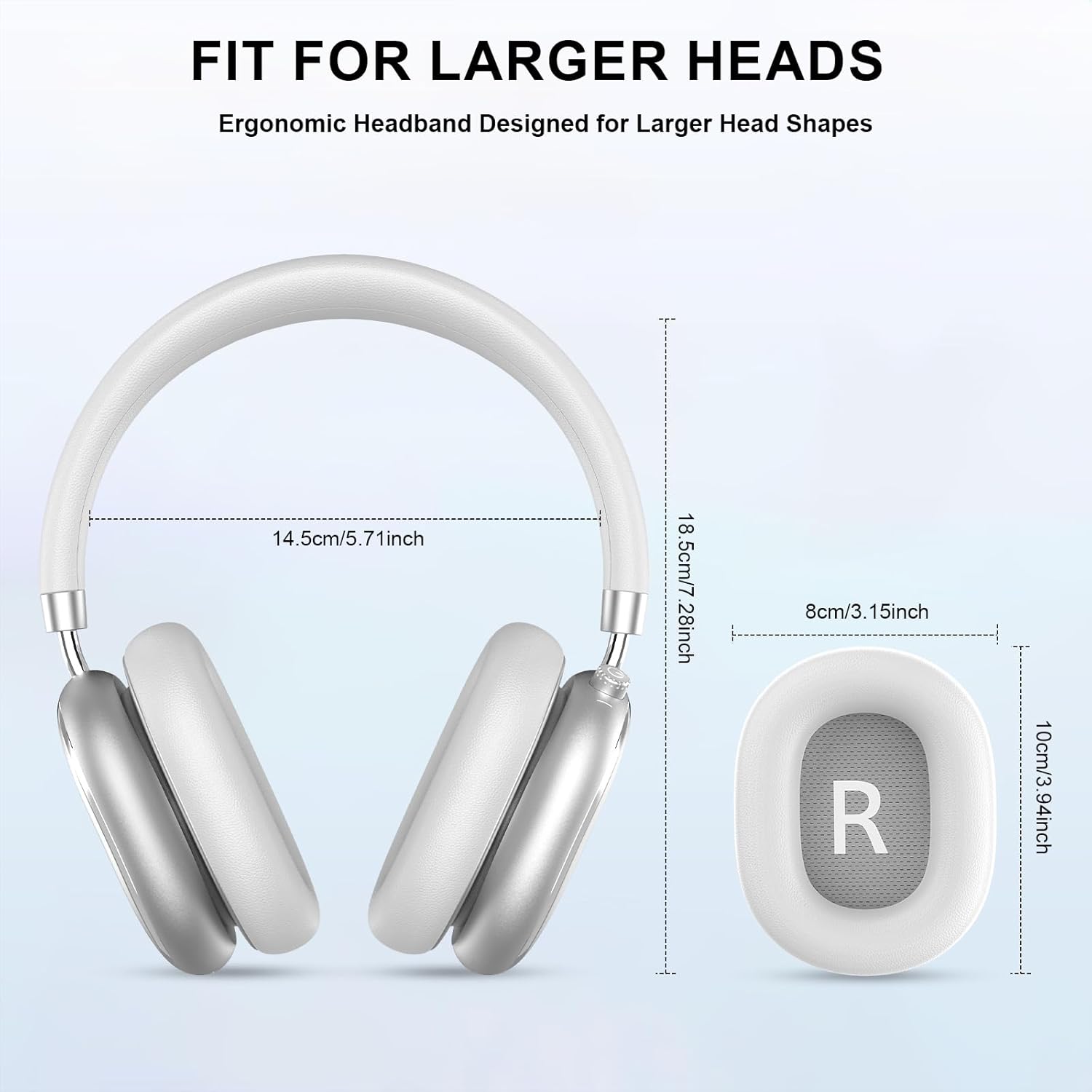
Image 3.2: Headphone dimensions for fit reference.
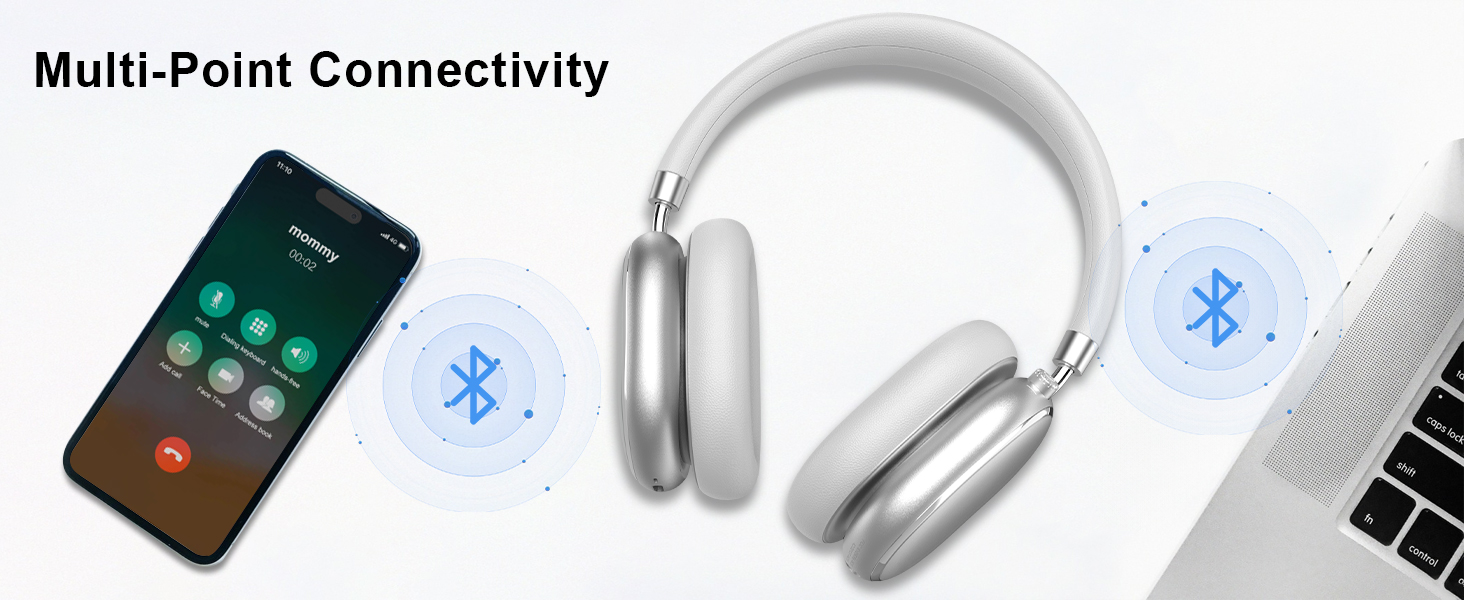
Image 3.3: Adjustable headband for personalized comfort.
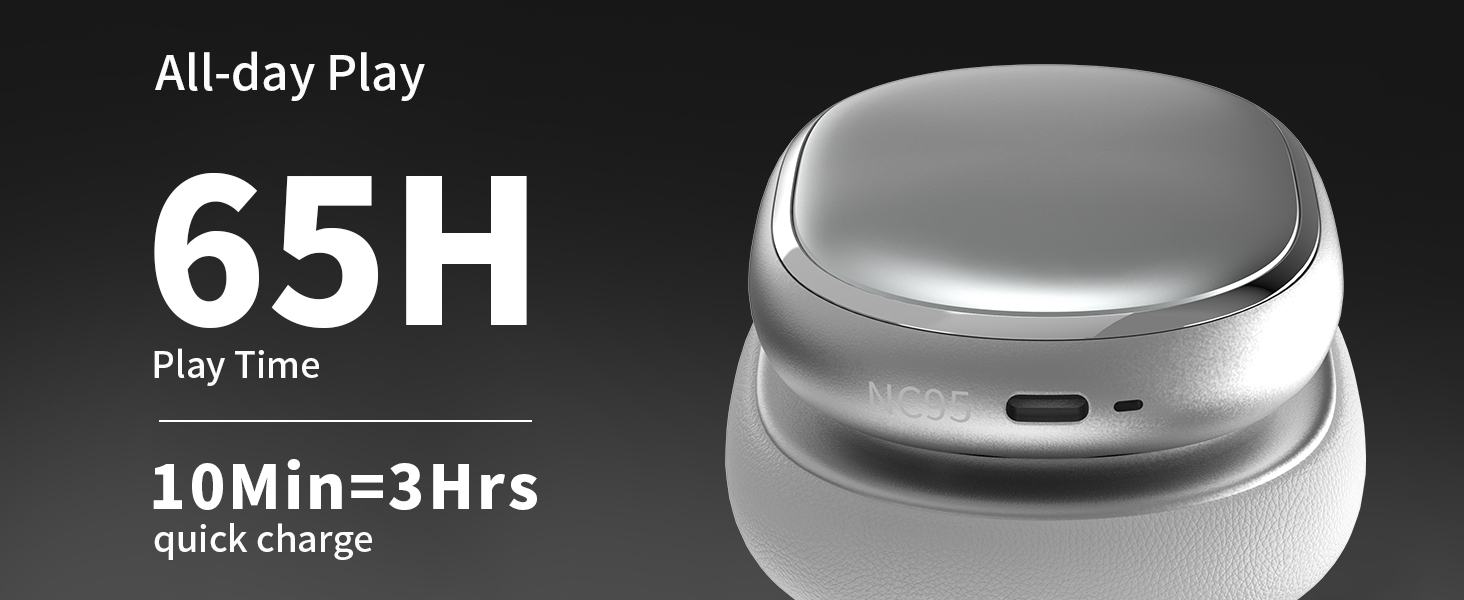
Image 3.4: Earcups rotate for comfort and storage.

Image 3.5: Ultra-soft protein leather ear cushions for comfort.
4. Opstelling
4.1 Aanvanklike voorbereiding
- Verwyder beskermende plakker: Before first use, gently remove the protective sticker from the sides of the headphones. You may warm the area with a hairdryer (low heat) for easier removal. Peel slowly and remove any sticky residue with warm water or rubbing alcohol.

Image 4.1: Steps for removing the protective sticker.
4.2 Laai die oorfone
Before initial use, fully charge the headphones. Use the provided Type A-C charging cable.
- Connect the USB-C end of the cable to the charging port on the headphones.
- Connect the USB-A end to a compatible USB power source (e.g., wall adapter, computer USB port).
- Die LED-aanwyser sal die laaistatus wys. 'n Volle lading neem ongeveer 2.5 uur.
- A 10-minute quick charge provides approximately 3 hours of playback.

Image 4.2: Battery life and charging information.
4.3 Bluetooth -koppeling
- Maak seker dat die oorfone gelaai en afgeskakel is.
- Press and hold the power button (located on the knob control) for 3-5 seconds until the LED indicator flashes, indicating pairing mode.
- Aktiveer Bluetooth op jou toestel (slimfoon, tablet, skootrekenaar) en soek vir beskikbare toestelle.
- Select "T-Fun NC95" from the list of devices.
- Once connected, the LED indicator will change to a steady light or flash slowly.
Beeld 4.3: Multipunt Bluetooth-konnektiwiteit.
4.4 T-Fun App Installation
For enhanced control and customization, download the official "T-fun" app.
- Soek vir "T-fun" on the Apple App Store or Google Play Store.
- Laai die toepassing af en installeer dit.
- Open the app and follow the on-screen instructions to connect your NC95 headphones.

Image 4.4: T-Fun app customization features.

Image 4.5: App download and connection process.
5. Bedryfsinstruksies
5.1 Krag aan/af
- Krag aan: Press and hold the power button (on the knob) for 3-5 seconds.
- Skakel af: Press and hold the power button (on the knob) for 3-5 seconds.
5.2 Knob Control Functions
The multi-functional knob control allows for intuitive operation:
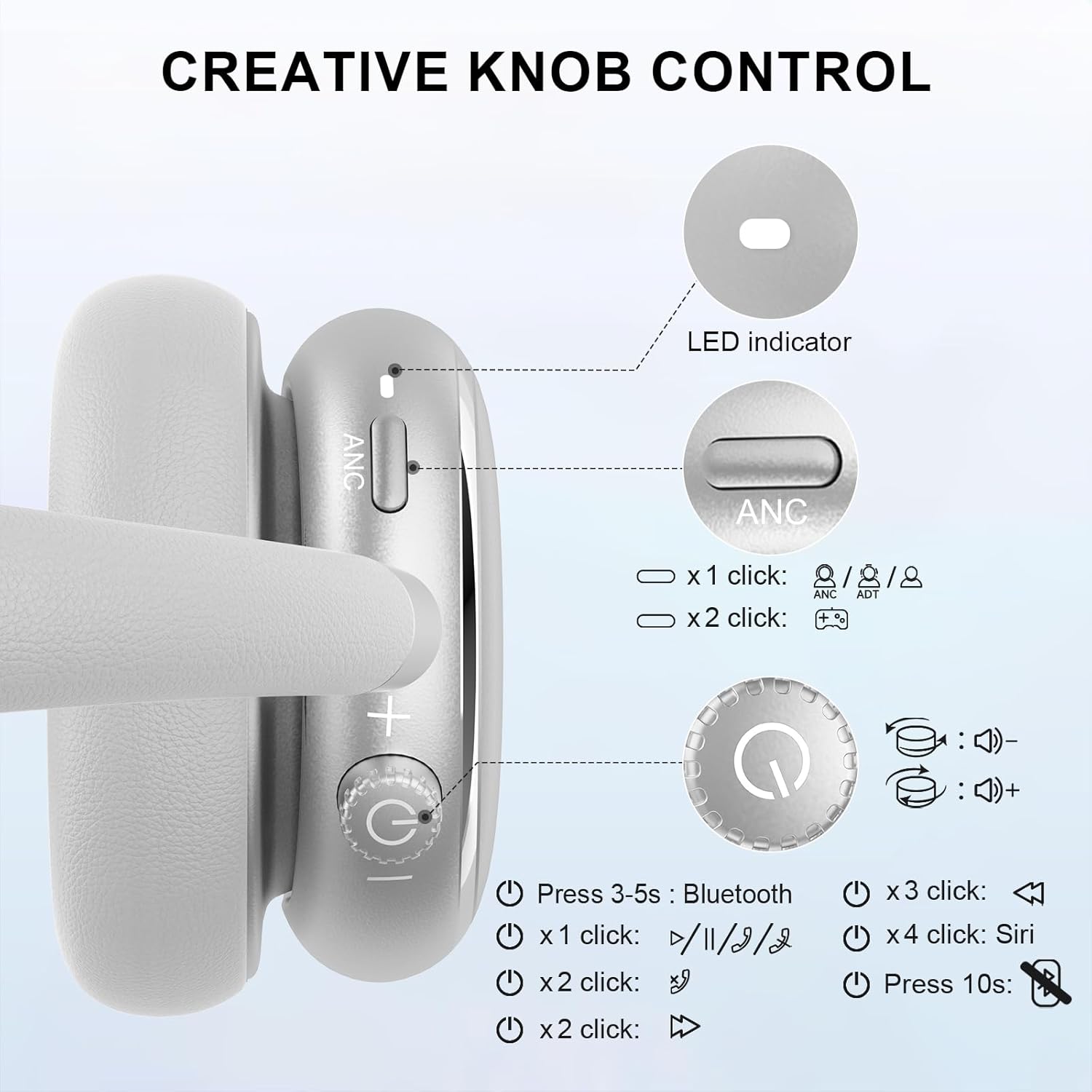
Image 5.1: Creative Knob Control functions.
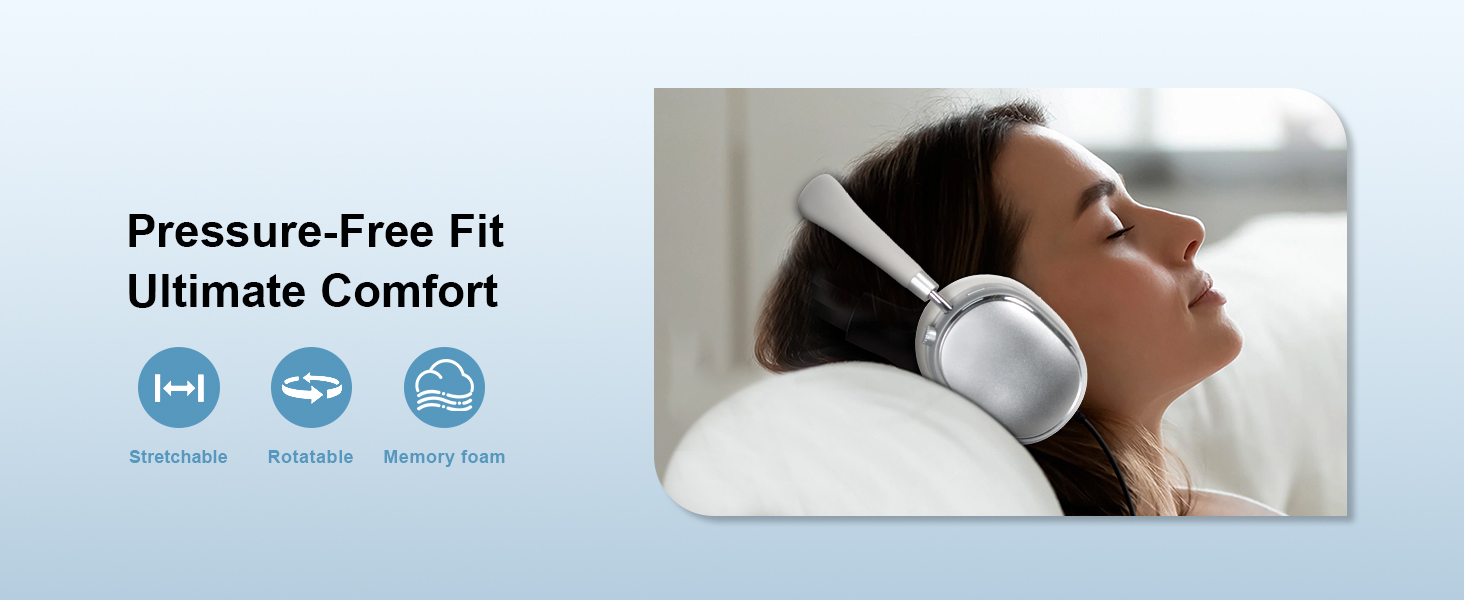
Image 5.2: Multi-functional Knob Control for volume adjustment.
- Volume aanpassing: Draai die knop kloksgewys om die volume te verhoog, antikloksgewys om die volume te verlaag.
- Speel/pouse: Press the knob once.
- Beantwoord/beëindig oproep: Press the knob once.
- Volgende snit: Press the knob twice.
- Vorige snit: Press the knob three times.
- Aktiveer Stemassistent (Siri): Press the knob four times.
- Herstel: Druk en hou die knop vir 10 sekondes.
Note: Knob functions are only available in wireless connection mode.
5.3 Aktiewe Geraaskansellasie (ANC) en Deursigtigheidsmodus
The NC95 headphones feature Hybrid Active Noise Cancellation and Transparency Mode, controlled by a dedicated button.
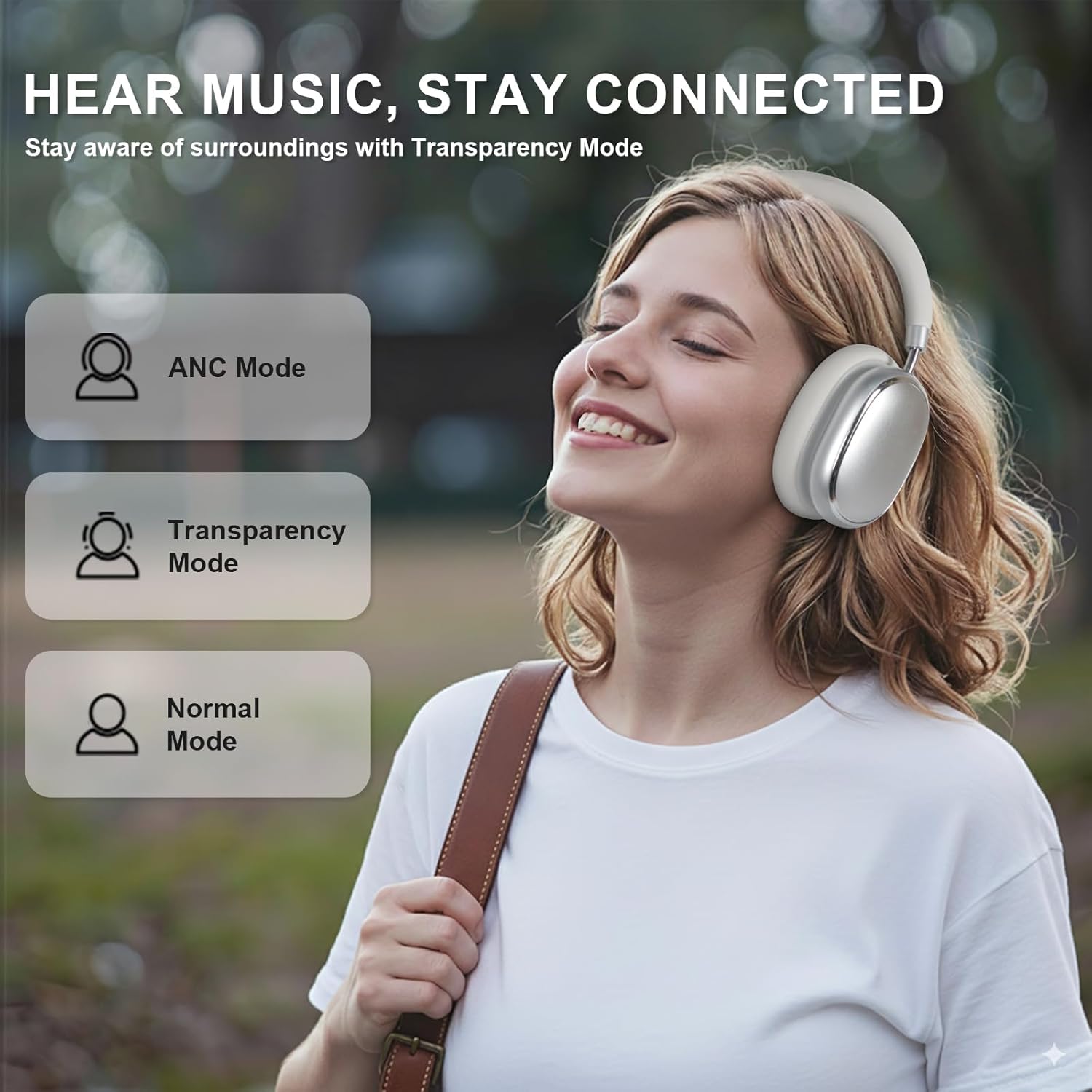
Image 5.3: ANC, Transparency, and Normal modes.

Image 5.4: Noise reduction effectiveness.
- ANC-modus: Press the ANC button once to activate Hybrid Active Noise Cancellation, reducing ambient noise by up to 35dB.
- Deursigtigheidmodus: Press the ANC button again to switch to Transparency Mode, allowing you to hear your surroundings without removing the headphones.
- Normale modus: Press the ANC button a third time to return to Normal Mode, with ANC and Transparency off.
Note: ANC mode is only available in wireless connection mode.
5.4 Bedrade verbinding
For a wired audio experience or when battery is low, use the 3.5mm audio cable.
- Koppel die een kant van die 3.5 mm-klankkabel aan die klankaansluiting op die oorfone.
- Koppel die ander kant aan die 3.5 mm-klankuitvoer van jou toestel.
- In wired mode, the knob control functions for volume, playback, and calls are not available.
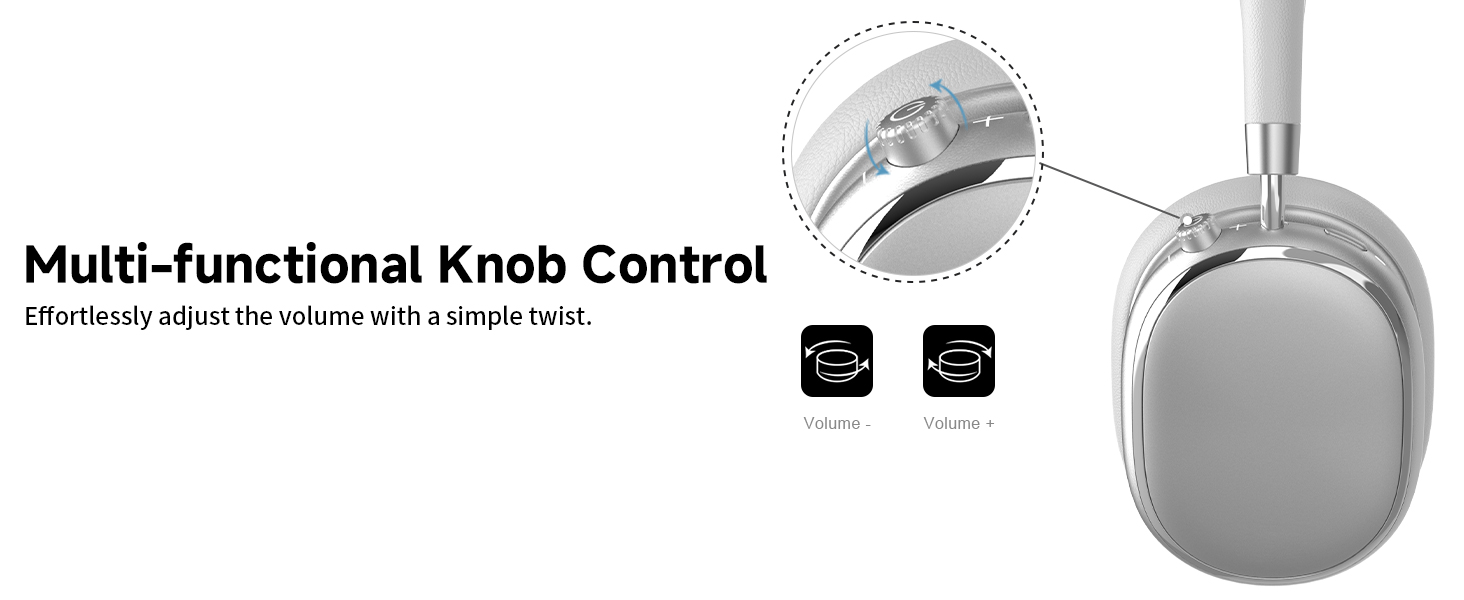
Image 5.5: Wired connection with 3.5mm audio cable.
5.5 Oproepbestuur
When connected via Bluetooth, you can manage calls using the knob control.
- Beantwoord/beëindig oproep: Press the knob once.
- Verwerp oproep: Druk en hou die knop vir 2 sekondes.

Image 5.6: Clear hands-free calls with built-in microphones.
6. Onderhoud
6.1 Skoonmaak
- Vee die oorfone af met 'n sagte, droë lap.
- Moenie harde chemikalieë of skuurmateriaal gebruik nie.
- Vermy dat vog in enige openinge kom.
6.2 Berging
- Store the headphones in the provided PU bag when not in use to protect them from dust and scratches.
- Vermy berging in uiterste temperature of hoë humiditeit.
6.3 Detachable Ear Cushions
The ear cushions are detachable for easy cleaning and replacement, ensuring long-term use.

Image 6.1: Detachable ear cushions for easy care.
7. Probleemoplossing
If you encounter issues with your NC95 headphones, refer to the following common solutions:
| Probleem | Moontlike oorsaak | Oplossing |
|---|---|---|
| Oorfone skakel nie aan nie | Lae battery | Laai die oorfone ten volle. |
| Kan nie via Bluetooth koppel nie | Headphones not in pairing mode; Device Bluetooth off; Interference | Ensure headphones are in pairing mode (flashing LED). Turn device Bluetooth off and on. Move closer to the device. |
| Geen klank nie | Volume too low; Incorrect audio source; Loose wired connection | Increase volume on headphones and device. Check audio output settings on your device. Re-insert 3.5mm cable firmly. |
| ANC werk nie effektief nie | ANC not activated; Environmental noise too high | Press the ANC button to cycle through modes. ANC is most effective against low-frequency noise. |
| Programverbindingkwessies | Bluetooth not connected; App glitch | Ensure headphones are connected via Bluetooth. Restart the app or your phone. |
Indien die probleem voortduur, kontak asseblief kliëntediens.
8. Spesifikasies
| Kenmerk | Detail |
|---|---|
| Model Naam | NC95 |
| Geraasbeheer | Hibriede geraasonderdrukking |
| Frekwensierespons | 20 Hz - 20 kHz |
| Sensitiwiteit | 105 dB |
| Impedansie | 32 ohm |
| Koptelefoonaansluiting | 3.5 mm-aansluiting |
| Verbindingstegnologie | Wireless (Bluetooth), Wired |
| Draadlose kommunikasietegnologie | Bluetooth 5.3 |
| Bluetooth-reeks | 15 meter |
| Oudio-latensie | 50 millisekondes |
| Oudiobestuurdergrootte | 40 millimeter |
| Tipe beheer | App Control, Push Button, Knob |
| Batterylewe | Up to 65 Hours (ANC playback) |
| Laai tyd | 2.5 ure |
| Waterweerstandvlak | Nie waterbestand nie |
| Item gewig | 1.28 pond |
| Vervaardiger | FOFUN |
9. Waarborg en Ondersteuning
9.1 Waarborginligting
For detailed warranty information, please refer to the documentation included with your purchase or contact FOFUN customer service directly. Warranty terms may vary by region and retailer.
9.2 Kliëntediens
If you require further assistance or have questions not covered in this manual, please contact FOFUN customer support through their official channels. You can also visit the T-Fun Store on Amazon vir addisionele hulpbronne.